 ProMapRanker
6 Best OCR Software for Handwriting Recognition Options for 2026

Direct answer
For live handwriting on tablets, MyScript Nebo is where this list starts. Google Drive OCR is better for free conversion of scans, and Adobe Acrobat Pro is better for OCR inside PDF workflows. The other 3 tools in the list cover narrower or pricier cases.
Key takeaways
- The list opens with MyScript Nebo, aimed at live handwriting on tablets.
- Before buying Google Drive OCR, weigh this: files are processed on Google servers, so nothing sensitive belongs here.
- The lowest published monthly entry price here is $19.99 per month, from Adobe Acrobat Pro.
- Goodnotes fits handwritten notes that stay searchable.
Quick comparison
| Pick | Great for | Pricing starts at | Free tier | |
|---|---|---|---|---|
 MyScript Nebo | Live handwriting on tablets | Free | Yes | Visit |
 Google Drive OCR | Free conversion of scans | Free | Yes | Visit |
 Adobe Acrobat Pro | OCR inside PDF workflows | $19.99 per month | No | Visit |
 ABBYY FineReader | Serious document OCR | See website | No | Visit |
 Transkribator | Historical handwritten documents | See website | No | Visit |
 Goodnotes | Handwritten notes that stay searchable | Free | Yes | Visit |
The best OCR software for handwriting recognition
ProMapRanker put together this guide to OCR software for handwriting recognition for readers who want a clear shortlist without reading every vendor page. It compares 6 tools on starting price, free plans, who each one suits and where each one falls short.
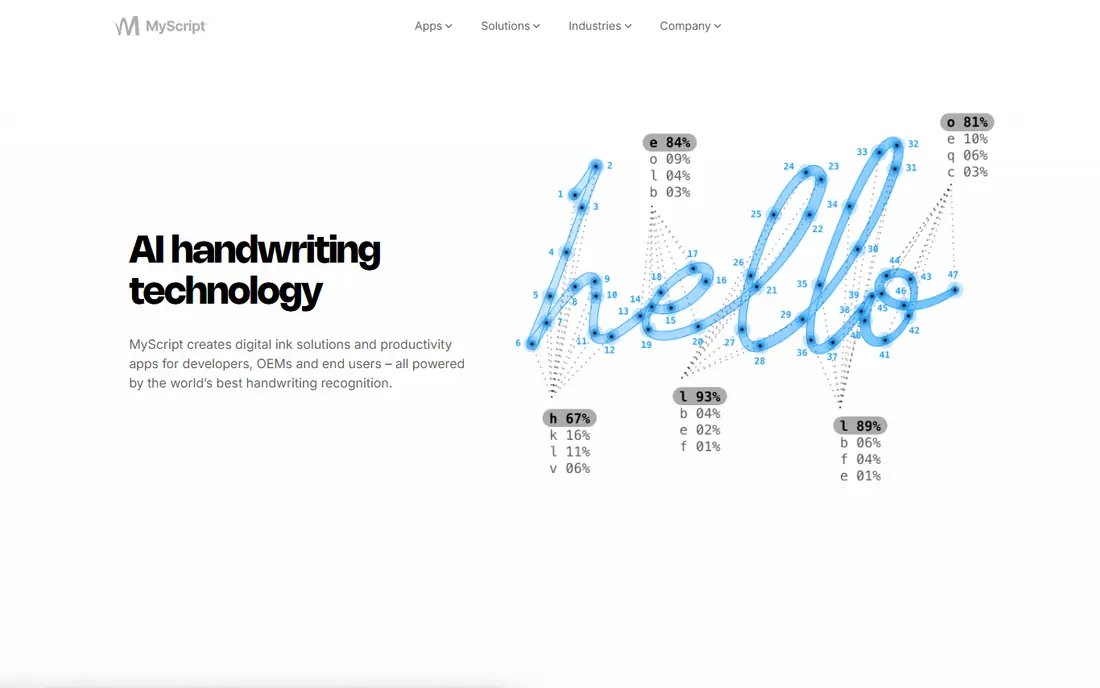
Choose MyScript Nebo for live handwriting on tablets. The trade off is timing. A free level handles entry-level notebooks.
Beyond that, Nebo suits students, professionals, and anyone who takes notes by hand on a tablet and wants them typed, searchable, and shareable afterwards. In practice, Nebo takes the other path: rather than scanning finished handwriting, it understands the strokes as you write them, which provides it context no scanner has. What you pay to start with MyScript Nebo: Free. MyScript Nebo has a free plan.
Limits to weigh: Tablet centred, desktop is secondary; not scans of old paper.
- Handles diagrams, maths
- Converts notes to typed text with a gesture
- Full features need the premium version

Google Drive OCR is designed for free conversion of scans. For clear, separated handwriting it does well enough to search and copy.
Google Drive OCR suits personal notes, family documents, and fast tests of whether your handwriting is machine readable at all. Entry price for Google Drive OCR: Free. Google Drive OCR includes a free tier.
Highlights: No software to install.
Where it is weaker: No control over recognition settings.
- Free with a Google account
- Takes care of clear handwriting surprisingly well
- Results vary sharply with writing quality

Adobe Acrobat Pro works best for OCR inside PDF workflows. It is reported at $19.99 a month billed yearly.
Reasons to shortlist it: Recognise text runs across entire PDF files.
From a buyer's view, the trade off is breadth against handwriting depth. Adobe Acrobat Pro pricing: $19.99 per month. Adobe Acrobat Pro does not include a free plan.
Where it falls short: Handwriting recognition is its weakest OCR mode.
- Files can be processed locally on desktop
- Your document workflow stays in one app
- Subscription pricing
ABBYY FineReader is a good fit for serious document OCR. The trade off is scope against focus.
Main advantages: Converts to Word, Excel.
What to check first: Interface is designed for volume, not casual use.
Also, FineReader suits offices, researchers, and anyone digitising a backlog of paper who needs the file to stay on their own hardware. Also, FineReader shines on documents, not on live note taking, and its handwriting strength relies on language and writing style. This comparison lists no price for ABBYY FineReader; ask the vendor. No free plan comes with ABBYY FineReader.
- Searchable PDF
- Best in class OCR engine across print and handwriting
- Handwriting support is narrower than its print support and varies by language
Transkribator was built for historical handwritten documents. Transkribator serves the hardest handwriting of all: the past. Its models are trained for historical documents, parish records, letters, and manuscripts, in scripts and spelling that defeat general OCR.
Genealogists and archive researchers are its core users. The trade off is specialisation against generality. Transkribator does not show a starting price in this comparison, so check the vendor site for current pricing. Transkribator has no free tier.
Limits to weigh: Results still need scholarly proofreading.
Upsides: Aimed at archives, letters, manuscripts.
- AI models trained on historical hands
- Pitched at researchers and family historians
- Niche tool with credit based pricing to confirm
In short, Goodnotes is for handwritten notes that stay searchable. Goodnotes is the notebook app students and iPad professionals standardise on. Its quiet strength is that everything you write stays findable: the app indexes your handwriting so a word written in March can be searched in October, and selections can be converted to typed text.
The free plan limits notebooks; premium plans are reported a year or one time purchase. Windows and Android versions exist but trail the iPad app. The trade off is ecosystem against universality. Goodnotes cost at the entry level: Free. Goodnotes offers a free plan.
Honest limits: Best on Apple hardware.
- Converts handwriting to text when you need it out
- Solid template and notebook system
- Recognition serves search first, bulk conversion second
Selection criteria
We compared the tools on published pricing, free plan or trial availability, feature coverage for OCR software for handwriting recognition, and the limits each vendor documents. Prices and plan limits come from vendor pages and can change, so confirm them on the vendor site before you buy. The sequence is a judgement call: typical use case first, then pricing transparency, then free access. Use the profiles to check fit.
What to check before you buy
- Ask ABBYY FineReader and Transkribator for a written quote, since no starting price is shown.
- Check what the free option really includes: MyScript Nebo, Google Drive OCR and Goodnotes offer a free plan, and usage caps differ.
- Before choosing MyScript Nebo, weigh its main limit: it recognises your live writing, not scans of old paper.
- Run a one or two week pilot of Transkribator with the people who will use it every day.
- Check whether MyScript Nebo bills monthly or annually, and what cancelling early costs.
Frequently asked questions
How accurate is handwriting OCR?
On neat, separated letters in decent light, modern tools can exceed 90 percent character accuracy. On quick cursive it can fall below half, with errors concentrated in names, numbers, and unusual words. Always proofread output that matters.
Can I try these tools before paying?
Often, yes. MyScript Nebo, Google Drive OCR and Goodnotes have a free plan. Use your own data and a real task during the test, and check what the free tier or trial limits before you rely on it.
Is it safe to upload documents to online OCR tools?
For personal notes you would happily share, the risk is low. For identity documents, medical or legal papers, contracts, or anyone else's private information, no: use desktop or on device software so the document never leaves your control.
Can OCR read cursive writing?
Tools trained on cursive, notably MyScript's engine for live writing and Transkribator for historical hands, manage connected script far better than general OCR. For everyday use, expect a draft that needs correction instead of a perfect transcript.
How are the tools for OCR software for handwriting recognition ordered?
The order follows typical fit for OCR software for handwriting recognition, with MyScript Nebo first and Goodnotes last, then price clarity and free access. It is editorial judgement, not a score, so another team could rank the tools differently.
Which options for OCR software for handwriting recognition have a free plan?
MyScript Nebo, Google Drive OCR and Goodnotes offer a free plan in this list. Free plans usually cap users, projects or features, so check the limits on the vendor page.
Sources
See where you really rank - block by block
ProMapRanker scans Google Maps across a grid of your service area. Simple monthly plans from $19, white-label on every plan.
Start freeKeep reading
 zscaler alternatives
Best Zscaler Alternatives in 2026
Looking for zscaler alternatives? We compare 9 SASE and zero trust platforms on architecture, data protection, pricing, and fit for your network and team.
Read → zapier alternatives free
Best Zapier Alternatives Free in 2026
Nine automation tools for zapier alternatives free in 2026, all with genuinely free tiers, plus free plan limits, starting prices and upgrade paths explained.
Read → which platform is best for online reputation
Which Platform Is Best for Online Reputation in 2026
Wondering which platform is best for online reputation? We compare 8 review, listing, and response tools for small and multi-location businesses and agencies.
Read →