 ProMapRanker
Best Notification Software for Businesses in 2026

Key takeaways
- OneSignal suits marketing push at scale, while Courier, Knock and Novu suit product notifications that must route across many channels.
- Firebase Cloud Messaging gives free push delivery for apps, but your team must build scheduling, preferences and analytics around it.
- Pricing units differ: subscribers, sends, messages and workflow runs all change the bill, so model a real month before choosing.
- Preference centers, quiet hours and digest options reduce complaints and unsubscribes more than any single channel feature.
- Start with one channel and one use case, such as order updates, then add channels only after delivery and opt-out handling are clean.
Quick comparison
| Pick | Great for | Pricing starts at | Free tier | |
|---|---|---|---|---|
 OneSignal | Marketing push at scale | Free | Yes | Visit |
 Courier | Multi-channel orchestration | Free | Yes | Visit |
 Knock | Product notification workflows | Free | Yes | Visit |
 Novu | Open source notification workflows | Free | Yes | Visit |
 Pusher Beams | Developer push delivery | See website | Yes | Visit |
 Pushwoosh | Mobile and web push | See website | Yes | Visit |
 Firebase Cloud Messaging | Free app push transport | Free | Yes | Visit |
 Twilio | SMS, voice and messaging APIs | See website | No | Visit |
 Braze | Customer engagement campaigns | See website | No | Visit |
The best notification software for businesses
Notification software covers push, email, SMS, in-app messages and chat tools, and the right pick depends on whether you send marketing campaigns, product updates or transactional alerts. Some tools excel at reaching a large audience cheaply, while others excel at routing one event to the right channel with user preferences. This list covers both kinds, with a plain note on pricing units.

OneSignal is the default pick for apps and websites that need marketing push at scale. The free tier covers unlimited mobile push sends in many plans, with web push subscriber limits, and Growth plans add segmentation, journeys and confirmed delivery. That combination suits product launches, promotions and re-engagement campaigns where reach matters most.
The cost model needs attention as an audience grows, since paid plans scale with monthly active users and web subscribers. Transactional product notifications, with per-user preferences and complex routing, may fit Courier or Knock better. For marketing push, though, OneSignal offers the broadest value at the lowest entry cost.
- Generous free tier for mobile push
- Segmentation, journeys and A/B testing
- In-app, email and SMS alongside push
- Pricing scales with subscribers
- Preference model is less flexible than Knock for complex product use
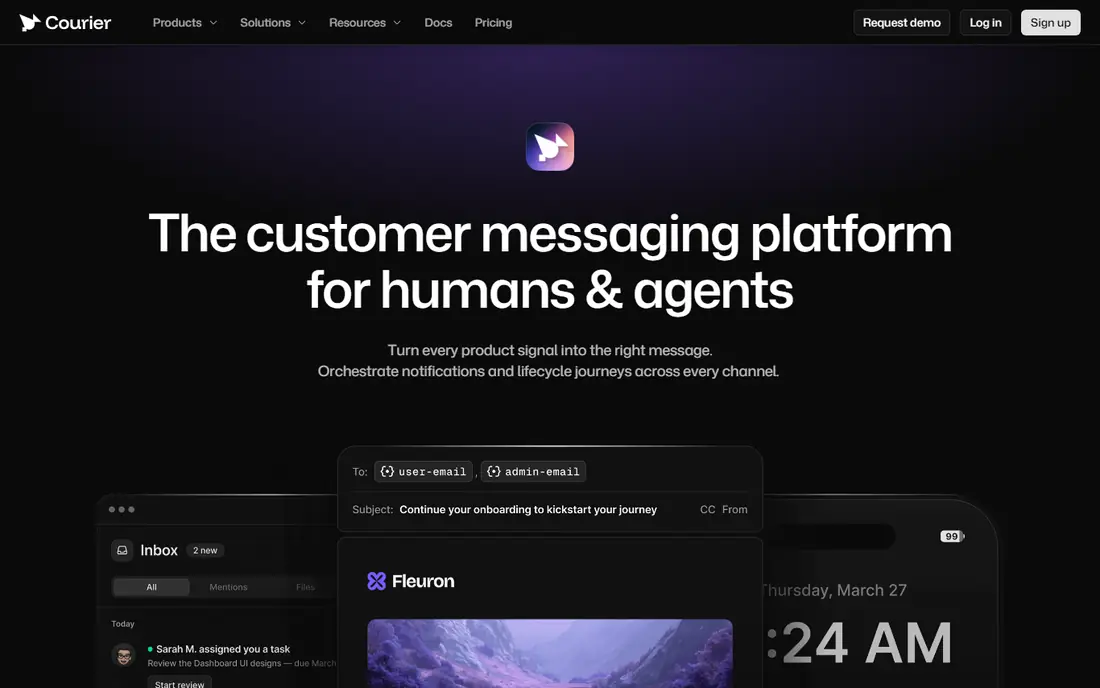
Courier suits product and engineering teams that send notifications from code and want one API across channels. Templates, provider routing and channel preferences live in one place, so a single event can reach email, push or SMS based on user settings. A free developer tier covers 10,000 sends per month in published plans, with pay-as-you-go pricing around $0.005 per send after that.
The main planning task is volume forecasting, since each channel send counts. Teams with complex batching, digests and priority rules may prefer Knock. Teams that want a clean API, fast setup and provider flexibility will find Courier a practical middle ground between raw APIs and a full engagement suite.
- One API for email, SMS, push and chat
- Templates and routing in code
- Bring your own providers
- Pay-as-you-go sends add up at volume
- Workflow depth is lighter than Knock for complex product rules

Knock suits SaaS product teams with complex notification rules: preferences by channel, quiet hours, digests, batching and priority handling. A workflow engine routes each event to the right channels, and an in-app inbox gives users one place to read product updates. Delivery observability helps teams debug a single message, which matters for billing, security and order alerts.
Pricing is the main barrier. A free developer plan covers 10,000 messages per month, while Starter starts at $250 per month with 50,000 messages. Small teams should test on the free tier and confirm volume before committing. For product notifications at scale, Knock offers the deepest workflow control in this list.
- Strong workflow engine with preferences and batching
- Cross-channel delivery and observability
- In-app inbox components
- Starter plan at $250 per month is a steep step from free
- No hobby tier for tiny projects
Novu suits teams that want control over notification infrastructure, with an open source core and a managed cloud option. Workflows define routing, delays, digests and fallbacks once, then run across inbox, email, SMS, push and chat. Prebuilt inbox and preference components save frontend time, including quiet hours and digest settings.
Cloud pricing starts around $30 per month for 30,000 workflow runs in published plans, with a free tier covering 10,000 runs. Note that one trigger fanning out to many users counts as many runs, so model volume carefully. Teams that value open code and self-hosting will prefer Novu over closed platforms, even with the extra maintenance.
- Open source core you can self-host
- Workflows across inbox, email, SMS and push
- Prebuilt inbox and preference components
- Self-hosting adds maintenance
- Pricing per workflow run takes effort to forecast
Pusher Beams suits developers who need reliable push delivery without building a full engagement platform. It handles device tokens, interests and delivery across iOS, Android and web, and it pairs well with Pusher Channels for realtime features. A free sandbox tier supports testing, with paid tiers starting around $29 per month for 10,000 subscribers in published plans.
The limit is scope: Beams covers push, not email, SMS or in-app inboxes. Teams that need multi-channel product notifications should pair it with Courier or Knock, or pick a broader platform from the start. For push-first apps with an existing Pusher setup, Beams is a clean and focused choice.
- Simple push API with device and interest targeting
- Integrates with Pusher realtime tools
- Free sandbox tier
- Push only, so email and SMS need another tool
- Pricing scales with subscribers
Pushwoosh suits apps and websites that want push campaigns with segmentation and journeys, without a full engagement suite. Mobile and web push, in-app messages and email cover most campaign needs, and a free tier supports up to 1,000 monthly active users in published plans. Paid push plans are priced per monthly active user, so check the current page for your audience size.
Larger audiences should model cost growth carefully, since subscriber-based pricing rises with reach even when send volume stays flat. For small and mid-size apps focused on push, Pushwoosh offers a practical balance of features and price. For complex product routing, a workflow platform will fit better.
- Mobile and web push with segmentation
- Journeys and in-app messages
- Free tier for small audiences
- Pricing per monthly active user can rise fast
- Transactional depth is lighter than Knock or Courier
Firebase Cloud Messaging, often called FCM, is the free transport behind many Android and iOS push systems. It delivers messages at no per-message cost on any Firebase plan, which makes it the cheapest way to send app push at scale. Developers control tokens, topics and message payloads directly.
The trade-off is work. FCM does not provide campaign journeys, preference centers, digests or detailed delivery analytics out of the box. Teams must build those layers or pair FCM with a platform such as OneSignal, Courier or Knock. For teams with engineering capacity and a simple push need, FCM is hard to beat on cost. For marketing teams, a managed platform saves more time.
- Free push delivery for Android and iOS
- Reliable Google transport
- No per-message cost
- No built-in campaigns, preferences or analytics
- Team must build scheduling and targeting
Twilio suits businesses that need SMS, voice or WhatsApp as a core notification channel, especially for alerts, codes and service updates. Its messaging APIs, global coverage and delivery tooling support high-volume transactional use, with compliance features for opt-in and opt-out handling. Many platforms in this list use Twilio or a similar provider behind the scenes for SMS delivery.
Pricing is usage-based and varies by country and channel, so check the current Twilio pricing page for your volumes and regions. Twilio is an API platform, not a campaign dashboard, so marketing teams will still need a tool on top for journeys and templates. For transactional SMS at scale, it remains the standard choice.
- Reliable SMS, voice and WhatsApp APIs
- Global carrier coverage
- Strong delivery and compliance tooling
- Usage-based pricing needs volume modeling
- Building campaigns requires developer work
Braze suits larger consumer brands running cross-channel campaigns across push, email, SMS and in-app messages. Journeys, personalization, experimentation and analytics support lifecycle marketing at scale, from onboarding to retention. That depth helps teams where engagement campaigns, not just alerts, drive revenue.
Pricing is quote-based, and setup suits teams with marketing operations capacity. Small businesses with a simple order update or alert need will find OneSignal or Courier faster and cheaper. Brands with large audiences, many segments and a dedicated lifecycle team will get more from Braze than from a developer-focused tool.
- Strong cross-channel campaigns with journeys and personalization
- Deep analytics
- Enterprise scale
- Quote-based pricing and enterprise setup
- Overkill for simple transactional notifications
How we picked these
We compared official pricing pages, product documentation and public comparisons, and we favored tools that are actively available in October 2026 with a clear business notification use. We looked for channel coverage, preference handling, delivery observability and a pricing model a buyer can test. We did not claim hands-on testing; our comparison rests on published features, pricing and documented limits. We kept both marketing and product tools, since businesses often need one of each.
What to check before you choose
Separate marketing messages from product messages early. Marketing campaigns need segmentation, journeys and unsubscribe handling, while product messages need preferences, quiet hours and reliable delivery for alerts. One tool can cover both, but many teams use OneSignal or Braze for campaigns and Courier, Knock or Novu for product notifications. That split keeps urgent alerts from competing with promotions.
Check consent, opt-out and quiet hours before your first send. Confirm opt-in for SMS and push where required, honor unsubscribe requests promptly, and offer a preference center that lets users choose channels by message type. Quiet hours and digest options reduce complaints and protect deliverability, especially for email and SMS. A clear sender name and a plain message subject also help users trust the next alert.
Model cost on a real month, using the vendor unit: subscribers, sends, messages or workflow runs. A free tier that looks generous can run out fast when one event fans out to many users or channels. Test with a small segment, measure delivery and complaint rates, and scale only after opt-out handling is clean. If delivery data is thin, pick a tool with stronger observability before adding volume.
Frequently asked questions
What is the best notification software for businesses?
It depends on the job. OneSignal leads for marketing push at scale, Courier and Knock lead for product notifications across channels, and Firebase Cloud Messaging leads for free app push transport. Start by naming your main job, marketing or product alerts, then pick the tool built for that job.
What are the top-rated notification software options for businesses?
Top-rated options in this list include OneSignal for push campaigns, Knock for product workflows, Courier for multi-channel orchestration and Novu for open source control. Braze suits larger brands with lifecycle campaigns, while Twilio suits SMS and voice at scale. Compare pricing units, not just feature lists, before choosing.
Is Firebase Cloud Messaging really free?
Yes, Firebase Cloud Messaging has no per-message cost on any Firebase plan. Your team still pays in engineering time to build targeting, scheduling, preferences and analytics around it. Managed platforms charge for those layers, which is why many teams pair FCM with a tool such as OneSignal or Courier.
How do I avoid spamming users with notifications?
Offer a preference center by message type and channel, set quiet hours, bundle low-priority updates into a digest, and separate marketing from transactional alerts. Measure unsubscribe and complaint rates weekly at first. Fewer, more relevant messages usually perform better than frequent blasts.
Should I use SMS for every important alert?
No, use SMS for time-sensitive alerts such as security codes, delivery changes and urgent service updates, where users expect a fast read. Use email or in-app messages for routine updates, receipts and digests. Always get consent for SMS, honor opt-outs promptly and check carrier rules in each country.
What is the difference between push and in-app notifications?
Push messages reach a user outside the app, on a phone or browser, while in-app messages appear only when the user opens the app. Push suits urgent or re-engagement messages, while in-app suits product updates, announcements and guided actions. A good system uses both, with user preferences controlling each channel.
Sources
See where you really rank - block by block
ProMapRanker scans Google Maps across a grid of your service area. Simple monthly plans from $19, white-label on every plan.
Start freeKeep reading
 zscaler alternatives
Best Zscaler Alternatives in 2026
Looking for zscaler alternatives? We compare 9 SASE and zero trust platforms on architecture, data protection, pricing, and fit for your network and team.
Read → zapier alternatives free
Best Zapier Alternatives Free in 2026
Nine automation tools for zapier alternatives free in 2026, all with genuinely free tiers, plus free plan limits, starting prices and upgrade paths explained.
Read → which platform is best for online reputation
Which Platform Is Best for Online Reputation in 2026
Wondering which platform is best for online reputation? We compare 8 review, listing, and response tools for small and multi-location businesses and agencies.
Read →