 ProMapRanker
Best Note-Taking App With Stylus in 2026

Notebook handwriting and planning · Pricing starts at: $11.99 per year
Key takeaways
- Goodnotes is our top pick for most stylus users because of its notebook structure, handwriting tools, and cross-platform reach.
- Notability is best if audio recording synced to notes matters, especially for lectures and meetings.
- Apple Notes and Samsung Notes are the best free starting points, but only if you stay inside one device family.
- Check stylus support, palm rejection, and PDF annotation before you pay, since those three features decide daily comfort.
Quick comparison
| Pick | Great for | Pricing starts at | Free tier | |
|---|---|---|---|---|
| Goodnotes | Notebook handwriting and planning | $11.99 per year | Yes | Visit |
 Notability | Audio synced notes | $14.99 per year | Yes | Visit |
 Apple Notes | Free iPad and iPhone notes | Free | Yes | Visit |
 Microsoft OneNote | Cross-platform typed and handwritten notes | Free | Yes | Visit |
 Samsung Notes | Samsung tablet users | Free | Yes | Visit |
 Noteshelf | Affordable handwriting notebooks | $9.99 one-time | Yes | Visit |
 Nebo | Handwriting to text conversion | See website | Yes | Visit |
 CollaNote | Free handwriting and planning | Free | Yes | Visit |
 ZoomNotes | Flexible pages and PDF markup | See website | No | Visit |
The best note-taking app with stylus options
We compared official pricing pages, app store listings, and feature pages for apps that genuinely support a stylus, not just typing. The best note taking app with stylus support for you depends on your tablet, whether you need audio, and whether you want to convert handwriting to text or keep it as ink.
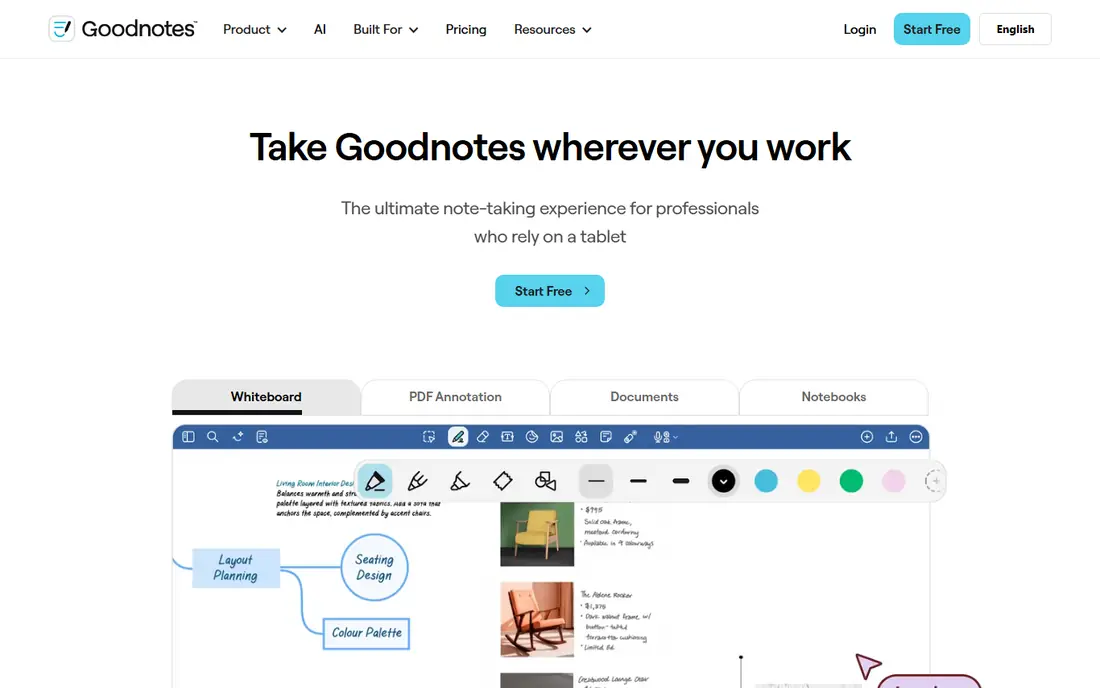
Goodnotes feels like a set of paper notebooks that you can search. You write with an Apple Pencil or another supported stylus, organize pages into folders, and use templates for planners, Cornell notes, and study sheets. Handwriting search helps you find an old note without remembering which notebook it was in.
Recent pricing summaries put the Essential plan at $11.99 per year, with a Pro plan at $35.99 per year for more collaboration and AI features. The free plan is limited to a small number of files, so a heavy user will need a paid plan. If handwriting is your main way of taking notes, Goodnotes is the most complete starting point.
- Notebook and folder structure
- Handwriting recognition and search
- Templates for planners and study
- Free plan limits files
- Some features vary by platform

Notability is the pick for lectures, interviews, and meetings. You can record audio while you write, then tap a word later and hear what was said at that moment. That link between ink and audio is a real study and work benefit, and it is why many students stay with Notability even when other apps look prettier.
Recent pricing summaries put Lite at $14.99 per year and Plus at $19.99 per year, with higher Pro and one-time Classic options. The free Starter plan is limited to a small number of notes, so test the audio workflow before you pay. If you rarely record, Goodnotes gives you more notebook structure for a similar price.
- Audio recording synced to handwriting
- Simple, fast interface
- PDF annotation and multi-note view
- Free plan limits notes
- Top AI tiers cost much more
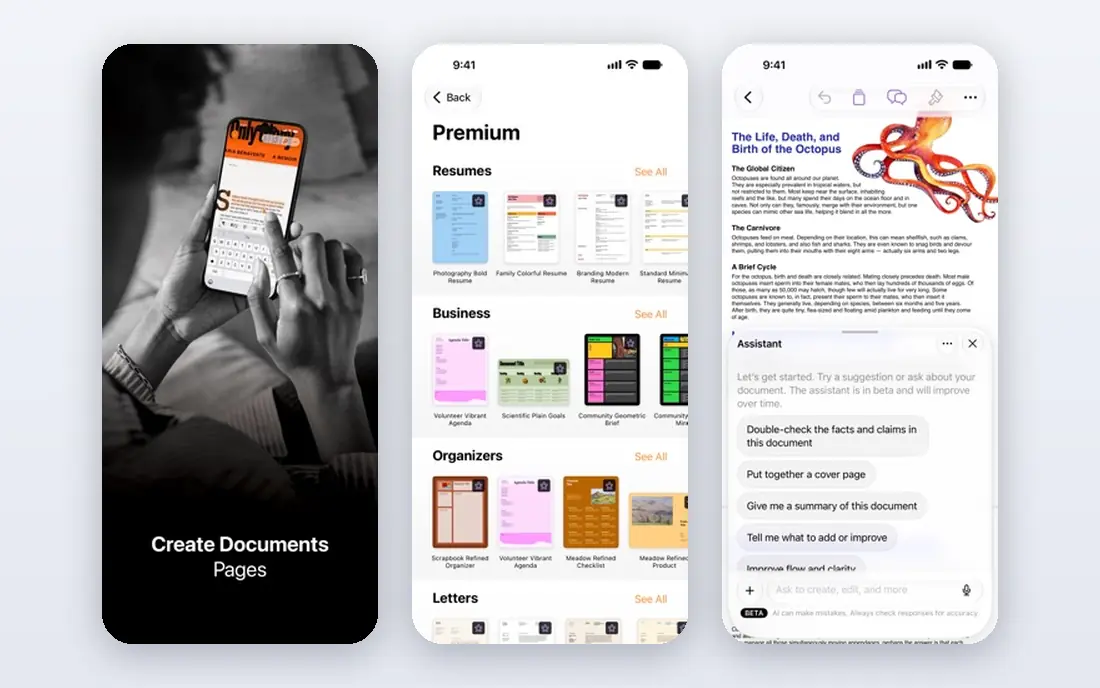
Apple Notes is the free app most iPad owners already have, and it is better for stylus notes than many people expect. You can handwrite, sketch, annotate PDFs, and lock notes, and everything syncs across iPhone, iPad, and Mac through iCloud. For quick notes, meeting sketches, and simple journals, it is enough.
The limits appear when you need deep notebook organization or a planner system. Apple Notes has folders and tags, but it does not match Goodnotes for templates and handwriting search depth. It is also an Apple-only experience in practice, so Android or Windows users should look at OneNote instead.
- Free and built into Apple devices
- Good Apple Pencil support
- Syncs through iCloud
- Weaker on Android and Windows
- Fewer planner templates than Goodnotes
OneNote is the best free cross-platform choice for stylus users. Its free-form pages let you write, draw, paste images, and type in the same space, which suits mixed notes with diagrams and text. It works with pen input on Windows tablets and iPad, and it syncs through OneDrive.
The handwriting experience is not as paper-like as Goodnotes on iPad for some users, and very large notebooks can sync slowly. Still, if you switch between Windows, iPad, and Android, OneNote avoids the platform lock-in of Apple Notes and Samsung Notes. For a free, flexible notebook, it is hard to beat.
- Free with a Microsoft account
- Works on Windows, Mac, iOS, and Android
- Flexible free-form pages
- Handwriting feel varies by device
- Sync can be slow with very large notebooks
Samsung Notes is the natural pick if you own a Samsung tablet with an S Pen. It is free, well tuned for the S Pen, and supports handwriting, sketches, PDF annotation, and handwriting-to-text conversion on supported models. Notes sync through a Samsung account and can be shared as PDFs or images.
The catch is device dependence. If you move to an iPad or a Windows tablet later, you will need to export notes and rebuild your system. For a Samsung-only user, though, there is little reason to pay for another app before trying Samsung Notes for a month.
- Free on Samsung devices
- Strong S Pen support
- PDF annotation and handwriting to text on supported devices
- Full experience needs a Samsung device
- Sharing with non-Samsung users is thinner
Noteshelf is a good middle option for people who want a paper-like notebook without a yearly subscription. Recent summaries put it at $9.99 as a one-time purchase on some platforms, with a free tier for trying it. It offers pens, highlighters, templates, and audio recording, and it handles PDF annotation well.
It does not have the same template marketplace or study community as Goodnotes, and feature parity can vary between iOS and Android. If you want a simple, affordable handwriting app and you prefer a one-time price over a subscription, Noteshelf is worth testing first.
- Notebook and planner templates
- Handwriting and audio recording
- One-time purchase option in recent summaries
- Smaller community than Goodnotes
- Some features vary by platform
Nebo stands out for conversion. You write by hand, and Nebo can turn that ink into typed text, diagrams, and math expressions that you can edit and share. That makes it useful for people who think on paper but need a typed document at the end, such as students turning lecture notes into essays.
As a full notebook system, Nebo is thinner than Goodnotes, with fewer planner templates and less folder depth. Check the current price on the vendor site, since it varies by platform. Use Nebo when conversion is the main job, and pair it with a notebook app if you also need long-term organization.
- Strong handwriting-to-text conversion
- Converts diagrams and math on supported devices
- Works across platforms
- Notebook organization is thinner than Goodnotes
- Price and features vary by platform
CollaNote is a free alternative that many iPad users praise for handwriting, planning, and PDF annotation. It offers notebooks, templates, and pen tools without a subscription for core use, which makes it a good trial app before you pay for Goodnotes or Notability.
The trade-off is scale. It is a smaller product than the leaders, so support, updates, and advanced features may be less predictable. If your budget is zero and you want a genuine stylus notebook, CollaNote is a strong free start. If you need audio sync or deep search, a paid app will serve you better.
- Free handwriting notebooks
- Planner and PDF tools
- No subscription needed for core features in recent summaries
- Smaller team and support base
- Fewer advanced AI features than paid rivals
ZoomNotes suits people who need more than a standard notebook page. You can create large pages, sub-pages, and whiteboard-style layouts, annotate PDFs, and draw diagrams with a stylus. Teachers, planners, and visual thinkers who want a flexible canvas will like the freedom it gives.
That freedom comes with a learning curve, and the interface is less polished than Goodnotes at first glance. Check the current price on the vendor site before buying, since it is a paid app. If you want a simple notebook, choose Goodnotes or Noteshelf instead. If you want a flexible canvas, ZoomNotes is a distinctive option.
- Very flexible page sizes and sub-pages
- Strong PDF annotation
- Handwriting and drawing tools
- Interface takes time to learn
- No free plan in recent summaries
How we picked these
We compared official pricing pages, app store listings, and feature pages, and we only included apps with genuine stylus support, palm rejection, and handwriting or drawing tools in October 2026. We checked notebook structure, PDF annotation, audio, handwriting-to-text conversion, platform support, and price clarity. Typing-only note apps were left out.
What to check before you choose
Match the app to your tablet and pen
An iPad app that shines with Apple Pencil may not work at all on Android, and a Samsung app may not transfer well to Windows. Check the exact tablet and pen you own, not just the app name, and test palm rejection in the trial.
Decide what happens to your handwriting
Some people keep ink as ink, while others need typed text for search and sharing. If you need conversion, Nebo and Samsung Notes deserve a closer look. If you keep ink, Goodnotes and Notability give you better search and organization.
Test PDF annotation with a real file
Import a lecture slide deck or a contract, write in the margins, highlight, and export it. That test reveals pen lag, export quality, and whether annotations stay in place, which a feature list cannot show.
Check backup and export
A notebook app should let you export as PDF and back up to a cloud service you trust. Before you fill ten notebooks, export one and confirm the file looks right on another device.
Frequently asked questions
What is the best note taking app with stylus support for iPad?
Goodnotes is our top iPad pick for most stylus users, with Notability close behind if audio recording matters. Apple Notes is the best free iPad option, and CollaNote is a strong free alternative. Test handwriting feel and palm rejection on your own iPad before you pay.
Can I use a note-taking app with a stylus on Android?
Yes. Samsung Notes is best on Samsung tablets with an S Pen, OneNote works across Android and other platforms, and Noteshelf and Nebo also support Android on many devices. Check the app listing for your exact tablet model, since pen support can vary.
Is Goodnotes or Notability better for students?
Goodnotes is better for organized notebooks, planners, and handwriting search. Notability is better for lectures where audio synced to notes helps you review what was said. Many students use Goodnotes for study notes and Notability for recorded lectures, but one app is usually enough to start.
Do I need to pay for a stylus note app?
No. Apple Notes, Samsung Notes, OneNote, and CollaNote all offer free stylus note-taking. Paid apps add templates, audio, search depth, and AI features. Start free, then pay only if a specific paid feature saves you time every week.
What stylus should I use with these apps?
Use the pen made for your tablet, such as Apple Pencil for iPad or S Pen for Samsung tablets, for the best palm rejection and pressure support. Third-party pens can work, but pressure and tilt support vary, so check the app and pen maker pages for compatibility.
Sources
See where you really rank - block by block
ProMapRanker scans Google Maps across a grid of your service area. Simple monthly plans from $19, white-label on every plan.
Start freeKeep reading
 zscaler alternatives
Best Zscaler Alternatives in 2026
Looking for zscaler alternatives? We compare 9 SASE and zero trust platforms on architecture, data protection, pricing, and fit for your network and team.
Read → zapier alternatives free
Best Zapier Alternatives Free in 2026
Nine automation tools for zapier alternatives free in 2026, all with genuinely free tiers, plus free plan limits, starting prices and upgrade paths explained.
Read → which platform is best for online reputation
Which Platform Is Best for Online Reputation in 2026
Wondering which platform is best for online reputation? We compare 8 review, listing, and response tools for small and multi-location businesses and agencies.
Read →