 ProMapRanker
Best Note Taking App for College

Key takeaways
- The best college note app depends on how you study: handwriting, typing, audio lectures, or flashcard revision need different tools.
- GoodNotes and Notability suit iPad handwriting and lecture audio, while Notion and OneNote suit typed organization across devices.
- Obsidian suits students who want local files and linked notes for research, and RemNote suits students who revise with flashcards.
- Free plans cover a lot, so start free and pay only for the feature that solves your main study bottleneck.
- Use AI summaries and transcription as study aids, not as substitutes for your own work, and follow your course rules on academic integrity.
Quick comparison
| Pick | Great for | Pricing starts at | Free tier | |
|---|---|---|---|---|
 Notion | All-in-one organization | Free | Yes | Visit |
 GoodNotes | Handwritten notes and PDFs | $11.99 per year | Yes | Visit |
 Microsoft OneNote | Freeform typed and handwritten notes | Free | Yes | Visit |
 Obsidian | Linked notes and research | Free | Yes | Visit |
 Evernote | Clipping and searchable notes | $14.99 per month | Yes | Visit |
 Notability | Lecture notes with audio | $19.99 per year | Yes | Visit |
 RemNote | Notes plus flashcards | Free | Yes | Visit |
 Bear | Clean Markdown writing | $2.99 per month | Yes | Visit |
 Nebo | Handwriting to text | See website | Free trial | Visit |
The best note taking apps for college
College notes have to survive a whole semester, not just one lecture. You need to capture fast in class, find a fact weeks later, revise before an exam, and sometimes share notes with a study group. The apps below cover those jobs in different ways, so pick by your device, your handwriting habit, and your revision style, not by popularity alone.

Notion is our pick for students who want one workspace for notes, tasks, deadlines, and group work. You can build a course hub with lecture notes, reading lists, assignment trackers, and revision pages, all linked together. The free plan covers a lot for individual students, and real-time collaboration helps study groups share a set of notes without emailing files around.
The limits are offline use and handwriting. Pages you have not downloaded may not be available without internet, and Notion is not a pen-first app, so iPad handwriting fans will miss native ink. We would pick Notion when organization is your bottleneck, and when you type most notes or want a shared workspace for a course or a club.
- Free plan for students
- Databases, tasks, and notes in one place
- Good for group projects
- Offline support has limits
- Learning curve for databases
- Handwriting is not native

GoodNotes is the classic college handwriting app. It gives you digital notebooks, pens, and highlighters that feel close to paper, plus strong PDF annotation for textbooks and lecture slides. You can search handwritten notes, organize by course, and keep everything in one binder that never runs out of pages.
The main limit is platform. GoodNotes is strongest on Apple devices, and while it has expanded, students on other platforms should check current support before committing. AI features also sit on higher tiers, so the base plan is best for handwriting and annotation, not for AI summaries. We would pick GoodNotes if you handwrite, annotate PDFs daily, and use an iPad or Apple Pencil.
- Natural handwriting on iPad
- Strong PDF annotation
- Folders and search for handwritten notes
- Best on Apple devices, with narrower reach elsewhere
- AI features sit on higher tiers
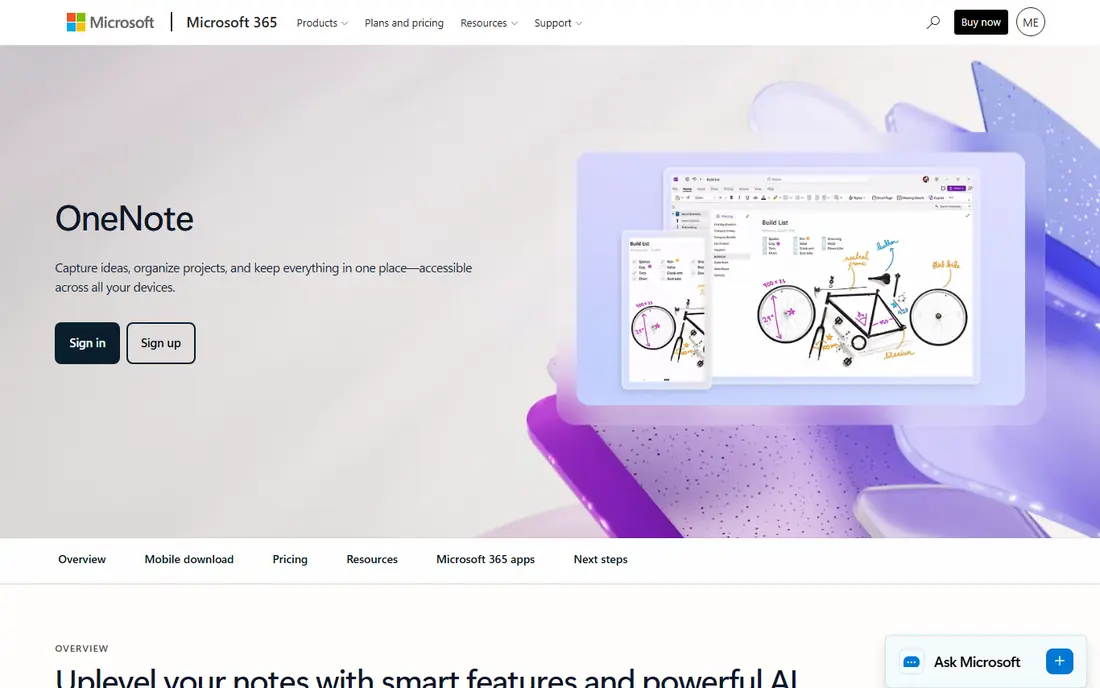
OneNote is the best free all-rounder here. The freeform canvas lets you type, handwrite, draw, paste images, and record audio on the same page, which suits messy lecture notes that mix diagrams, lists, and asides. It works across devices, and students with a Microsoft account can start without paying.
The canvas freedom can become clutter. Without a clear notebook, section, and page structure, a semester of notes can be hard to search. We would pick OneNote when you want a free, cross-device notebook, when you mix typing and handwriting, and when you already use Microsoft tools for coursework.
- Free
- Freeform canvas for typed and handwritten notes
- Works across Windows, Mac, web, and mobile
- Organization can get messy at scale
- Sync can lag on very large notebooks
Obsidian suits students who build knowledge over time, especially for research-heavy courses. Notes are plain Markdown files on your own device, linked together so you can follow ideas from a lecture to a reading to an essay plan. The graph view helps you see connections, and the free app covers the core workflow without a subscription.
It is not a handwriting app, and official sync is paid, though you can use your own sync methods if you are comfortable with them. Setup also takes more effort than OneNote or Apple Notes. We would pick Obsidian for essays, dissertations, and long-term research notes, and pair it with a handwriting app if you take ink notes in class.
- Free app
- Local Markdown files you own
- Links and graph view for research
- No native handwriting
- Sync is a paid add-on
- Setup takes more effort than simpler apps
Evernote remains a strong choice for students who collect a lot of source material. Web clipping saves articles, papers, and pages into searchable notes, and search covers text inside images and PDFs on paid plans. That makes it useful for research, revision, and keeping course materials in one searchable place.
The free plan is now limited, with fewer notes, notebooks, and devices than in the past, and the paid price is higher than Notion or OneNote. We would pick Evernote when clipping and search are your main needs, and when you are willing to pay for a mature, cross-device notebook. Otherwise, Notion or OneNote cover much of the same ground for less.
- Strong web clipping
- Searchable text, including in images and PDFs
- Works across devices
- Free plan is limited to fewer notes and devices
- Paid price is higher than many rivals
Notability wins for lectures where you miss a point and want to hear it again. You can record audio while you write, then tap a word or diagram later to hear what was said at that moment. That audio-to-note link is a genuine study advantage for fast lectures, proofs, and diagrams that are hard to copy in full.
It is strongest on Apple devices, and unlimited transcription and AI summaries sit on the higher Pro tier, so check the plan before you rely on those features. We would pick Notability if you attend fast lectures, if you handwrite, and if audio replay would save you more time than any other feature.
- Audio synced to your notes
- Strong handwriting and PDF tools
- Good for lectures
- Best on Apple devices
- Top AI features require the higher Pro tier
RemNote is built for revision, not just capture. You write notes in an outline, turn key facts into flashcards, and revise with spaced repetition, all in one app. For courses with heavy memorization, such as medicine, law, languages, or science, that loop from note to flashcard to test is more valuable than a prettier notebook.
General writing and handwriting are less polished than Notion or GoodNotes, so RemNote works best as a revision companion, not as your only notebook. We would pick RemNote when exam revision is your bottleneck, and use it alongside your main lecture app for courses with many facts to learn.
- Free plan
- Notes turn into flashcards
- Spaced repetition for revision
- Less polished for general writing
- Handwriting support is basic
Bear is a calm, fast writing app for students who type notes and essays on Apple devices. Markdown formatting, tags, and search keep notes tidy, and export options make it easy to move text into essays or study guides. The interface stays out of the way, which helps for long writing sessions.
The limit is platform and input. Bear is Apple only, with no native handwriting or lecture audio, so it suits typed notes and drafting, not ink or recorded lectures. We would pick Bear when you write on a Mac, iPhone, or iPad, when you like Markdown, and when you want a focused notebook without databases or AI clutter.
- Clean writing experience
- Markdown and tags
- Fast search and export
- Apple devices only
- No native handwriting or audio recording
Nebo is a specialist pick for students who handwrite but want searchable typed notes at the end. It converts handwriting to text, handles diagrams and math notation, and lets you keep the feel of pen notes while ending with text you can search, copy, and paste into essays. That conversion is useful for students who think better by hand but revise better from text.
The ecosystem is smaller than GoodNotes or Notability, so organization, sharing, and PDF tools are simpler. We would pick Nebo when handwriting-to-text conversion is the feature you actually need, and when you are happy to use a focused app for that job alongside a main notebook.
- Converts handwriting to typed text
- Good for diagrams and math
- Works with a stylus
- Smaller ecosystem than GoodNotes or Notability
- Sharing and organization are simpler
How we picked these
We compared official feature pages, pricing pages, and current student note app roundups for apps that are live in October 2026, and we kept only apps that fit college study: capture in class, organization across a semester, and revision before exams. We favored apps with a free plan or a clear student price, a current product page, and a distinct strength, from handwriting to flashcards to linked research notes. We did not claim hands-on testing, and we treated app store prices as a starting point to confirm at purchase.
How to choose and how to use AI notes fairly
Match the app to your bottleneck. If you lose track of deadlines, pick Notion or OneNote. If you handwrite, pick GoodNotes or Notability. If you forget facts, add RemNote for revision. If you write research, pick Obsidian or Bear. One main notebook plus one revision tool beats five half-used apps.
On academic integrity, use AI summaries, transcription, and flashcard generation as study aids, and do your own reading, writing, and problem solving for assessed work. Check your course and university rules on AI tools, citation, and recorded lectures before you record a class or submit AI-assisted notes. When in doubt, ask your tutor, and keep your original notes as evidence of your own work.
Frequently asked questions
What is the best note taking app for college students?
It depends on how you study. GoodNotes and Notability suit iPad handwriting, Notion and OneNote suit typed organization, Obsidian suits research, and RemNote suits flashcard revision. Start with a free plan, test it for two weeks of real lectures, and keep the app you actually open every day.
Is Notion free for college students?
Notion has a free plan that covers individual use, with paid Plus and Business plans for larger teams and extra features. Many students use the free plan for notes, tasks, and group projects without paying, and upgrade only if they need more collaboration or AI features.
Is GoodNotes or Notability better for lectures?
Notability is better when you want audio synced to your notes, since you can tap a note to replay what was said. GoodNotes is better for large PDF textbooks, outlines, and long-term notebook organization. Many students use one for lectures and the other for reading, if they have both.
Can I use a note app for exams and revision?
Yes, especially with RemNote for flashcards, Obsidian for linked revision notes, and Notion or OneNote for summary pages. Build revision notes during the semester, not the week before an exam, and test yourself with flashcards or practice questions rather than just re-reading notes.
Do these apps work offline?
Most do, with limits. Obsidian, GoodNotes, Notability, and Bear work well offline for local notes, while Notion needs downloaded pages for full offline use. Check offline support for the exact app and device you use, especially if you study on trains or in buildings with weak Wi-Fi.
Is it allowed to record lectures in a note app?
It depends on your university, course, and local law. Some lecturers allow recording for personal study, some require permission, and some forbid sharing recordings. Ask before you record, keep recordings private, and never share a recording of a class or a classmate without permission.
Sources
See where you really rank - block by block
ProMapRanker scans Google Maps across a grid of your service area. Simple monthly plans from $19, white-label on every plan.
Start freeKeep reading
 zscaler alternatives
Best Zscaler Alternatives in 2026
Looking for zscaler alternatives? We compare 9 SASE and zero trust platforms on architecture, data protection, pricing, and fit for your network and team.
Read → zapier alternatives free
Best Zapier Alternatives Free in 2026
Nine automation tools for zapier alternatives free in 2026, all with genuinely free tiers, plus free plan limits, starting prices and upgrade paths explained.
Read → which platform is best for online reputation
Which Platform Is Best for Online Reputation in 2026
Wondering which platform is best for online reputation? We compare 8 review, listing, and response tools for small and multi-location businesses and agencies.
Read →