 ProMapRanker
Best Noise Meter Apps in 2026

Key takeaways
- NIOSH SLM is our first pick for workplace style checks because it is free, has no ads, and reports LAeq, time-weighted average, and dose.
- Decibel X is the most flexible general purpose choice, with frequency weighting, spectrum views, and history export on both major phone platforms.
- No phone app replaces a calibrated professional meter for legal or compliance work, and an external calibrated microphone improves any app a great deal.
- SoundPrint adds a different kind of value, since it crowdsources venue noise levels instead of only measuring the room you are in.
- Free plans are common here, but several apps keep advanced history, export, or dosimeter tools behind a paid upgrade.
Quick comparison
| Pick | Great for | Pricing starts at | Free tier | |
|---|---|---|---|---|
 NIOSH SLM NIOSH SLM | Workplace style noise checks | Free | Yes | Visit |
 Decibel X Decibel X | Everyday measurements with detail | Free | Yes | Visit |
 SoundPrint SoundPrint | Finding quieter venues | Free | Yes | Visit |
 NoiseCapture NoiseCapture | Community noise mapping | Free | Yes | Visit |
 SPLnFFT SPLnFFT | Serious audio and acoustic work | Free | Yes | Visit |
 SoundMeter SoundMeter | Clean iOS sound measurement | Free | Yes | Visit |
 Decibel Meter Decibel Meter | Simple readings with exposure tracking | Free | Yes | Visit |
 Noise Noise | Quick wrist based noise alerts | Free | Yes | Visit |
The best noise meter apps
We compared official feature pages, app store listings, privacy notes, and public documentation for apps that measure sound in decibels. The list below mixes a government backed tool, long running audio apps, and simpler meters for quick checks around the home, the office, and the street.
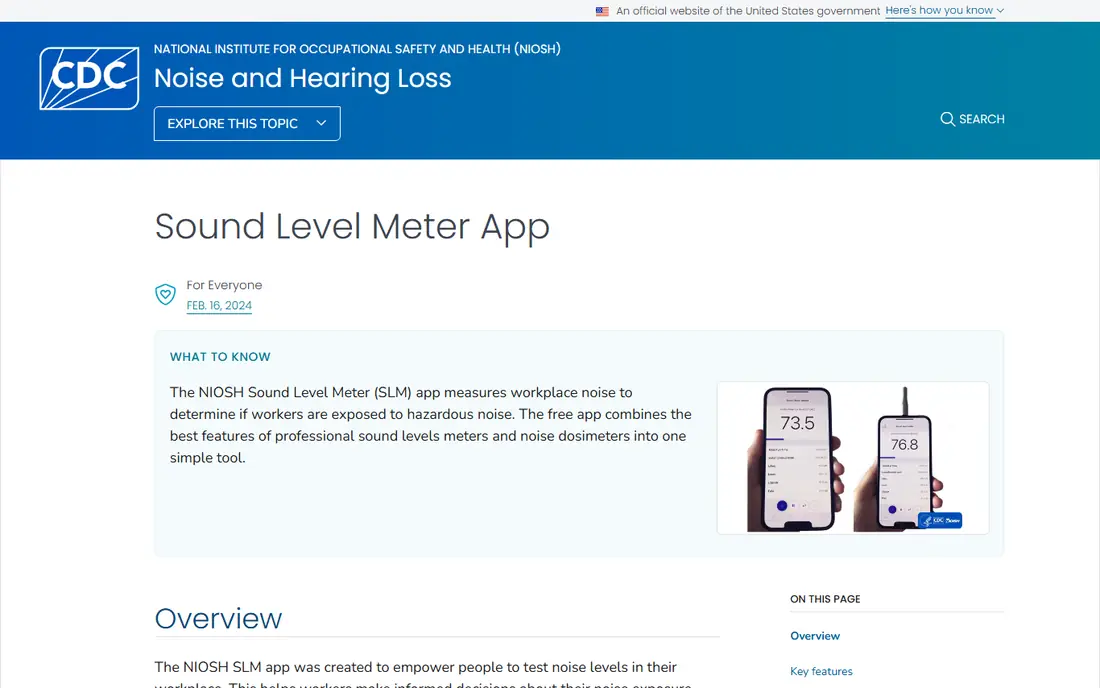
NIOSH SLM comes from the National Institute for Occupational Safety and Health, part of the CDC, and that origin shapes everything about it. It is built to measure exposure over time, not only to show a single loud number on screen. You can start a run, let it track the average level, and then review the maximum level, the peak level, and the dose for that period. For anyone checking a workshop, a classroom, or a long shift, that time based view matters more than a one second reading.
The app also includes guidance on hearing protection and on what different levels mean for hearing health. That context helps a first time user avoid two common mistakes, which are treating a brief peak as a full day exposure, and treating a quiet average as proof that short loud bursts were safe. The trade off is a plain design and an iOS focus. If you need Android support or a polished consumer look, another app on this list will feel easier. If you need a free, focused, and well documented meter, this is where we would start.
- Free with no ads or in-app purchases
- Reports LAeq, maximum level, time-weighted average, and dose
- Supports A, C, and Z weighting and microphone calibration
- IOS only in its main release
- Interface looks plain next to newer consumer apps
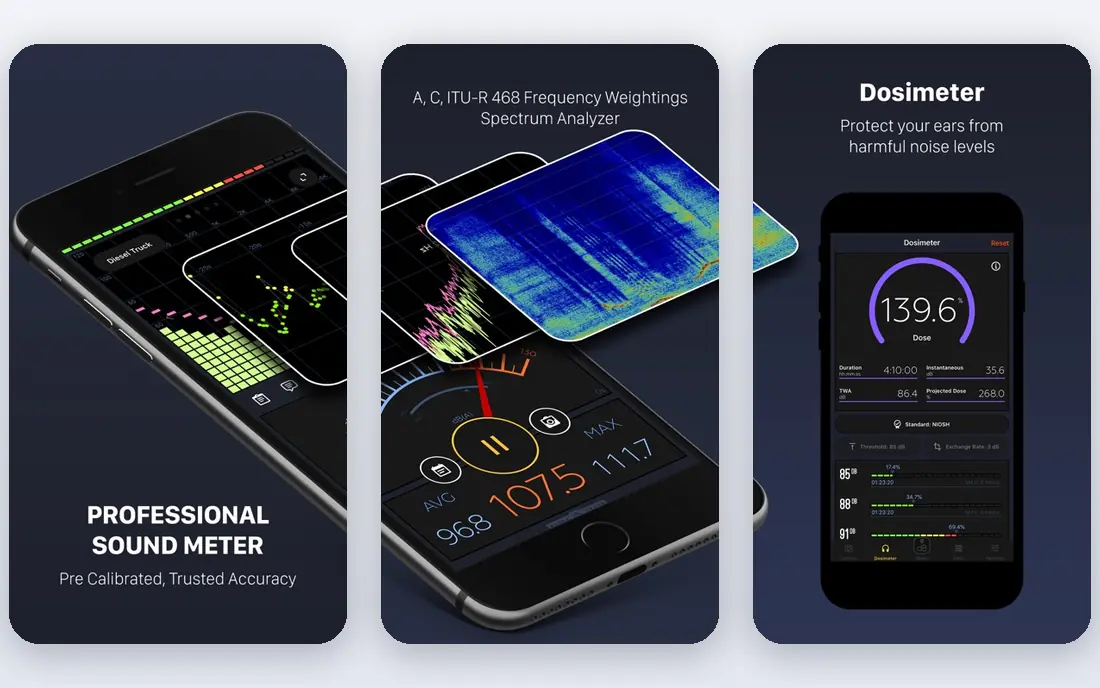
Decibel X turns a phone into a capable sound level meter with a clear live readout and a set of tools that go past a single number. It supports A, B, C, Z, and ITU-R 468 weighting, and it offers FFT and bar graphs for frequency analysis. That makes it useful for musicians, audio hobbyists, and home users who want to see which frequencies are loud, not only how loud the room is in total.
History is the other strength here. Saved records can be reviewed in full screen, exported, and shared, which helps when you want to show a landlord, a venue manager, or a colleague what happened over a period. The free version covers basic measurement well, while the paid version removes ads and opens more of the analysis tools. Our pick for most people who want detail without a professional meter is Decibel X, with NIOSH SLM kept alongside it for exposure checks.
- Pre-calibrated readings for many devices
- Frequency weighting and spectrum views
- History records can be exported as graphs or CSV text
- Advanced tools sit behind paid upgrades
- Microphone access needs care in privacy settings
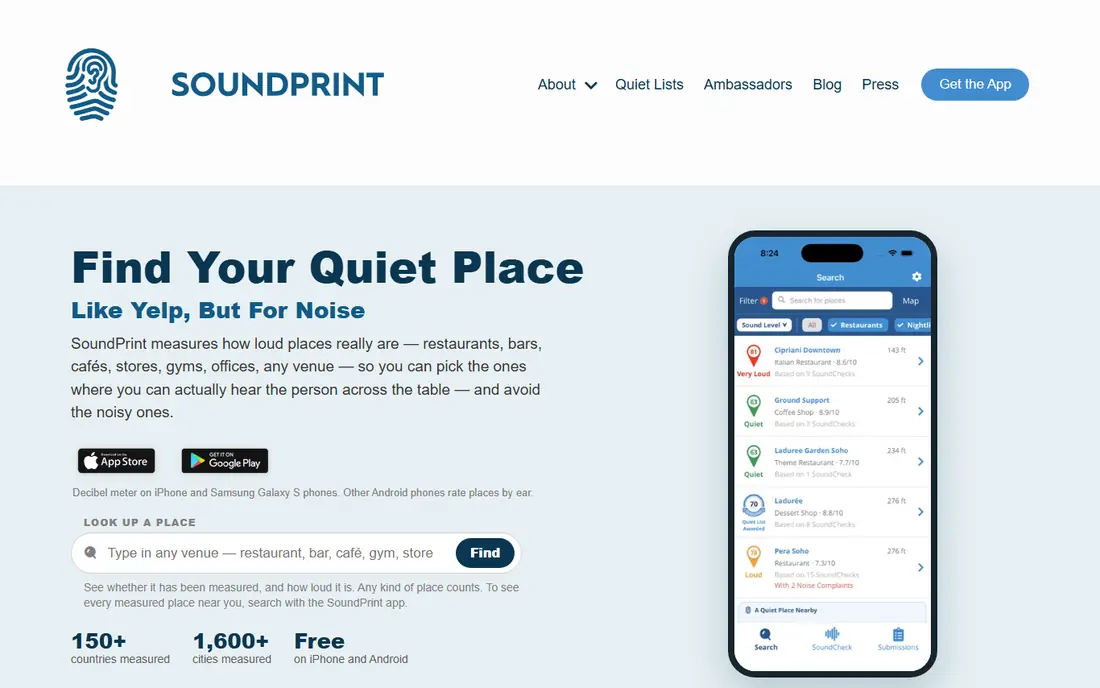
SoundPrint answers a different question from most apps on this list. Instead of only asking how loud this room is right now, it asks how loud this restaurant, bar, or cafe usually is. Users submit measurements tied to venues, and other users can search that database before choosing where to meet. For people who find noisy rooms tiring, or who need a quieter place for conversation, that search step is the main reason to install it.
The app still measures sound on your phone, so you can add a venue reading when you visit somewhere new. The catch is coverage. In areas with few submissions, you will find little data, and the app cannot replace a direct measurement in the room you are standing in. Use it as a planning tool first, and as a meter second, and it earns its place here.
- Lets users find venues by measured noise level
- Built around a community database of real places
- Simple to use for a quick venue check
- Only useful where local venues have been measured
- Not a full dosimeter for work exposure
NoiseCapture grew out of a research project on community noise, and it still feels like a tool for people who want to map noise rather than only glance at a number. You can record a measurement, attach location context, and contribute to a wider picture of noise in an area. That makes it a good fit for community groups, students, and local campaigners who want evidence about traffic, construction, or nightlife noise over time.
Because it is research oriented, the app is less polished than Decibel X or SoundPrint. Setup and results take a little more attention, and readings will still vary with the phone model and microphone. For a personal quick check, a simpler app is faster. For a shared map or a longer local study, NoiseCapture is the more purposeful choice.
- Open approach to noise mapping
- Records measurements with location context
- Useful for neighbourhood noise studies
- Interface is more research focused than consumer focused
- Results depend on phone hardware
SPLnFFT comes from Studio Six Digital, a company known for audio measurement tools on iOS. It is aimed at audio engineers, installers, and acoustics enthusiasts who need more than a single decibel number. Octave band views, spectrum analysis, and calibration controls let you dig into a sound in a way that a basic meter cannot. If you work with speakers, rooms, or live sound, that depth is the point.
That depth also means the app can feel busy on first use. Menus and options take time to learn, and some modules are paid. For a quick check of a noisy neighbour or a loud appliance, this is more tool than you need. For room tuning, system checks, or detailed acoustic notes, it is one of the strongest options on this list.
- Detailed spectrum and octave band analysis
- Calibration options for serious users
- Long history in professional audio use
- Paid modules add cost for full features
- Learning curve is steeper than a basic meter
SoundMeter by Faber Acoustical is a straightforward iOS meter with a clean display and a focus on getting a reading right. It suits users who want to open an app, see the level, and move on, without wading through spectrum graphs or community maps. The design is calm, the numbers are easy to read at a glance, and the app has been around long enough that its behaviour is well understood.
The limit is scope. SoundMeter does not try to be a venue finder or a community mapping project, and iOS only availability rules it out for Android users. If you are on iPhone and want a simple, tidy meter for home, office, or travel checks, it is a solid pick. Pair it with NIOSH SLM when you need exposure totals rather than a single reading.
- Clear and focused iOS design
- Useful for quick level checks
- Long standing audio app pedigree
- IOS only
- Advanced measurement features may require paid upgrades
Decibel Meter from AppLiks is a good example of a modern best sound meter app for quick consumer use. It shows the current level alongside minimum, average, and maximum values, so you can see at a glance if a room is steady, spiky, or creeping upward. A dosimeter mode tracks exposure over a chosen period, which helps for longer checks at work or at an event.
Photo and video overlay is a practical extra. A picture of a room with the level stamped on it is easier to share and harder to misremember than a bare number in a note. The catch is pricing. The app is free to download, but full access is subscription based, with weekly, monthly, and yearly options listed in the store. If you only need occasional readings, the free tier may be enough. If you need the dosimeter often, compare the yearly cost with the free NIOSH SLM first.
- Shows minimum, average, and maximum levels
- Includes a dosimeter based on NIOSH and OSHA standards
- Can save measurements and overlay levels on photos
- Full access requires a subscription
- Interface includes upsell prompts for paid plans
The Noise app on Apple Watch is not a separate download in the usual sense. It is part of watchOS, and it watches ambient sound in the background and alerts you when levels stay high for a period. That passive role is its strength. You do not need to open an app, hold up a phone, or remember to start a measurement. The watch notices, and you can check the level with a glance.
It is also the most limited app here for detailed work. You will not get the same exposure reports, weighting choices, or export options as NIOSH SLM or Decibel X. Think of it as an early warning tool for everyday life, and use a phone meter when you need a documented reading. For Apple Watch owners who want a best decibel app that works without thinking about it, it is hard to beat on convenience.
- Built into Apple Watch with no extra install for watch owners
- Sends alerts when ambient sound stays high
- Feeds data to the Health app
- Requires an Apple Watch
- Not a full meter with dosimeter reports or export depth
How we picked these
We compared official feature pages, pricing pages, app store listings, privacy policies, and public reviews for meters that measure real sound levels. We gave weight to apps that state their weighting, calibration options, and limits clearly, and to apps that are still available and maintained in October 2026. We did not claim hands-on testing, and we did not treat a phone reading as equal to a calibrated professional meter. Where a price or a paid tier was unclear, we listed the app as free to start and noted the paid upgrade in the text.
Choosing the right meter for your job
Match the app to the question
Start by naming what you need to know. A single live number is enough for a quick check of a room or an appliance. An average over time, a dose, or a time-weighted average is needed for work exposure, a long event, or a complaint about repeated noise. A venue search is needed when you are choosing where to go, not measuring where you stand. Picking the question first stops you paying for spectrum tools you will never open, or missing a dosimeter you actually need.
Read the limits before you trust the number
Phone microphones vary by model, and they are not built to the same standard as a professional meter. Background wind, a phone case, a hand covering the microphone, and very loud or very quiet sounds can all shift a reading. Use an external calibrated microphone when accuracy matters, keep the phone in the open with the microphone clear, and repeat a measurement before acting on it. For legal, safety compliance, or formal dispute work, hire a qualified professional with calibrated equipment.
Check privacy and permissions
A sound meter needs microphone access while it measures, but it does not need to keep the microphone active when you are not measuring, and it does not need to record conversations to report a level. Check the app settings, turn off background measurement if you do not need it, and review what data is saved or shared. NIOSH SLM states that it measures sound energy rather than recording audio during a run, which is a useful standard to compare other apps against.
Frequently asked questions
What is the best decibel meter app for iPhone?
NIOSH SLM is our first pick for exposure style checks on iPhone because it is free, has no ads, and reports average level, maximum level, and dose. Decibel X is a better all round pick if you also want spectrum views and history export. The best sound level meter app for you depends on whether you need a single reading or a record over time.
What is the best free decibel meter app?
NIOSH SLM is the strongest free option, since the full app is free with no in-app purchases listed. Decibel X, SoundPrint, and NoiseCapture also start free and cover basic measurement well. If a free app keeps the dosimeter or export behind a paywall, check the free tier limits before you rely on it for a longer job.
Can a best db meter app replace a professional sound meter?
No, not for compliance, legal, or safety decisions. Phone apps are useful for screening, for personal awareness, and for documenting a pattern, but they use phone microphones that vary by model and are not calibrated in the same way. For formal work, use a calibrated professional meter or a qualified acoustics professional.
How accurate are the best sound meter app readings?
Accuracy depends on the phone, the microphone, calibration, and the sound itself. NIOSH testing found its app within about 2 dB of a reference meter in lab conditions, and closer with an external calibrated microphone. In everyday use, treat phone readings as a guide, repeat measurements, and avoid over precise claims based on a single number.
What is the best noise meter app for Android?
Decibel X is the clearest Android friendly pick on this list, with a free tier, weighting options, and history export. NoiseCapture also works well for Android users who want mapping and community data. NIOSH SLM and SoundMeter are iOS focused, so Android users should start with Decibel X and check the store listing for their device.
Does a best decibel app need to record my conversations?
No. A meter only needs to measure sound energy to report a decibel level, and several apps state that they do not save audio during a measurement run. If an app asks for broad permissions or keeps the microphone active after you stop measuring, review its privacy policy and settings before you keep using it.
Sources
See where you really rank - block by block
ProMapRanker scans Google Maps across a grid of your service area. Simple monthly plans from $19, white-label on every plan.
Start freeKeep reading
 youtube alternatives
Best YouTube Alternatives in 2026
Looking for youtube alternatives in 2026? We compare Vimeo, Dailymotion, Twitch, Rumble, and more on price, audience, monetization, control and privacy.
Read → what's the best ai tool for photo editing
What Is the Best AI Tool for Photo Editing in 2026
What is the best AI tool for photo editing? We compare ten tools for 2026, from Photoshop and Lightroom to Luminar, Topaz, Canva and mobile editors today.
Read → twitter alternatives
Best Twitter Alternatives in 2026
Compare the best twitter alternatives for 2026, from Bluesky, Threads, and Mastodon to Reddit, Tumblr, and Micro.blog, with free plans and audience notes.
Read →