 ProMapRanker
Best No-Code Mobile App Builders in 2026


True native apps with code export · Pricing starts at: $39 per month
Key takeaways
- FlutterFlow is our pick for true native mobile apps, because it builds for iOS and Android from one visual builder and allows Flutter code export.
- Adalo suits beginners who want a native app from a simple canvas, without learning a complex backend first.
- Glide suits internal tools and data driven apps from spreadsheets, but its output is a web app, not a native store app.
- Native store output, code export and who handles store submission matter more than a demo screen, so check those three points before you pay.
- Budget for Apple and Google store fees on top of builder pricing, since those fees apply to any native store app.
Quick comparison
| Pick | Great for | Pricing starts at | Free tier | |
|---|---|---|---|---|
| FlutterFlow | True native apps with code export | $39 per month | Yes | Visit |
 Adalo | Beginner native apps | $36 per month | Yes | Visit |
 Glide | Spreadsheet to app tools | See website | Yes | Visit |
 Thunkable | Education and block logic | See website | Yes | Visit |
 GoodBarber | Content and ecommerce apps | See website | No | Visit |
 BuildFire | Business apps with plugins | $165 per month | No | Visit |
 AppSheet | Google data business apps | $5 per user per month | Yes | Visit |
 Appy Pie | Low budget small business apps | $16 per month | Yes | Visit |
 Draftbit | React Native with code ownership | See website | Yes | Visit |
The best no-code mobile app builders
A no code mobile app builder lets you build an app with visual tools, templates and drag and drop components, without writing code for the core app. The catch is that builders differ sharply in what they actually ship: some publish true native iOS and Android apps to the stores, some publish web apps that run in a browser, and some publish a web view wrapped in a native shell. We compared official feature pages, pricing pages and output descriptions for the builders below, focusing on native output, store publishing, code export and pricing in October 2026.
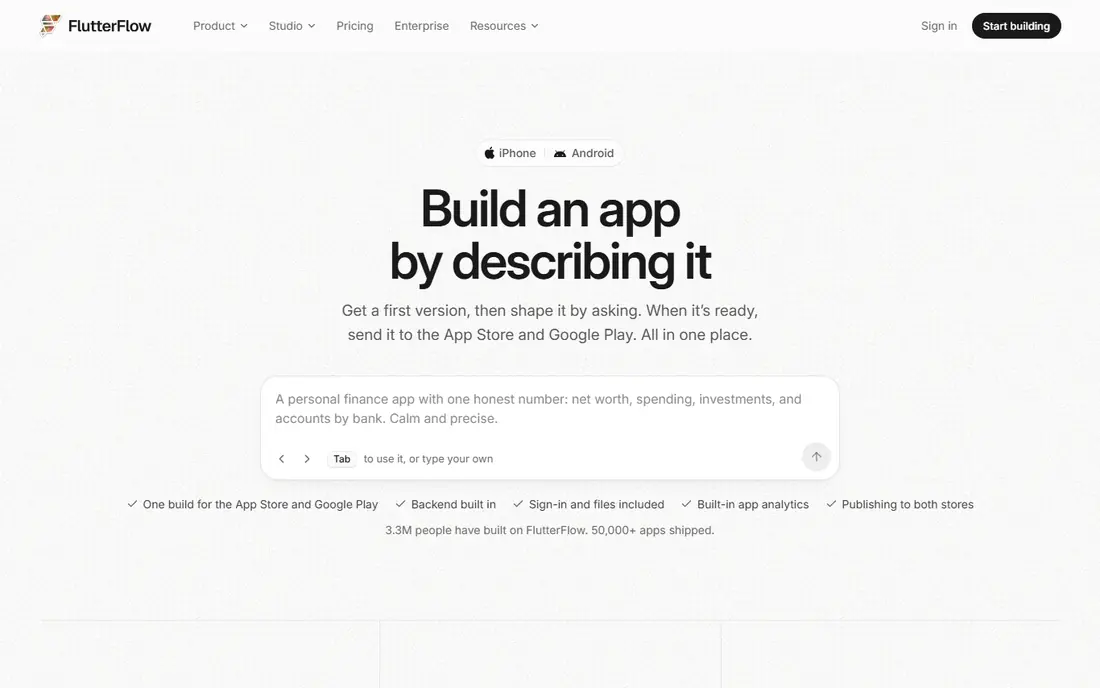
FlutterFlow is the strongest choice for a founder or team that wants a real native app and may later hire developers. You build screens visually, connect data through Firebase, and publish native apps for iOS and Android, with the option to export Flutter code.
The learning curve is real. FlutterFlow is more powerful than a simple builder, and Firebase setup for logins, roles and data tables takes time outside the builder itself. Pricing has been listed at $39 per month for a Basic plan, with higher plans for code export and team features, so check the current vendor page for which plan includes the export you need. For a serious mobile product, FlutterFlow is our pick despite the steeper start.
- True native iOS and Android output
- Flutter code export
- Firebase integration and templates
- Steeper learning curve than Adalo or Glide
- Backend setup needs Firebase work
- Free plan limits are tight

Adalo is the easiest native builder to start with, because its canvas, components and database are designed for a solo builder rather than a development team. You can design screens, add lists, forms and user accounts, and publish to iOS, Android and web from the same project. Marketplace components add features such as payments, maps and chat without building them from scratch, which helps a first app reach a usable version quickly.
Scaling is the limit. Adalo suits simple apps, internal tools and MVPs, but large datasets, complex logic and high traffic can strain lower tiers, and there is no code export if you later want to move the app to custom code.
- Simple visual canvas
- Native iOS and Android plus web from one build
- Marketplace components
- Limited scaling for large apps
- Database size limits on lower tiers
- No code export
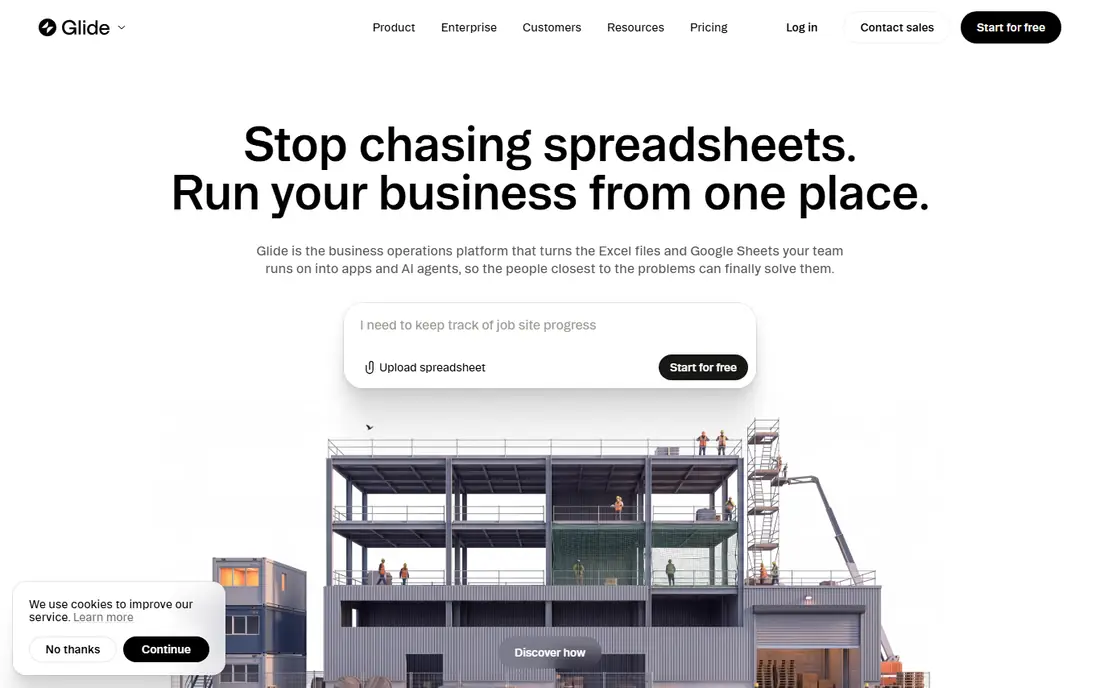
Glide is the fastest builder on this list when your app starts from data. Connect a Google Sheet, Excel file, Airtable base or Glide Table, and Glide turns rows into lists, detail screens, forms and dashboards in minutes. Templates for directories, inventory, booking and internal tools save even more time, and data syncs in real time, so a change in the sheet appears in the app without a rebuild.
The key limit is output. Glide apps are web apps, not native iOS and Android store apps, so they do not appear in the App Store or Google Play as native apps in the usual way. Pricing has varied in recent listings, from $25 to $60 per month depending on tier, so check the vendor page for the current plan that fits your user and update limits.
- Turns Google Sheets, Excel and Airtable into apps fast
- Strong templates
- Real time data sync
- Output is a web app, not a native store app
- Design customization is limited
- Performance can suffer with large datasets
Thunkable suits beginners, students and educators who want to learn app logic while building a real app. Block based programming lets you connect buttons, data and device features without writing code, and live testing on a phone shows changes quickly. Apps can be published as native iOS and Android apps or as web apps, which makes Thunkable useful for classroom projects and small community apps.
Database options and design customization are more limited than FlutterFlow or Adalo, and store submission is self managed, so you will need to handle Apple and Google developer accounts yourself. Pricing has been listed around $37 per month for a Builder plan billed annually, with a free plan for learning. For education and budget builds, Thunkable is a good fit. For a commercial app with complex data, a more powerful builder will serve better.
- Block based logic that teaches app concepts
- Native apps and web apps
- Live testing on a phone
- Limited database options
- Design customization is basic
- Store submission is self managed
GoodBarber is built for content publishers, shops and local businesses that want a polished native app without assembling every screen from blocks. You configure sections for articles, products, events, loyalty and push notifications, and GoodBarber compiles native apps for iOS and Android plus a web app. Managed store submission help, offered as an optional service, appeals to businesses that do not want to handle store review alone.
Design freedom is the trade off. GoodBarber gives a structured, professional result quickly, but it offers less blank canvas control than FlutterFlow or Draftbit. Native pricing has been listed at 55 euros per month billed annually, with a lower web only tier, so check the current vendor page for dollar pricing and feature limits. For a content or ecommerce app where speed and store polish matter, GoodBarber is a strong choice.
- Compiled native apps for iOS, Android and web
- Managed store help
- Ecommerce with no commission on some plans
- Less design freedom than a blank canvas builder
- Pricing in euros for native tiers
- Check push and feature limits by tier
BuildFire suits businesses that want a native app with engagement, loyalty and commerce features, without hiring developers. A plugin catalog covers common business needs, from loyalty cards and push notifications to ecommerce and booking, and managed store submission helps a business get listed without handling store paperwork alone. Professional services can also build the app for a business that prefers a done for you route.
The price is the barrier for solo builders. Pricing has been listed from $165 per month for a self service plan, with higher managed plans and extra costs for some plugins. That makes BuildFire a business tool, not a hobby MVP tool.
- Native apps with a large plugin catalog
- Managed store submission
- Professional services for done for you builds
- High starting price
- Plugin costs can add up
- Less design freedom than a canvas builder
AppSheet, from Google, turns spreadsheets and databases into business apps for data capture, workflows and field work. It suits teams already in Google Workspace, because Sheets, Drive and Forms data flow naturally into the app, and workflow rules can send alerts, approvals and updates without extra tools. Per user pricing from $5 per user per month makes it affordable for a small team that needs an internal app, not a public store app.
Design is the limit. AppSheet apps look functional rather than consumer polished, and the interface can feel complex for a first time builder. Apps are best shared inside an organization, rather than published as a public consumer app in the stores. For a field team, inventory app or internal workflow tool in a Google shop, AppSheet is a strong, low cost choice.
- Turns spreadsheets into business apps
- Strong Google Workspace integration
- Workflow automation and data capture
- Design flexibility is limited
- Interface is complex for beginners
- Google centric ecosystem
Appy Pie is the lowest cost native builder on this list, with pricing listed from $16 per app per month in recent comparisons. Industry templates for restaurants, shops, churches, fitness and services help a small business launch quickly, with features such as push notifications, booking and ecommerce added from templates rather than built from scratch.
Template design can look generic, and customization and scaling are limited compared with FlutterFlow or Adalo. A business that outgrows templates may need to rebuild on a more flexible platform later. For a low budget small business app where cost matters more than unique design, Appy Pie is a practical starting point. Check the current tier limits, since app features, push limits and store support vary by plan.
- Low starting price
- Many industry templates
- Native Android and iOS output for small business apps
- Template based design can look generic
- Scaling and customization are limited
- Check feature limits by tier
Draftbit suits builders who want visual speed plus code ownership. You design screens visually, connect APIs and data, and export React Native code that developers can continue working on outside the builder. That path appeals to startups that start no code but expect to hire developers later, since the app does not have to be rebuilt from scratch when the team grows.
Draftbit needs more technical skill than Adalo or Glide, because API setup, data sources and code export require comfort with app concepts. Pricing has been listed from $12 per month for a Standard plan in recent comparisons, with a free plan for building, so check the current vendor page for export terms.
- Visual builder with React Native code export
- Good for production apps
- Component and API control
- Needs more technical skill than Adalo
- Backend setup is separate
- Pricing and plan terms change
How we picked these
We looked for builders that are live in October 2026, that build mobile apps without code for the core app, and that cover different outputs: true native, web app and hybrid. We compared official feature pages, pricing pages and output descriptions, and we noted where pricing is published and where it varies by tier. Where a price could not be confirmed on the vendor page, we wrote See website rather than repeating a third party estimate as fact.
We weighted native output, code export and store publishing above template counts, because those three points decide whether an app can grow beyond a demo. A builder with beautiful templates but no native output scored lower for a public mobile app, while a builder with code export scored higher for a startup that may hire developers later. That is why FlutterFlow and Draftbit rank highly here, beside simpler builders that are easier to start with.
What to check before you choose
Start with the output you need, not with the builder demo. If you need a public App Store and Google Play listing, shortlist only builders with true native output, such as FlutterFlow, Adalo, GoodBarber, BuildFire and Draftbit. If you need an internal tool shared by link, Glide and AppSheet will be faster and cheaper. Ask each vendor to show a live app built with the tool, on a real phone, not just a builder screenshot.
Next, check code export, data export and store submission. Ask whether you can export code, export your user and content data, and who handles store review, screenshots and updates. Budget for Apple Developer at $99 per year and Google Play at a $25 one time fee, plus builder pricing, since those store fees apply to any native app. Finally, build a small test app with your real data and your real user flow before you pay for a year. A builder that feels fast for a demo screen can feel slow for login, payments and notifications, which are the features that decide whether an app works in real use.
Frequently asked questions
What is the best no-code mobile app builder?
FlutterFlow is the best no-code mobile app builder for true native iOS and Android apps with code export. Adalo is best for beginners who want a simple native app, Glide is best for data driven internal tools, and GoodBarber is best for content and ecommerce apps. The right choice depends on whether you need a store app, an internal tool or code ownership.
What are the best no-code app builders for mobile apps?
The best no-code app builders for mobile apps on this list are FlutterFlow, Adalo, GoodBarber, BuildFire, Thunkable, Appy Pie and Draftbit for native output, plus Glide and AppSheet for web and internal apps. Check native output carefully, since Glide and AppSheet do not publish native store apps in the same way as the native builders.
What are the best no-code app builders for mobile apps that are free to start?
FlutterFlow, Adalo, Glide, Thunkable, AppSheet, Appy Pie and Draftbit all offer free plans for building and testing. Free plans usually limit publishing, users, data or code export, so a free plan is best for learning and prototyping. Budget for a paid plan and store fees before you publish a public app.
What is the best no-code mobile app builder for beginners?
Adalo is the best no-code mobile app builder for beginners who want a native app, because its canvas and database are simple to learn. Thunkable is best for students learning app logic, and Glide is best for beginners who start from a spreadsheet. FlutterFlow is more powerful, but it takes longer to learn than Adalo.
Do no-code apps work on both iPhone and Android?
Yes, most builders on this list build for both iPhone and Android from one project, either as native apps or as web apps. FlutterFlow, Adalo, GoodBarber, BuildFire, Thunkable, Appy Pie and Draftbit offer native iOS and Android output, while Glide and AppSheet offer web apps that run on both phones through a browser link. Check the vendor page for the exact output type before you buy.
How much does a no-code mobile app builder cost?
Prices range from $5 per user per month for AppSheet to $165 per month for BuildFire, with FlutterFlow at $39 per month, Adalo at $36 per month and Appy Pie from $16 per month in recent listings. Add Apple Developer at $99 per year and Google Play at $25 one time for native store apps, and check current vendor pricing, since tiers and annual billing terms change.
Sources
See where you really rank - block by block
ProMapRanker scans Google Maps across a grid of your service area. Simple monthly plans from $19, white-label on every plan.
Start freeKeep reading
 zscaler alternatives
Best Zscaler Alternatives in 2026
Looking for zscaler alternatives? We compare 9 SASE and zero trust platforms on architecture, data protection, pricing, and fit for your network and team.
Read → zapier alternatives free
Best Zapier Alternatives Free in 2026
Nine automation tools for zapier alternatives free in 2026, all with genuinely free tiers, plus free plan limits, starting prices and upgrade paths explained.
Read → which platform is best for online reputation
Which Platform Is Best for Online Reputation in 2026
Wondering which platform is best for online reputation? We compare 8 review, listing, and response tools for small and multi-location businesses and agencies.
Read →