 ProMapRanker
Best No-Code Automation Tools in 2026

Key takeaways
- Zapier is the easiest starting point for most teams because of its large app catalog, while Make offers more visual control for less money at scale.
- n8n and Activepieces suit technical teams that want self-hosting, while Power Automate suits teams already on Microsoft 365.
- IFTTT is best for simple personal and smart-home routines, not for complex business workflows.
- Billing units differ a lot, so compare tasks, operations, credits, and runs for the same workflow before you choose.
- Start with one real workflow, test it with real data, and check failure alerts before you automate a critical process.
Quick comparison
| Pick | Great for | Pricing starts at | Free tier | |
|---|---|---|---|---|
 Zapier | Widest app coverage | $19.99 per month | Yes | Visit |
 Make | Visual multi-step workflows | $9 per month | Yes | Visit |
 n8n | Self-hosting and control | $20 per month | Yes | Visit |
 Microsoft Power Automate | Microsoft 365 teams | $15 per user per month | Yes | Visit |
 IFTTT | Personal and smart-home routines | $2.99 per month | Yes | Visit |
 Activepieces | Open-source automation | $16 per month | Yes | Visit |
 Pabbly Connect | High task volume on a budget | $16 per month | Yes | Visit |
 Zoho Flow | Zoho app users | $25 per month | Yes | Visit |
 Bardeen | Browser-based tasks | $10 per month | Yes | Visit |
 Integrately | Ready-made automations | $19.99 per month | Yes | Visit |
The best no-code automation tools
We compared official pricing pages, app catalogs, builder styles, and free plans in October 2026. Prices below are entry paid prices from vendor and comparison sources, usually billed annually where noted. Free plans are limited, so check the current limits on the vendor pricing page before you build a large workflow.

Zapier remains the default no-code automation tool for a reason. It connects thousands of apps, from Gmail and Slack to CRMs, forms, and spreadsheets, and its builder is gentle for beginners. You pick a trigger, add actions, test the flow, and turn it on. In 2026, Zapier added AI agents and a copilot that can build a workflow from a description, which helps new users start faster.
The cost is the catch. Zapier bills per task, and each action step counts as a task. A five-step workflow that runs 200 times a month burns through 1,000 tasks, which pushes many users past the $19.99 starter plan for 750 tasks. If you run many multi-step flows, Make or n8n may cost far less. For simple flows and niche apps, Zapier is still our pick for most people.
- Largest app catalog
- Easiest builder for beginners
- AI copilot and agents in 2026
- Task-based billing climbs fast
- Free plan limited to 100 tasks and two-step Zaps

Make, formerly Integromat, uses a visual canvas where you draw a workflow as connected modules. That view makes branching, filters, routers, and error handling easier to see than a linear list of steps. The free plan offers 1,000 credits per month, and the Core plan starts at $9 per month billed annually for 10,000 credits. For multi-step flows, that value is hard to beat.
The learning curve is steeper than Zapier. Beginners may need an hour or two to feel comfortable with routers and data mapping. The app catalog is also smaller, with around 2,000 to 3,000 apps in comparison guides, versus Zapier's much larger list. If your apps are covered and you want visual control without a high bill, Make is the best no-code automation platform for most small businesses.
- Visual canvas with branching and filters
- 1,000 free credits
- Strong value at scale
- Learning curve is higher than Zapier
- App catalog is smaller
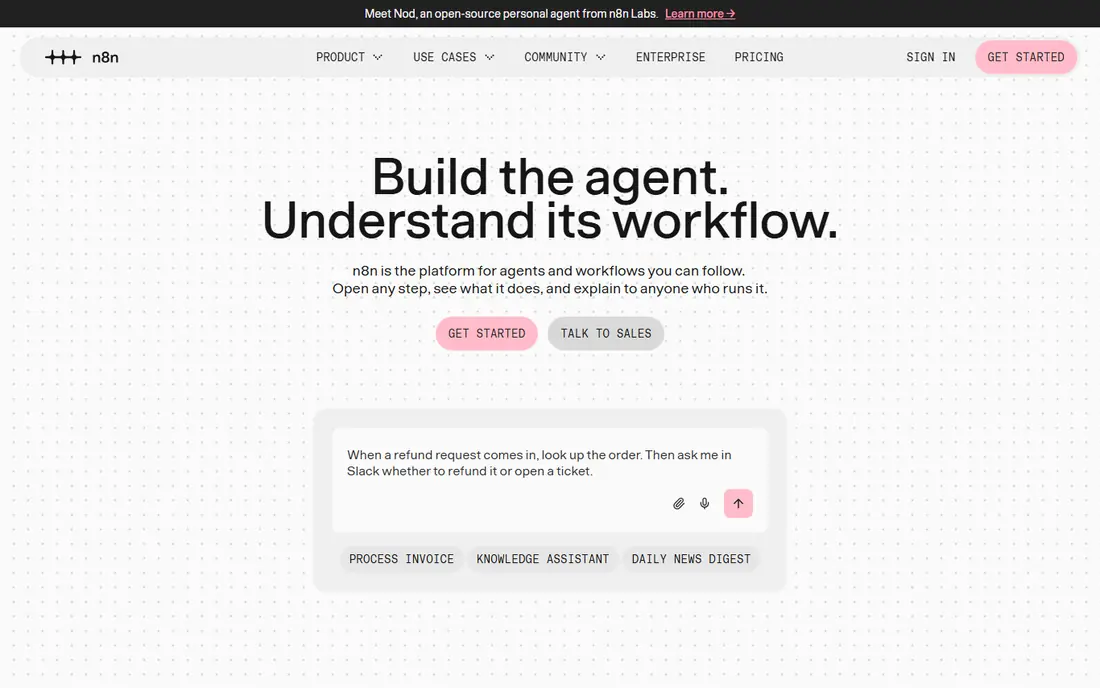
n8n is the control-first choice. Its Community Edition is free to self-host, with no per-task fee, and its cloud Starter plan starts at 20 euros per month billed annually for 2,500 executions. Unlike Zapier, n8n bills per full workflow run, not per step, so long workflows that run often can cost far less. It also offers AI agent nodes and LangChain support for teams building AI workflows.
The trade-off is skill. n8n suits technical teams or users comfortable with APIs, webhooks, and hosting. Beginners may find the setup and debugging harder than Zapier or Make. If you have technical help, or you want data to stay on your own server, n8n offers the best long-term value in this list. Note that Flowise is not listed here, since it reached end of life on 31 August 2026.
- Free self-hosted Community Edition
- Bills per full run, not per step
- Strong AI agent nodes
- Needs technical skill
- Cloud prices use euros
- Support is community-heavy on free tiers
Power Automate fits teams that already live in Outlook, Teams, SharePoint, Excel, and Dynamics. Flows can move data between Microsoft apps, approve requests, send Teams alerts, and automate desktop tasks with robotic process automation. A free license is included with some Microsoft 365 plans for standard connectors, and the paid per-user plan starts at $15 per user per month billed annually.
Outside Microsoft 365, Power Automate is less compelling. Premium connectors, shared flows, and advanced features need paid plans, and the builder feels more enterprise than Zapier. If your team already pays for Microsoft 365, check what Power Automate includes before you pay for another tool. For Microsoft-heavy teams, it is often the simplest choice.
- Deep Microsoft 365 and Teams integration
- Desktop flows for repetitive PC tasks
- Free license with some plans
- Best value only inside Microsoft 365
- Premium connectors need paid plans
IFTTT, short for If This Then That, is the simplest tool here. You create an Applet with one trigger and one or more actions, such as saving email attachments to cloud storage or turning on lights at sunset. The free plan allows 2 Applets, and Pro starts at $2.99 per month billed annually for 20 Applets. That low price makes IFTTT easy to try for home use.
Business users will hit limits fast. IFTTT lacks the branching, multi-step logic, and data handling of Make or Zapier, and some device brands leave the platform over time, which can break an Applet. For personal routines and smart-home jobs, IFTTT is still a fine, cheap pick. For business workflows, choose Zapier, Make, or Power Automate instead.
- Very simple Applets
- Low Pro price
- Good for smart-home and personal routines
- Free plan limited to 2 Applets
- Not built for complex business logic
Activepieces is an open-source automation platform with a cloud service and a free self-hosted Community Edition. Its cloud free plan offers 1,000 credits per month, and Plus starts at $16 per month billed annually for 10,000 credits. On paid plans, one ordinary run costs one credit regardless of step count, which helps for long workflows. It also offers agents, tables, and AI steps for teams building AI-assisted flows.
The watch point is AI billing. AI steps can add extra credits depending on the model, so an agent-heavy workflow can drain an allowance faster than the one-credit-per-run rule suggests. The app catalog is also smaller than Zapier. For teams that want open-source control with a modern builder, Activepieces is a strong alternative to n8n.
- Open-source core
- Free self-hosted Community Edition
- One credit per ordinary run on paid plans
- AI steps can add credits fast
- Smaller app catalog than Zapier
Pabbly Connect appeals to budget buyers who need many tasks. Its free plan offers 100 tasks per month, and paid plans start at $16 per month billed annually in comparison guides, with higher plans offering much larger task allowances. The builder is straightforward, with triggers, actions, filters, and routers for common business jobs like lead capture and order syncing.
The catalog is smaller than Zapier, and the interface feels less polished than Make. Support and documentation are also thinner than the largest tools. If your apps are covered and task volume matters more than design polish, Pabbly Connect can save money. Test your exact apps on the free plan before you commit to a paid tier.
- Low entry price
- Generous task allowances on higher plans
- Simple builder
- Smaller app catalog
- Interface is less polished than Zapier or Make
Zoho Flow connects Zoho apps with third-party tools such as Gmail, Slack, and Trello. For a business already on Zoho CRM, Zoho Books, or Zoho Desk, Flow keeps data in sync without a separate integration project. It offers ready-made flows, multi-step logic, and a free plan with 100 tasks per month in comparison guides. Paid plans start at $25 per month billed annually.
Outside Zoho, the value drops. The entry price is higher than Make or Pabbly Connect, and the third-party catalog is smaller than Zapier. If you already pay for Zoho apps, Flow is the natural automation layer. If you do not use Zoho, Make or Zapier will usually fit better.
- Deep Zoho CRM, Books, and Desk integration
- Ready-made flows
- Good for Zoho teams
- Higher entry price
- Less compelling outside the Zoho ecosystem
Bardeen works as a browser extension that automates tasks inside the web pages you already use. It can scrape lists, copy data to sheets, enrich contacts, and trigger actions from browser events. The free plan offers 100 credits, and Basic starts at $10 per month in comparison guides. That browser-first design suits sales, recruiting, and research teams who spend their day in a browser.
The limit is scope. Bardeen is not a general app-to-app sync tool like Zapier or Make, and server-side workflows that must run when your computer is off are a weaker fit. Use Bardeen for browser-heavy jobs, and pair it with Make or Zapier for back-end syncing when you need both.
- Browser extension for web tasks
- AI scraping and extraction
- Good for sales and research teams
- Focused on browser work
- Less suited to server-side app syncing
Integrately focuses on ready-made automations. Instead of building a flow from scratch, you pick a pair of apps and a prebuilt recipe, such as adding form responses to a CRM or sending order alerts to Slack. The free plan offers 100 tasks per month, and paid plans start at $19.99 per month billed annually in comparison guides. That speed helps small teams automate a common job in minutes.
Custom logic is the trade-off. Integrately is less flexible than Make or n8n for branching, data transforms, and error handling. If your job matches a ready-made recipe, Integrately is fast and simple. If you need custom logic, start with Make or Zapier and keep Integrately for simple, repeatable pairs.
- One-click ready-made automations
- Simple setup
- Good for common app pairs
- Free plan limited to 100 tasks
- Less flexible for custom logic
How we picked these
We compared official pricing pages, free plans, app catalogs, builder styles, and October 2026 comparison sources. We favored tools that work today, offer a real free plan or trial, and cover common business apps without code. We excluded Flowise, since it reached end of life on 31 August 2026, Relay.app, which shut down in September 2026, and Pipedream Workflows, which comparison sources list as closed to new signups with a March 2027 closure date. We did not claim hands-on testing of every workflow. Our findings rest on vendor pages and published pricing checks.
How to choose the right no-code automation tool
Start with your apps, not with a feature list. List the five apps you use most, then check which tools connect to all of them. A tool with a huge catalog is useless if it lacks one app your workflow needs. Then map one real workflow on paper, including the trigger, each step, filters, and what should happen when a step fails.
Billing units and volume
Zapier bills per task, Make bills per credit or operation, n8n bills per run, and Activepieces bills per credit per run for ordinary steps. Run the same workflow through each billing model with your expected monthly volume. A tool that looks cheap at 100 runs can become expensive at 10,000 runs, especially for multi-step flows.
Reliability, errors, and security
Check run history, error alerts, retry options, and data retention for each tool. A failed lead sync that no one notices can cost more than a monthly subscription. Limit app permissions to what each flow needs, use separate connections for testing and production when possible, and review who can edit or turn off a flow.
When no-code is not enough
No-code tools handle simple syncs, alerts, approvals, and data moves well. They struggle with old systems without APIs, two-way sync with complex conflict rules, and strict audit trails. For those jobs, keep no-code for simple work and build the critical workflow with proper engineering help.
Frequently asked questions
What is the best no-code automation tool for beginners?
Zapier is the easiest starting point for most beginners because of its large app catalog and simple builder. Make is a close second if you want visual branching and lower costs, once you spend an hour learning its canvas.
What is the best no code automation tool for small businesses?
Make offers the best balance of price, visual control, and free credits for most small businesses. Zapier wins if you need a niche app that Make does not cover, and Power Automate wins if you already use Microsoft 365 heavily.
Is n8n really free?
n8n Community Edition is free to self-host, with no per-task fee, but you pay for hosting and maintenance. Cloud plans start at 20 euros per month billed annually. Self-hosting suits technical teams, while cloud suits teams that want managed hosting.
Can no-code tools replace developers?
No-code tools replace routine integration work, but they do not replace developers for complex systems, custom logic, security reviews, or large-scale data work. Use no-code for speed on simple jobs, and bring in engineering help for critical or complex workflows.
How do I avoid a surprise automation bill?
Set usage alerts, check billing units before you build, and test with a small volume first. Multi-step flows multiply costs on task-based tools, so count steps per run, not just runs per month, when you estimate a bill.
What happened to Flowise?
Flowise reached end of life on 31 August 2026, so we do not list it as a live product. If you used Flowise, migrate your flows to n8n, Activepieces, or another live tool, and export any workflow definitions before access ends.
Sources
- https://www.zapier.com
- https://www.make.com
- https://www.n8n.io
- https://www.microsoft.com/en-us/power-platform/products/power-automate
- https://www.ifttt.com
- https://www.activepieces.com
- https://www.pabbly.com/connect/
- https://www.zoho.com/flow/
- https://www.bardeen.ai
- https://www.integrately.com
- https://dev.to/stimlau/best-zapier-alternatives-in-2026-cheaper-and-more-powerful-16eg
See where you really rank - block by block
ProMapRanker scans Google Maps across a grid of your service area. Simple monthly plans from $19, white-label on every plan.
Start freeKeep reading
 zscaler alternatives
Best Zscaler Alternatives in 2026
Looking for zscaler alternatives? We compare 9 SASE and zero trust platforms on architecture, data protection, pricing, and fit for your network and team.
Read → zapier alternatives free
Best Zapier Alternatives Free in 2026
Nine automation tools for zapier alternatives free in 2026, all with genuinely free tiers, plus free plan limits, starting prices and upgrade paths explained.
Read → which platform is best for online reputation
Which Platform Is Best for Online Reputation in 2026
Wondering which platform is best for online reputation? We compare 8 review, listing, and response tools for small and multi-location businesses and agencies.
Read →