 ProMapRanker
Best No-Code AI Agent Platforms in 2026

Key takeaways
- Zapier at $19.99 per month suits teams that want the widest app library and the fastest start for simple agents.
- Make at $9 per month suits teams that need visual branching and complex workflows at a lower price than Zapier.
- Lindy at $29.99 per user per month suits non-technical teams that want plain-language agents for inbox and calendar work.
- n8n suits technical teams that want self-hosting and deep control, while Copilot Studio suits Microsoft-centered organizations.
Quick comparison
| Pick | Great for | Pricing starts at | Free tier | |
|---|---|---|---|---|
 Zapier | Widest app library | $19.99 per month | Yes | Visit |
 Make | Visual branching at low cost | $9 per month | Yes | Visit |
 n8n | Self-hosting and control | Free | Yes | Visit |
 Lindy | Plain-language business agents | $29.99 per month | Free trial | Visit |
 Relevance AI | Teams of agents | $19 per month | No | Visit |
 Gumloop | AI workflows with audit logs | $37 per month | Yes | Visit |
 Dify | Open visual agent building | Free | Yes | Visit |
 Microsoft Copilot Studio | Microsoft-centered teams | $200 per month | Free trial | Visit |
The best no-code AI agent platforms
A no-code AI agent platform lets a team build an agent that can read data, make decisions within set limits, and act across apps, without writing code for every step. The best platform depends on your apps, your volume, and how much control you need over data. We compared visual builders that a non-developer team can actually use, plus two options that need more technical skill but offer more control.

Zapier is the easiest starting point for most teams, because its app library covers thousands of tools and its setup follows a simple trigger and action pattern. Paid plans start at $19.99 per month in current comparisons, with a free tier for small use. Zapier Agents lets teams turn those connections into agents that can act across apps, with human review steps for sensitive actions.
The main drawback is billing. Zapier charges per task, so a multi-step workflow that runs often can use a plan quickly. Zapier suits teams that need broad connections, fast setup, and simple agents, rather than teams running very high volumes of complex multi-step agents every day.
- Very large app library
- Simple trigger and action setup
- Zapier Agents and AI Copilot features
- Task-based billing can rise fast
- Complex logic is harder than on a canvas tool
- Costs scale with volume

Make, formerly Integromat, suits teams that need more logic than a straight trigger and action chain. Its visual canvas supports branching, routers, filters, and data grouping, which helps for agents that must check conditions and choose different paths. Paid plans start at $9 per month in current comparisons, with a free tier for small use.
Make is harder to learn than Zapier, and polling triggers can burn credits even when nothing new has arrived. For operations teams that build complex workflows and want lower costs than Zapier at similar volume, Make is a strong choice. Start with one workflow and watch credit use for a month before scaling.
- Visual canvas with branching and routers
- Lower entry price
- Credit-based billing for complex scenarios
- Learning curve is steeper than Zapier
- Polling triggers can use credits
- Support can be slower
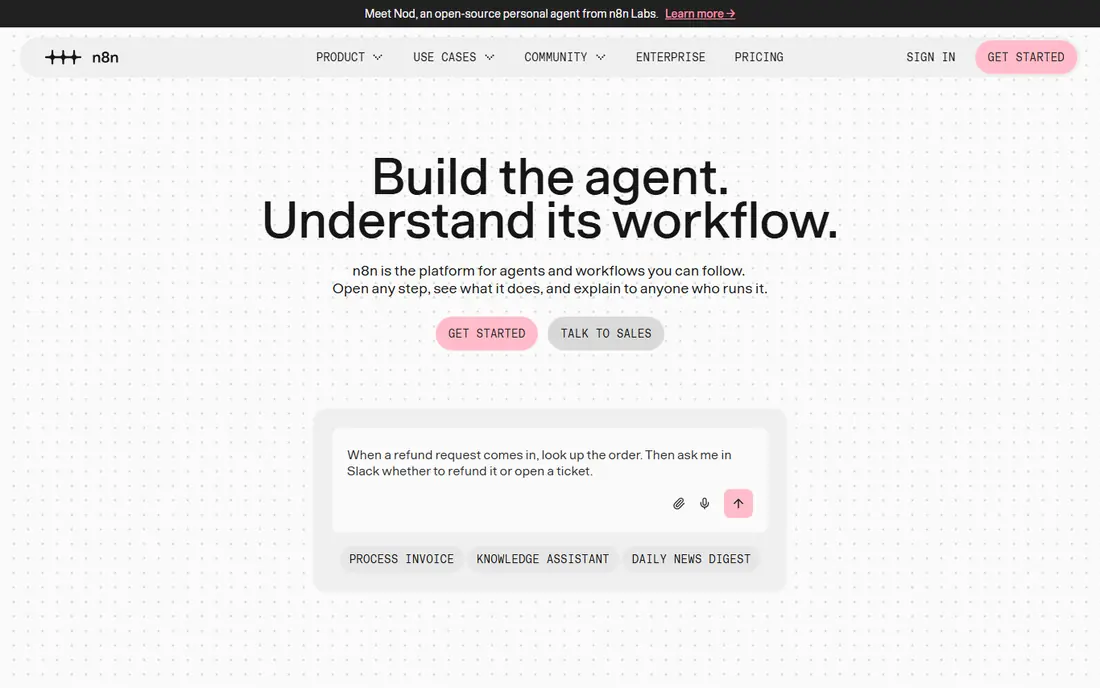
n8n is the most flexible option in this list for technical teams. Its AI agent nodes connect to major models, support tools such as web search and databases, and allow multi-step reasoning chains. The self-hosted version is free, though you pay for your own server, while cloud plans start around $20 to $24 per month in current comparisons.
n8n is not a pure no-code tool for complete beginners, since its best features need some technical understanding. It suits teams that want data control, self-hosting, and high volume without per-task billing at the same rate as Zapier. If your team has no technical support, start with Zapier or Lindy instead.
- Free self-hosted option
- Native AI agent nodes
- Strong control over data and hosting
- Steeper learning curve
- Cloud plans cost more at scale
- Needs technical skill for best results
Lindy suits non-technical teams that want agents for everyday business work, such as inbox triage, meeting scheduling, and follow-up. Agents can be described in plain language, and templates cover common tasks across Gmail, Slack, Notion, HubSpot, and many other tools. Published pricing lists Plus at $29.99 per user per month for 3,000 credits, with higher tiers for more credits.
Credit and seat costs are the main drawback. Each user adds a seat and credits to a shared pool, so a larger team pays more even if only a few people build agents. Lindy is best for small teams that want a fast, plain-language start and will use agents daily for routine work.
- Plain-language agent building
- Templates for inbox and scheduling
- SOC 2 and GDPR compliance reported
- Credit-based pricing rises with use
- Per-user seats add up
- No general free plan for new signups in recent reports
Relevance AI suits teams that want more than one agent, with agents that hand work to each other across sales, support, and research. Its visual builder lets teams create agents with instructions, tools, and knowledge, then connect them into workflows. Published pricing in recent reports lists Pro at $19 per month billed yearly, with Team at $234 per month billed yearly, while the public pricing page now leads with Enterprise quotes.
Billing is the main complexity, since costs split across Actions and Vendor Credits for model use. Relevance AI suits sales and operations teams ready to invest time in setup and to monitor usage. It is less suited to a solo user who wants a single simple agent with one flat price.
- Multi-agent teams that pass work to each other
- Reusable tool libraries
- Sales and research templates
- Dual billing in Actions and Vendor Credits
- Free plan retired for new signups in recent reports
- Setup takes time
Gumloop suits teams that need AI workflows with clearer audit trails and controls. Its interface is built around AI steps, and audit logs help managers see what an agent did and why. Published pricing lists Pro from $37 per month, with a free tier for testing, which makes it easy to try before paying.
Gumloop costs more to start than Make, and its app library is smaller than Zapier. It is best for teams that care about compliance, audit logs, and repeatable AI workflows, rather than teams that only need a few simple automations. Test the audit log with a real workflow before choosing it for regulated work.
- AI-native workflow interface
- Audit logs and compliance controls
- Free tier for testing
- Higher entry price than Make
- Smaller app library than Zapier
- Some features need API familiarity
Dify suits teams that want an open, visual way to build agents and chatbots without being locked into one vendor. The open-source version can be self-hosted for free, while cloud plans are paid. Its builder covers agents, workflows, and knowledge bases, which helps teams that want an agent to answer from their own documents.
Self-hosting needs technical setup and upkeep, so Dify is not the simplest choice for a non-technical team. It is best for teams that value openness, want to control hosting, and have someone who can manage updates. For a hosted, hands-off start, Lindy or Zapier may be simpler.
- Open-source visual builder
- Free self-hosted option
- Agent, workflow, and knowledge features
- Cloud pricing varies
- Self-hosting needs technical setup
- Smaller support team than large rivals
Microsoft Copilot Studio suits organizations that already run on Microsoft 365, Teams, SharePoint, and Dynamics 365. Agents can answer from SharePoint and Dataverse, run workflows through Power Automate, and use Entra ID for authentication. A free trial lets teams build and test agents, though publishing needs a paid path.
Billing is the main complexity. Copilot Credit packs cost $200 per month for 25,000 credits, with scripted answers at 1 credit, generative answers at 2 credits, and agent actions at 5 credits in published guides. Copilot Studio is best for Microsoft-centered enterprises that need governance, rather than small teams that want a simple flat price.
- Deep Microsoft 365 and Teams integration
- Governance and Entra ID controls
- Knowledge from SharePoint and Dataverse
- Credit-based billing is complex
- $200 per month for a 25,000-credit pack
- Needs a Microsoft-centered setup
How we picked these
We compared official pricing pages, product documentation, and current 2026 no-code agent comparisons. We favored platforms with a visual builder, a working free tier or trial, and a clear agent use case for business teams. We did not list Flowise as a live option, since Flowise reached end of life on 31 August 2026. We used See website or the most commonly published figure where pricing is quote based or varies by term, and we noted credit-based billing where it affects total cost.
How to choose a no-code AI agent platform
Start with one real workflow, not a demo. Pick a task that is repetitive, low risk, and easy to measure, such as inbox triage, lead research, or meeting follow-up. Build it on one platform, run it with human review for two weeks, and check whether it saves time without creating errors. That test tells you more than a feature list.
Next, check data access and limits before you scale. An agent should only have access to the apps and data it needs, and sensitive actions such as sending email, changing records, or spending money should need human approval. Check how the platform logs actions, how credits are counted, and what happens when you hit a limit. A platform that pauses workflows at a limit is safer than one that silently runs up a large bill.
Governance and cost controls
Set a named owner for each agent, a clear approval step for external actions, and a monthly credit budget with alerts. Review agent logs each week at first, and turn off agents that produce frequent errors. For regulated work, prefer platforms with audit logs, SSO, and clear data policies, such as Copilot Studio, Gumloop, or Lindy on enterprise terms, and confirm the contract before production use.
Frequently asked questions
What are the best no-code ai agent platforms for beginners?
Zapier and Lindy suit beginners best. Zapier offers the widest app library and simple setup, while Lindy offers plain-language agent building for inbox and calendar work. Make suits beginners who are willing to learn a visual canvas for more complex workflows.
What are the best no-code platforms for ai agents with many apps?
Zapier suits teams with many apps best, since its library covers thousands of tools. Make and n8n also cover many apps, with n8n offering more control for technical teams. Check that your specific apps are supported before choosing, since library size alone does not guarantee your tools are included.
What are the best no-code ai agent tools for small teams?
Lindy at $29.99 per user per month, Make at $9 per month, and Zapier at $19.99 per month suit small teams, depending on the workflow. Make is cheapest for complex workflows, Zapier is simplest for broad connections, and Lindy is simplest for plain-language business agents.
Is n8n really no-code?
n8n offers a visual builder and AI agent nodes that non-developers can use for simple workflows, but its best features need technical skill. It is best described as low-code for technical teams, with a free self-hosted option. Non-technical teams should start with Zapier, Make, or Lindy.
How much do no-code AI agent platforms cost?
Entry prices in this list range from free for self-hosted n8n and Dify to $9 per month for Make, $19 per month for Relevance AI, $19.99 for Zapier, $29.99 for Lindy, and $37 for Gumloop. Copilot Studio costs $200 per month for a 25,000-credit pack. Credit and task billing can raise the total, so model your monthly volume before choosing.
Sources
See where you really rank - block by block
ProMapRanker scans Google Maps across a grid of your service area. Simple monthly plans from $19, white-label on every plan.
Start freeKeep reading
 zscaler alternatives
Best Zscaler Alternatives in 2026
Looking for zscaler alternatives? We compare 9 SASE and zero trust platforms on architecture, data protection, pricing, and fit for your network and team.
Read → zapier alternatives free
Best Zapier Alternatives Free in 2026
Nine automation tools for zapier alternatives free in 2026, all with genuinely free tiers, plus free plan limits, starting prices and upgrade paths explained.
Read → which platform is best for online reputation
Which Platform Is Best for Online Reputation in 2026
Wondering which platform is best for online reputation? We compare 8 review, listing, and response tools for small and multi-location businesses and agencies.
Read →