 ProMapRanker
Best Network Discovery Tool in 2026

Key takeaways
- A good discovery tool finds devices, software, and connections automatically, then keeps that inventory current as the network changes.
- Free tools such as Nmap and Advanced IP Scanner suit audits and small networks, while Lansweeper and Auvik suit ongoing inventory and mapping.
- Price transparency varies widely, so confirm whether pricing is per asset, per sensor, per device, or per technician before comparing totals.
- Discovery is not monitoring alone: check whether a tool also tracks changes, alerts on new devices, and exports clean inventory data.
Quick comparison
| Pick | Great for | Pricing starts at | Free tier | |
|---|---|---|---|---|
 Nmap | Deep, free network scanning | Free | Yes | Visit |
 Lansweeper | Agentless IT asset discovery | See website | Yes | Visit |
 Auvik | Network topology and multi-site mapping | See website | Free trial | Visit |
 SolarWinds Network Performance Monitor | Multi-site infrastructure monitoring | See website | Free trial | Visit |
 Paessler PRTG Network Monitor | Mixed infrastructure monitoring | See website | Yes | Visit |
 ManageEngine OpUtils | IP, switch port, and VLAN work | $138 per year | Free trial | Visit |
 Advanced IP Scanner | Quick Windows LAN scans | Free | Yes | Visit |
 runZero | Agentless discovery for security teams | See website | Yes | Visit |
 Spiceworks Inventory | Free IT inventory for small teams | Free | Yes | Visit |
The best network discovery tools
These tools scan networks, identify devices, and build an inventory or map from what they find. We looked at discovery methods, device coverage, topology views, change tracking, and pricing clarity.
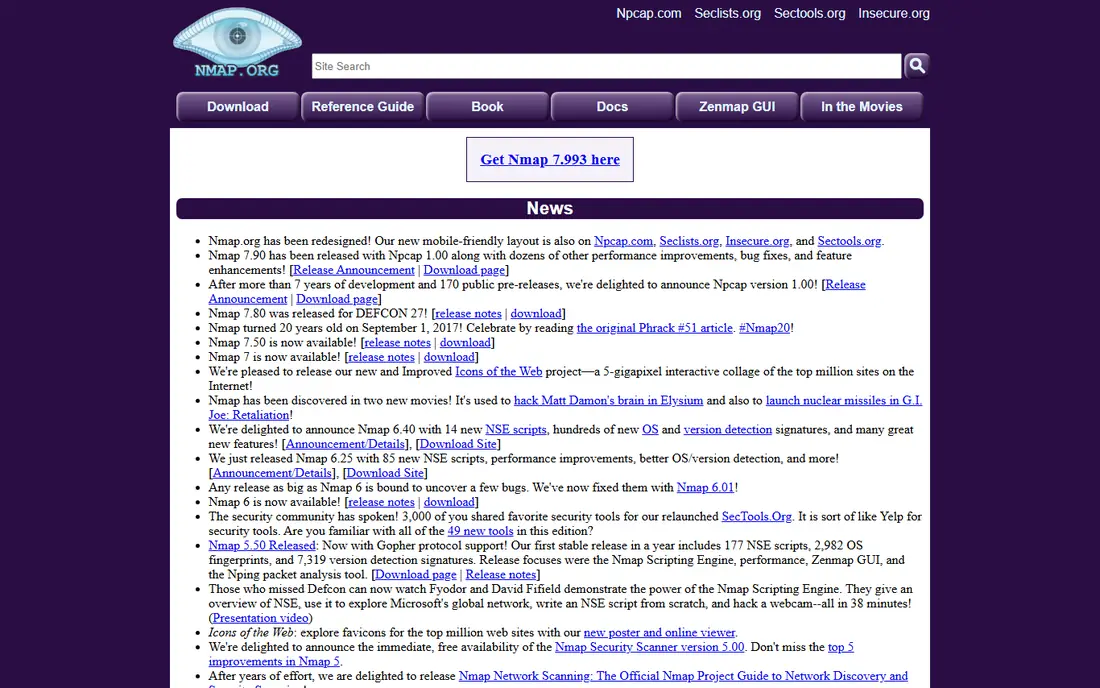
Nmap is the standard free scanner for network audits. It can map hosts, open ports, services, and operating system guesses across a subnet, and its scripting engine supports a wide range of checks. Security teams use it for ad hoc audits, and IT teams use it to answer a basic question fast: what is actually on this network right now.
Nmap is not a full inventory platform. It does not maintain a living asset database, track changes over time, or alert on new devices without extra tooling around it. For a one-off scan or a security review, it is unmatched for the price. For ongoing IT asset management, pair it with a tool such as Lansweeper or runZero.
- Free and open source
- Very deep port and service scanning
- Huge community and script library
- Command-line focus
- No built-in ongoing inventory or alerting on its own

Lansweeper scans networks without agents on most devices, finding computers, servers, network gear, and installed software, then keeps that inventory updated. Its free tier covers up to 100 assets, which makes it genuinely useful for small environments, not just a demo. For IT teams whose main problem is not knowing what they own, Lansweeper replaces manual audits with a current database.
Paid pricing is the confusing part. Different guides list different starting figures for the same asset counts, so we list it as See website and recommend confirming the current plan for your asset count before budgeting. The product is strongest for IT inventory and licence compliance, less so for general facilities assets.
- Deep agentless scanning for hardware and software
- Free tier up to 100 assets
- Broad asset coverage
- Published paid pricing varies across sources
- Jumps in cost beyond the free tier

Auvik discovers network infrastructure and draws topology maps automatically, which helps teams that manage several sites or complex switch and firewall layouts. It uses SNMP and API data to map connections, track device status, and show how traffic flows through the network. For network engineers, that map is often more useful than a flat device list.
Auvik is less of an endpoint software inventory tool than Lansweeper. Pricing is by quote, usually per managed device, so teams should confirm device counts and site scope before comparing costs. If your main need is network mapping and multi-site visibility, Auvik is a leading choice.
- Automatic topology maps
- Multi-site network visibility
- SNMP and API-based discovery
- Pricing is by quote
- Focused on network gear rather than endpoint software inventory
SolarWinds Network Performance Monitor
Great for: Multi-site infrastructure monitoring
SolarWinds Network Performance Monitor, often shortened to NPM, discovers network devices and then monitors performance, availability, and traffic across them. It suits infrastructure teams that need discovery as the first step toward ongoing monitoring, alerting, and capacity planning, rather than a one-off inventory snapshot. Its device support covers a broad range of routers, switches, firewalls, and servers.
The drawback is enterprise weight. Pricing is by quote, and getting full value from NPM needs staff who understand SNMP, polling, and alert design. Smaller teams may find a lighter tool faster to run. For multi-site infrastructure teams, NPM remains a well-established option.
- Deep network monitoring and discovery
- Multi-site scale
- Wide device support
- Pricing is by quote
- Deployment and tuning take experienced staff
PRTG discovers devices through SNMP, WMI, ping, and other sensors, then monitors them from the same console. Its free tier covers 100 sensors, which is enough for a small network to test discovery and monitoring together. For mid-size teams with mixed servers, switches, and services, the sensor model is flexible, since each monitored metric is a sensor.
Sensor counting is also the catch. A single device can use many sensors, so costs can rise faster than device counts suggest. Published paid starting figures vary across sources, so we list PRTG as See website. Count sensors on a trial network before committing to a tier.
- Sensor-based monitoring with discovery
- Free tier for 100 sensors
- Broad protocol support
- Pricing depends on sensor count, which can grow fast
- Paid figures vary across guides
OpUtils is a focused network tool rather than a broad IT asset suite. It discovers IP addresses, maps switch ports, tracks IP conflicts, and helps with VLAN and subnet work, which are daily tasks for network administrators. Its published starting price of $138 per year for 250 IPs and ports makes it one of the cheapest paid options here.
That focus is both its strength and its limit. OpUtils will not replace Lansweeper for software inventory or Auvik for topology at scale. For teams that need solid IP and port management at a low price, it is a practical pick, and the trial is worth running on a real subnet.
- IP address and switch port management
- Low published starting price
- Useful for network admin tasks
- Narrower than full asset platforms
- Interface feels utilitarian
Advanced IP Scanner is a simple free tool for scanning a local network on Windows. It finds devices, shows IP and MAC addresses, hostnames, and shared folders, and offers remote access links for Windows PCs. For a quick check of a small office or home lab, it is fast and easy to use.
It is not an enterprise discovery platform. There is no living inventory database, no change alerting, and no multi-site management. Use it for quick scans and troubleshooting, and choose a paid platform when you need inventory that stays current and can be reported on.
- Free
- Fast and simple for Windows LANs
- Remote control links for found PCs
- Windows only
- No ongoing inventory, change tracking, or enterprise reporting
runZero discovers assets without agents or credentials in many cases, which helps security teams find unmanaged and shadow devices that agent-based tools miss. Its free Community Edition covers up to 100 assets, and paid Platform tiers add more scale, integrations, and workflows. The asset data is geared toward security questions: what is exposed, what is outdated, and what changed.
Paid pricing is by quote, so teams should confirm costs for their asset count. runZero is strongest when discovery feeds security work, such as vulnerability management and exposure review, rather than general IT helpdesk inventory alone.
- Agentless, unauthenticated scanning
- Free Community Edition up to 100 assets
- Security-focused asset data
- Paid pricing is by quote
- Full platform value needs security workflow links
Spiceworks Inventory offers free network discovery and IT inventory for small teams, using WMI and SNMP to find Windows, macOS, and Linux devices. It pairs inventory with community resources and, in the wider Spiceworks ecosystem, helpdesk tools, which suits small IT teams that want one free starting point.
The trade-offs are scale and business model. Spiceworks is ad-supported, and larger or more complex estates will outgrow it. For a small team with a modest network and a tight budget, it remains a useful free option, provided the team accepts its limits on reporting and scale.
- Free
- Agentless WMI and SNMP scanning
- Community support and helpdesk links
- Ad-supported model
- Less suited to large or complex estates
How we picked these
We compared official product pages, discovery method guides, and published pricing notes, and we kept only tools that actively discover network devices in October 2026. We included free scanners and paid platforms, and we marked pricing as See website wherever published figures conflicted or the vendor prices by quote.
What to check before you buy network discovery software
Start with scope. List every subnet, site, cloud account, and device type you need to cover, including printers, IoT gear, and unmanaged devices. A tool that scans one office well may miss cloud assets or remote sites, and that gap shows up during an audit.
Next, test discovery on a real subnet with credentials and without them, and check how the tool handles duplicates, renamed devices, and offline gear. Ask whether it alerts on new devices, tracks software changes, and exports inventory to your ticketing or security tools. Finally, confirm the pricing unit, whether asset, sensor, device, or technician, and run a count on your real network before signing.
Frequently asked questions
What is the best network discovery tool?
For deep free scanning, Nmap leads. For ongoing IT inventory, Lansweeper is a strong pick. For network topology and multi-site work, Auvik leads. The right choice depends on whether you need an audit, an inventory, or a live map.
What is the best network discovery software for small businesses?
Spiceworks Inventory and Advanced IP Scanner are free starting points, and Lansweeper free up to 100 assets is a stronger inventory option. Small teams should start free, then pay only when asset counts or reporting needs grow.
What is the best network discovery tool for large networks?
Auvik, SolarWinds NPM, and PRTG suit larger networks, with different strengths in topology, scale, and sensor monitoring. Large teams should trial at least two on a real site before choosing.
Does network discovery replace a CMDB?
Not on its own. Discovery feeds a configuration database with current device data, but a CMDB also needs relationships, ownership, change history, and service mapping. Treat discovery as the data source, not the whole system.
Is agentless discovery safe?
Agentless scanning uses standard protocols such as SNMP, WMI, and ping, and it is widely used, but it should run with read-only credentials and agreed scan windows. Test on a small subnet first and coordinate with security teams before scanning production networks.
Sources
See where you really rank - block by block
ProMapRanker scans Google Maps across a grid of your service area. Simple monthly plans from $19, white-label on every plan.
Start freeKeep reading
 zscaler alternatives
Best Zscaler Alternatives in 2026
Looking for zscaler alternatives? We compare 9 SASE and zero trust platforms on architecture, data protection, pricing, and fit for your network and team.
Read → zapier alternatives free
Best Zapier Alternatives Free in 2026
Nine automation tools for zapier alternatives free in 2026, all with genuinely free tiers, plus free plan limits, starting prices and upgrade paths explained.
Read → which platform is best for online reputation
Which Platform Is Best for Online Reputation in 2026
Wondering which platform is best for online reputation? We compare 8 review, listing, and response tools for small and multi-location businesses and agencies.
Read →