 ProMapRanker
Best Net Worth Tracking App in 2026

Key takeaways
- Empower gives most US users a free, connected net worth dashboard, while paid apps add budgeting, household sharing or support for unusual assets.
- Monarch Money is our pick for couples and former Mint users who want budgeting and net worth tracking in one paid app.
- Copilot Money suits Apple households, Kubera suits holders of crypto, property and private assets, and Tiller suits spreadsheet fans.
- Prices move often, so confirm the current plan on the vendor site before you pay, and check that your banks connect.
- This is not financial advice. These tools show your numbers, they do not tell you what to buy or sell.
Quick comparison
| Pick | Great for | Pricing starts at | Free tier | |
|---|---|---|---|---|
 Empower | Free connected tracking for US investors | Free | Yes | Visit |
 Monarch Money | Couples and former Mint users | $14.99 per month | Free trial (7 days) | Visit |
 Copilot Money | Apple households who value design | $13 per month | Free trial (1 month) | Visit |
 Kubera | Complex, global and alternative-asset portfolios | $250 per year | Free trial (14 days) | Visit |
 PocketSmith | Cash flow forecasting and long-term planning | $9.99 per month | Yes | Visit |
 Quicken Simplifi | Affordable all-in-one tracking | $6.99 per month | Free trial | Visit |
 Tiller | Spreadsheet fans who want automated feeds | $99 per year | Free trial (30 days) | Visit |
 YNAB | Budget-first users who want a net worth report | $14.99 per month | Free trial (34 days) | Visit |
 ProjectionLab | Long-term retirement and independence planning | See website | Yes | Visit |
The best net worth tracking apps
We compared connected dashboards, budgeting tools and planning apps that show assets minus liabilities in one place. The best app to track net worth depends on your devices, your household and how unusual your assets are.
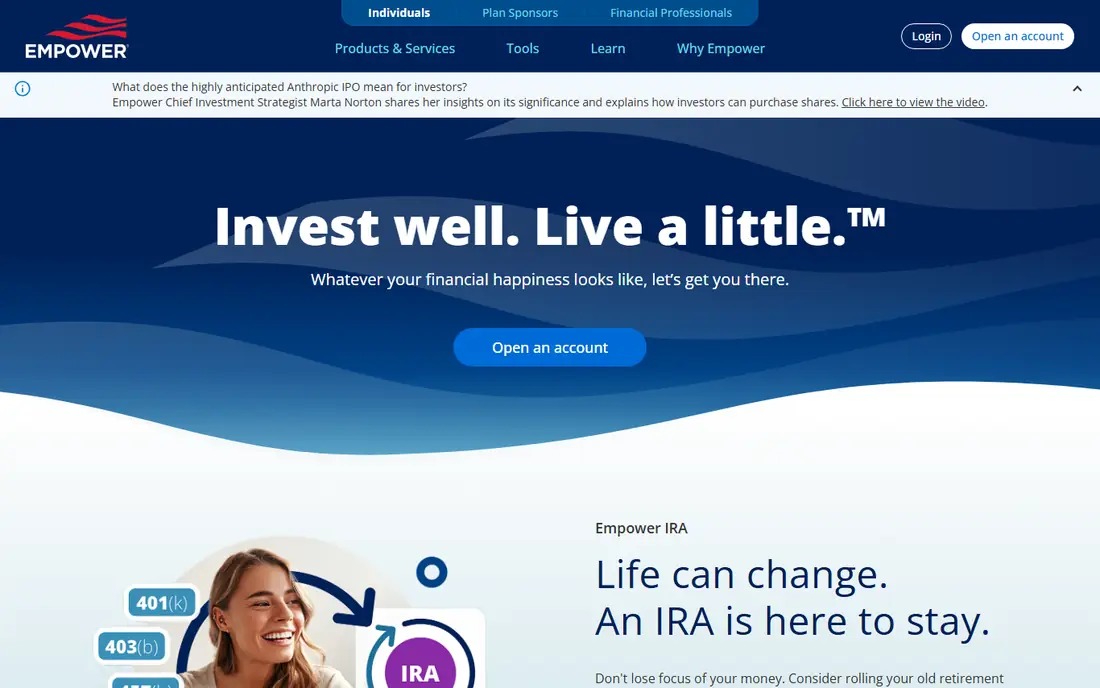
Empower is the obvious first stop for anyone who wants a best net worth tracker app without paying. You link US bank, card, loan, brokerage and retirement accounts, and the dashboard totals assets and liabilities and charts the result over time. The retirement planner and investment fee analysis add real value beyond a simple total.
The catch is scope. Empower works best for US accounts, and its budgeting tools are lighter than Monarch or YNAB. The free dashboard is also an entry point to a separate paid advisory service, so expect contact about it if your balance grows. For a free, connected view of net worth, though, it is hard to beat.
- Free dashboard
- Connected bank, card, loan and retirement accounts
- Retirement planner and fee analysis
- US focused
- Budgeting is basic
- Advisory sales calls are a known annoyance for larger balances

Monarch Money is our pick for most people willing to pay, and for couples in particular. One subscription can cover a household, with shared dashboards and separate views, and it pairs net worth tracking with flexible budgeting and cash flow forecasting. Former Mint users will find the move fairly painless, with automatic categorisation and a clear net worth chart.
The price is the main drawback, at $14.99 per month or $99.99 per year for Core, and the 7-day trial is short for testing every bank connection. Investment analysis stays basic, and crypto wallet tracking is limited. If you want one paid app for budgeting and net worth together, Monarch still earns its place at the top of the paid list.
- Shared household access
- Flexible budgeting
- Cash flow forecasting
- Broad account connections
- No free tier
- Trial is short
- Investment analysis is basic compared with Empower
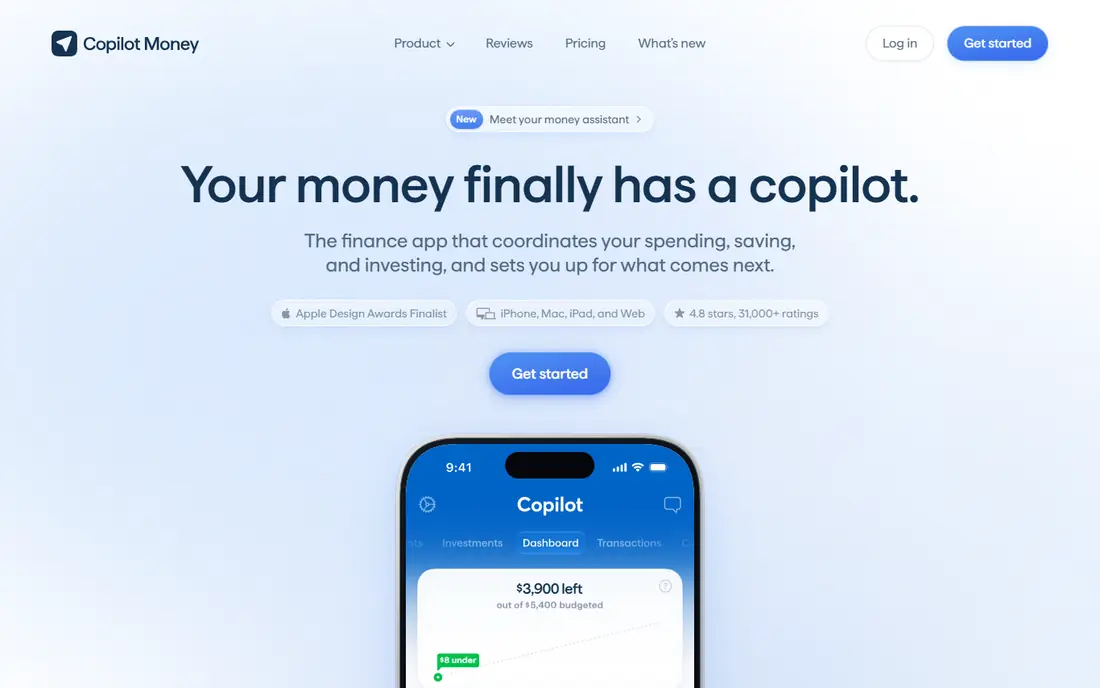
Copilot Money is the best app for net worth tracking if your household runs on iPhone, iPad and Mac. The design is clean, account sync covers many US institutions, and it tracks investments, crypto and real estate alongside cash accounts. Household sharing lets a partner see the same picture without a second subscription.
Android users are left out, which is a firm deal breaker for mixed-device homes, and coverage is US only. At $13 per month or $95 per year, it costs about the same as Monarch on an annual basis. Pick Copilot for polish and Apple-only life, and Monarch if anyone in the house uses Android.
- Polished Apple apps and web access
- Investment and crypto tracking
- Household sharing
- No Android app
- US institutions only
- Paid only after the trial
Kubera is built for portfolios that break simpler trackers. It connects banks and brokerages worldwide, tracks crypto exchanges, wallets and DeFi positions, values property by address, and handles private equity, trusts and other holdings that most apps force you to enter by hand. Multi-currency support makes it a natural fit for people with accounts in more than one country.
That breadth costs $250 per year for Essentials, and Kubera is a balance sheet, not a budget. If your money life is a checking account, a 401(k) and a mortgage, you will not use most of what you pay for. For complex portfolios, though, it is the most complete net worth tracker on this list.
- Crypto, DeFi, property and private assets
- Multi-currency support
- Granular sharing controls
- High annual price
- No day-to-day budgeting
- Overkill for simple portfolios
PocketSmith stands out for looking forward rather than just reporting today. Its cash flow calendar projects balances weeks and months ahead, so you can see when a large bill or a lean month would strain an account. That makes it a strong pick for freelancers and households with uneven income, and the net worth view sits alongside those forecasts.
The free plan is limited in accounts and forecast depth, and paid bank connections depend on your country and bank. Foundation starts at $9.99 per month billed annually, or $14.95 billed monthly. If you mainly want a live total, Empower or Monarch are simpler. If you want to plan around future cash flow, PocketSmith earns its fee.
- Cash flow calendar
- Forecasting scenarios
- Free plan for basic use
- Multi-currency support
- Free plan limits accounts and forecasts
- Connected bank coverage varies
- Learning curve
Quicken Simplifi is the budget pick among paid trackers. It connects bank, brokerage and loan accounts, builds a net worth watchlist grouped by asset type, and adds a spending plan, bill tracking and savings goals in the same app. The regular price is $6.99 per month billed annually, with promotions that can lower the first period.
Read the renewal terms before you subscribe, because promotional and renewal prices differ, and check that your banks connect. Crypto tracking is absent, and household sharing is less developed than Monarch. For US users who want a capable tracker for less than the leading paid apps, Simplifi is a sensible middle ground.
- Low regular price
- Spending plan and bill tracking
- Net worth watchlists
- Savings goals
- US focused
- No crypto tracking
- Promotional prices differ from renewal prices
Tiller is for people who like spreadsheets but hate typing numbers into them. It feeds daily transactions and balances into Google Sheets or Excel, and its templates include a net worth sheet you can reshape, extend and chart however you like. You own the file, so your history does not depend on one app staying in business.
That freedom is also the work. Tiller does not provide a polished dashboard, and you build or maintain the views yourself. It is US focused, with no free tier after a 30-day trial, at $99 per year. If you already live in spreadsheets, Tiller is the best way to track net worth. If you want an app that just shows the answer, pick something else on this list.
- Daily feeds into Google Sheets or Excel
- Full control over layout
- Net worth templates
- US only
- No free tier
- You maintain the spreadsheet yourself
YNAB, short for You Need A Budget, is a budgeting app first, and its net worth report is a welcome bonus rather than the main event. Linked accounts, including tracking accounts for a mortgage or brokerage, feed a month-by-month chart of assets versus liabilities, which is motivating when you are paying down debt. Sharing covers a household, and the 34-day trial is generous.
The method itself is the hurdle. YNAB asks you to assign every dollar a job, and that discipline takes a few weeks to feel natural. It does not analyse investments, it only records balances. At $109 per year or $14.99 per month, buy YNAB for budgeting, and enjoy the net worth chart as part of the deal.
- Proven budgeting method
- Net worth report over time
- Household sharing
- Broad bank linking
- Net worth is secondary
- Method takes weeks to learn
- Investment analysis is minimal
ProjectionLab takes a different route. Instead of linking accounts, you enter your assets, debts, income and spending, then model retirement, early retirement and other scenarios with detailed charts. That manual approach suits privacy-minded planners, and the free basic plan lets you test the core modelling before paying.
The trade-off is obvious. Your net worth here is only as current as your last manual update, so it is not a live tracker in the Empower or Monarch sense. Paid plans open up fuller scenarios, and prices should be confirmed on the vendor site. Use ProjectionLab alongside a live tracker: one app for the daily total, and ProjectionLab for the long-term question of what that total could become.
- Detailed scenario modelling
- Privacy focused with no bank sync needed
- Free basic plan
- No automatic account linking
- Net worth must be entered by hand
- Paid plan needed for full scenarios
How we picked these
We compared official feature pages, pricing pages and app store listings for tools that show a live or regularly updated net worth total, not just a budget or a single account balance. We favoured apps that still operate in October 2026, that connect real accounts or handle real asset types, and that cover different needs: free tracking, couples, Apple users, global portfolios, spreadsheets and long-term planning. Mint was excluded because it closed in March 2024. Prices in this article come from vendor pages and recent vendor reporting, and we note where a price is promotional or annual only.
What to check before you subscribe
Start with connection coverage, not design. A beautiful app that cannot link your main bank or brokerage will leave you entering balances by hand, which defeats the point of a tracker. Use the free plan or trial to link every account, including retirement accounts, loans and mortgages, and check that balances update without repeated logins.
Next, decide how much budgeting you actually want. If you only check a total once a week, a free dashboard or a simple tracker is enough. If you manage money with a partner, household sharing and a shared budget matter more than investment charts. If you hold crypto, foreign accounts or private assets, pay for the tool that handles them properly rather than forcing them into manual entries.
Security deserves a direct look. Read the privacy policy, check whether the app uses read-only connections through an aggregator, and turn on two-factor authentication on both the tracker and your bank accounts. Never share a bank password directly with an app that asks for it outside a secure linking flow. Finally, remember that a tracker shows history and balances. It does not give personal financial advice, and a rising net worth chart is not proof that an investment choice was sound.
Free or paid
Free works well for a simple US portfolio. Paid apps earn their fee when they add household sharing, forecasting, multi-currency support or unusual assets. If you pay, set a calendar reminder before renewal, because several apps on this list run promotions that differ from the standard price.
One total or a full plan
A single net worth number is useful, but the trend matters more. Look for charts that show assets and liabilities separately over months and years, so a rising total driven by new debt does not fool you. Pair a live tracker with a planning tool if retirement timing or early retirement is your real question.
Frequently asked questions
What is the best app to track net worth for free?
Empower is the strongest free option for US users, with connected accounts, a net worth chart and a retirement planner at no cost. PocketSmith and ProjectionLab also offer free plans, but with limits on accounts, forecasts or live syncing. Check bank coverage first, because a free app that cannot link your accounts is not free in time saved.
What are the best net worth tracking apps for couples?
Monarch Money leads for couples, with household sharing included in one subscription and a shared budget alongside net worth tracking. Copilot Money also supports household sharing for Apple households, and YNAB lets a household share one plan. Pick the one whose devices and budgeting style fit both partners, not just one of you.
What is the best net worth tracker app for Apple users?
Copilot Money is the best fit for Apple-only households, with polished iPhone, iPad, Mac and web apps and tracking for investments, crypto and property. Monarch Money is the better choice if anyone in the household uses Android, since Copilot has no Android app. Both cost about the same on annual billing.
Can I track crypto and real estate in a net worth app?
Yes, but the quality varies a lot. Kubera is the strongest choice for crypto, DeFi, property and private assets, with multi-currency support and values by address. Copilot and Empower handle common crypto and property entries, often manually or through estimates. If alternative assets are a large share of your wealth, Kubera is worth its higher price.
What happened to Mint for net worth tracking?
Mint closed in March 2024, and its users were pointed toward Credit Karma, which does not offer the same budgeting features. Empower is the closest free replacement for tracking, while Monarch Money is the closest paid replacement for budgeting plus tracking. Both import or link accounts in a similar way, though neither is an exact copy of Mint.
Is it safe to link bank accounts to a net worth app?
Reputable trackers use read-only connections through aggregators, which means the app can read balances but cannot move money. That still requires trust, so use well-known vendors, enable two-factor authentication, and review connected accounts regularly. If an app asks for a bank password outside a secure linking flow, stop and check its help pages before continuing.
Sources
See where you really rank - block by block
ProMapRanker scans Google Maps across a grid of your service area. Simple monthly plans from $19, white-label on every plan.
Start freeKeep reading
 zoho inventory alternatives
6 Alternatives to Zoho Inventory, Compared on Price and Fit
Zoho Inventory alternatives: 6 tools compared on price, free plans and fit. Katana leads the list for manufacturers. Fit and flaws are laid out for each entry.
Read → zoho crm alternatives
Best Zoho CRM Alternatives (2026)
Need Zoho CRM alternatives? We compare 7 tools on cost, free access and who each suits. Every pick gets a straight assessment. Built for quick decisions.
Read → zelle alternatives
Best Zelle Alternatives in 2026
Compare the best Zelle alternatives for sending money to friends, paying sellers and moving funds abroad, with honest notes on fees, speed and safety in 2026.
Read →