 ProMapRanker
Best Multi Channel Ecommerce Platform in 2026


Brands that want one storefront plus every channel · Pricing starts at: $29 per month
Key takeaways
- Shopify and BigCommerce both start at $29 per month billed annually, and both cover Amazon, eBay, Walmart and social channels, with Shopify offering the larger app catalog.
- WooCommerce is free software, but hosting, payment fees and extensions are the real cost, so budget beyond the zero headline price.
- If marketplaces already drive most of your sales, a specialist layer such as Sellbrite, ChannelEngine or Linnworks may matter more than the storefront itself.
- The costliest multichannel mistake is overselling, so pick a platform that keeps inventory in one place and syncs stock counts across every channel.
Quick comparison
| Pick | Great for | Pricing starts at | Free tier | |
|---|---|---|---|---|
| Shopify | Brands that want one storefront plus every channel | $29 per month | Free trial | Visit |
 BigCommerce | Merchants that want more built in and fewer apps | $29 per month | Free trial | Visit |
 WooCommerce | Brands that want full control on WordPress | Free | Yes | Visit |
 Wix | Small sellers that want a simple store builder | See website | No | Visit |
 Squarespace | Design-led brands selling on a few channels | See website | Free trial | Visit |
 Ecwid | Adding a store to a site you already have | Free | Yes | Visit |
 Adobe Commerce | Large enterprises with complex catalogs | See website | No | Visit |
 Sellbrite | Marketplace-first sellers | See website | Free trial | Visit |
 ChannelEngine | Brands selling on many marketplaces at scale | See website | No | Visit |
 Linnworks | Inventory-heavy sellers that need one source of truth | See website | No | Visit |
The best multi channel ecommerce platforms
A multichannel platform lets you sell from your own website and from marketplaces and social apps without keeping separate stock lists for each place. We compared official pricing pages, channel documentation and public reviews, and we focused on tools that genuinely sync listings, orders and inventory across channels rather than tools that only link out to them.

Shopify is our default pick for most sellers because it treats channels as a core feature rather than an add-on. From one admin you can list on Amazon, eBay, Walmart, TikTok, Instagram and Facebook, and sell in person with Shopify POS, with inventory drawn from the same catalog. The Basic plan starts at $29 per month billed annually, and it includes abandoned cart recovery and discount tools that many rivals reserve for higher tiers.
The catch is the app bill. The base platform is polished, but marketplace connectors, advanced reporting and loyalty tools often come from paid apps, and transaction fees apply if you use an outside payment provider. Still, for a brand that wants to launch fast and add channels one at a time, Shopify gives the widest path with the least setup friction.
- Broadest channel coverage through apps and built-in sales channels
- Huge app store
- Shopify POS for in-person sales
- Transaction fees apply unless you use Shopify Payments
- Costs rise with paid apps
- Trial period is short

BigCommerce appeals to sellers who would rather have features built in than shop for apps. Its Standard plan starts at $29 per month billed annually, or $39 per month billed monthly, and it covers multichannel selling, product options and SEO controls without as many paid extras. It also charges no platform transaction fee on top of payment processing, which helps high-volume sellers compare true costs.
The trade-off is scale rules. BigCommerce moves stores to higher plans when annual online sales pass set thresholds, so a fast-growing store should model that step in advance. Its app catalog is also smaller than Shopify, though most common channel connectors are covered. For a merchant that values built-in depth over app variety, BigCommerce is a strong, calm choice.
- Strong built-in channel tools
- No extra platform transaction fee
- 15-day free trial with no card required
- App catalog is smaller than Shopify
- Revenue thresholds can push you to a higher plan
- Enterprise pricing is custom
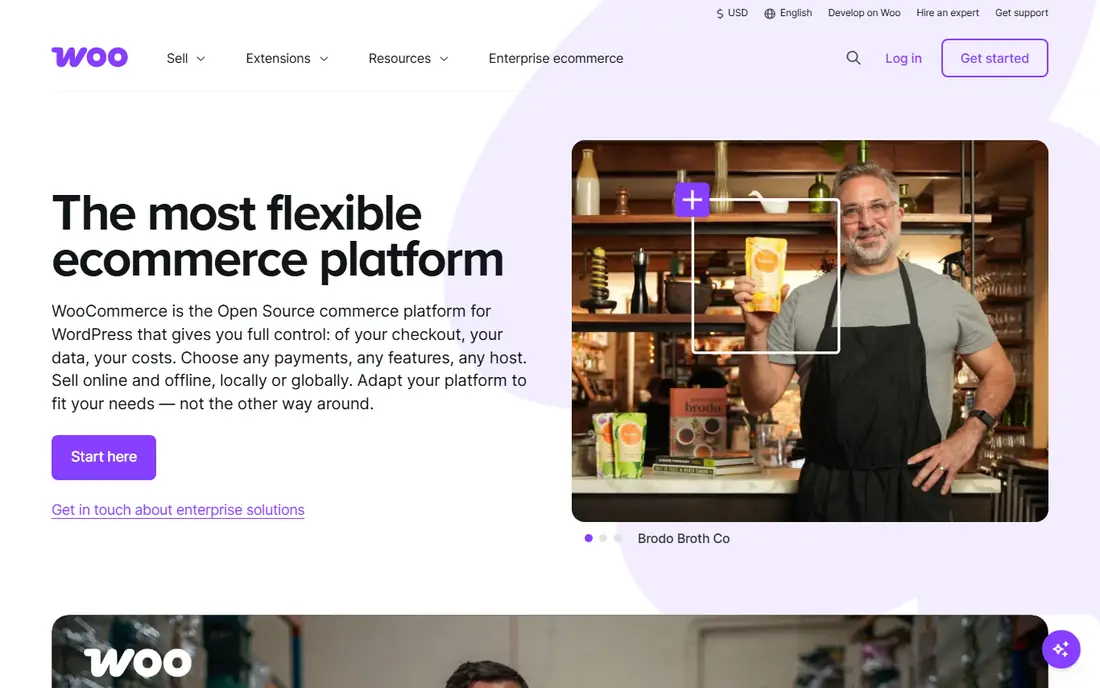
WooCommerce turns a WordPress site into a store, and it remains the best route for content-led brands that already publish on WordPress. The plugin itself is free, you own your data and your checkout, and you can connect Amazon, eBay, Etsy, Google Shopping and social channels through extensions. For a brand with a blog that drives sales, keeping content and commerce in one place is a real advantage.
Ownership has a price in time. You pay for hosting, you handle updates and security, and the channel extensions that make multichannel selling work are often paid. A typical small store still lands well under hosted platform pricing in cash terms, but it needs someone comfortable with WordPress. Pick WooCommerce when control matters more than a fully managed setup.
- Free open-source plugin
- Full ownership of data and design
- Huge WordPress extension ecosystem
- Hosting, security and updates are your job
- Channel connectors are usually paid extensions
- Costs vary widely
Wix is the simplest route on this list for a seller who wants a decent-looking store this week. Its drag-and-drop builder needs no code, and its commerce plans include sales channels for social platforms and marketplaces alongside the storefront. For a maker, boutique or local shop with a modest catalog, that simplicity is the whole point.
Scale is where Wix shows its limits. Large catalogs, complex variants and heavy marketplace automation are smoother on Shopify or BigCommerce, and Wix channel coverage is thinner than the leaders. If your catalog is small and your priority is a fast, attractive launch, Wix earns its place. If marketplaces will soon outgrow your own site, start higher up this list.
- Very easy visual builder
- Built-in sales channels for social and marketplaces
- Good for small catalogs
- Less flexible than Shopify or WooCommerce at scale
- Channel depth is thinner
- Plan names and prices vary by region
Squarespace suits brands where the look of the store is part of the product. Its templates are consistently polished, its blogging and email tools sit in the same account, and its commerce plans connect to social selling and selected marketplaces. For a photographer, designer or small studio selling a focused range, the store can look expensive without hiring a designer.
The limit is channel breadth. Squarespace does not match Shopify or BigCommerce for marketplace depth, and its extension catalog is smaller. If your main channels are your own site, Instagram and a single marketplace, Squarespace is a pleasant, low-friction home. If you plan to sell on five marketplaces at once, a specialist platform will serve you better.
- Beautiful templates out of the box
- Clean checkout and blogging tools
- Simple channel connections
- Marketplace coverage is narrower than Shopify
- Fewer commerce extensions
- Less suited to large catalogs
Ecwid answers a different question from the rest of this list: what if you already have a website and just want to add selling to it. Its widget embeds a store into WordPress, Wix, Squarespace or a plain site, and it also supports selling on social channels and marketplaces. The free plan lets a tiny seller start without a monthly bill, which makes it a low-risk test.
The free plan caps how many products you can list, and design control is less complete than a dedicated storefront builder. Paid plans lift those limits and add features such as abandoned cart recovery. Ecwid is our pick for adding commerce to an existing presence, not for building a large standalone brand store from scratch.
- Free plan to start
- Embeds into an existing website, blog or social page
- Syncs with marketplaces and social
- Free plan limits product count
- Design control is thinner than a full storefront
- Advanced features need paid tiers
Adobe Commerce, formerly Magento Commerce, is the enterprise end of this list. It handles large catalogs, complex product configurations, customer-specific pricing, multiple storefronts and B2B workflows that smaller platforms cannot match. Its marketplace and channel integrations, plus its extension ecosystem, let a large retailer run many channels from one back end.
Everything about Adobe Commerce assumes scale. Pricing is quote-based, implementation usually needs developers, and hosting and maintenance add real cost. Small sellers should not start here. Large retailers with complex catalogs, multiple brands or B2B buyers will find that the depth justifies the budget.
- Deep catalog, pricing and B2B controls
- Strong multichannel and multi-storefront support
- Huge extension ecosystem
- Quote-only pricing
- Needs developers and a serious budget
- Overkill for small sellers
Sellbrite is built for sellers whose sales already come from marketplaces. It lets you create listings once, push them to Amazon, eBay, Walmart and other channels, and keep inventory counts in sync so one sale updates every listing. Orders flow into one dashboard, which cuts the manual reconciliation that causes overselling.
Sellbrite works best as a multichannel layer on top of a storefront such as Shopify or BigCommerce, rather than as your only store. Its pricing is quote-based, so you will need a sales conversation to get a firm number. For a marketplace-first seller drowning in manual listing work, that conversation is worth having.
- Fast listing and inventory sync across marketplaces
- Central order management
- Works alongside an existing storefront
- Pricing is not published on the main page
- Best as a layer, not a standalone storefront
- Feature depth varies by channel
ChannelEngine sits a step above Sellbrite in scale. It connects brands and retailers to a very large set of marketplaces, price comparison sites and social channels, and it manages product data, pricing rules and order flow from one hub. For a brand selling the same catalog in many countries and channels, that central control is the point.
The cost is complexity and price. ChannelEngine prices by order volume with custom quotes, and implementation takes more setup than installing a Shopify app. Sellers past a few hundred orders a month, or sellers on many marketplaces at once, are its natural audience. Smaller sellers should start with a storefront channel app and graduate to ChannelEngine later.
- Connects to hundreds of marketplaces and channels
- Strong product data and pricing tools
- Built for high order volume
- Quote-based pricing
- Setup is heavier than a simple app
- Overkill for sellers on one or two channels
Linnworks is an operations platform first and a storefront second. It pulls orders from marketplaces, web stores and other channels into one system, keeps stock counts accurate across all of them, and helps with picking, packing and fulfillment rules. For inventory-heavy sellers, that single source of truth prevents the overselling and stock errors that damage marketplace accounts.
Linnworks pricing is quote-based and its setup takes more learning than a simple channel app. It also pairs with a storefront rather than replacing one. If inventory accuracy is your main risk, and you sell across many channels with real warehouse stock, Linnworks is one of the most capable tools on this list.
- Strong inventory and order management across channels
- Warehouse and fulfillment tools
- Wide marketplace coverage
- Quote-based pricing
- Learning curve for new users
- More operations tool than storefront
How we picked these
We compared official pricing pages, channel documentation and public reviews, and we favored platforms that genuinely sync listings, orders and inventory rather than platforms that only link to a marketplace. We included both full storefronts and specialist multichannel layers, because many sellers need one of each. Where pricing is quote-based, we say so instead of inventing a number, and we checked that each product still accepts new customers in October 2026.
What to check before you commit to a platform
Start from where your orders actually come from. List your top three channels by revenue, then check that your shortlisted platform syncs inventory and orders for all three, not just lists products there. A channel that lists without syncing stock will create overselling problems as soon as a product sells well in two places at once.
Next, add up the true monthly cost: subscription, payment processing, platform transaction fees, channel connector apps and any specialist layer such as Linnworks or ChannelEngine. A $29 plan with three paid apps can cost more than a $79 plan with those features built in. Finally, test returns, refunds and customer messages across channels before launch, because multichannel support breaks first in after-sales care, not in listing.
Frequently asked questions
What is the best multi channel ecommerce software for a beginner?
Shopify is the safest beginner pick, because its channel setup is guided, its app store covers the major marketplaces, and its support docs walk through each channel step by step. Wix or Ecwid can suit a very small seller, but Shopify scales further without a rebuild.
Can I sell on Amazon and eBay from Shopify or BigCommerce?
Yes, both platforms offer Amazon, eBay and Walmart channel connections, either built in or through official apps. You still need seller accounts on each marketplace, and each marketplace has its own fees and listing rules, so budget time for account approval and catalog mapping.
Is WooCommerce good for multichannel selling?
Yes, with the right extensions. WooCommerce itself is a store plugin, so multichannel selling comes from extensions that connect Amazon, eBay, Etsy and social channels. That route gives you full control, but you should budget for paid extensions and someone to maintain them.
How do I avoid overselling across channels?
Keep one inventory source of truth and let every channel draw from it. A storefront with synced channels, or a specialist layer such as Sellbrite or Linnworks, updates stock counts as soon as an order lands anywhere. Avoid keeping separate spreadsheets per channel, because they drift apart under real order volume.
Do I need a specialist tool if I already use Shopify?
Not always. Shopify covers the major channels for most sellers, and a specialist tool adds value when you sell on many marketplaces, hold warehouse stock, or need advanced pricing and product data rules. Start with Shopify channels, and add a specialist layer when manual work or stock errors start costing sales.
Sources
See where you really rank - block by block
ProMapRanker scans Google Maps across a grid of your service area. Simple monthly plans from $19, white-label on every plan.
Start freeKeep reading
 zscaler alternatives
Best Zscaler Alternatives in 2026
Looking for zscaler alternatives? We compare 9 SASE and zero trust platforms on architecture, data protection, pricing, and fit for your network and team.
Read → zapier alternatives free
Best Zapier Alternatives Free in 2026
Nine automation tools for zapier alternatives free in 2026, all with genuinely free tiers, plus free plan limits, starting prices and upgrade paths explained.
Read → which platform is best for online reputation
Which Platform Is Best for Online Reputation in 2026
Wondering which platform is best for online reputation? We compare 8 review, listing, and response tools for small and multi-location businesses and agencies.
Read →