 ProMapRanker
Best MRP Software for Manufacturing in 2026

Key takeaways
- Small makers usually need MRP plus inventory in one place, not a full ERP on day one.
- Per user pricing can climb fast, so count admin and shop floor users before you sign.
- Multi level bills of materials, lead times and capacity planning separate real MRP from simple stock tracking.
- A free or low cost start is useful, but check what add ons cost for traceability and shop floor use.
Quick comparison
| Pick | Great for | Pricing starts at | Free tier | |
|---|---|---|---|---|
 Katana | Small makers selling online | $299 per month | Yes | Visit |
 MRPeasy | Small manufacturers wanting clear per user pricing | $49 per user per month | No | Visit |
 Fishbowl Manufacturing | QuickBooks users moving into manufacturing | See website | No | Visit |
 Odoo | Teams that want a modular system | See website | Yes | Visit |
 Oracle NetSuite | Larger manufacturers needing full ERP | See website | No | Visit |
 Acumatica | Growing manufacturers needing flexible ERP | See website | No | Visit |
 Cin7 | Omnichannel makers and distributors | See website | No | Visit |
 SAP Business One | Midsize manufacturers with complex operations | See website | No | Visit |
 Fulcrum | Job shops and make to order manufacturers | See website | No | Visit |
The best mrp software for manufacturing
We compared tools that plan materials, schedule production and track stock for makers, from small workshops to larger plants. The right pick depends on how you sell, how complex your products are, and how much setup help you can take on.
Katana suits a small maker who sells through an online store and needs to see raw materials, finished goods and open production orders in one view. Its visual planner makes it easier to spot a shortage before it stops a batch, and sales orders from connected stores can flow into production without retyping. That link between selling and making is the main reason many small brands pick it first.
The catch is the price structure. The Core starting point is a monthly fee, and manufacturing, traceability, warehouse and shop floor features sit in add ons that add to the bill. A team that needs lot tracking and a shop floor app should price the full setup, not just the base plan, and test whether order volume changes the quote.
- Clear visual production planning
- Strong Shopify and WooCommerce links
- Unlimited users on paid plans
- Costs rise with order volume and add ons
- Advanced traceability costs extra
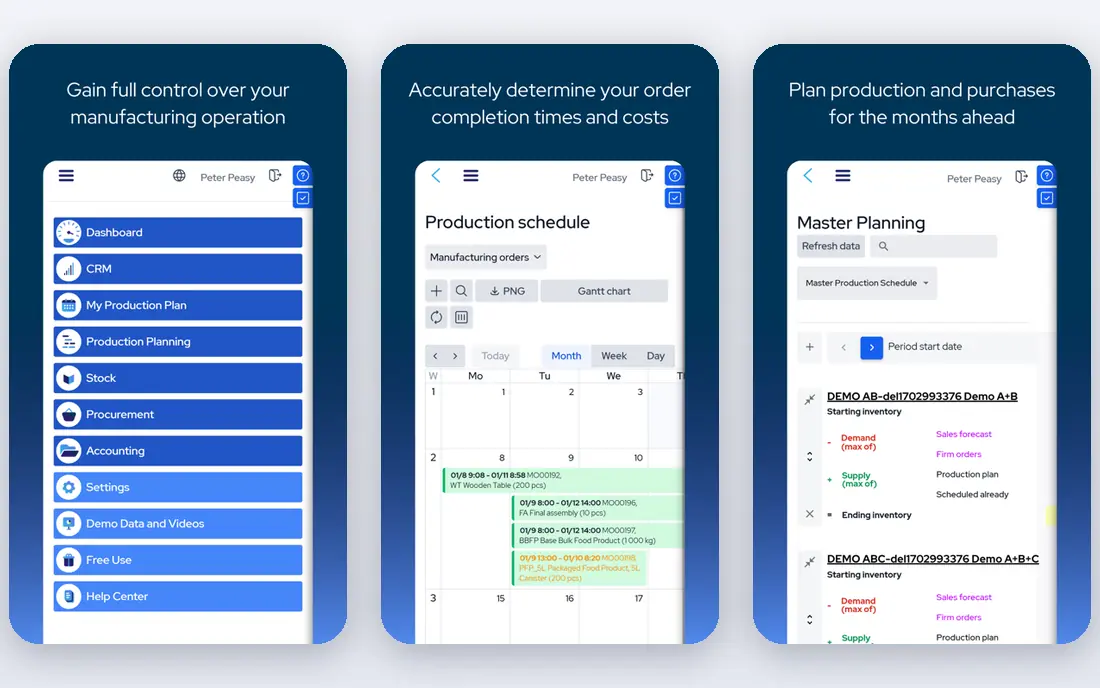
MRPeasy is built for small and midsize manufacturers who want production planning, purchasing, inventory and sales in one program. Its pricing is published per user, which makes budgeting simpler than quote only ERP tools, and the Starter tier already covers core MRP, BOMs and stock control. For a team moving off spreadsheets, that clarity matters as much as the features.
The trade off is user count. A shop with many admin users will pay for each seat, and API access sits on the Unlimited tier. MRPeasy also follows set workflows, so a plant with unusual routing or heavy custom logic should check the higher tiers and trial before committing to a long setup.
- Transparent per user tiers
- Multi level BOMs and scheduling
- Lot and serial traceability
- Cost grows with each user
- Deeper custom work needs the top tier
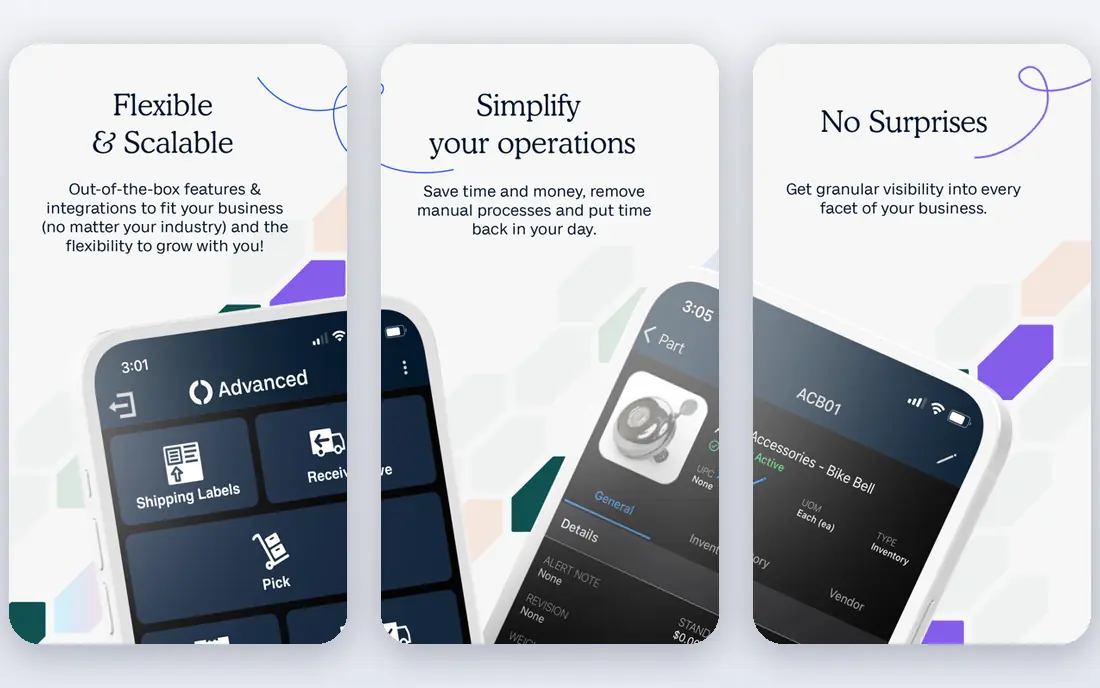
Fishbowl Manufacturing adds BOMs, work orders and production control to inventory management, and it is best known for its link to QuickBooks. For a business that already runs its accounts in QuickBooks, that connection can save duplicate entry and keep costing and stock in step. Lot and serial tracking also help firms that need to trace materials through production.
Pricing needs care, because Fishbowl sells inventory and manufacturing packages at different levels, and final pricing depends on users and setup. Ask for a written quote for the manufacturing package, not just the base inventory product, and confirm what training and support are included in the first year.
- Strong QuickBooks link
- Lot, serial and expiry tracking
- Work orders and BOMs
- Pricing is not simple to compare
- Implementation can take time
Odoo takes a different path. You start with the modules you need, such as manufacturing, inventory, sales and accounting, and add more as the business grows. That modular design appeals to teams that want one system but do not want to pay for a large ERP bundle on day one. The manufacturing app covers BOMs, work orders, maintenance and quality checks.
The risk is configuration. Odoo can feel like a toolkit rather than a finished product, and a team without time to set up routes, work centers and rules may need a partner. Price the apps you will actually use, check the free app limits, and run a trial on your own BOMs before you decide.
- Modular apps for MRP, sales and accounting
- Open source option
- Wide app range
- Setup and configuration take effort
- Costs depend on apps and users chosen
NetSuite is a full cloud ERP, not a small shop MRP tool. It brings together manufacturing, inventory, finance, procurement and customer management, with advanced planning and shop floor control for larger operations. For a manufacturer with several sites, complex costing or group reporting needs, that breadth is the point.
It is also the most demanding choice on this list in cost and setup time. Implementation, training and custom work can dwarf the subscription, so a small maker should not pick NetSuite just for BOMs. It fits when the business has outgrown separate tools and needs one controlled system across departments.
- Full ERP with finance, planning and shop floor control
- Strong for multi site firms
- Broad reporting
- High total cost
- Implementation is a major project
Acumatica is a cloud ERP with manufacturing, inventory, distribution and financial modules aimed at growing midsize firms. Its licensing model is based on resources used rather than a simple per user count in many cases, which can suit a business with many occasional users on the shop floor. Production, planning and costing sit beside order and stock management.
The main drawback is opacity at the start. Pricing comes through a partner quote, and setup scope can vary a lot by partner. Ask for a fixed scope, a list of modules included, and a clear view of what happens when transaction volume grows, so the second year bill holds no surprises.
- Manufacturing plus distribution and finance
- Flexible licensing
- Cloud access
- Quote only pricing
- Partner setup often needed
Cin7, including Cin7 Core, helps makers and distributors sell across online stores, marketplaces and wholesale channels while keeping stock in one place. Its production features cover BOMs and manufacturing orders, with batch and expiry tracking on many plans. That mix suits a brand that both makes and distributes products across several channels.
Manufacturing is one part of a wider inventory platform here, so a plant with complex scheduling, routing or capacity planning should test those features in detail. Pricing is quote based, so compare the plan that includes the production depth you need, not the entry inventory tier alone.
- Strong omnichannel inventory
- BOM and production features
- Wide sales channel links
- Pricing by quote
- Manufacturing depth varies by plan
SAP Business One is an ERP for small and midsize businesses that need tight control over finance, production, inventory and sales. Its manufacturing tools cover BOMs, production orders, resource planning and costing, and it suits firms with formal processes, audits or group reporting needs. A large partner network can help with local setup and support.
For a small workshop, that depth can be more than needed, and implementation should be budgeted as a project with training, not just a subscription. Ask partners for a phased plan, a total first year cost, and references from manufacturers of a similar size and product type.
- Deep ERP for finance, production and inventory
- Strong controls
- Partner network
- Implementation cost and time
- Can be heavy for small shops
Fulcrum is aimed at job shops and make to order manufacturers, where each job can differ and costing by job matters. It covers quoting, scheduling, purchasing, inventory and shop floor tracking, with a focus on seeing job status and margin as work moves through the shop. That focus sets it apart from tools built mainly for repeat stock production.
Pricing is by quote, so a job shop should ask what is included for quoting, scheduling and shop floor users, and how many users can access the system. If your work is mainly high volume repeat production with little custom work, a make to stock MRP tool may fit better and cost less.
- Built for job shops
- Quoting, scheduling and job costing
- Shop floor focus
- Quote only pricing
- Less suited to high volume make to stock work
How we picked these
We compared official product pages, pricing pages and public documentation for MRP, ERP and inventory tools that cover BOMs, material planning and production orders. We kept tools that are live in October 2026 and that truly plan manufacturing, not just track finished stock. We left out tools that had closed, tools with no manufacturing features, and tools whose pricing or product pages we could not confirm. Where pricing was quote only, we wrote See website rather than guessing a figure.
What to check before you buy MRP software
Start with your BOMs. Bring two real products to the trial, one simple and one with subassemblies, and check how the tool handles lead times, scrap, alternate parts and partial production. A tool that looks clean on a demo can slow down fast when a real BOM has several levels and shared parts.
Next, check the daily workflow. Who creates a production order, who reports work done, and how does stock change when a batch is finished? If shop floor staff need a separate app, price it and test it on a phone or tablet in the actual workshop. Also confirm how sales orders, purchase orders and accounting connect, so you do not end up retyping the same order in three places.
Finally, price the full year. Add users, add ons, implementation, training and support, and ask what happens when order volume or sites grow. A low entry price can still be the right pick, but only when the full setup fits the budget and the team can run it without a consultant on call every week.
Frequently asked questions
What is MRP software?
MRP software plans what materials you need, when you need them and what to produce, based on sales orders, stock levels, BOMs and lead times. It differs from basic inventory software because it calculates requirements from the parts that go into each product, not just finished stock counts.
Do small manufacturers need full ERP?
Many small manufacturers do not. A focused MRP tool often covers BOMs, scheduling, purchasing and stock at a lower cost and with faster setup. Full ERP makes sense when finance, distribution, multi site control and formal reporting need to sit in one system.
How much does MRP software cost?
Entry cloud MRP tools can start at tens of dollars per user per month or a few hundred dollars per month for a small team, while full ERP systems are usually quoted and cost far more in the first year. Always compare the full setup, including add ons and implementation, not just the headline plan.
Can MRP software work with QuickBooks or Shopify?
Some tools link directly to QuickBooks, Xero, Shopify and WooCommerce, while others need an integration or a partner to connect them. Check the exact link for your accounting and sales tools before you buy, and test it with a real order during the trial.
What is a bill of materials?
A bill of materials is the list of parts, quantities and steps needed to make one finished product. Multi level BOMs include subassemblies, so a change to a shared part flows through every product that uses it.
How long does setup take?
Simple cloud MRP tools can be live in weeks if BOMs and stock data are clean, while ERP projects can take months. Clean product, supplier and stock data before you start, and run one real product end to end in the trial.
Sources
See where you really rank - block by block
ProMapRanker scans Google Maps across a grid of your service area. Simple monthly plans from $19, white-label on every plan.
Start freeKeep reading
 zoro.to alternatives
Best Zoro.to Alternatives in 2026
We compare the best zoro.to alternatives in 2026, listing only legal licensed anime streaming services, from Crunchyroll to free options for fans today.
Read → zip alternatives
Best Zip Alternatives in 2026
We compare the best zip alternatives for buy now, pay later in 2026, covering pay-in-4 plans, fees, spending limits, and credit reporting options today.
Read → yesware alternatives
Best Yesware Alternatives in 2026
Compare the best yesware alternatives for sales email tracking, templates, and sequences, with current pricing and honest tradeoffs for small sales teams.
Read →