 ProMapRanker
Best Motion Graphics Software in 2026


Professional 2D motion graphics · Pricing starts at: $22.99 per month
Key takeaways
- Adobe After Effects remains the standard for professional 2D motion graphics, at $22.99 per month on an annual plan billed monthly in listings we checked.
- Blender and DaVinci Resolve give serious motion work for free, though both ask for more learning time than a template tool.
- Cavalry is the best free option for procedural 2D motion, data-driven graphics and kinetic type for individuals.
- Rive and Jitter suit product and web teams that need animation inside apps and sites, not just exported video.
- Pick by output first: video, interactive runtime, Lottie file or Final Cut template, since that choice narrows the list fast.
Quick comparison
| Pick | Great for | Pricing starts at | Free tier | |
|---|---|---|---|---|
| Adobe After Effects | Professional 2D motion graphics | $22.99 per month | Free trial | Visit |
 Blender | Free 3D motion graphics | Free | Yes | Visit |
 Cinema 4D | 3D MoGraph and product visuals | $109 per month | Free trial | Visit |
 DaVinci Resolve | Editing plus Fusion motion graphics | Free | Yes | Visit |
 Apple Motion | Final Cut Pro titles and templates | $49.99 one-time | No | Visit |
 Cavalry | Procedural 2D motion | Free | Yes | Visit |
 Rive | Interactive app and web animation | Free | Yes | Visit |
 Jitter | Browser motion from Figma designs | Free | Yes | Visit |
 SVGator | Animated SVG for websites | Free | Yes | Visit |
The best motion graphics software
Motion graphics covers titles, explainers, logo animation, data visuals and social clips. Some tools in this list are built for frame-by-frame control, while others focus on interactive animation or quick browser work, so we note the output each tool is best at.
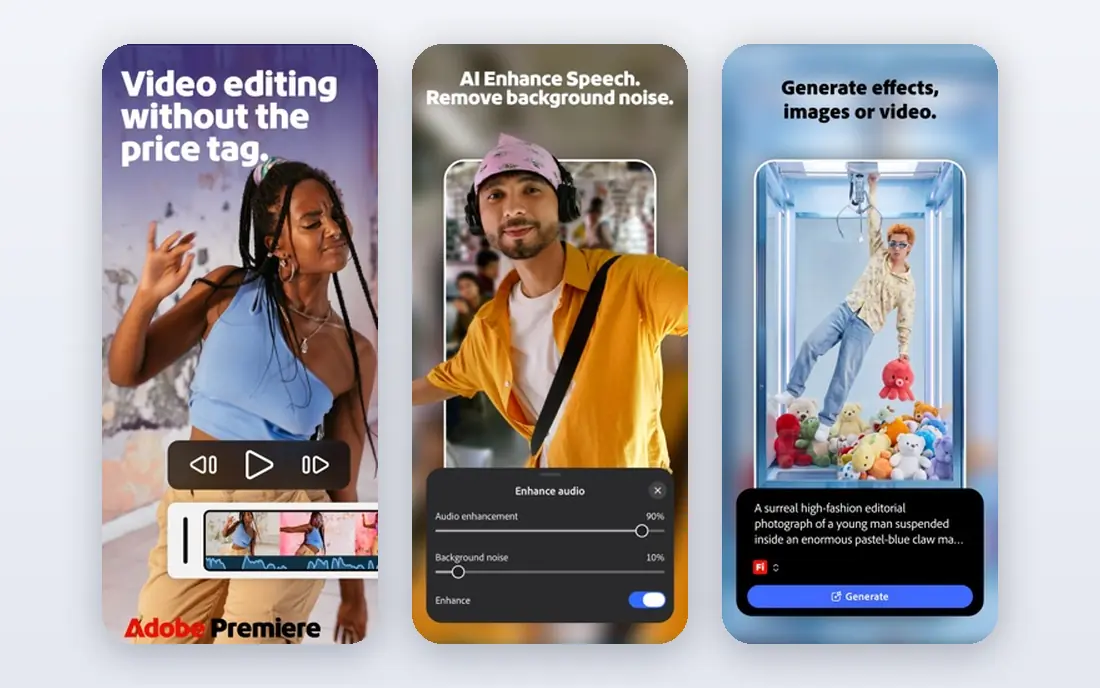
After Effects is still the default answer for professional motion graphics work. Its layer, keyframe, mask and shape tools cover titles, explainers, logo animation and compositing in one program, and its expression system lets animators link properties instead of keyframing every change by hand. The link to Premiere Pro, Photoshop and Illustrator helps teams move assets between design, animation and editing without awkward exports. The cost is ongoing. Listings we checked put a single-app plan at $22.99 per month on an annual plan billed monthly, with a seven-day trial, and there is no one-time licence. Previews can also feel slow on a modest machine, especially with heavy effects or high-resolution footage. If you do motion work every week, that cost and learning time pay off. If you only need a few titles a year, a cheaper or free tool may serve you better.
- Deepest 2D motion and compositing toolset
- Huge template and plugin community
- Strong link to Premiere Pro and Illustrator
- Subscription only
- Needs a capable computer for previews
- Learning curve for expressions and tracking
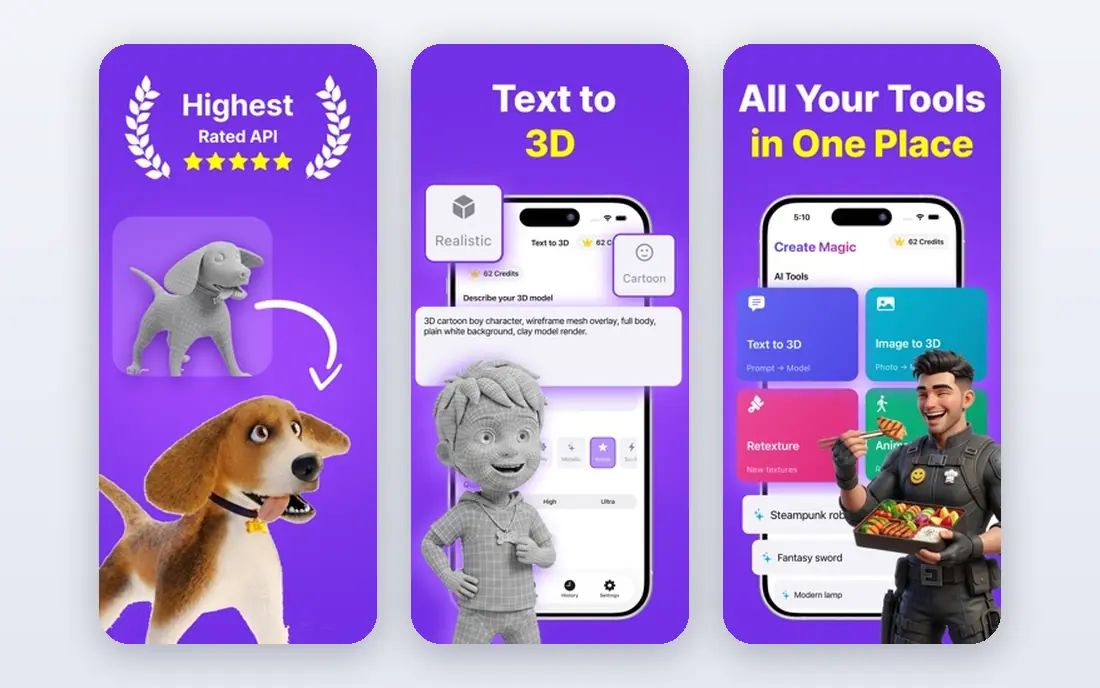
Blender is free, open source and far more capable than its price suggests. It covers 3D modeling, animation, camera tracking, compositing and video editing, so a motion designer can build a 3D scene, animate cameras and objects, and finish the shot without buying a separate 3D program.A large community produces tutorials, add-ons and example files, which helps new users find answers.
The trade-off is learning time. Blender packs many tools into one interface, and a designer who only wants simple 2D titles may find After Effects or Cavalry faster to learn. It also lacks a standard vendor support contract, though community help is extensive. For 3D motion graphics on a zero budget, Blender is the clear pick, and for studios it is a useful second tool even when After Effects handles the 2D work.
- Free and open source
- Full 3D modeling, animation and compositing
- Large tutorial community
- Interface takes time to learn
- 2D motion workflow is less direct than After Effects
- No paid support contract by default
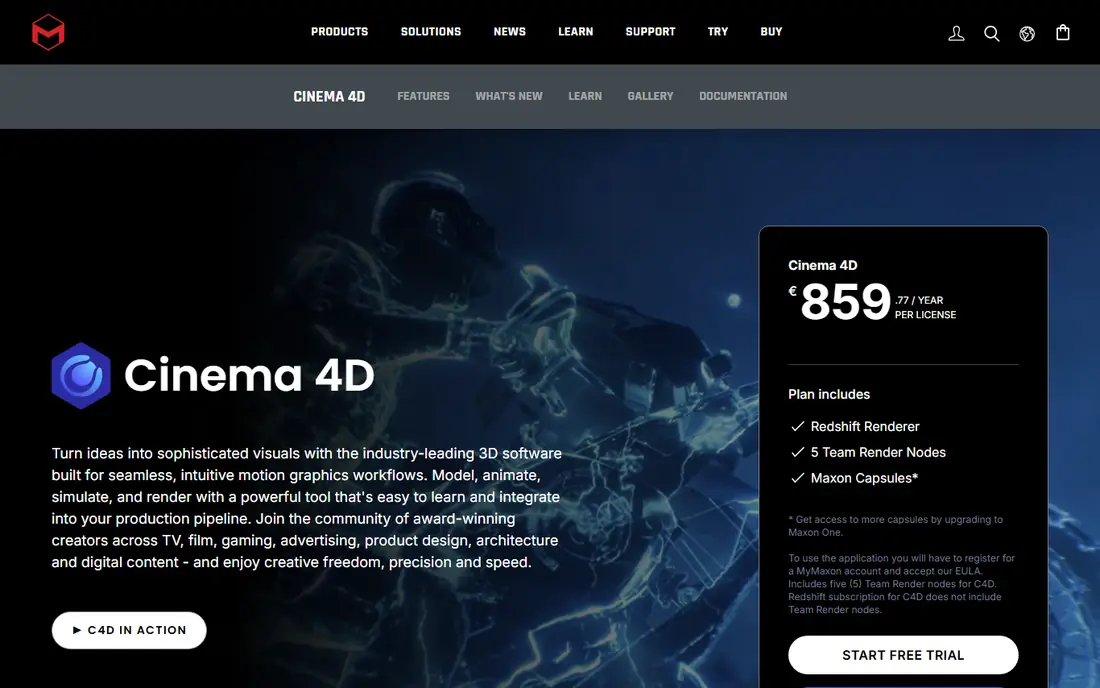
Cinema 4D is the 3D tool many motion designers reach for when they need abstract animation, product visuals or flying logos. Its MoGraph toolkit lets artists clone, arrange and animate large numbers of objects with effectors, often from a small number of keyframes. That approach suits broadcast graphics, title sequences and product shots where repetition and rhythm matter. Maxon also offers Redshift rendering and a wide training library, which helps teams move from basic scenes to polished output.
Pricing is the main barrier. Listings we checked put a single-app subscription near $109 per month on a rolling plan, or $839 per year paid upfront, with a 14-day trial, and the full Maxon One bundle costs more. Cinema 4D Lite ships with After Effects, which gives beginners a low-cost way to learn the basics. For studios that bill 3D motion work regularly, Cinema 4D earns its price. For occasional 3D work, Blender is the cheaper route.
- MoGraph tools for clones and procedural motion
- Easier 3D learning path than many rivals
- Strong rendering options with Redshift
- Subscription only
- Monthly cost is high for occasional use
- Full bundle costs more than the single app
DaVinci Resolve pairs a full video editor with Fusion, a node-based compositing and motion graphics page.The free version is genuinely capable for many motion jobs, and the Studio version was listed at $295 as a one-time purchase in comparisons we checked. Color tools in the same program are an added benefit for finished video.
Fusion works with nodes rather than layers, so After Effects users need time to adjust. Complex node trees can also become hard to read if they are not organized well. For editors and small video teams, however, Resolve is a strong value choice: one free download covers editing, motion and color, with a paid upgrade only when Studio features are needed.
- Free version includes Fusion page
- Editing, color and motion in one project
- Studio version is a one-time $295 purchase
- Node-based Fusion takes learning time
- Motion tools differ from layer-based After Effects
- Heavy projects need a strong machine
Apple Motion is a one-time $49.99 purchase for Mac users, which makes it the cheapest professional-grade option in this list for Final Cut Pro editors. It builds animated titles, effects, transitions and generators, and those templates can be published directly to Final Cut Pro for repeated use. Real-time previews help when timing a title to music or dialogue, and the behavior system lets users animate without keyframing every property. For YouTube, corporate video and social work cut in Final Cut Pro, Motion covers most title and graphic needs.
The limits are platform and scope. Motion runs only on Mac, and its compositing and tracking depth does not match After Effects for complex visual effects work. Editors who work in Premiere Pro will also get less value from its Final Cut link. For Mac-based Final Cut teams, Motion is an easy and low-cost pick. For cross-platform studios, After Effects or Resolve fit better.
- One-time $49.99 purchase
- Fast real-time previews
- Builds templates for Final Cut Pro
- Mac only
- Smaller effect library than After Effects
- Less suited to complex compositing
Cavalry is built for procedural 2D animation, where shapes, text and charts are driven by rules, rigs and data rather than by hand-keyframing every frame. That approach shines for kinetic type, animated infographics, charts that update with data, and repeatable social templates. Listings we checked describe Cavalry as free for individuals, with team use handled through Canva, which acquired the product. For designers who make similar graphics often, a procedural setup can save hours on each new version.
Cavalry is less inviting for a single quick clip, since setting up a rig takes thought upfront. Its community and template library are also smaller than those around After Effects, so answers to niche questions can take longer to find. For data-driven and repeatable 2D motion, though, Cavalry is one of the most interesting free tools available, and it deserves a trial before a designer pays for a subscription elsewhere.
- Free for individuals
- Procedural rigs and data-driven animation
- Good for kinetic type and infographics
- Less suited to quick one-off clips
- Smaller community than After Effects
- Team use goes through Canva plans
Rive is made for animation that responds to user input inside apps and websites. Designers build characters, icons and interface animations with state machines, so an animation can shift from idle to hover to pressed without a new video file for each state. The editor is free to use, with paid seats listed from $9 per month billed annually in comparisons we checked, and the runtime keeps files small for shipping in products. Product teams use Rive for onboarding animations, interactive icons and game-like interface motion.
Rive is not the tool for a broadcast title sequence or a long explainer video. Its strength is interactive output, and teams that only need exported video will be better served by After Effects, Resolve or Cavalry. For app and web teams, however, Rive fills a gap that video tools cannot, since a video file cannot react to taps, hovers and app state in the same way.
- Free editor
- State machines for interactive animation
- Small runtime files for apps and websites
- Not a video editor
- Paid seats start near $9 per month
- Video export is not its main strength
Jitter brings motion design into the browser with a timeline that feels familiar to Figma users. Designers can import Figma frames, animate layers, and export MP4, GIF or Lottie files for social posts, product pages and interface work. The free tier covers basic use, while paid plans are charged per editor, with listings noting a Pro price near 19 euros per editor per month in one comparison. For product designers and social teams, Jitter removes the need to install a heavy desktop app for short motion work.
Long videos, footage compositing and complex effects are outside its sweet spot, and heavy browser projects can tax a modest machine. Teams should also confirm export limits on the free tier, including resolution and watermark rules, before promising a client a finished file. For UI motion and social cuts, Jitter is fast, accessible and easy to share with a team.
- Runs in a browser
- Imports Figma designs
- Exports MP4, GIF and Lottie files
- Paid plans are per editor
- Less suited to long videos or footage work
- Browser performance depends on the machine
SVGator animates vector graphics for the web without requiring code. Users draw or import SVG art, animate it on a timeline, and export an animated SVG that stays sharp at any size on a website. That output suits logos, icons, illustrations and small web animations where a video file would be heavier and less crisp. The free tier covers static exports and basic use, while listings put the Starter plan near $20 per month billed yearly for fuller export options.
SVGator is not a video motion tool or a 3D program, so teams that need broadcast graphics or footage effects should look elsewhere in this list. For web designers who want lightweight, scalable animation that a developer can drop into a page, SVGator is a practical and focused choice, and its browser setup makes it easy to try.
- Browser-based SVG animation
- Exports animated SVG and Lottie files
- No code needed for basic web animation
- Starter paid plan near $20 per month billed yearly in listings
- Less suited to video or 3D work
- Advanced effects are limited
How we picked these
We compared official product pages, pricing pages and recent comparisons for tools that are live and supported in October 2026. We favored tools with a clear motion graphics purpose, whether that is video titles, 3D animation, interactive runtime output or web SVG animation. We checked prices where vendors publish them and wrote See website or a listing-based price where pricing is quote-based or varies by plan. We did not claim hands-on testing, and we did not invent prices, features or ratings.
What to check before you choose
Start with the output you must deliver. A video title, an interactive app animation, a Lottie file for a product team and a Final Cut template are different jobs, and each one favors a different tool in this list. Write down the file types, sizes and platforms your work must support, then remove any tool that cannot produce them cleanly. That single step prevents most bad purchases in motion software.
Next, weigh learning time against how often you will use the tool. After Effects, Blender and Fusion reward regular use with deep control, but they ask for weeks of learning before work feels fast. Jitter, SVGator and Cavalry can feel quicker for specific jobs, though each has a narrower range. Try a real project on a trial or free tier, and time how long a typical title or social clip takes from brief to export.
Finally, check hardware and team fit. Some tools need a strong computer for previews, some run only on Mac, and some charge per editor, which changes the cost for a team. Confirm file sharing, version handling and export settings with the people who will receive your work. A tool that fits your machine, your team and your delivery format will beat a more powerful tool that fights all three.
Frequently asked questions
What is the best software for motion graphics for beginners?
Blender and DaVinci Resolve are strong free starting points, while Jitter and SVGator are easier for short web and social work. After Effects is the professional standard, but it asks for more learning time. Beginners should pick the tool that matches their first real project, not the tool with the longest feature list.
What are the best motion graphics tools for social media?
Jitter, Cavalry and After Effects all suit social clips, with Jitter fastest for Figma-based designs and Cavalry strong for repeatable templates. DaVinci Resolve also works well when the clip sits inside a larger edit. Check export size, format and watermark rules on free tiers before publishing client work.
Is Blender good for motion graphics?
Yes, for 3D motion graphics, camera animation and compositing, Blender is a capable free tool. It is less direct than After Effects for simple 2D titles, and its interface takes time to learn. For 3D product visuals, abstract animation and stylized scenes, Blender competes well with paid 3D tools.
What is the best motion graphics software for Mac users?
Apple Motion is the low-cost pick for Final Cut Pro users, at $49.99 as a one-time purchase. After Effects, Blender, Cinema 4D and DaVinci Resolve also run on Mac and cover wider or more complex work. Mac users who need interactive animation should also look at Rive and Jitter, which run in a browser.
Do I need After Effects to make good motion graphics?
No. After Effects is the most widely expected professional tool, but Blender, Resolve, Cavalry, Jitter and SVGator can produce strong work for specific outputs. The right question is what you must deliver and how often, not which tool has the most features. Many designers use two tools: one for video and one for web or interactive work.
How much does motion graphics software cost?
Costs range from free for Blender, Resolve and Cavalry for individuals, to $49.99 once for Apple Motion, to $22.99 per month for After Effects on an annual plan billed monthly in listings we checked. Cinema 4D costs more as a subscription, while browser tools charge per editor on paid plans. Confirm current pricing on the vendor site before you buy.
Sources
See where you really rank - block by block
ProMapRanker scans Google Maps across a grid of your service area. Simple monthly plans from $19, white-label on every plan.
Start freeKeep reading
 zoro.to alternatives
Best Zoro.to Alternatives in 2026
We compare the best zoro.to alternatives in 2026, listing only legal licensed anime streaming services, from Crunchyroll to free options for fans today.
Read → zip alternatives
Best Zip Alternatives in 2026
We compare the best zip alternatives for buy now, pay later in 2026, covering pay-in-4 plans, fees, spending limits, and credit reporting options today.
Read → yesware alternatives
Best Yesware Alternatives in 2026
Compare the best yesware alternatives for sales email tracking, templates, and sequences, with current pricing and honest tradeoffs for small sales teams.
Read →