 ProMapRanker
Best Modeling Software for 3D Printing in 2026

Key takeaways
- Beginners should start with Tinkercad for simple prints, then move to Fusion 360 or FreeCAD when exact dimensions matter.
- Blender suits organic shapes and sculpting, while parametric CAD tools suit functional parts that must fit together.
- Most hobbyists never need to pay, since Tinkercad, FreeCAD, Blender and OpenSCAD are free and all export STL files.
- Free CAD plans often limit privacy or document counts, so check whether free designs are public and how many active documents are allowed.
- The best 3D print design software for a project depends on shape type, precision needs and whether the model must be edited later.
Quick comparison
| Pick | Great for | Pricing starts at | Free tier | |
|---|---|---|---|---|
 Tinkercad | Absolute beginners | Free | Yes | Visit |
 Autodesk Fusion | Serious hobby and product design | Free | Yes | Visit |
 Blender | Organic shapes and sculpting | Free | Yes | Visit |
 FreeCAD | Free parametric engineering | Free | Yes | Visit |
 Onshape | Cloud CAD and collaboration | Free | Yes | Visit |
 SketchUp | Fast concept models | Free | Yes | Visit |
 Shapr3D | iPad and stylus modeling | Free | Yes | Visit |
 OpenSCAD | Code-based parametric parts | Free | Yes | Visit |
 ZBrush | Digital sculpting | $399 per year | Free trial | Visit |
 SelfCAD | All-in-one design to print | See website | Yes | Visit |
The best modeling software for 3d printing
This guide covers the best 3D print design software, the best 3D print software and the best software to design 3D prints for beginners and professionals. We compared official feature pages, pricing pages, export options and public reviews, and we favoured tools that are actively sold and supported in October 2026 and that export print-ready mesh files.
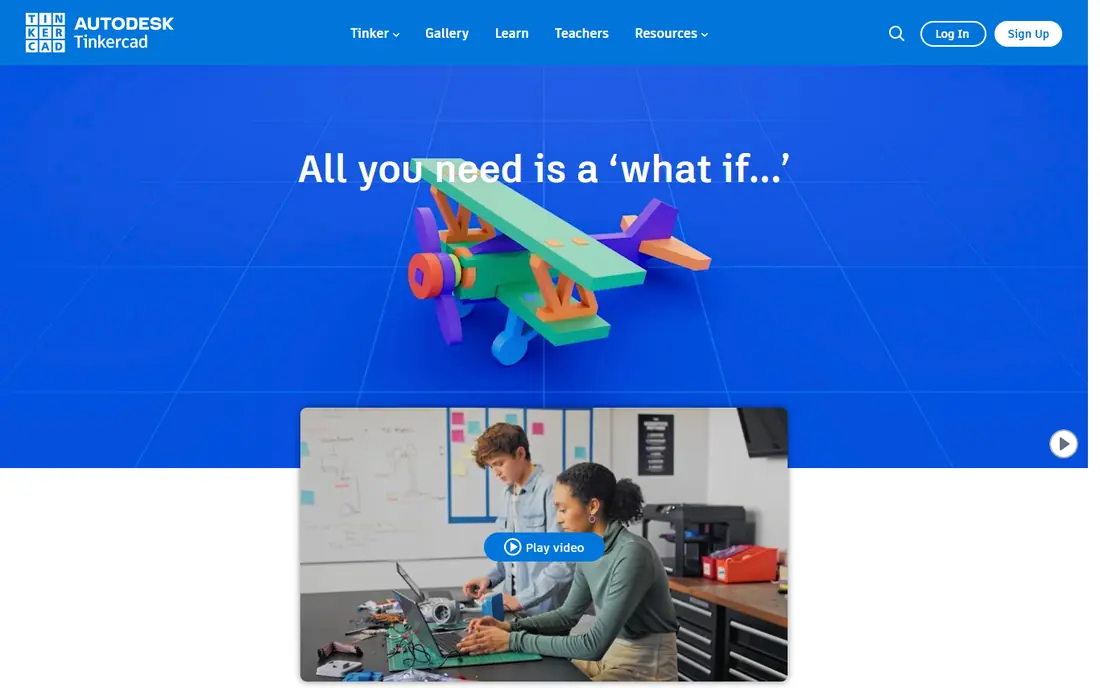
Tinkercad is the best first step into 3D printing, and its simplicity is the reason. Shapes are dragged onto a workplane, combined or cut away, and exported as an STL file for a slicer. Children, teachers and first-time makers can produce a printable phone stand, keychain or bracket in an afternoon, without installing software or learning CAD terms.
Precision is the limit. Tinkercad works well for simple shapes, but it is not the right tool for a part that must fit a bearing, a screw thread or a tight housing. Browser performance also drops on very complex models. Start here to learn the print workflow, then move to a parametric tool when dimensions and fit become the main challenge.
- Free browser tool
- Block-based building is easy to learn
- Exports STL, OBJ and glTF
- Limited precision for engineering parts
- Browser only
- Complex models become hard to manage
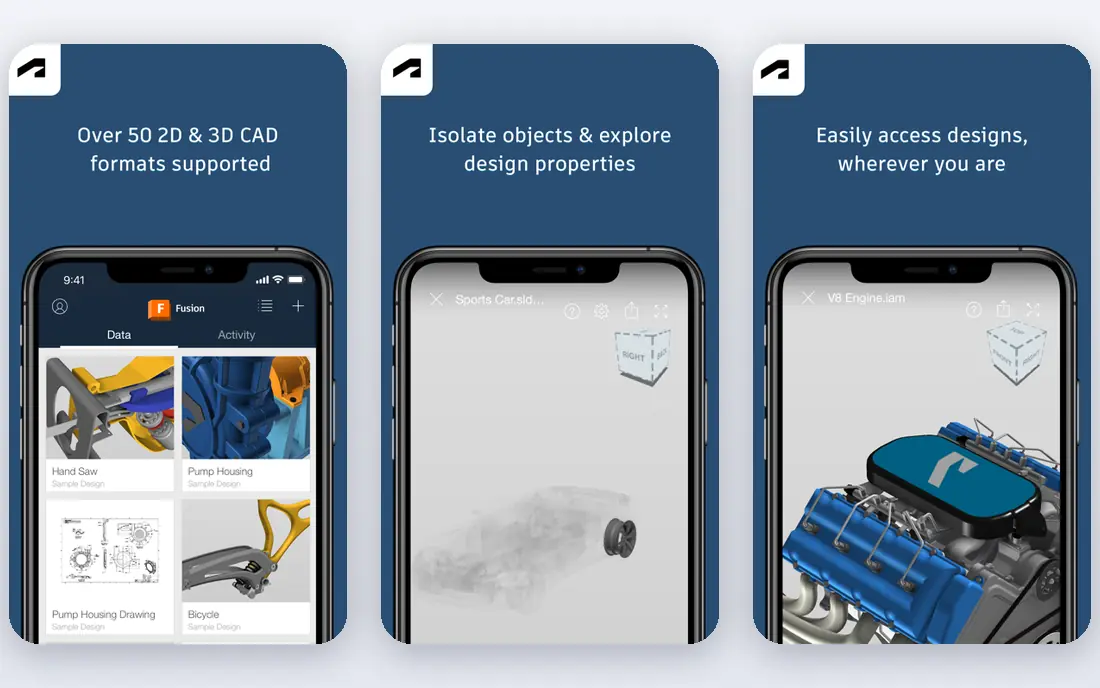
Autodesk Fusion, sold as Fusion 360, is the closest a hobbyist gets to professional CAD without paying. Parametric sketches, assemblies, drawings and, on paid plans, CAM and simulation sit in one cloud-connected platform. A bracket designed in Fusion can be edited by changing a dimension, rather than rebuilding the whole part, which matters when a first print does not fit.
The personal-use tier is free for non-commercial projects, with limits including 10 active documents and reduced CAM, simulation and export options. Commercial use costs 680 dollars per year in recent pricing, or about 85 dollars per month on monthly terms. Fusion suits serious hobbyists, product designers and small workshops that need real engineering CAD and are willing to learn its workflow.
- Full parametric CAD plus CAM and simulation on paid plans
- Free personal-use tier
- Strong STL, STEP and 3MF export
- Personal tier caps active documents at 10
- Commercial plans cost 680 dollars per year
- No native Linux version
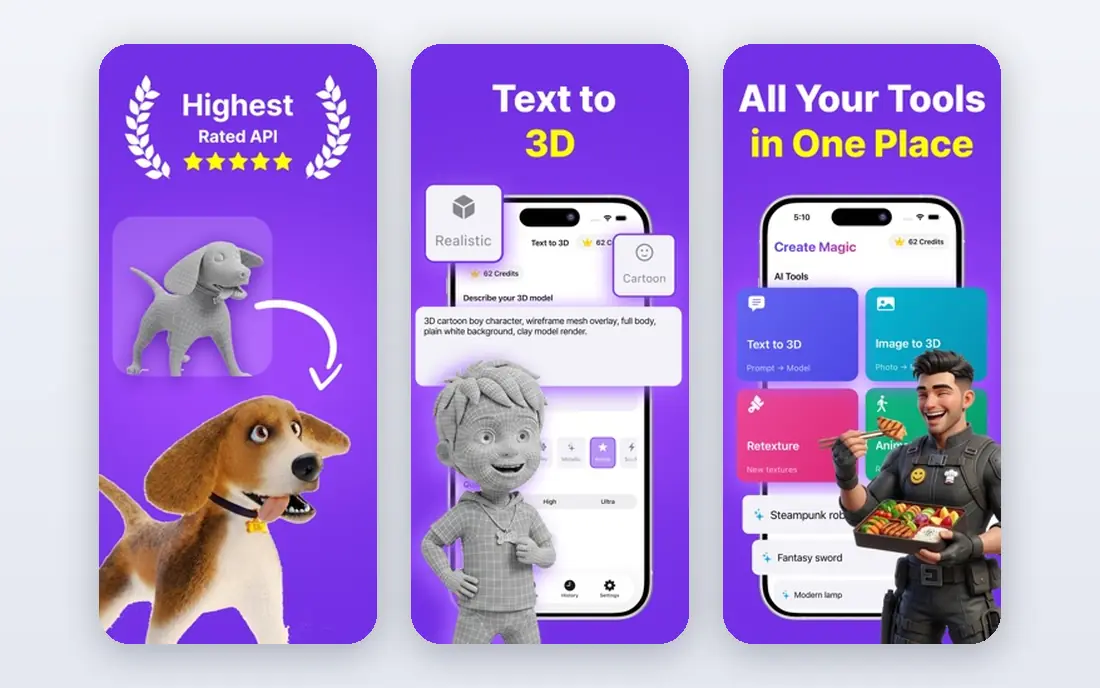
Blender is a free, open-source 3D suite that covers modeling, sculpting, animation and rendering, and it is a strong pick for organic prints. Characters, figurines, planters, masks and artistic objects benefit from sculpting brushes and mesh editing tools that parametric CAD tools handle poorly. STL export is built in, so a finished sculpt can go straight to a slicer.
Engineering precision is weaker. Blender models are meshes, not parametric solids, so changing a wall thickness or a hole diameter later is less clean than in Fusion or FreeCAD. The interface is dense, with many panels and shortcuts to learn. Blender suits artists and makers who print organic or decorative objects and are willing to invest time in tutorials.
- Free and open source
- Powerful sculpting and modeling
- Exports STL, OBJ, PLY and more
- Steep learning curve
- Not built for precise engineering dimensions
- Interface overwhelms beginners
FreeCAD is the best free parametric option for functional prints. The Part Design workbench builds solid parts from sketches and features, so a dimension can be changed and the model updates. That approach suits brackets, enclosures, gears, jigs and replacement parts where fit matters more than surface art. Version 1.1, released in 2026, improved assembly and related tools in recent reviews.
Polish is the trade-off. The interface feels less refined than Fusion, large assemblies can slow down, and the Path workbench for CAM is basic compared with paid tools. Community support replaces vendor support, so answers come from forums and documentation. FreeCAD suits makers and engineers who want private, free parametric CAD with no licence limits on commercial work.
- Free and open source with no commercial restriction
- Parametric Part Design workbench
- Exports STEP, IGES, STL and OBJ
- Interface is less polished than Fusion
- Large assemblies can run slowly
- CAM tools are basic
Onshape runs entirely in a browser, which removes installation and operating system worries. Parametric parts, assemblies and drawings work with live co-editing, built-in version control and release management, so a team can work on the same design without passing files back and forth. Mobile apps extend viewing and light editing away from a desk.
The free plan catch is privacy: free documents are public and for non-commercial use, so a private or commercial project needs a paid tier. That limit matters for businesses, but it is less important for learners and open projects. Onshape suits teams, classrooms and collaborators who want cloud CAD with real version control and no desktop install.
- Browser-based parametric CAD
- Live co-editing and version control
- Exports STEP, STL, Parasolid and more
- Free documents are public
- Paid tiers are quote-led in some cases
- Smaller tutorial base than Fusion
SketchUp is the fastest way to sketch a room, a piece of furniture or an architectural mock-up in 3D. Push and pull modeling feels direct, and the free web version lets a beginner build a printable concept without installing software. For display models, planters, stands and simple household objects, SketchUp is quick and forgiving.
Mechanical precision is weaker than Fusion or FreeCAD, and the free version is for personal use only, with 10 GB of Trimble Connect storage in recent terms. Paid plans start at 129 dollars per year for the Go tier in recent pricing, with Pro at a higher rate. SketchUp suits designers and hobbyists who want fast visual models, and it is less suited to tight-tolerance engineering parts.
- Fast, easy concept modeling in a browser
- Free web version
- Good for rooms, furniture and architectural mock-ups
- Free version is personal use only
- STL export needs care on free plans
- Less precise for small mechanical parts
Shapr3D is the standout for tablet modeling. Sketching with an Apple Pencil, extruding faces and refining a solid feels natural on an iPad, and the same designs sync to Mac and Windows. That portability suits designers who sketch ideas away from a desk, then refine them later on a desktop. STL export supports a direct path to a slicer.
The free Basic plan allows only 2 designs, so a busy maker will need Pro, at 299 dollars per year in recent pricing, or about 38 dollars per month on monthly terms. Complex assemblies and specialised engineering tools are thinner than in Fusion or SolidWorks. Shapr3D suits iPad-first designers and product sketchers who value a fast, touch-based workflow.
- Excellent iPad and Apple Pencil workflow
- Direct and parametric modeling
- Syncs across iPad, Mac and Windows
- Free Basic plan limited to 2 designs
- Pro costs 299 dollars per year
- Complex assemblies are thinner than desktop CAD
OpenSCAD takes a different approach: models are written as code, not drawn with a mouse. A parametric bracket, a gear, a box with finger joints or a set of custom-sized parts can be generated by changing variables at the top of a script. That repeatability is powerful for makers who print many sizes of the same part, or who share designs that others can customise.
The trade-off is obvious for visual thinkers. There is no click-and-drag modeling, and debugging a shape means reading code, not nudging a face. OpenSCAD suits programmers, engineers and makers who like precise, repeatable parts and version-controlled design files. It pairs well with a slicer, but it is not a first pick for artistic sculpting.
- Free and open source
- Parts defined by code, so dimensions are exact and repeatable
- Exports STL, 3MF, OFF and AMF
- No direct mouse modeling
- Learning curve for non-programmers
- Preview and rendering need patience on complex models
ZBrush is the professional sculpting tool behind many character and creature models, and it brings that detail to 3D printing for artists. Brushes, dynamesh and subdivision tools let a sculptor shape organic forms with a level of control that Blender approaches but does not fully match for pure sculpting work. A finished high-detail mesh can be decimated and exported for printing.
Price and purpose limit its audience. At 399 dollars per year in recent pricing, ZBrush is hard to justify for a hobbyist who prints occasional figurines, and it does not offer parametric engineering features. A limited free iPad app exists, but the full desktop tool is the real product. ZBrush suits professional artists and serious sculptors who print detailed organic work.
- Industry-standard sculpting brushes
- Excellent for characters and organic detail
- Strong mesh handling for art models
- Expensive for hobby printing
- Steep learning curve
- Not a parametric engineering tool
SelfCAD tries to cover the whole journey from design to print in one browser tool, including modeling, sculpting and slicing. That all-in-one approach helps beginners who do not want to learn a separate slicer straight away, and a free plan for students and hobbyists lowers the barrier to trying it. Simple household prints, educational projects and quick prototypes all fit well.
Depth is the limit. SelfCAD does not match Fusion or FreeCAD for parametric engineering, nor Blender or ZBrush for high-end sculpting. Pricing varies by plan, so check the current page before relying on a free tier for a classroom or workshop. SelfCAD suits beginners and educators who want one simple tool from first sketch to sliced print file.
- Browser-based design plus slicing in one place
- Free plan for students and hobbyists
- Simpler than full CAD suites
- Less powerful than Fusion or FreeCAD for engineering
- Pricing varies by plan
- Smaller community than Blender
How we picked these
We compared official feature pages, pricing pages, export formats and public reviews for tools sold and supported in October 2026. We kept tools that export STL or a similar mesh format for 3D printing, and we set aside pure rendering, animation-only and web-only AI generators that do not give a printable, editable model. Where pricing varied by billing period, we used the annual figure in the text and noted monthly options where relevant.
How to choose the right tool
Match shape type to tool type
Organic shapes want sculpting tools such as Blender or ZBrush. Functional parts want parametric tools such as Fusion, FreeCAD or Onshape. Simple first prints want Tinkercad. Code-driven parts want OpenSCAD. Choosing by shape type saves more time than choosing by price alone.
Check export and print readiness
Confirm STL, 3MF or OBJ export, and check that the model is watertight before slicing. A beautiful model with holes, inverted faces or zero-thickness walls will fail in the slicer, so run a mesh check and repair step before printing, especially for sculpted models.
Plan for edits later
Parametric models can be edited by changing a dimension. Mesh models usually need re-sculpting or rebuilding for a major change. If a part will go through several fit tests, start parametric, even if the first version takes longer to build.
Test the free tier with a real print
Build a real part, export it, slice it and print it during the trial or free period. That test reveals export limits, document caps, public-document rules and learning curve far better than a feature list.
Frequently asked questions
What is the best 3D print design software for beginners?
Tinkercad is the best starting point for beginners, since it is free, browser-based and easy to learn. When simple shapes are no longer enough, FreeCAD or Fusion 360 are the natural next steps for precise, printable parts.
What is the best modeling software for 3D printing functional parts?
Fusion 360 and FreeCAD lead for functional parts, since both offer parametric modeling where dimensions can be changed and the part updates. FreeCAD suits makers who want free, private CAD, while Fusion suits makers who want a polished commercial CAD workflow.
What is the best 3D design software for 3D printing organic models?
Blender is the best free pick for organic models, with sculpting and mesh tools that suit characters and decorative prints. ZBrush is the professional sculpting pick for artists who need deeper brushes and detail, at a much higher price.
Is there free software to design 3D prints?
Yes. Tinkercad, FreeCAD, Blender and OpenSCAD are free, and all export STL files for printing. SketchUp Free, Onshape Free and Shapr3D Basic also offer free tiers, with limits on privacy, document counts or commercial use.
What is the best software to design 3D prints on an iPad?
Shapr3D is the best iPad pick, with Apple Pencil support and sync across iPad, Mac and Windows. Tinkercad and Onshape also work in a browser on a tablet, but neither offers the same stylus-driven solid modeling workflow.
Sources
- https://rankite.com/blog/best-3d-cad-software-for-hobbyist
- https://www.meshy.ai/blog/best-free-3d-modeling-software
- https://3dx.info/your-first-3d-model-the-best-free-software-for-beginners/
- https://stacksheriff.com/3d-printing/fusion-360-vs-freecad/
- https://www.tinkercad.com
- https://www.autodesk.com
- https://www.blender.org
- https://www.freecad.org
- https://www.onshape.com
- https://www.sketchup.com
- https://www.shapr3d.com
- https://www.openscad.net
- https://www.maxon.net/en/zbrush
- https://www.selfcad.com
See where you really rank - block by block
ProMapRanker scans Google Maps across a grid of your service area. Simple monthly plans from $19, white-label on every plan.
Start freeKeep reading
 zscaler alternatives
Best Zscaler Alternatives in 2026
Looking for zscaler alternatives? We compare 9 SASE and zero trust platforms on architecture, data protection, pricing, and fit for your network and team.
Read → zapier alternatives free
Best Zapier Alternatives Free in 2026
Nine automation tools for zapier alternatives free in 2026, all with genuinely free tiers, plus free plan limits, starting prices and upgrade paths explained.
Read → which platform is best for online reputation
Which Platform Is Best for Online Reputation in 2026
Wondering which platform is best for online reputation? We compare 8 review, listing, and response tools for small and multi-location businesses and agencies.
Read →