 ProMapRanker
Best Mobile Time Tracking App in 2026


Simple mobile timer with great reports · Pricing starts at: $9 per user per month
Key takeaways
- Toggl Track is the easiest mobile timer for most people, with a clean app and a free plan for up to 5 users.
- Clockify is the best free option for larger teams, since its free tier covers unlimited users.
- Harvest suits freelancers who want time tracking and invoicing in the same app.
- Timely and RescueTime help people who forget to start timers, by capturing activity automatically.
- Hubstaff, Everhour, and TimeCamp suit teams that need location, payroll, or project tool links alongside basic tracking.
Quick comparison
| Pick | Great for | Pricing starts at | Free tier | |
|---|---|---|---|---|
| Toggl Track | Simple mobile timer with great reports | $9 per user per month | Yes | Visit |
 Clockify | Free tracking for unlimited users | $3.99 per user per month | Yes | Visit |
 Harvest | Tracking plus invoicing | See website | Yes | Visit |
 Timely | Automatic time capture | $9 per user per month | Free trial | Visit |
 Hubstaff | Field teams, GPS, and payroll | $4.99 per user per month | Free trial | Visit |
 Everhour | Tracking inside project tools | $8.50 per user per month | Yes | Visit |
 TimeCamp | Free tracking with automatic capture | $3.99 per user per month | Yes | Visit |
 RescueTime | Automatic focus and distraction reports | $7 per month | Yes | Visit |
The best mobile time tracking apps
A mobile time tracker lives or dies on its phone app. It must start fast, work offline when signal drops, and sync cleanly to reports you can send to a client or manager. These eight all offer iOS and Android apps, but they differ in price, automation, and billing tools.

Toggl Track is the timer people actually remember to use. The mobile app opens to a single timer, you type what you are doing, pick a project, and tap to start. It syncs with the web and desktop apps, and a browser extension adds a timer inside tools such as Asana, Notion, and Google Docs. Reports break time down by client, project, and team member in a format that is easy to send on.
The free plan covers up to 5 users with unlimited projects and time entries, which is enough for many freelancers and tiny teams. Paid Starter, listed at $9 per user per month billed annually, adds billable rates, rounding, and project estimates. If you need invoicing inside the same app, Harvest may suit you better. If you want the simplest tracker that your team will use, Toggl Track is our first pick.
- One-tap timer on mobile and web
- Clean reports by client, project, and tag
- Free plan for up to 5 users
- Billable rates need a paid plan
- No screenshots or monitoring
- Paid plans cost more than Clockify
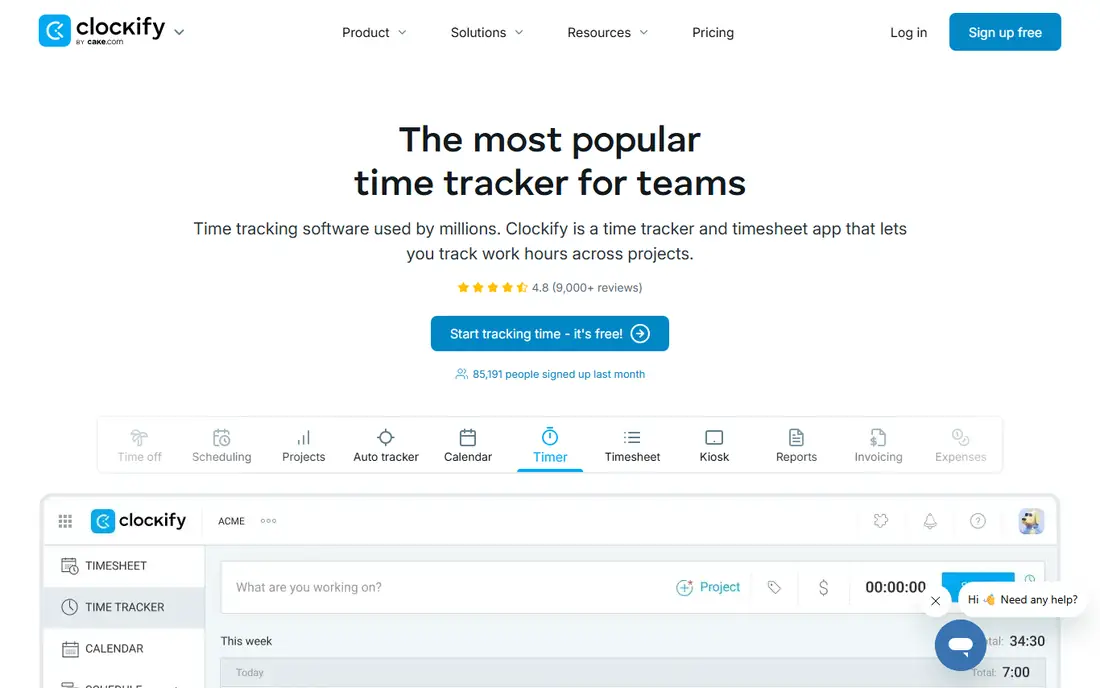
Clockify wins on value. Its free plan covers unlimited users, projects, and time entries, which makes it the best choice for a team that cannot justify a per-seat fee yet. The mobile app offers a timer, manual entry, and a calendar view, and it syncs with the web app for reports and team dashboards.
Paid plans start at $3.99 per user per month billed annually for Basic, adding features such as hiding pages, time off, and invoicing in higher tiers. The mobile experience is good rather than great, and some users find it less smooth than Toggl Track. For a budget team that needs solid tracking without a monthly bill for every seat, Clockify is hard to beat.
- Free tier for unlimited users
- Mobile timer with manual entry
- Affordable paid plans
- Mobile app can feel less polished than Toggl
- Invoicing and advanced features need paid plans
- Reports are simpler on free tier
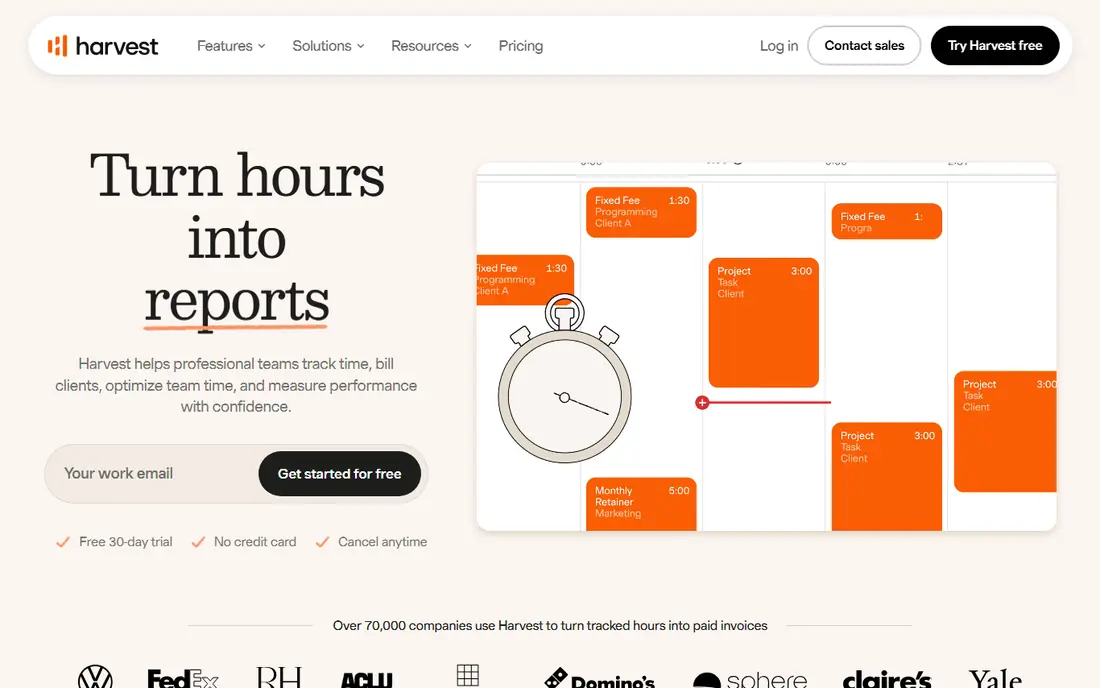
Harvest is built for freelancers and small firms that bill by the hour. Track time on mobile or web, add expenses, then turn tracked hours into an invoice without exporting to another tool. Clients can pay online, and reports show which projects are over budget before the month ends. That closed loop saves time for anyone who invoices weekly.
The free plan is narrow, with 1 seat and 2 projects, so it works as a trial rather than a long-term free tool for most people. Paid pricing varies by check, with recent listings around $10.80 to $12 per seat per month, so confirm the current Harvest pricing page before you budget. If invoicing matters more than automation, Harvest is worth the cost. If you only need a timer, Toggl or Clockify will do for less.
- Time tracking plus invoicing in one app
- Expense tracking
- Clean client reports
- Free plan limited to 1 seat and 2 projects
- Paid pricing has risen in recent checks
- Fewer automation features than Timely
Timely suits people who hate manual timers. Its Memory tracker records which apps, documents, and meetings you used, then helps you build a timesheet from that activity. You review and approve entries rather than reconstructing your day from memory on Friday afternoon. That makes it popular with consultants and agencies who bill many small tasks.
The catch is price and privacy. Timely offers a 14-day free trial rather than a free tier, with paid plans starting at about $9 per user per month billed annually in recent listings. Automatic capture also means the app sees a lot about your workday, so check its privacy controls and what your employer or clients expect. For solo users who forget timers, it can pay for itself in recovered billable hours.
- Automatic capture of apps and meetings
- AI-assisted timesheets
- Good for people who forget timers
- No permanent free plan, trial only
- Mobile app is thinner than desktop
- Privacy needs care with automatic capture
Hubstaff is a team tracker first and a personal timer second. Field teams can clock in from a phone with GPS, managers can see activity levels and optional screenshots, and payroll tools can turn tracked time into payments. It suits cleaning, delivery, construction, and remote support teams that need proof of hours and location.
That monitoring is also the drawback. Employees may dislike screenshots and activity tracking, so use it only where it is genuinely needed and with clear consent. Hubstaff offers a 14-day free trial, with paid plans starting at about $4.99 per user per month billed annually. For a freelancer working alone, it is more than you need. For a manager running a distributed team, it covers tracking, location, and pay in one place.
- Mobile GPS tracking for field teams
- Screenshots and activity levels on some plans
- Payroll and payments tools
- Monitoring features can feel intrusive
- No permanent free plan
- Setup needs care for remote teams
Everhour is built for teams that already live in a project tool. Instead of opening a separate timer app, you start time from inside Asana, Trello, Jira, Basecamp, or Notion, and Everhour records it against the right task. Budgets, billable rates, and cost reports then show whether a project is on track. The mobile app covers timers and timesheets, but the web integration is the main strength.
Pricing starts at about $8.50 per user per month billed annually, with a free plan for small teams. If your team does not use one of the supported project tools, much of the value disappears, and a simpler tracker will serve you better. If your team does live in Asana or Trello, Everhour removes the double entry that kills most time tracking habits.
- Timer inside Asana, Trello, Jira, and Notion
- Budgets and cost tracking
- Clean reports
- Best value only if you already use those project tools
- Paid plan costs more than Clockify
- Mobile app is secondary to web
TimeCamp mixes free tracking with automatic capture. The free plan covers unlimited users with manual timers and basic reports, while paid Starter, listed at $3.99 per user per month billed annually, adds features such as invoicing, budgeting, and deeper reports. Automatic tracking by keywords helps fill gaps when you forget to start a timer.
The mobile app is serviceable rather than delightful, and the interface feels older than Toggl or Harvest. For a team on a tight budget that wants free tracking plus some automation, TimeCamp is a strong compromise. For a solo freelancer who values a beautiful mobile app above all, Toggl Track will feel better day to day.
- Free plan for unlimited users
- Automatic keyword tracking
- Invoicing on paid plans
- Mobile app is weaker than Toggl
- Interface feels dated in places
- Advanced reports need paid plans
RescueTime answers a different question: where did your attention actually go? It runs in the background, records which apps and sites you used, and sorts them into productive, neutral, and distracting categories. Focus sessions can block distracting sites for a set period, and weekly reports show patterns you would miss with a manual timer.
It is not a billing tool. There are no client invoices or team timesheets in the same way Harvest or Everhour offer, and mobile tracking is thinner than desktop tracking. A Lite free plan covers basic reports, with Premium listed at about $7 per month billed annually for full history and blocking. For personal focus and habit change, RescueTime is excellent. For billing clients, pair it with a manual tracker or pick Harvest instead.
- Fully automatic tracking with no timers
- Focus sessions and distraction blocking
- Detailed productivity reports
- Not built for client billing or team timesheets
- Mobile tracking is thinner than desktop
- Paid plan costs extra for full history
How we picked these
We compared official pricing pages, app store listings, and public reviews for time trackers with real iOS and Android apps that exist and work in October 2026. We favoured tools with a free tier or trial, a mobile timer that works offline, and clear reports, and we mixed manual timers with automatic capture tools so both freelancers and teams can find a fit. We did not claim hands-on testing we did not do.
How to choose the right mobile tracker
Start with your billing need. If you invoice by the hour, pick a tracker with rates and invoicing, such as Harvest, even if it costs more. If you only need to know where time went, a free timer such as Toggl Track or Clockify will do. If you forget timers constantly, try Timely or RescueTime for automatic capture, and accept the privacy trade that comes with it.
Test the mobile app for a week before you commit a team. Start and stop timers on the go, add time offline, and check that entries sync without duplicates. A tracker that works well on desktop but frustrates on a phone will fail, since most time is logged away from a desk. Finally, check export options, so your history is not locked inside one vendor if you switch later.
Frequently asked questions
What is the best mobile time tracking app for freelancers?
Toggl Track is our pick for most freelancers, thanks to a simple mobile timer, clean reports, and a free plan for up to 5 users. Harvest is better if you also need invoicing in the same app, while Clockify is better if you want a free plan with no user limit.
Is there a free time tracking app for teams?
Yes. Clockify offers a free plan for unlimited users, and TimeCamp also offers a free plan for unlimited users. Toggl Track offers a free plan for up to 5 users. Paid plans add billable rates, invoicing, and deeper reports, so check which features your team actually needs before paying.
Can mobile time trackers work offline?
Most of these apps let you start a timer offline and sync when you reconnect, but features vary. Toggl Track, Clockify, and Harvest all support offline timers in their mobile apps in most cases. Test offline use on your phone before you rely on it in the field, since sync behaviour can differ by version.
Do I need automatic time tracking?
Automatic tracking helps if you forget manual timers or juggle many small tasks. Timely builds timesheets from app and meeting activity, while RescueTime reports where attention went without any timer. Manual timers give cleaner, more intentional records, so pick automatic capture only if forgetting is your main problem.
Which time tracker is best for field teams?
Hubstaff is best for field teams, with mobile GPS, clock-in from a phone, and payroll tools. It suits delivery, cleaning, and remote support teams that need location and hours together. Make sure staff understand what is tracked and consent to it, since screenshots and GPS can feel intrusive.
Sources
See where you really rank - block by block
ProMapRanker scans Google Maps across a grid of your service area. Simple monthly plans from $19, white-label on every plan.
Start freeKeep reading
 zscaler alternatives
Best Zscaler Alternatives in 2026
Looking for zscaler alternatives? We compare 9 SASE and zero trust platforms on architecture, data protection, pricing, and fit for your network and team.
Read → zapier alternatives free
Best Zapier Alternatives Free in 2026
Nine automation tools for zapier alternatives free in 2026, all with genuinely free tiers, plus free plan limits, starting prices and upgrade paths explained.
Read → which platform is best for online reputation
Which Platform Is Best for Online Reputation in 2026
Wondering which platform is best for online reputation? We compare 8 review, listing, and response tools for small and multi-location businesses and agencies.
Read →