 ProMapRanker
Best Mobile Time Clock Apps: 9 Apps Compared

Key takeaways
- Homebase is the best free starting point for small hourly teams at one location, with scheduling and a time clock in one app.
- Connecteam suits deskless and field teams that also need forms, chat, and training in the same mobile app.
- Deputy suits compliance-heavy shift work, with multi-location scheduling and strong payroll links.
- QuickBooks Time suits teams already running QuickBooks, since hours flow straight into payroll and invoices.
- Jibble offers a free plan for unlimited users, which changes the maths for large teams on a budget.
Quick comparison
| Pick | Great for | Pricing starts at | Free tier | |
|---|---|---|---|---|
 Homebase | Small hourly teams | Free | Yes | Visit |
 Connecteam | Deskless and field teams | $29 per month | Yes | Visit |
 Deputy | Compliance-heavy shifts | $5 per user per month | Free trial | Visit |
 QuickBooks Time | QuickBooks users | $20 per month | Free trial | Visit |
 Clockify | Free time tracking | Free | Yes | Visit |
 Buddy Punch | Stopping buddy punching | $19 per month | Free trial | Visit |
 When I Work | Shift scheduling on a budget | $2.50 per user per month | Free trial | Visit |
 Jibble | Free clock-ins at any size | Free | Yes | Visit |
 OnTheClock | Simple GPS-verified punches | $5 per month | Free trial | Visit |
The best mobile time clock apps
A mobile time clock lives or dies on the punch: it must work on a phone in a parking lot, a kitchen, or a job site, with or without perfect signal, and it must produce hours that payroll can trust. The apps below all offer mobile clock-in, and we compared GPS and geofence controls, kiosk options, scheduling, overtime handling, and payroll links. We favoured tools with a real mobile app on iOS and Android, not just a mobile website, since hourly staff need a fast, reliable punch at shift start.

Homebase is the easiest free start for a small restaurant, shop, or clinic with hourly staff at one address. The free Basic plan covers scheduling and a time clock for one location and up to 10 employees, which is enough for many small teams to run properly without paying. Shift trades, open shifts, and team messaging live in the same app, so staff do not need three tools to manage a week.
Costs rise per location, so multi-site businesses should model the full estate before committing, and payroll is a paid add-on rather than part of the free plan. Some controls, such as time-off handling and scheduling help, sit on higher tiers. For a single-location hourly team, Homebase remains the best free-to-paid path in this guide.
- Free plan for one location and up to 10 employees
- Scheduling and payroll add-on in one app
- Shift trades in the app
- Pricing is per location
- Payroll is a paid add-on
- Some controls sit on higher tiers

Connecteam suits teams that never sit at a desk, from cleaners and care workers to field crews and retail staff. The mobile app combines a time clock with scheduling, forms, chat, and training, so a manager can send a shift, a checklist, and a message from one place. GPS clock-in and a shared kiosk cover both phone punches and a single tablet at a site entrance.
The free plan covers up to 10 users, which is generous for a small crew, but geofence controls sit on higher tiers, so location enforcement costs extra. Paid pricing is structured by hub and user count, so read the plan details for your team size. For deskless teams that need more than a clock, Connecteam is the most complete mobile app here.
- Free plan for up to 10 users
- GPS clock-in and kiosk
- Forms, chat, and training in one app
- Geofences sit on higher tiers
- Paid pricing is per hub, not per user at entry
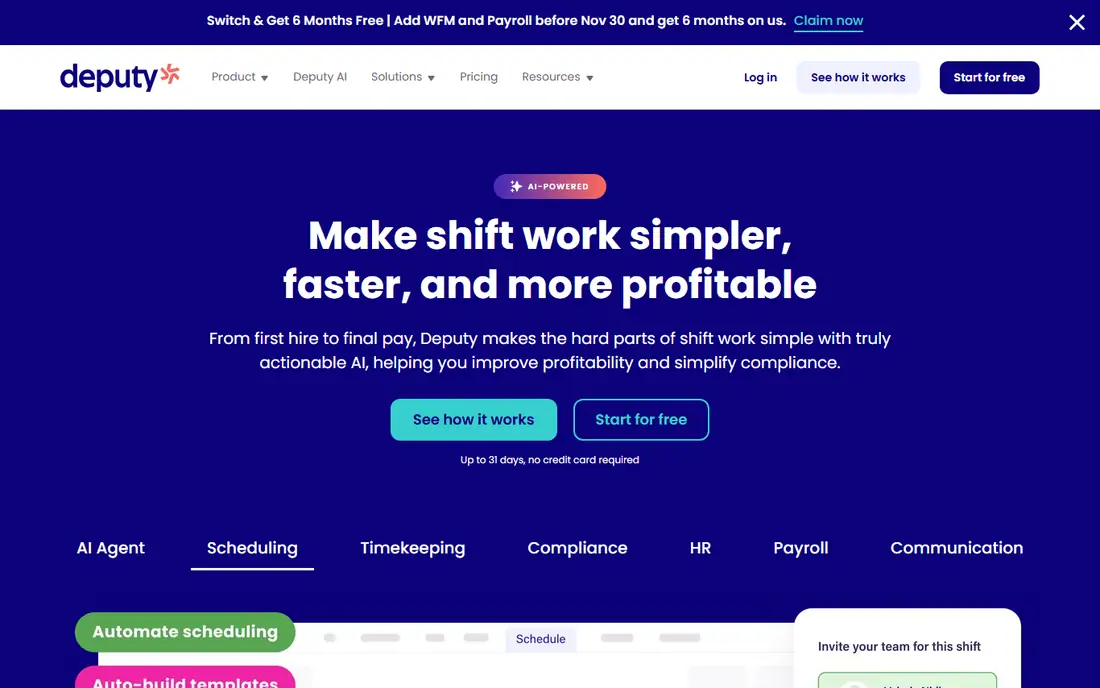
Deputy fits hospitality, retail, and healthcare teams that juggle many locations, shift rules, and compliance requirements. Scheduling handles availability, qualifications, and labour costs, while the mobile time clock supports photo and location checks where enabled. Integrations with QuickBooks, Xero, ADP, and Gusto keep hours flowing to payroll without manual retyping.
There is no ongoing free plan, only a trial, and per-user pricing adds up for large workforces, so budget by headcount rather than by location. The depth that makes Deputy strong for compliance can also feel heavy for a tiny team with simple shifts. For multi-site shift operations, Deputy is one of the most reliable choices available.
- Multi-location scheduling
- Compliance and award tools
- Strong payroll integrations
- No ongoing free plan
- Costs add up for large teams
QuickBooks Time, formerly TSheets, is the natural pick for businesses already running QuickBooks Online, because hours flow straight into payroll, invoicing, and job costing. Staff clock in from a phone app or a shared kiosk, managers approve timesheets in one view, and overtime rules apply without spreadsheet work. The Elite plan adds geofence reminders and mileage tracking for field teams.
The catch is ecosystem lock-in: QuickBooks Time needs a QuickBooks Online account, billed separately, and pricing combines a monthly base fee with a per-user fee. Small teams outside QuickBooks will find cheaper standalone clocks. Inside QuickBooks, though, the saved admin time usually justifies the price.
- Hours sync to QuickBooks payroll and invoices
- Mobile clock and kiosk
- Geofence reminders on Elite
- Needs a QuickBooks Online account
- Base fee plus per-user fee adds up
Clockify suits desk, remote, and mixed teams that need reliable time tracking without a heavy scheduling system. The free plan covers unlimited users, which is unusual, with timers, manual entries, and a shared kiosk for office clock-ins. Paid plans add GPS, approvals, and project costing at a low per-user price, so scaling stays affordable.
GPS tracking and some controls sit on paid tiers, and shift scheduling is lighter than in Deputy, Homebase, or When I Work. Clockify is therefore better for time tracking and project hours than for complex shift rostering. For teams that mainly need clean, free mobile time tracking, Clockify is the best value in this list.
- Free plan for unlimited users
- Simple timer and kiosk
- Low paid entry price
- GPS features sit on paid plans
- Less shift scheduling depth than Deputy or Homebase
Buddy Punch earns its place through anti-fraud controls: webcam photos, facial recognition, QR punches, and geofencing make it much harder for one employee to clock in for another. That matters for sites where buddy punching quietly inflates payroll, and managers get alerts and reports that show who punched where and when. Integrations with QuickBooks, Gusto, and ADP keep approved hours moving to payroll.
Pricing combines a monthly base fee with a per-user fee, so very small teams should compare the total with a flat per-user tool. Facial recognition also depends on device cameras and lighting, so test it on the phones and tablets your staff actually use. For teams that need verified punches, Buddy Punch is the strongest specialist here.
- Facial recognition and photo punches
- Geofencing
- Payroll integrations
- Base fee plus per-user fee
- Facial features need device cameras that work well
When I Work suits shift-heavy teams on a tight budget, with a low per-user entry price and a mobile-first approach to scheduling. Managers publish shifts, staff pick up open shifts and swap with approval, and notifications keep everyone informed without group chats. The app is simple enough that new hires learn it in minutes, which matters for high-turnover hourly work.
Time tracking is an add-on rather than part of the entry price, so add that cost when comparing with Homebase or Connecteam. There is no ongoing free plan, only a trial, so test the full scheduling and clock workflow before paying. For teams where scheduling is the main pain and clocking is secondary, When I Work is a budget-friendly winner.
- Low per-user entry price
- Open shifts and swaps
- Mobile-first scheduling
- Time tracking is an add-on
- No ongoing free plan
Jibble changes the budget conversation, because its free plan covers unlimited users with GPS and face-verified clock-ins, plus offline punches that sync when signal returns. That offline mode matters for warehouses, rural sites, and basements where signal drops, since a punch should never be lost to a dead zone. A free kiosk mode turns a tablet into a shared clock for sites without individual phones.
Scheduling and reporting are lighter than in Deputy or Homebase, and some integrations vary by plan, so larger operations should check the paid tiers. Paid plans start at a low per-user price and add geofences, schedules, and deeper reports. For large teams that need verified, free mobile clock-ins first, Jibble is hard to beat.
- Free plan for unlimited users
- Face-verified kiosk
- Offline punches with sync
- Scheduling is lighter than specialist tools
- Some integrations vary by plan
OnTheClock suits small businesses that want simple, trustworthy punches without learning a large platform. Staff clock in from a phone or kiosk with GPS verification, managers see timesheets, overtime, and time-off in one view, and payroll integrations with Gusto, QuickBooks, ADP, and Paychex keep the pay run clean. Pricing is a small base fee plus a per-employee fee, which is easy to forecast.
The feature set is narrower than Connecteam or Deputy, with less emphasis on chat, training, or deep compliance tools. There is also no ongoing free plan, only a trial, so use the trial with real staff and real shifts. For a small team that wants GPS-verified hours and little else, OnTheClock is a calm, affordable choice.
- Simple GPS-verified punches
- Kiosk, scheduling, and overtime in one plan
- Payroll integrations
- Smaller feature set than all-in-one rivals
- No ongoing free plan
How we picked these
We compared vendor pricing pages, mobile app listings, and recent October 2026 pricing checks, and we kept only tools with a real mobile time clock on iOS and Android. Each tool had to support mobile punches, manager approval, and payroll-ready exports or integrations, and had to be live and supported today. We excluded desktop-only timesheet tools, since this guide is about mobile clocking for hourly and field staff.
We also weighed pricing units carefully, because base-plus-per-user, per-location, and per-user models behave very differently at different team sizes. Model your total monthly cost for your actual headcount and locations, including add-ons for GPS, geofencing, and payroll. Trial the app with real staff on real phones, including a low-signal test, before rolling it out company-wide.
How to roll out a mobile time clock
Start with one site or one team, not the whole company, and run the new clock alongside the old method for one pay period. That parallel run catches GPS, kiosk, and overtime problems while payroll still has a fallback. Train managers first, then staff, with a one-page guide for clocking in, clocking out, and fixing a missed punch.
Set clear punch rules
Write down when staff should clock in, how breaks work, what happens for a missed punch, and how overtime is approved. Share the rules before launch, and apply them consistently, since a clock only builds trust when everyone follows the same process. Keep a simple correction workflow, so a genuine mistake does not become a payroll dispute.
Use location controls fairly
GPS and geofencing help verify punches, but they also collect location data, so use them transparently. Tell staff what is collected, when, and why, and limit tracking to clock events rather than continuous monitoring where the tool allows it. Check labour and privacy rules for your location, and keep location data only as long as payroll and compliance require.
Check payroll before you trust the clock
Run a test pay period with the new export, and reconcile hours, overtime, and time-off against the old system before going live. A clean export saves hours each pay run, while a messy export creates corrections that erase the benefit. Review the first three pay runs closely, then settle into a monthly audit routine.
Frequently asked questions
What is the best mobile time clock app?
Homebase is best for small hourly teams, Connecteam is best for deskless teams, and Deputy is best for compliance-heavy shift work. QuickBooks Time is best inside QuickBooks, while Jibble is best for free clock-ins at any team size. The best app depends on team size, locations, and payroll system.
What is the best time clock app for small business?
Homebase and Connecteam both offer free plans for small teams, with scheduling and clocking in one mobile app. OnTheClock and When I Work suit small teams that want simple, low-cost punches and scheduling. Compare total cost for your headcount, including add-ons, before choosing.
Do mobile time clock apps track GPS location?
Many do, with GPS punches, geofencing, or location reminders on paid plans. Jibble, Buddy Punch, Connecteam, and OnTheClock all offer location-verified punches in some form. Check which features sit on free versus paid plans, and tell staff clearly what location data is collected and why.
Can staff clock in without internet?
Some apps support offline punches that sync when signal returns, including Jibble, which lists offline mode as a feature. Test offline punching on your actual devices and sites before relying on it, since signal, battery, and app settings all affect results. A kiosk tablet with a wired connection is a useful backup for low-signal sites.
How much do mobile time clock apps cost?
Costs range from free plans at Homebase, Connecteam, Clockify, and Jibble, to per-user prices from $2.50 at When I Work and $5 at Deputy, plus base fees at QuickBooks Time, Buddy Punch, and OnTheClock. Model total cost for your headcount and locations, since base fees and add-ons change the ranking for small teams.
Do these apps integrate with payroll?
Yes, most integrate with QuickBooks, Gusto, ADP, Xero, or Paychex, or export payroll-ready timesheets. QuickBooks Time integrates most deeply with QuickBooks, while Deputy, Homebase, and Buddy Punch cover several payroll systems. Confirm your exact payroll provider and plan tier before buying, since integrations vary by plan.
Sources
See where you really rank - block by block
ProMapRanker scans Google Maps across a grid of your service area. Simple monthly plans from $19, white-label on every plan.
Start freeKeep reading
 zscaler alternatives
Best Zscaler Alternatives in 2026
Looking for zscaler alternatives? We compare 9 SASE and zero trust platforms on architecture, data protection, pricing, and fit for your network and team.
Read → zapier alternatives free
Best Zapier Alternatives Free in 2026
Nine automation tools for zapier alternatives free in 2026, all with genuinely free tiers, plus free plan limits, starting prices and upgrade paths explained.
Read → which platform is best for online reputation
Which Platform Is Best for Online Reputation in 2026
Wondering which platform is best for online reputation? We compare 8 review, listing, and response tools for small and multi-location businesses and agencies.
Read →