 ProMapRanker
Best Mobile Device Management Software in 2026


Microsoft 365 teams · Pricing starts at: $8 per user per month
Key takeaways
- Microsoft Intune is the natural pick for teams already paying for Microsoft 365, since its core plan is often included in a bundle they already own.
- Apple-heavy teams get the best value from Mosyle and Jamf, while mixed fleets need a cross-platform tool such as Hexnode or Scalefusion.
- Free plans are real but narrow, usually capped by device count, so count every phone, tablet, and laptop before choosing a tier.
- The cheapest headline price can rise fast once minimum device counts, add-ons, and per-user billing are added to the total.
Quick comparison
| Pick | Great for | Pricing starts at | Free tier | |
|---|---|---|---|---|
| Microsoft Intune | Microsoft 365 teams | $8 per user per month | Free trial | Visit |
 Jamf Pro | Apple fleets at scale | See website | Free trial | Visit |
 Mosyle | Low-cost Apple management | $1 per device per month | Yes | Visit |
 Hexnode UEM | Mixed fleets on a budget | $2.20 per device per month | Free trial | Visit |
 Scalefusion | Kiosks and frontline devices | $2 per device per month | Free trial | Visit |
 ManageEngine Mobile Device Manager Plus | On-premises or small fleets | See website | Yes | Visit |
 Miradore | Free small mixed fleets | $2.75 per device per month | Yes | Visit |
 SOTI MobiControl | Rugged and logistics fleets | See website | Free trial | Visit |
 Omnissa Workspace ONE UEM | Large complex estates | See website | No | Visit |
The best mobile device management software
These are the best mobile device management tools we found for teams that need to enroll devices, push policies, keep apps current, and wipe a lost phone without chasing it in person.

Intune makes the most sense when a team already lives in Microsoft 365. Policies, identity, and conditional access sit in the same family of tools, so a device that falls out of compliance can lose access to company apps before anyone has to chase it down. That link between identity and device state is the main reason larger Microsoft shops stay with it, even when a simpler tool would enroll phones faster.
The catch is complexity and billing. Plan 1 is the entry point at $8 per user per month when bought on its own, and it is also included in several Microsoft 365 bundles, so check an existing license first before buying a separate plan. Add-ons for remote help, privilege management, and other advanced features are sold separately, and conditional access rules need careful testing so legitimate staff are not locked out on a busy Monday morning.
- Deep Microsoft 365 and Entra ID integration
- App protection without full enrollment
- Strong Windows, Apple, and Android coverage
- Setup can feel complex for small teams
- Advanced add-ons raise the bill
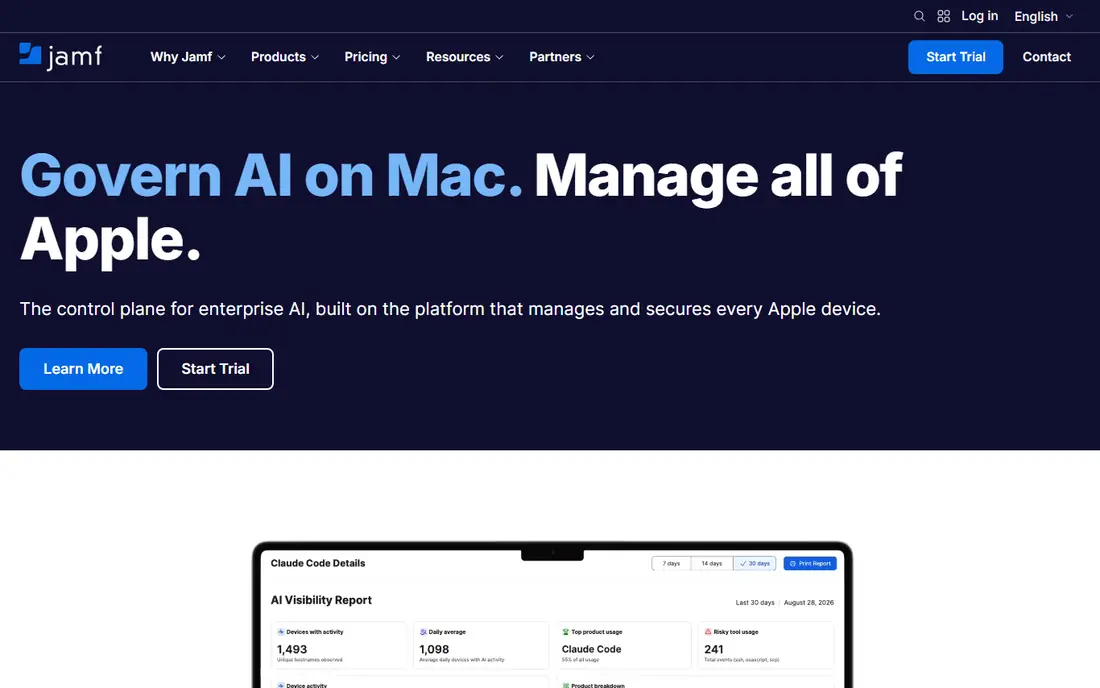
Jamf Pro is the long-standing choice for organizations that run mostly Macs, iPhones, and iPads. It handles zero-touch enrollment through Apple Business Manager, pushes apps and settings at scale, and gives admins fine control over macOS and iOS policies that generic tools often miss. For a school, studio, or company with hundreds of Apple devices, that depth is hard to replace.
The trade-off is cost and focus. Jamf Pro is priced through sales, so a small team should get a written quote before assuming it fits a tight budget, and Windows and Android support is limited compared with a true cross-platform platform. Smaller Apple teams should look at Jamf Now or Mosyle first, and move to Pro only when automation, scripting, and large-scale deployment become daily work rather than occasional tasks.
- Deep Apple platform support
- Strong automation and app deployment
- Large admin community
- Pricing is quote-based for Pro
- Overkill for a handful of devices
Mosyle is our pick for small Apple-only teams that want real management without an enterprise bill. The Business Premium tier starts at $1 per device per month, and a free tier covers up to 30 devices, which makes it easy for a tiny office or classroom to start without a sales call. Enrollment, app deployment, and basic policy control are covered, and the interface stays closer to everyday admin work than to a large IT console.
The limit is scope. Mosyle does not manage Windows or Android devices, so a team with even a few non-Apple phones will need a second tool or a different platform. Security extras sit in higher-priced Fuse tiers, so compare the full tier list against the features a team actually needs, rather than judging Mosyle only on its lowest price.
- Very low entry price
- Free tier for up to 30 devices
- Apple-focused setup
- No Windows or Android management
- Higher tiers needed for security extras
Hexnode UEM suits teams that run iPhones, Android phones, Windows laptops, and Macs side by side and want one console for all of them. The entry MDM tier starts at $2.20 per device per month when billed annually, with a 15-device minimum, and it covers enrollment, policies, app distribution, and remote actions across the major platforms. That breadth at a low price is why it shows up so often in small and mid-size shortlists.
The honest catch is tiering. The cheapest tier covers core device control, while fuller unified endpoint features, such as deeper desktop management, sit in the UEM tiers that cost more per device. Teams should map their must-have features to a specific tier during the trial, and check the device minimum against their real fleet size, since a team with eight devices may pay for fifteen.
- Wide platform coverage
- Low entry price
- Kiosk and app controls included
- 15-device minimum on the entry tier
- Some advanced features sit in higher tiers
Scalefusion stands out for shared devices, retail displays, warehouse handhelds, and field tablets. Its entry tier starts at $2 per device per month when billed annually, with a 10-device minimum, and it includes kiosk mode, app control, and location tools that matter when a device is used by many people or left in a public spot. Remote cast and control help an admin fix a stuck device without driving to the site.
For a standard office fleet, Scalefusion is still usable, but its strength is frontline work rather than deep desktop policy for every laptop in an office. Teams should test the exact platform mix they run, since Windows, macOS, Linux, and ChromeOS support grows across tiers. If most devices are single-user office laptops, a general UEM tool may fit better than a kiosk-first platform.
- Strong Android and kiosk support
- 10-device minimum is modest
- Remote cast and control tools
- Apple and Windows depth varies by tier
- Frontline focus may feel narrow for office-only teams
ManageEngine Mobile Device Manager Plus
Great for: On-premises or small fleets
ManageEngine Mobile Device Manager Plus appeals to teams that want a choice between cloud hosting and running the console on their own servers. That on-premises option matters for organizations with strict data rules or an existing ManageEngine setup, and the free tier for up to 25 devices gives small teams a genuine way to start. It covers Android, iOS, macOS, Windows, and other platforms, with app management, security policies, and remote troubleshooting in one console.
The downside is polish. The interface can feel busier and older than newer cloud-first rivals, and pricing depends on edition and device count, so the vendor site is the right place to confirm the exact quote. Teams that value a clean first-run experience may prefer Hexnode or Scalefusion, while teams that need on-premises control will find ManageEngine worth the extra setup time.
- Cloud or on-premises deployment
- Free tier for up to 25 devices
- Broad platform coverage
- Interface feels dated next to newer rivals
- Pricing varies by edition and device count
Miradore is a good first step for a small business that has never managed devices before. Its free plan covers up to 50 devices, and the Premium tier starts at $2.75 per device per month when billed annually, which keeps the jump to paid features modest. Enrollment, inventory, basic policies, and remote wipe cover the core jobs most small teams actually need, without forcing them into a large enterprise contract.
The limit is depth. Miradore does not match the automation, reporting, and security depth of Intune, Jamf Pro, or Workspace ONE, so a growing team may outgrow it as compliance needs tighten. That is a fair trade for a free start, and the right move is to use the free tier to learn what policies matter, then upgrade or switch once the gaps are clear.
- Free plan for up to 50 devices
- Simple enrollment
- Cross-platform basics covered
- Premium features cost more
- Depth is lower than enterprise UEM tools
SOTI MobiControl is built for the kind of fleet that lives in trucks, warehouses, stores, and field sites. It handles rugged Android devices, shared devices, and locked-down task devices well, with remote control, file and content delivery, and location tools that help managers support workers who are not sitting at a desk. For logistics, retail, and manufacturing teams, that field focus is more useful than a generic office console.
The cost is complexity and quote-based pricing. A small office with twenty standard phones will find SOTI heavier than needed, and should get a written quote before shortlisting it. For a team with hundreds of rugged devices, though, the ability to stage, update, and support those devices from one console can save far more time than the setup costs.
- Strong rugged Android support
- Remote control and content tools
- Built for field operations
- Pricing is quote-based
- Setup is heavier than small-business tools
Omnissa Workspace ONE UEM, formerly VMware Workspace ONE, is aimed at large organizations with mixed estates and strict compliance needs. It covers Windows, macOS, iOS, Android, Linux, and ChromeOS, and it pairs device management with access control and virtual desktop tools in the wider Omnissa family. That breadth suits enterprises that need one policy view across laptops, phones, and shared devices.
Small teams should look elsewhere. Pricing is quote-based, tiers vary by prepaid term, and the setup assumes an IT team that will run it full time. The value shows up at scale, where consistent policies, reporting, and integration with existing identity and desktop tools matter more than a low entry price or a quick first setup.
- Very broad platform coverage
- Strong enterprise controls
- Integrates with virtual desktops
- Pricing is quote-based and tiered
- Too heavy for small teams
How we picked these
We compared official feature pages, pricing pages, and platform coverage for each vendor, and we favored tools that are still sold and supported in October 2026, cover the platforms they claim, and publish clear entry pricing or a clear quote route. We left out tools that only manage one narrow device type, tools with no current vendor page, and tools whose pricing could not be tied to a vendor or recent vendor-linked source. Where pricing was unclear or quote-based, we wrote See website rather than guessing a number.
What to check before you buy
Start with a device count, not a feature list. List every company phone, tablet, laptop, and shared device, including devices that sit in a drawer for seasonal staff, since minimums and per-device billing can change the monthly total. Then check which platforms those devices run, because an Apple-only tool will not help a team with Android handhelds, and a Windows-first tool may treat Macs as an afterthought.
Test enrollment on a real device before paying. A tool that looks clean in a demo can still struggle with a specific phone model, an older operating system, or a network rule at one site. Use the trial to enroll two or three devices, push a Wi-Fi profile and a required app, lock and wipe a test device, and check that the console reports the result clearly. Also confirm who can wipe a personal device in a bring-your-own-device setup, and write that rule down before staff enroll their own phones.
Budget and billing traps
Per-user pricing suits teams where each person has several devices, while per-device pricing suits shared-device fleets. Check annual versus monthly billing, device minimums, and whether security features, remote control, or app distribution sit in a higher tier. Ask for the full first-year total in writing, including any add-ons the team will need in the first three months.
Security and privacy basics
At minimum, look for passcode and encryption policies, remote lock and wipe, managed app distribution, and a clear separation between work data and personal data on personal phones. For regulated work, ask about audit logs, role-based admin access, and data residency, and keep admin accounts limited to staff who truly need them.
Frequently asked questions
What is the best mobile device management software for a small business?
For a small Apple-only team, Mosyle or Miradore offer a low-cost start, while Hexnode or Scalefusion suit mixed fleets. The best mobile device management platform for a small team is the one that covers its actual devices, fits its device count, and can be tested on a real phone before purchase.
What is the best mobile device management tool for Apple devices?
Jamf Pro is the deepest Apple option at scale, while Mosyle is the lowest-cost Apple option for small teams. Jamf Now can suit very small Apple fleets, but teams should confirm current Jamf packaging on the vendor site, since Jamf has reorganized its plans.
How much does mobile device management software cost?
Entry prices in this list range from $1 per device per month for Mosyle to $8 per user per month for Microsoft Intune Plan 1 when bought on its own, with several tools priced by quote. The real cost depends on device count, billing term, tier, and add-ons, so get a written total for the first year.
Does Microsoft Intune replace a separate MDM tool?
For many Microsoft 365 teams, yes, because Intune covers enrollment, policies, app protection, and compliance across Windows, Apple, and Android. Teams with deep Apple automation needs or rugged Android fleets may still pair Intune with a specialist tool, or choose that specialist instead.
Can MDM wipe a personal phone?
A full device wipe can erase personal data, so bring-your-own-device setups should use work-profile or app-level controls that remove company data only. Check the tool's personal-device options during the trial, and tell staff in plain language what IT can and cannot remove.
Is a free MDM plan enough?
A free plan can be enough for a very small fleet with basic needs, such as inventory, passcode rules, and remote wipe. It usually stops being enough when a team needs automated app deployment, detailed compliance reporting, or support for many device types at once.
Sources
See where you really rank - block by block
ProMapRanker scans Google Maps across a grid of your service area. Simple monthly plans from $19, white-label on every plan.
Start freeKeep reading
 zscaler alternatives
Best Zscaler Alternatives in 2026
Looking for zscaler alternatives? We compare 9 SASE and zero trust platforms on architecture, data protection, pricing, and fit for your network and team.
Read → zapier alternatives free
Best Zapier Alternatives Free in 2026
Nine automation tools for zapier alternatives free in 2026, all with genuinely free tiers, plus free plan limits, starting prices and upgrade paths explained.
Read → which platform is best for online reputation
Which Platform Is Best for Online Reputation in 2026
Wondering which platform is best for online reputation? We compare 8 review, listing, and response tools for small and multi-location businesses and agencies.
Read →