 ProMapRanker
Best Mobile Banking App Features in 2026

Key takeaways
- Mobile deposit, Zelle, card freeze controls, and instant alerts are now standard across the major banking apps here.
- Chase and Bank of America stand out for breadth, with credit tools, budgeting views, and card offers built into one app.
- Ally, SoFi, and Capital One show how digital first apps can match branch banks on everyday features, with strong savings tools.
- This article compares features across real banking apps, not a ranking of banks themselves, and account fees and rates vary by account.
- The best feature set for you depends on how you bank: branch access, savings goals, credit cards, or simple everyday checking.
Quick comparison
| Pick | Great for | Pricing starts at | Free tier | |
|---|---|---|---|---|
 Chase Mobile | Broadest everyday feature set | Free | Yes | Visit |
 Bank of America Mobile | Credit and budgeting tools | Free | Yes | Visit |
 Wells Fargo Mobile | Virtual assistant and alerts | Free | Yes | Visit |
 Capital One Mobile | Simple controls and credit tracking | Free | Yes | Visit |
 Ally Bank | Digital first savings tools | Free | Yes | Visit |
 U.S. Bank Mobile | Everyday banking plus rewards | Free | Yes | Visit |
 PNC Mobile | Spending and savings buckets | Free | Yes | Visit |
 Citi Mobile | Global and card features | Free | Yes | Visit |
 SoFi | Banking plus investing in one app | Free | Yes | Visit |
The best mobile banking app features
The apps below are the real mobile apps of well known United States banks. We compare the features inside each app, such as deposit, payments, card controls, alerts, and budgeting, rather than rating the banks as companies. App download is free in each case, while account fees depend on the account you open.
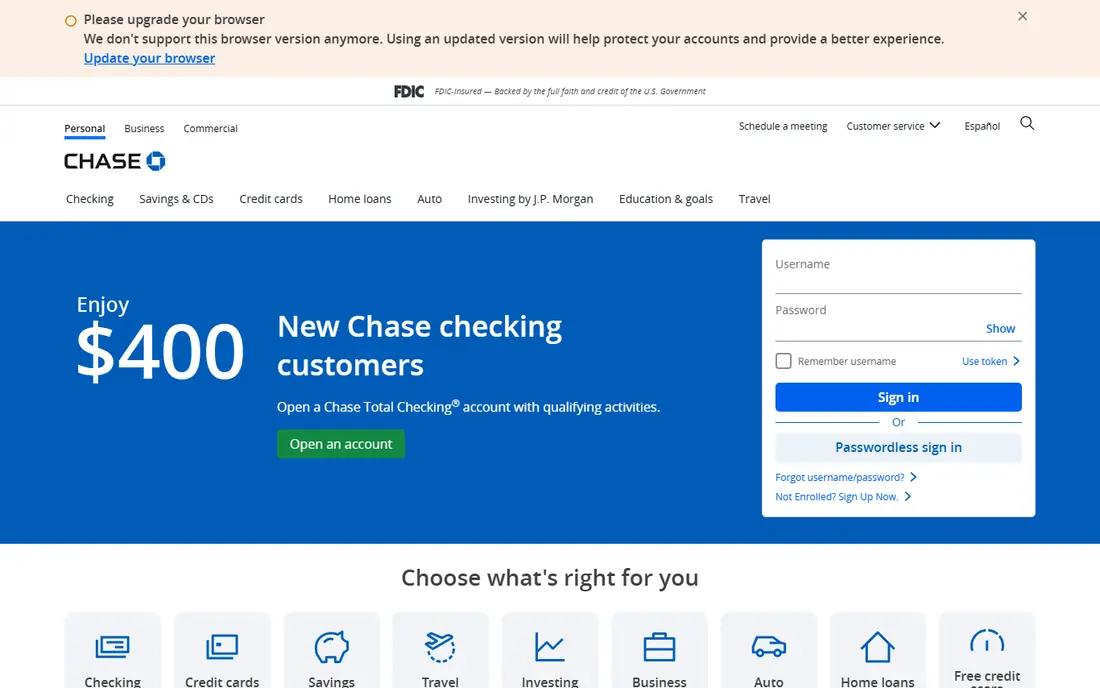
Chase Mobile packs a wide set into one app. You can deposit checks, send money with Zelle, pay bills, freeze or replace a card, set travel notices, and view spending by category. Credit Journey adds free credit score monitoring, and Chase Offers surfaces card linked discounts inside the app.
That breadth is the main draw. The catch is that the app is only useful as a banking app if you hold a Chase account, and monthly account fees depend on the account and on meeting waiver conditions. For customers who already bank with Chase, the feature depth is hard to beat.
- Mobile deposit, Zelle, and bill pay
- Credit Journey credit tools
- Card offers and controls
- Account fees vary by account
- Some features need a Chase account
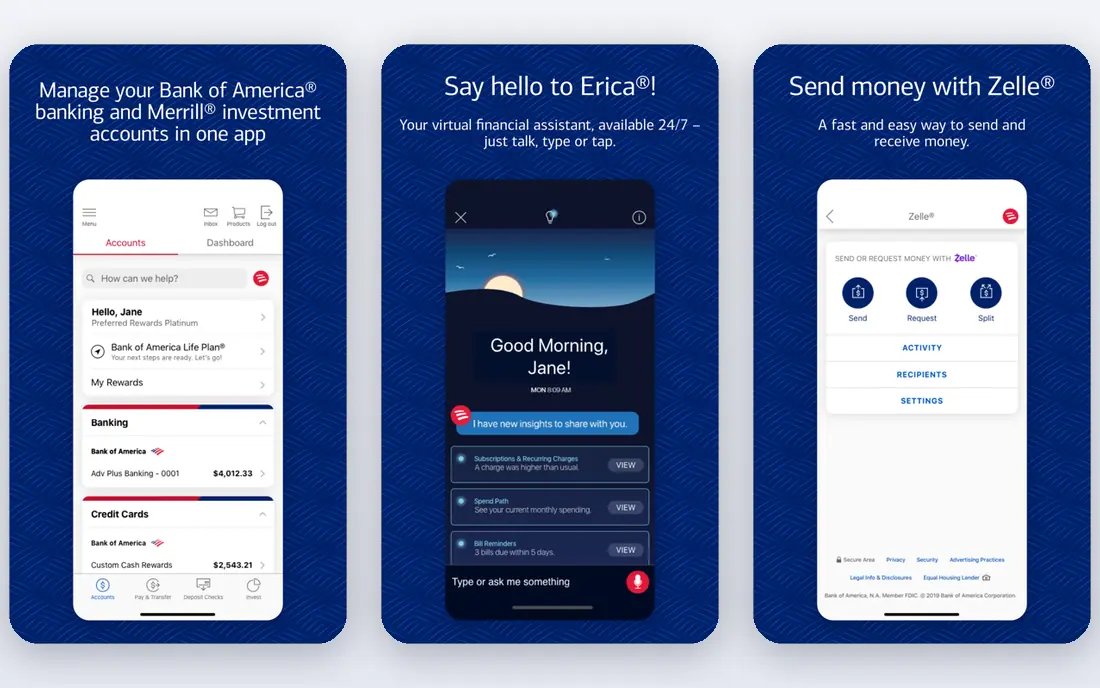
Bank of America Mobile covers the everyday basics well, with mobile deposit, Zelle, bill pay, and card controls. Its newer My Credit hub adds a score snapshot, factors behind the score, and planning tools, which go beyond a simple score display. The Erica virtual assistant answers common questions and helps with routine tasks in the app.
The app can feel busy because so much is included, and some features depend on the accounts you hold. For customers who want credit insight alongside everyday banking, it is a strong feature set.
- Mobile deposit and Zelle
- My Credit hub with score tools
- Erica virtual assistant
- Some tools are account dependent
- Interface can feel busy
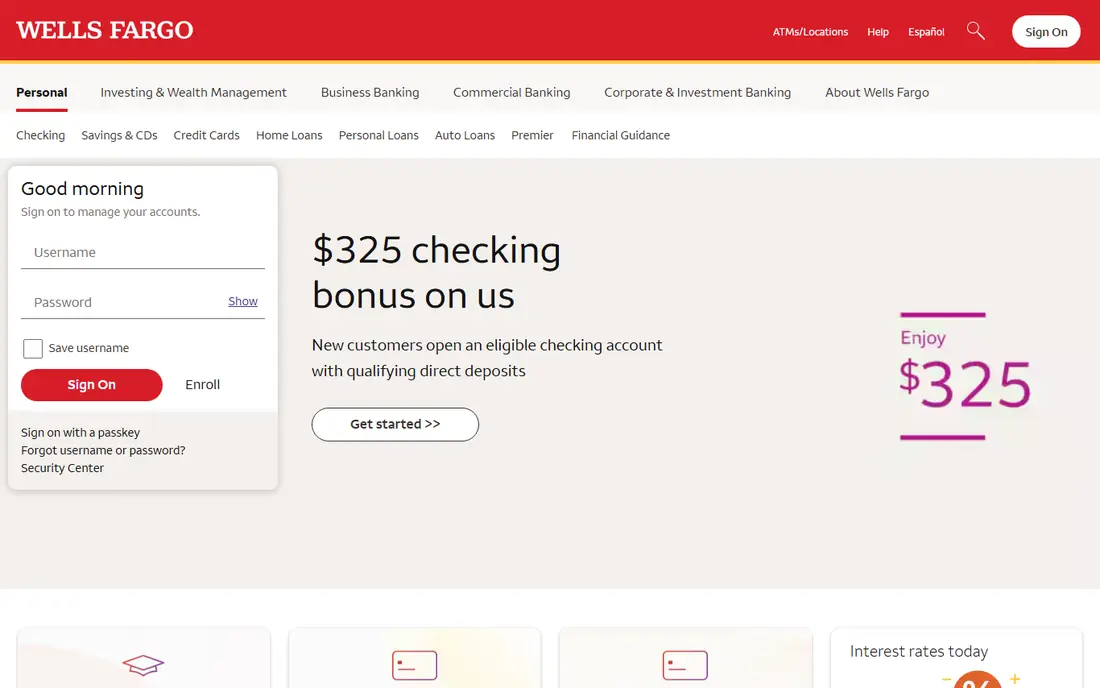
Wells Fargo Mobile offers mobile deposit, Zelle, bill pay, alerts, and card controls, plus the Fargo virtual assistant for quick questions and tasks. Spending insight tiles show activity and projections, which can help you spot a subscription or an upcoming payment before it lands.
A few insight features are centered on credit card accounts, so checking and savings customers may see less depth there. As an everyday app for a Wells Fargo customer, it covers the core tasks with a helpful assistant on top.
- Fargo virtual assistant
- Spending insights
- Mobile deposit, Zelle, and card controls
- Some insight tiles focus on credit cards
- Account terms vary
Capital One Mobile is known for a clean layout and strong card controls. You can lock a card, view transactions, set alerts, deposit checks, and pay bills without hunting through menus. CreditWise provides credit score tracking and alerts, even for people who are not Capital One customers in some cases.
Branch access is limited compared with Chase or Wells Fargo, so this app suits people who are comfortable banking mainly on a phone. For simple, clear everyday controls, it is a good model of what a banking app should do.
- Clear card controls and locks
- CreditWise score tracking
- Easy bill pay and deposit
- Branch access is limited
- Some features vary by product
Ally Bank is digital first, so its app is the bank for most customers. Savings buckets let you split money by goal inside one savings account, while spending buckets help separate everyday money from bills. Mobile deposit, Zelle, bill pay, and card controls cover the daily tasks.
The absence of branches is the main limit, and depositing cash takes extra steps. For savers who want goal tools and a phone first experience, Ally shows how much a digital app can do without a branch network.
- Savings buckets and goals
- Mobile deposit and Zelle
- No branch needed
- No physical branches
- Cash deposit options are limited
U.S. Bank Mobile covers everyday banking with deposit, payments, transfers, and card controls, plus account insights and rewards views for eligible cards. Alerts can flag large transactions, low balances, and payment due dates, which helps avoid missed payments.
As with other large banks, the exact feature mix depends on the accounts you hold, and savings rates vary by product. For a U.S. Bank customer who wants a reliable all round app with branch backup, it delivers the core set well.
- Mobile deposit and Zelle
- Card controls and alerts
- Rewards and account insights
- Some features vary by account
- Savings rates vary
PNC Mobile is built around Virtual Wallet, which splits money into spend, reserve, and growth buckets. That structure helps people who want to separate bill money from everyday spending without opening several accounts. Mobile deposit, Zelle, bill pay, and card controls are all present.
The bucket system takes a little learning at first, and branch coverage varies by state. For customers who like to organize money by purpose inside one app, PNC offers a distinctive and practical feature set.
- Virtual Wallet spending and reserve tools
- Mobile deposit and Zelle
- Card controls
- Virtual Wallet structure takes learning
- Branch coverage varies by region
Citi Mobile handles the everyday tasks, with deposit, payments, transfers, and detailed card controls. Eligible customers can also view accounts across regions, which suits people with international banking needs. Transaction alerts and spending views help track activity.
The United States branch network is smaller than those of Chase, Bank of America, or Wells Fargo, so branch access matters less here. For card management and a global view, Citi is a solid feature choice.
- Mobile deposit and Zelle
- Strong card management
- Global account views for eligible customers
- Branch network is smaller in the United States
- Features vary by account
SoFi brings checking, savings, investing, and credit tools into one app. Vaults let you set money aside for goals, while the banking side covers direct deposit, transfers, bill pay, and card controls. That breadth suits people who want banking and investing in a single login.
The app can feel crowded because it covers so many products, and there are no branches. For a digital first customer who values vaults and an all in one view, SoFi is a strong example of modern banking app design.
- Checking and savings in one app
- Vaults for goals
- Investing and credit tools alongside banking
- No branches
- Banking features sit beside many other products
How we picked these
We compared official bank feature pages, app store listings, and public help pages for nine live United States banking apps. We looked for mobile deposit, Zelle or peer payments, bill pay, card controls, alerts, biometric login, budgeting or savings tools, and virtual assistant help. We did not invent bank ratings, and we did not rank the banks themselves, only the feature sets inside their apps.
Features worth checking before you choose an account
A feature list only helps if it fits how you actually use money. A frequent check depositor needs reliable mobile deposit limits and fast funds availability. A card user needs instant freeze, transaction alerts, and easy dispute tools. A saver needs buckets, goals, and automatic transfers that run without manual work each payday.
Security features to look for
Biometric login, instant transaction alerts, card freeze, and the ability to set travel notices or location based controls are worth checking in any banking app. Two factor authentication for sign in and for sensitive changes adds another layer. Review alert settings after opening an account, since default alerts may miss the transactions you care about most.
Payments and transfers
Check whether the app supports Zelle, bill pay, external transfers, and scheduled payments, and whether limits fit your needs. Some apps cap mobile deposit amounts or external transfer amounts, which matters for larger checks or house related payments. Confirm cut off times for same day transfers before relying on them for a deadline.
Budgeting, savings, and credit tools
Spending categories, savings buckets, and credit score tools are useful only if you open them regularly. Look for automatic categorization, goal tracking, and a credit view that explains score factors, not just a number. If you already use a separate budgeting app, a simpler banking app with strong controls may serve you better than a feature heavy one.
Frequently asked questions
What are the most important mobile banking app features?
Mobile deposit, Zelle or peer payments, bill pay, card freeze controls, instant alerts, and biometric login form the core set. Budgeting views, savings buckets, and credit score tools are useful extras, depending on how you manage money.
Are mobile banking apps free to download?
Yes, the apps listed here are free to download for account holders. Account fees, overdraft terms, and interest rates depend on the specific account, not on the app download itself. Check the account terms before opening an account.
Is mobile check deposit safe?
Banks use encrypted connections, image checks, and hold periods to reduce risk. Keep the paper check until the deposit clears, confirm the amount in the app, and contact the bank at once if a deposit does not appear as expected.
Can I send money to friends from a banking app?
Most of these apps support Zelle for transfers to enrolled recipients in the United States, and many also support bill pay and external transfers. Check recipient enrollment, transfer limits, and timing before sending money for a deadline.
Do banking apps show my credit score?
Several do, including Chase with Credit Journey, Bank of America with its My Credit hub, and Capital One with CreditWise. The score shown may come from one bureau and may differ from scores used by a lender for a specific application.
Should I choose a bank based only on its app?
No. App features matter, but account fees, interest rates, branch and ATM access, customer support, and deposit insurance also matter. Use the app feature list as one part of the decision, alongside the account terms.
Sources
See where you really rank - block by block
ProMapRanker scans Google Maps across a grid of your service area. Simple monthly plans from $19, white-label on every plan.
Start freeKeep reading
 worlds best local seo company
8 Worlds Best Local SEO Companies for Map Pack Growth in 2026
Compare the worlds best local seo company options for Google Business Profile work, citations, reviews, and multi-location rankings and reporting in 2026.
Read → world's best web hosting company
World's Best Web Hosting Company in 2026
Searching for the world's best web hosting company? We compared 10 hosts on price, renewal rates, speed, and support to help you choose well today in 2026.
Read → who's got the best nanny tax services
Who's Got the Best Nanny Tax Services in 2026
We answer who's got the best nanny tax services, comparing full filing, back taxes, software, and pricing so families can handle nanny taxes correctly.
Read →