 ProMapRanker
Best Mobile Application Management Software in 2026


Teams already using Microsoft 365 · Pricing starts at: See website
Key takeaways
- Microsoft Intune suits teams already running Microsoft 365, while Jamf Pro remains the clearest choice for Apple-only fleets.
- Omnissa Workspace ONE and IBM MaaS360 cover the widest mix of mobile and desktop endpoints, but both need more setup time.
- ManageEngine, Hexnode and Scalefusion give smaller teams lower entry prices and simpler consoles than the enterprise platforms.
- App management is only part of the job. Check device enrollment, app catalog controls, update rules and remote wipe before you buy.
Quick comparison
| Pick | Great for | Pricing starts at | Free tier | |
|---|---|---|---|---|
| Microsoft Intune | Teams already using Microsoft 365 | See website | Free trial | Visit |
 Jamf Pro | Organizations running Apple devices | See website | Free trial | Visit |
 Omnissa Workspace ONE | Large organizations with mixed endpoints | See website | Free trial | Visit |
 ManageEngine Endpoint Central | IT teams that want value and control | See website | Free trial | Visit |
 Hexnode UEM | Small and mid-sized cross-platform teams | See website | Free trial | Visit |
 Scalefusion | Shared devices, kiosks and frontline teams | See website | Free trial | Visit |
 IBM MaaS360 | Enterprises that prioritize security analytics | See website | Free trial | Visit |
 SOTI MobiControl | Field, warehouse and rugged device fleets | See website | Free trial | Visit |
 Cisco Meraki Systems Manager | Teams already running Meraki networks | See website | Free trial | Visit |
The best mobile application management software
We compared app deployment, policy controls, platform coverage and pricing for teams that need to manage work apps on phones and tablets. These nine tools cover the main buying patterns, from a single Apple fleet to thousands of mixed devices in the field.
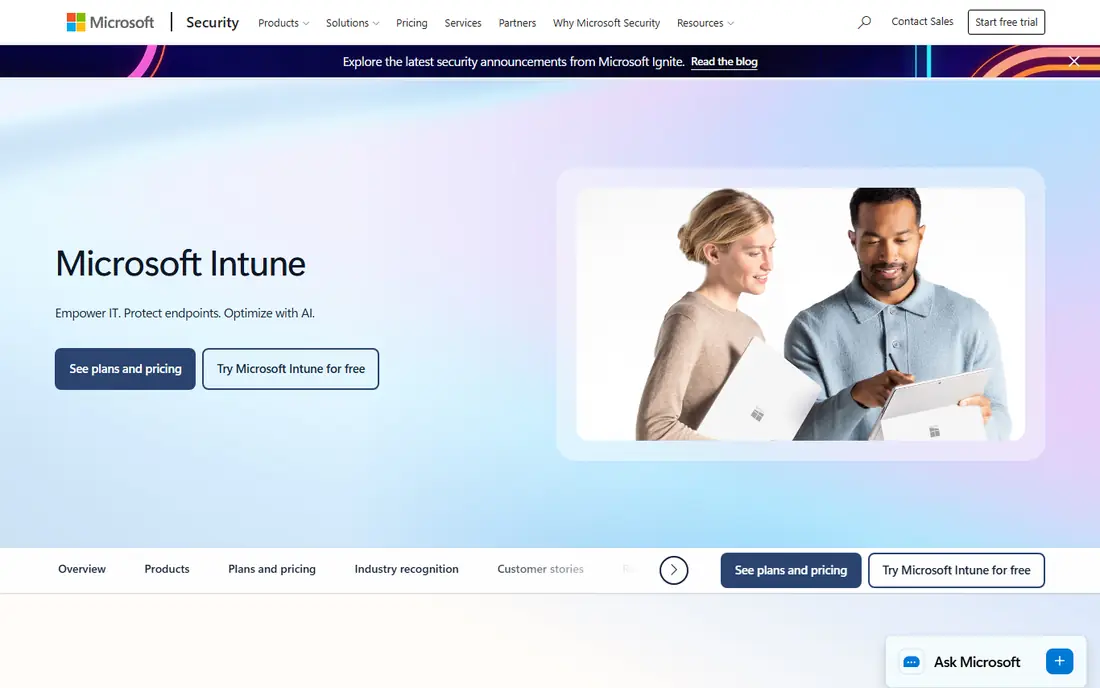
Intune fits best when your identities, email and documents already live in Microsoft 365. App protection policies let you control copy, paste and save actions inside managed apps without taking over a whole personal phone. That split matters for bring-your-own-device programs, where staff will resist a tool that feels intrusive. You can push required apps, set app configuration values and remove only work data when someone leaves.
The trade-off is complexity. Intune covers a lot of ground, from compliance policies to conditional access, and new admins often need time to map that structure to their own policies. Pricing also depends on your Microsoft licensing, so compare the standalone plan with what you already pay for in a bundle. For Microsoft-centered shops, though, the integration with Entra ID and Defender usually outweighs that learning curve.
- Deep Microsoft 365 and Entra ID integration
- Strong app protection policies
- Broad Windows, iOS, Android and macOS coverage
- Admin console can feel complex for small teams
- Some Android and Apple features lag behind specialist tools
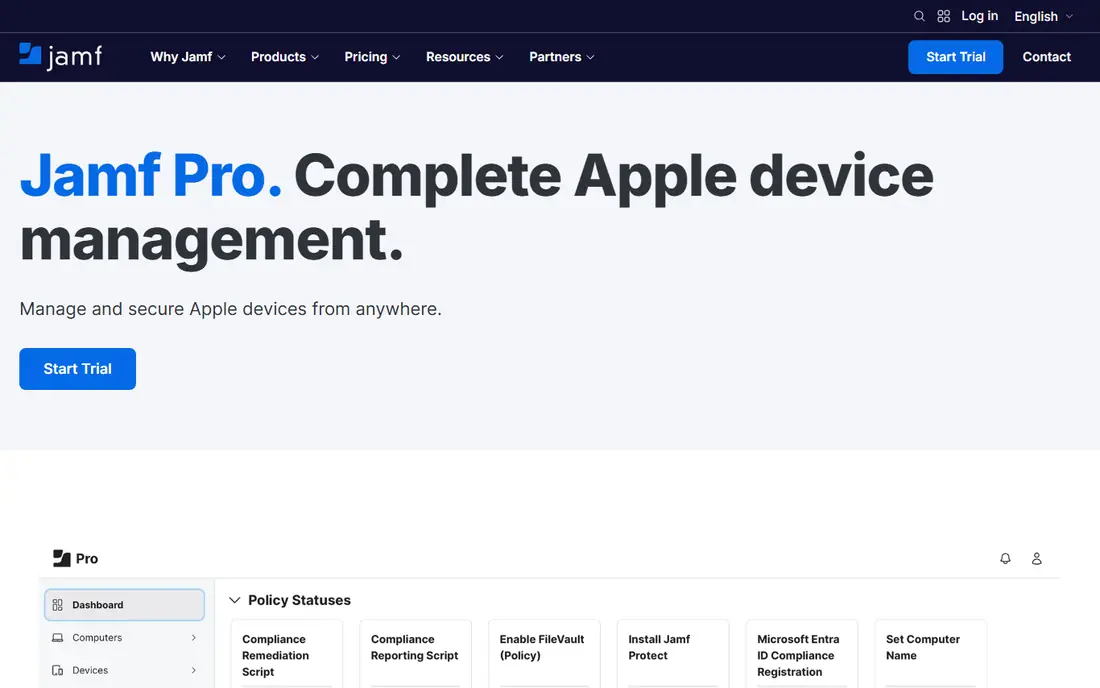
Jamf Pro is built around how Apple devices actually enroll and update. Automated Device Enrollment through Apple Business Manager lets a new iPhone or Mac arrive configured, with the right apps, Wi-Fi settings and restrictions already in place. App deployment covers App Store apps, custom in-house apps and updates, and the console gives clear detail on which devices are behind on a version.
That focus is also its limit. If your fleet mixes Android tablets or Windows laptops, you will need a second tool or a different platform altogether. For schools, design studios, clinics and other Apple-heavy workplaces, the depth is worth it. Jamf also pairs well with Jamf Now for very small Apple fleets, so ask which Jamf product matches your device count before signing.
- Deep Apple enrollment and app deployment
- Strong macOS and iOS policy controls
- Large Apple admin community
- No Android or Windows management
- Best value only for Apple-heavy fleets
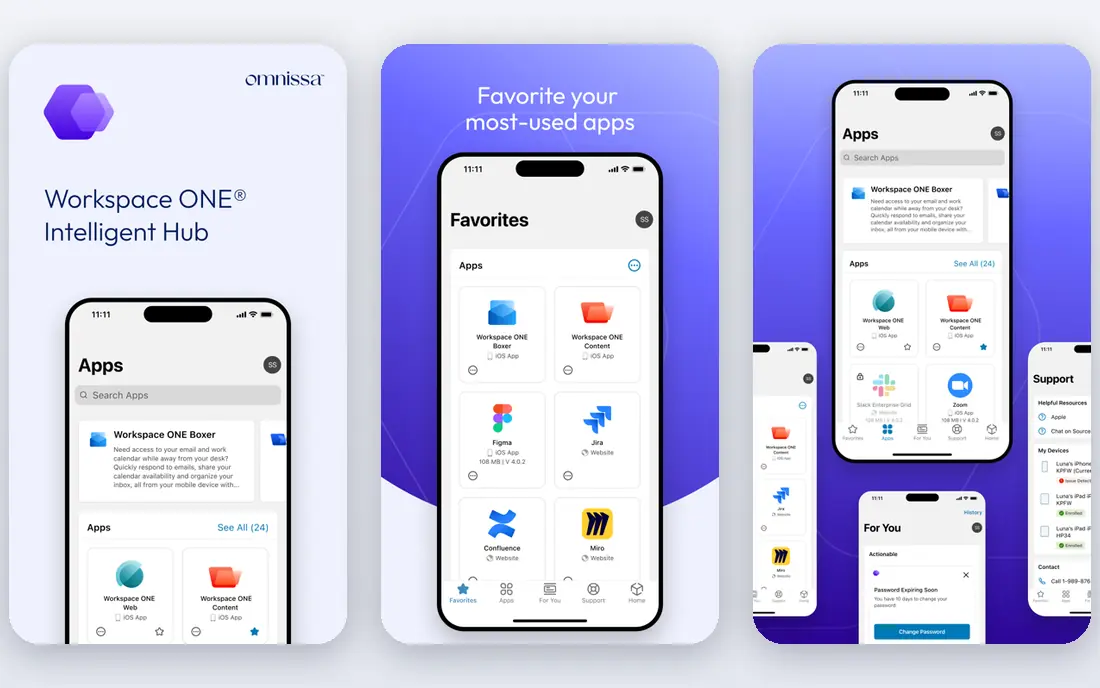
Workspace ONE, formerly VMware Workspace ONE, treats phones, tablets, laptops and rugged devices as one fleet. Its app catalog gives staff a single place to find approved apps, while admins control versions, licenses and per-app network rules from the same console. Automation through workflows can enroll devices, assign apps by group and trigger compliance actions when a device falls out of policy.
Large teams gain the most here, because the platform scales to complex structures with many sites, roles and app groups. Smaller teams may find the project larger than they expected, with more planning around identity, certificates and network access. Get a scoped pilot in writing, with your real app mix, before you commit to a full rollout.
- Unified management for mobile and desktop
- Strong app catalog and automation
- Wide platform coverage
- Implementation can be lengthy
- Pricing is quote-based and hard to compare
ManageEngine Endpoint Central started as a desktop tool and grew into a full endpoint platform, which shows in its strengths. You get app deployment, software inventory, patch management and remote troubleshooting in one console, so a small IT team can cover phones and computers without buying four separate tools. Mobile app management includes app catalogs, app configuration, restrictions and remote wipe for managed apps and devices.
The console will not win design awards, and some mobile workflows take more clicks than in Jamf or Intune. Price and deployment choice often make up for that, especially for teams that want an on-premises option or a predictable device-based cost. Test app deployment on your oldest Android and iOS versions during the trial, since older devices expose the gaps first.
- App deployment plus patching and asset detail
- On-premises and cloud options
- Clear per-device pricing history
- Interface feels dated in places
- Advanced mobile features trail the leaders
Hexnode appeals to teams that need to start quickly and cover more than one platform. Enrollment, app push and policy assignment are straightforward, and the kiosk mode is useful for shared tablets in retail, clinics and warehouses. You can lock a device to one app or a small set of apps, which cuts support calls from staff who tap into settings they should not touch.
Growth brings questions about reporting depth and automation, so larger buyers should test compliance reporting and API access early. For a team of tens or low hundreds of devices, Hexnode hits a practical balance of price, coverage and ease of use. Its trial is a good place to test app updates, since silent updates behave differently across Android makers and Apple rules.
- Covers iOS, Android, Windows, macOS and tvOS
- Fast setup
- Kiosk and app lockdown modes
- Enterprise reporting is thinner than Intune or Workspace ONE
- Some advanced features sit on higher tiers
Scalefusion built its name on getting devices into staff hands fast, with the right apps and little else visible. Bulk enrollment, app groups and remote cast for troubleshooting help frontline managers who do not have IT training. A delivery driver, retail associate or ward nurse sees only the apps they need, and a lost device can be locked or wiped from the dashboard.
That simplicity means Scalefusion is not the first pick for a heavily regulated enterprise with complex conditional access rules. It is a strong pick for fleets where most devices are shared, single-purpose or field-based. Check how it handles your specific Android hardware, because rugged and low-cost Android devices vary widely in how they accept management commands.
- Simple enrollment and app publishing
- Strong kiosk and lockdown controls
- Good remote troubleshooting
- Less depth for complex enterprise compliance
- Desktop management is secondary to mobile
MaaS360 pairs device and app management with risk scoring that flags devices, apps and configurations that look risky. Admins can see which apps are out of date, which devices lack encryption and which users need attention, then act from the same console. App management includes catalog publishing, app configuration, per-app VPN and managed app removal, which keeps work data separate on personal devices.
The platform suits regulated teams that already value IBM security tooling and want one vendor for endpoint insight. Smaller buyers may find the sales process and setup heavier than a simpler tool warrants. Ask for a demo using your own app list and compliance rules, and confirm which analytics features are included in the tier you are quoted.
- AI-assisted risk insights
- Broad platform coverage
- Strong container and BYOD controls
- Pricing is quote-based
- Console and reporting take time to learn
SOTI MobiControl is a practical choice when devices live in trucks, warehouses, stores and clinics rather than on desks. It handles Android staging, app deployment, lockdown and remote support well, including devices from rugged makers that other tools treat as an afterthought. File sync and scripted actions help teams push app updates and content to devices that rarely return to an office.
Office-based Apple and Windows fleets are not its main strength, so mixed fleets should weigh that balance. For operations teams, the remote control and diagnostics features save real travel time, since support can see and fix a device screen without a site visit. Pilot with your exact device models, because rugged Android behavior varies by maker and OS version.
- Strong Android and rugged device support
- Remote control and file sync
- Lockdown and staging tools
- Apple and Windows depth is less central
- Setup benefits from vendor or partner help
Meraki Systems Manager lives inside the same cloud dashboard many network teams already use for switches, access points and security appliances. That shared view makes it easy to see a device, its network and its apps together, and enrollment is quick for iOS, Android, macOS and Windows. App deployment, restrictions and remote actions cover the core needs of schools and small businesses without a separate console to learn.
Specialist needs, such as deep macOS app scripting or complex Android enterprise configurations, may push you toward Jamf or Workspace ONE instead. The value case is strongest when you already pay for Meraki networking, since one dashboard and one support relationship cover more of your stack. Confirm license terms per device before you scale, because Meraki licensing differs from per-user models elsewhere.
- Cloud dashboard shared with Meraki networking
- Fast enrollment
- Clear device and app visibility
- Advanced app management depth trails specialist MDM vendors
- License model ties you to Meraki
How we picked these
We compared official feature pages, pricing pages, platform support lists and public documentation for each vendor, focusing on app deployment, app configuration, catalog controls, update handling and remote removal of work apps. We favored tools that are actively sold and supported in October 2026, cover at least two major mobile platforms or dominate one platform clearly, and publish enough detail to verify what they do. We did not claim hands-on testing, and we left out tools with unclear ownership, discontinued products or app-only wrappers that do not manage devices.
What to check before you buy
Start with enrollment, not the feature list. Ask how a new phone joins, how an in-house app is signed and pushed, and how an app update reaches devices that are offline for days. Test the exact path for Apple Business Manager or Android Enterprise, because a demo on one device hides enrollment friction that appears at scale.
Next, map your app types. Public store apps, private in-house apps and web apps each follow different rules for updates, licenses and removal. Confirm silent update behavior on iOS and on your Android makers, and confirm that removing a user also removes work apps and work data without wiping personal photos. Finally, check reporting. You need a clear view of app versions, failed installs and non-compliant devices, plus an export or API route if compliance audits ask for that history later.
Pricing and licensing traps
Per-user and per-device pricing diverge fast once staff carry two devices or share tablets. Model your real device count, including spares and kiosk units, before comparing quotes. Ask what happens to licenses when a device is retired, and whether app management, patching and remote support are bundled or sold as add-ons.
Security and privacy basics
For bring-your-own-device fleets, prefer managed app controls over full device control, and publish a plain policy for staff that states what IT can and cannot see. Require encryption, OS minimum versions and app allowlists where your risk calls for them, but avoid collecting location or personal app inventory beyond what your policy justifies. A clear policy reduces pushback and support tickets more than any extra control does.
Frequently asked questions
What is the best mobile application management software for small businesses?
For small teams, Hexnode UEM, Scalefusion and ManageEngine Endpoint Central are practical starting points because setup is faster and pricing is easier to model per device. Microsoft Intune is also worth a look if you already pay for Microsoft 365, since the added cost may be low. Trial app deployment on your real device mix before you choose.
What are the best mobile application management tools for Apple devices?
Jamf Pro is the strongest Apple-focused choice, with deep enrollment, app deployment and macOS controls. Intune and Workspace ONE also manage Apple devices well, but they split attention across platforms. If you run only Apple devices, Jamf usually gives you more Apple-specific depth for the same effort.
Is Microsoft Intune the same as mobile device management?
Intune includes mobile device management and mobile application management, plus desktop management and access controls. App protection policies are the application management part, and they can apply even on devices that are not fully enrolled. That distinction matters for personal devices, where app-level control is often enough.
What is the top mobile application management software for Android fleets?
Scalefusion, SOTI MobiControl and Hexnode UEM all handle Android well, with SOTI strongest for rugged and field hardware. Intune and Workspace ONE also cover Android Enterprise, including work profiles and managed Google Play. Your Android makers matter, so pilot on the models you actually deploy.
Do I need MDM to manage work apps?
You need some form of management if you must push apps, force updates, restrict app settings or remove work data from a lost device. App stores alone cannot do that reliably at scale. For a handful of devices, manual install may work, but it breaks down once staff turnover, updates and lost phones enter the picture.
How much does mobile application management software cost?
Most vendors price per device or per user and do not publish a single comparable price, which is why many entries here show See website. Small-team tools often start at a few dollars per device per month, while enterprise platforms are quoted by fleet size and features. Get quotes on the same device count and feature set to compare fairly.
Sources
- https://www.microsoft.com/en-us/security/business/microsoft-intune
- https://www.jamf.com/products/jamf-pro/
- https://www.omnissa.com/products/workspace-one/
- https://www.manageengine.com/products/desktop-central/
- https://www.hexnode.com/
- https://scalefusion.com/
- https://www.ibm.com/products/maas360
- https://soti.net/products/soti-mobicontrol/
- https://meraki.cisco.com/products/systems-manager/
See where you really rank - block by block
ProMapRanker scans Google Maps across a grid of your service area. Simple monthly plans from $19, white-label on every plan.
Start freeKeep reading
 zscaler alternatives
Best Zscaler Alternatives in 2026
Looking for zscaler alternatives? We compare 9 SASE and zero trust platforms on architecture, data protection, pricing, and fit for your network and team.
Read → zapier alternatives free
Best Zapier Alternatives Free in 2026
Nine automation tools for zapier alternatives free in 2026, all with genuinely free tiers, plus free plan limits, starting prices and upgrade paths explained.
Read → which platform is best for online reputation
Which Platform Is Best for Online Reputation in 2026
Wondering which platform is best for online reputation? We compare 8 review, listing, and response tools for small and multi-location businesses and agencies.
Read →