 ProMapRanker
Best Mining Software in 2026

Key takeaways
- CGMiner and BFGMiner remain the free, powerful choices for ASIC owners who like command-line control.
- NiceHash and Kryptex suit beginners who want a simple start without managing pools.
- Hive OS, Awesome Miner and minerstat suit farms that need remote monitoring and control.
- A regular PC will not mine Bitcoin profitably in 2026, whatever software you install.
Quick comparison
| Pick | Great for | Pricing starts at | Free tier | |
|---|---|---|---|---|
 NiceHash | Beginners and GPU miners | Free | Yes | Visit |
 CGMiner | ASIC owners who want control | Free | Yes | Visit |
 BFGMiner | ASIC and FPGA owners | Free | Yes | Visit |
 Hive OS | GPU rigs and ASIC farms | $3 per rig per month | Yes | Visit |
 Awesome Miner | Large farms needing automation | Free | Yes | Visit |
 minerstat | Remote farm monitoring | Free | Yes | Visit |
 Kryptex | Windows beginners | Free | Yes | Visit |
 Cudo Miner | Multi-device home miners | Free | Yes | Visit |
 EasyMiner | Complete beginners on Windows | Free | Yes | Visit |
Best Mining Software
This article is about cryptocurrency mining software. Mining profitability varies, and hardware and electricity costs matter more than any software choice, so no tool here promises earnings.
NiceHash is the simplest start for a GPU owner who wants to mine without managing pools. It fits beginners and GPU miners. It connects your hardware, sells hashpower on its marketplace and pays out in Bitcoin.
On pricing, the starting point is Free, with a free option listed as Yes. The catch is fees, since marketplace and payout fees of 2 to 5 percent reduce returns compared with mining directly to a pool. We would shortlist it when that fit matches your main use, and compare it directly with the next option before you commit.
- Simple setup
- Automatic payouts in Bitcoin
- Hashpower marketplace
- Fees of 2 to 5 percent
- Not the cheapest route for large farms
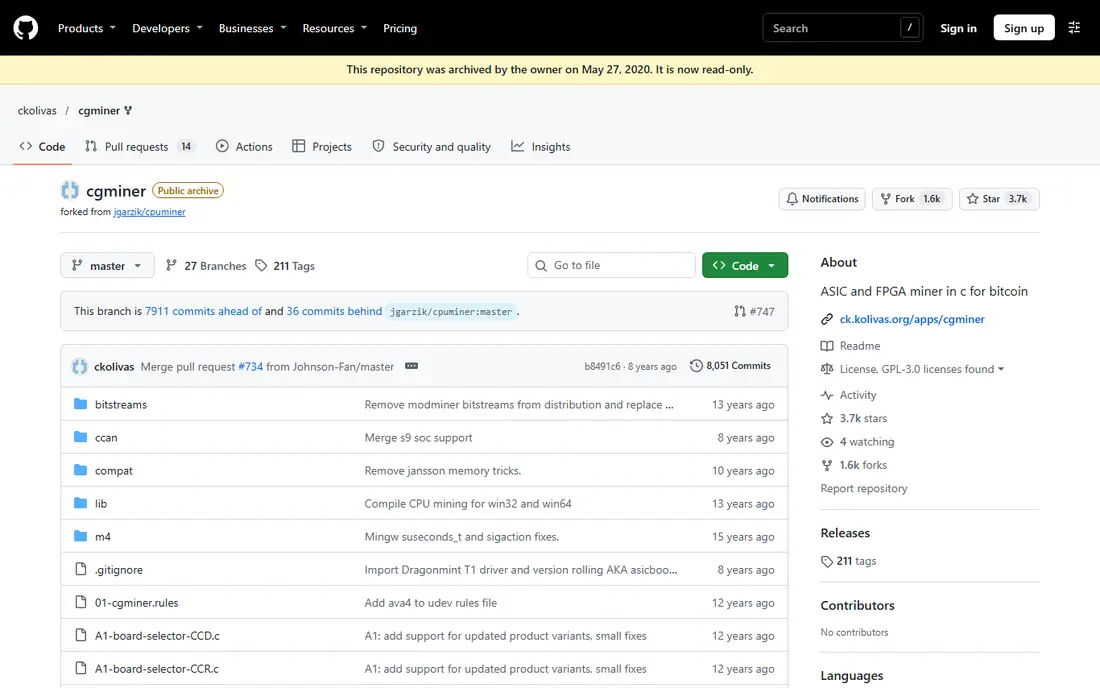
CGMiner remains the free standard for ASIC owners who want full control over their miners. It fits aSIC owners who want control. It supports multiple pools with failover, and lets you control fans and clocks from one tool.
On pricing, the starting point is Free, with a free option listed as Yes. The catch is the interface, since it is command-line only and recent versions drop GPU support, so it suits experienced users. We would shortlist it when that fit matches your main use, and compare it directly with the next option before you commit.
- Free and open source
- Multi-pool and failover support
- Fan and clock control
- Command-line only
- No GPU support in recent versions
- Steep learning curve
BFGMiner suits owners who want to tune ASIC and FPGA hardware beyond basic settings. It fits aSIC and FPGA owners. Its dynamic clocking and remote interface help when you manage machines from another room or site.
On pricing, the starting point is Free, with a free option listed as Yes. The catch is setup, since the command-line interface and technical docs assume you already know mining basics. We would shortlist it when that fit matches your main use, and compare it directly with the next option before you commit.
- Free and open source
- Dynamic clocking
- Remote interface support
- Command-line only
- Setup needs care
- Documentation is technical
Hive OS is the manager we would pick for a farm that mixes GPU rigs and ASIC miners. It fits gPU rigs and ASIC farms. One dashboard covers overclocking, alerts and bulk changes, which saves hours when machines need attention.
On pricing, the starting point is $3 per rig per month, with a free option listed as Yes. The catch is the free limit, since larger farms pay $3 per rig per month, so count machines before you budget. We would shortlist it when that fit matches your main use, and compare it directly with the next option before you commit.
- One dashboard for GPU and ASIC machines
- Overclocking and alerts
- Mobile app
- Free tier covers only a small number of rigs
- Some features need paid plans
Awesome Miner suits larger operations that want automation rather than manual checks. It fits large farms needing automation. Profit switching, triggers and bulk management help a farm react to price and difficulty changes without constant watching.
On pricing, the starting point is Free, with a free option listed as Yes. The catch is scale pricing, since the free tier covers only two miners and larger farms need a paid plan. We would shortlist it when that fit matches your main use, and compare it directly with the next option before you commit.
- Free for up to 2 miners
- Profit switching
- Many automated rules
- Windows-focused
- Paid tiers needed for larger farms
- Learning curve for rules
minerstat suits miners who want clear remote monitoring without a heavy setup. It fits remote farm monitoring. Its dashboard, profit switch and alerts cover the daily questions a farm owner asks.
On pricing, the starting point is Free, with a free option listed as Yes. The catch is per-worker pricing, since costs grow with each machine, so small farms should check the free tier first. We would shortlist it when that fit matches your main use, and compare it directly with the next option before you commit.
- Free tier for one worker
- Profit switch
- Alerts and statistics
- Paid plans charge per worker
- Advanced features need a subscription
Kryptex suits Windows users who want mining to run in the background with little setup. It fits windows beginners. It tests your PC, estimates earnings and pays out in Bitcoin or cash options where supported.
On pricing, the starting point is Free, with a free option listed as Yes. The catch is hardware reality, since a weak GPU or high power rate can wipe out earnings, so check your costs first. We would shortlist it when that fit matches your main use, and compare it directly with the next option before you commit.
- Free app
- Simple background mining
- Payouts in Bitcoin or cash options
- Windows only
- Earnings depend heavily on hardware and power cost
- Fees apply
Cudo Miner suits home miners with several devices who want one console for them all. It fits multi-device home miners. Auto-switching, remote management and support for CPU, GPU and ASIC hardware cover most home setups.
On pricing, the starting point is Free, with a free option listed as Yes. The catch is commission, since small miners face a 6.5 percent tier, which is high if your output is low. We would shortlist it when that fit matches your main use, and compare it directly with the next option before you commit.
- Free download
- Auto-switching
- Remote management
- Supports CPU, GPU and ASIC
- Tiered commission up to 6.5 percent for small miners
- Returns vary with coin and hardware
EasyMiner suits a complete beginner who finds command-line miners off-putting. It fits complete beginners on Windows. Its graphical interface and simple pool setup get a first machine mining without a long guide.
On pricing, the starting point is Free, with a free option listed as Yes. The catch is depth, since tuning and farm management are thinner than on CGMiner or Hive OS, so experienced miners may outgrow it. We would shortlist it when that fit matches your main use, and compare it directly with the next option before you commit.
- Free
- Graphical interface
- Built-in wallet option
- Simple pool setup
- Windows focused
- Fewer tuning options than CGMiner
- Less suited to large farms
How we picked these
We compared official pricing pages, feature pages, app store listings and public documentation for each product, and kept only products that exist and work in October 2026 and truly fit the topic. We checked the starting price and free tier where the vendor publishes them, and wrote See website where a price could not be verified from the vendor page. We did not claim hands-on testing, and we favoured products with clear pricing, clear limits and a practical fit for ordinary buyers.
How to choose mining software
Start with your hardware, because ASIC miners, GPU rigs and CPUs need different software. Check which coins and algorithms the software supports, and whether it works with your chosen pool. Budget for electricity first, using your local rate and the power draw of your hardware, because that cost decides whether mining makes sense at all. Download only from the official site, since mining software is often copied by malware distributors, and keep wallets and pool credentials separate from everyday accounts. This is not financial advice, and mining carries risk.
Frequently asked questions
What is the best software for mining?
CGMiner is the best free choice for ASIC control, NiceHash is the simplest for beginners, and Hive OS is the best manager for farms. The right pick depends on your hardware, if you use a pool, and how many machines you run.
What is the best app for mining on a PC?
NiceHash and Kryptex are the simplest PC options, because they handle pool connection and payouts in one app. They still need a capable GPU to be worthwhile, and a laptop or office PC is unlikely to earn more than its electricity cost.
Is mining software free?
Many miners are free to download, including CGMiner, BFGMiner, EasyMiner and MultiMiner. Farm managers such as Hive OS and Awesome Miner offer free tiers for a small number of machines, then charge per machine. Marketplaces such as NiceHash take fees from earnings instead of charging upfront.
Can I mine Bitcoin with a regular computer?
Not profitably in 2026. Bitcoin mining needs ASIC hardware, and a regular PC cannot compete on the SHA-256 algorithm. GPU mining suits some other coins, but you must check profitability against your electricity rate first.
Is mining profitable?
Sometimes, for some hardware and electricity rates, but often not for home users. Profitability varies with coin price, network difficulty, hardware efficiency and electricity cost. Run the numbers with your real power rate before you buy hardware, and do not rely on earnings claims from software vendors.
Sources
See where you really rank - block by block
ProMapRanker scans Google Maps across a grid of your service area. Simple monthly plans from $19, white-label on every plan.
Start freeKeep reading
 zscaler alternatives
Best Zscaler Alternatives in 2026
Looking for zscaler alternatives? We compare 9 SASE and zero trust platforms on architecture, data protection, pricing, and fit for your network and team.
Read → zapier alternatives free
Best Zapier Alternatives Free in 2026
Nine automation tools for zapier alternatives free in 2026, all with genuinely free tiers, plus free plan limits, starting prices and upgrade paths explained.
Read → which platform is best for online reputation
Which Platform Is Best for Online Reputation in 2026
Wondering which platform is best for online reputation? We compare 8 review, listing, and response tools for small and multi-location businesses and agencies.
Read →