 ProMapRanker
Best Mileage App in 2026: 10 Apps Compared

Key takeaways
- MileIQ suits solo drivers who want automatic tracking and a simple swipe to classify each drive.
- Everlance and Hurdlr suit self employed workers who want mileage plus expenses and tax estimates in one place.
- TripLog and Timeero suit teams that need reimbursement, admin controls and GPS detail.
- Driversnote, Zoho Expense and Stride suit drivers who want compliant logs, accounting links or a free tracker.
Quick comparison
| Pick | Great for | Pricing starts at | Free tier | |
|---|---|---|---|---|
 MileIQ | Automatic solo tracking | See website | Yes | Visit |
 Everlance | Mileage plus expenses | $8 per month | Yes | Visit |
 Hurdlr | Tax estimates for freelancers | $9.99 per month | Yes | Visit |
 TripLog | Team reimbursement | $8 per user per month | Yes | Visit |
 Driversnote | Compliant logs | $11 per month | Yes | Visit |
 Timeero | Field teams and GPS detail | $6 per user per month | Free trial | Visit |
 Zoho Expense | Teams already on Zoho | Free | Yes | Visit |
 Stride | Free tracker for gig workers | Free | Yes | Visit |
 SherpaShare | Rideshare and delivery drivers | $5.99 per month | No | Visit |
 MileageWise | Reconstructing past logs | $6.99 per month | No | Visit |
The best mileage app
A mileage app should do three things well: detect drives without you remembering to start it, let you classify business and personal trips fast, and export a log that a tax adviser or employer will accept. This is not tax advice, and IRS rules change, so check current rules or talk to a tax professional before you file. The apps below cover solo drivers, freelancers and teams.
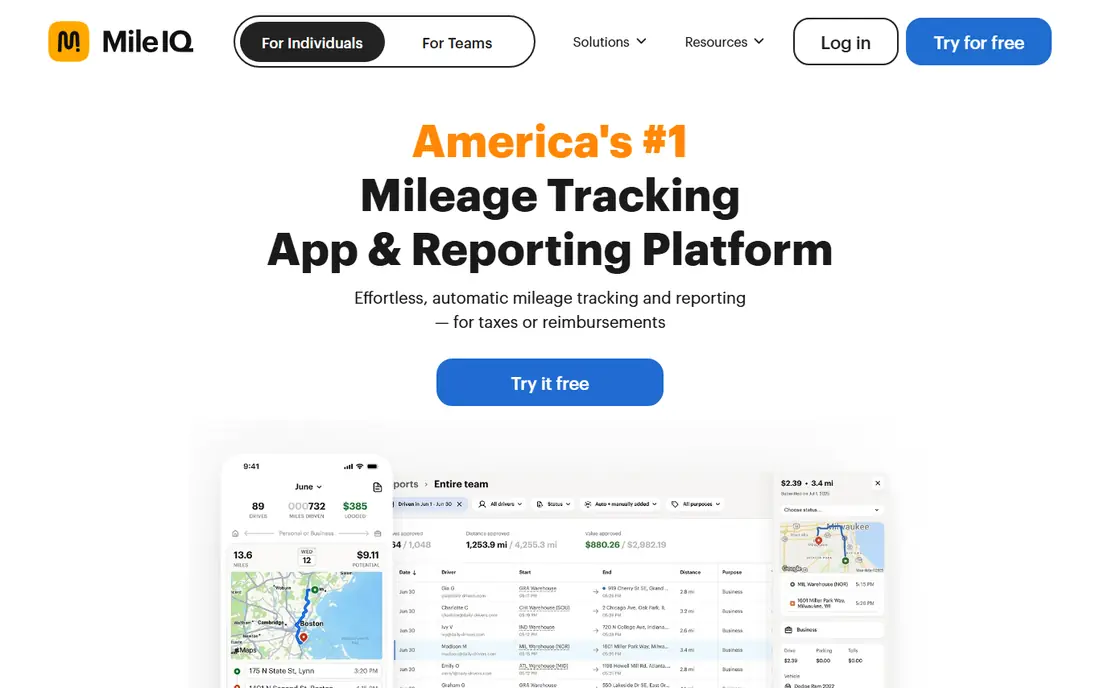
MileIQ is the app most people mean when they say mileage tracker. It runs in the background, detects drives, and asks you to swipe right for business or left for personal. That two second habit replaces a paper log or a spreadsheet you never update, and reports are ready for tax time or reimbursement.
The free plan covers 40 drives per month in recent listings, which suits light drivers but not daily drivers. Paid plans remove the cap, and pricing has varied in recent listings, so check the vendor pricing page before you buy. If you only need miles, MileIQ is the simplest choice here.
- Automatic drive detection
- Swipe to classify trips
- Clean tax ready reports
- Mileage only, no expense tracking
- Free plan caps drives per month
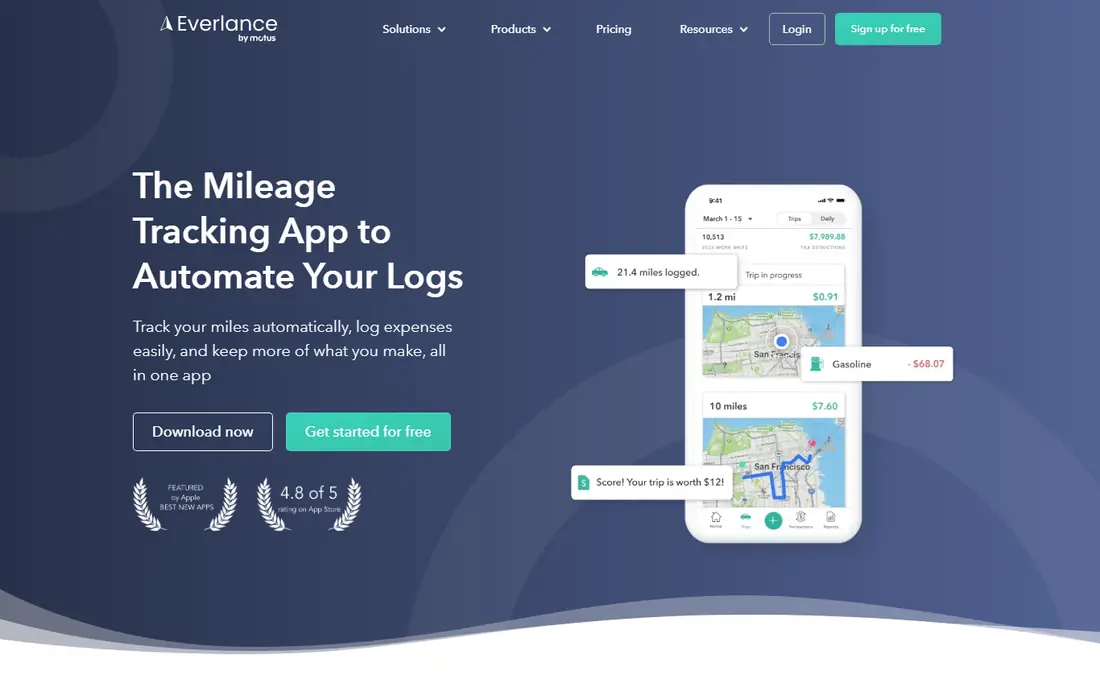
Everlance suits self employed workers who want mileage, expenses and income in one place. It tracks drives automatically, lets you add receipts and expenses, and syncs bank and card transactions for a fuller financial picture. That mix saves time at tax season compared with using separate apps.
The free plan covers 30 automatic trips per month in recent listings, with paid plans from $8 per month in some listings and $8.99 in others, so confirm the current price on the site. For freelancers who want mileage plus money tracking, Everlance is a practical all in one pick.
- Automatic mileage and expense tracking
- Bank and card sync
- Tax ready reports
- Free plan caps automatic trips
- Premium needed for full features

Hurdlr focuses on the tax question freelancers ask most: how much should I set aside. It tracks mileage and expenses, estimates taxes in real time, and shows a running view of income and deductions. That estimate helps gig workers and sole traders avoid a surprise tax bill.
Automatic mileage tracking sits behind Premium, priced at $9.99 per month or $99.99 per year in recent listings, while the free tier covers unlimited manual mileage. If you want a tax estimate alongside your log, Hurdlr is a strong choice, even if you start on manual entry.
- Real time tax estimates
- Unlimited manual mileage on free tier
- Expense and income tracking
- Automatic tracking needs Premium
- Interface can feel busy
TripLog suits companies that reimburse employee drivers. It offers GPS, manual and Bluetooth tracking modes, team admin controls, and reimbursement calculations, plus fuel, toll and parking tracking for a fuller expense picture. That depth matters when a finance team needs consistent logs from many drivers.
The trade is setup. Admins need to set policies, rates and approval flows, which takes longer than a solo app. Individual Premium and team plans start at different prices, with team mileage plans listed from $8 per user per month. For team reimbursement, TripLog is the most complete option here.
- Multiple tracking modes
- Team admin and reimbursement tools
- Fuel, toll and parking tracking
- Setup takes time for teams
- Individual pricing varies by plan
Driversnote is built for drivers who need a clean, compliant logbook across countries. It tracks trips automatically, lets you classify and add purposes, and exports reports that meet common tax log requirements. An optional iBeacon device can start tracking when you enter the car, which helps drivers who forget to open the app.
The free plan covers 15 trips per month in recent listings, with Pro from $11 per month. Expense tracking is lighter than in Everlance or Hurdlr. For a simple, compliant log that works in many countries, Driversnote is a dependable pick.
- Simple logbook with tax ready reports
- Works across countries
- Optional iBeacon hardware
- Free plan caps trips per month
- Fewer expense features than Everlance
Timeero suits field teams that need time and mileage together. It tracks employee location, time on site and mileage, with segmented tracking for multi stop routes and breadcrumbs that show the route taken. Managers get a clear view of field work, and payroll or reimbursement data is easier to check.
It is a team system, not a solo app, and pricing starts from $6 per user per month on the Basic plan in recent listings, with a trial rather than a free tier. For a mobile workforce, Timeero covers more ground than a simple logbook. For a solo driver, MileIQ or Everlance will be simpler.
- GPS time tracking plus mileage
- Segmented tracking and route breadcrumbs
- Team admin tools
- No permanent free plan
- More system than a solo driver needs
Zoho Expense is a good fit if your business already runs on Zoho. Mileage tracking sits inside expense reports, so drivers log trips alongside receipts and other costs, and reports flow into Zoho Books or other accounting tools. The free tier covers up to 3 users in recent listings, which suits very small teams.
As a standalone mileage app, it is less focused than MileIQ or Driversnote, since mileage is one feature in a larger system. Paid plans start from $3 per user per month on Standard in US listings. For Zoho users, that integration is worth more than a separate tracker.
- Free tier for up to 3 users
- Mileage inside expense reports
- Links to Zoho Books and other apps
- Mileage is part of a larger expense system
- Setup assumes Zoho familiarity
Stride offers free mileage and expense tracking for gig workers and independent contractors, with a view of potential tax deductions. It suits rideshare, delivery and freelance drivers who want a free log without a subscription. Setup is quick, and the focus is on deductions that matter to 1099 workers.
Team features, admin controls and deep reporting are thinner than in TripLog or Timeero. For a free solo tracker, Stride is a strong choice, especially if cost is the main barrier. For a team or a complex reimbursement policy, a paid team app will fit better.
- Free mileage and expense tracking
- Built for gig and 1099 workers
- Tax deduction view
- Fewer team and admin features
- Reports are simpler than paid rivals
SherpaShare is built for rideshare and delivery drivers who want mileage, income and expenses in one driver focused view. It tracks trips and earnings across platforms, which helps drivers see which hours and areas pay best. That driver focus sets it apart from general business trackers.
Pricing is listed at $5.99 per month or $59.99 per year in recent listings, with no permanent free tier. Office drivers and field sales teams may find a general tracker simpler. For gig drivers who want a dedicated tool, SherpaShare is a practical pick.
- Built for rideshare and delivery work
- Mileage, income and expense view
- Driver focused reports
- No permanent free plan
- Niche focus may not suit office drivers
MileageWise suits a specific problem: a missing or incomplete mileage log that needs rebuilding. It offers tools to reconstruct past trips from calendars, maps and other records, and produces audit focused reports. That is useful for drivers who face a tax review or who started tracking late.
It is not the best first tracker for daily use, since other apps here are simpler for ongoing logs. Pricing is listed from $6.99 per month or $69.99 per year in recent listings, with lifetime options also shown. For rebuilding a log, MileageWise fills a gap the other apps do not cover.
- Tools to rebuild past mileage logs
- Audit focused reports
- Web and mobile use
- No free tier
- Best for drivers with missing or incomplete logs
How we picked these
We compared official pricing pages, feature descriptions and recent roundups that cite vendor pricing in October 2026. We kept only apps that are live and that offer automatic or manual mileage tracking with exportable reports. We did not claim hands on testing, and prices vary by plan and billing period, so check the vendor page before you buy.
How to choose a mileage app
Start with who you are. Solo drivers should pick MileIQ or Driversnote for simplicity. Freelancers should pick Everlance or Hurdlr for mileage plus tax help. Teams should pick TripLog or Timeero for admin and reimbursement. Gig drivers on a budget should try Stride first.
Classify trips daily, not monthly
A log is only useful if you remember why each trip happened. Swipe or classify trips each day, add a clear purpose such as a client name or job site, and export a backup each quarter. That habit matters more than the app brand.
Check the report before tax time
Open a sample report early, check that dates, distances and purposes are complete, and confirm it exports in a format your tax adviser or employer accepts. Fix gaps in January, not in April, when memory has faded.
Frequently asked questions
What is the best app for mileage tracking for taxes?
MileIQ, Everlance and Driversnote all produce tax ready reports, and the best pick depends on whether you also need expenses. MileIQ is simplest for miles alone, Everlance adds expenses, and Driversnote offers compliant logs across countries.
Is there a free mileage tracking app?
Yes. Stride is free for mileage and expense tracking, and MileIQ, Everlance, Hurdlr, Driversnote and Zoho Expense all offer free tiers with limits on trips or users. Free tiers suit light drivers, while daily drivers usually need a paid plan.
Does automatic mileage tracking drain battery?
It can use more battery than manual logging, since it uses GPS in the background. Most apps here offer battery saving settings and work hours rules, so test the app for a week on your phone before you judge battery use.
Can a mileage app track past trips I forgot to log?
Some apps, notably MileageWise, offer tools to rebuild past logs from calendars and maps. Other apps can import manual entries, but they cannot recover GPS data for trips that were never tracked, so start automatic tracking as soon as you can.
Do I need a mileage app if I already use accounting software?
Not always, but a dedicated app often tracks drives more accurately than manual entry in accounting software. Zoho Expense and QuickBooks style tools include mileage, while MileIQ, Everlance and TripLog can export logs to accounting tools for a fuller record.
Sources
See where you really rank - block by block
ProMapRanker scans Google Maps across a grid of your service area. Simple monthly plans from $19, white-label on every plan.
Start freeKeep reading
 zscaler alternatives
Best Zscaler Alternatives in 2026
Looking for zscaler alternatives? We compare 9 SASE and zero trust platforms on architecture, data protection, pricing, and fit for your network and team.
Read → zapier alternatives free
Best Zapier Alternatives Free in 2026
Nine automation tools for zapier alternatives free in 2026, all with genuinely free tiers, plus free plan limits, starting prices and upgrade paths explained.
Read → which platform is best for online reputation
Which Platform Is Best for Online Reputation in 2026
Wondering which platform is best for online reputation? We compare 8 review, listing, and response tools for small and multi-location businesses and agencies.
Read →