 ProMapRanker
Best Metadata Management Tools in 2026

Key takeaways
- Metadata management tools help teams find trusted data, trace where it came from, and record who owns it.
- Alation and Atlan lead for analyst-friendly discovery, while Collibra leads for formal governance and policy workflows.
- Open source options such as OpenMetadata and DataHub cut licence cost but need engineering time to run well.
- Most enterprise tools use quote-based pricing, so budget from a sales quote, not a headline price.
- Our pick for most modern data teams is Atlan for its balance of discovery, collaboration, and cloud-native design.
Quick comparison
| Pick | Great for | Pricing starts at | Free tier | |
|---|---|---|---|---|
 Atlan | Cloud-native discovery | See website | No | Visit |
 Alation | Analyst-friendly catalog | See website | No | Visit |
 Collibra | Formal governance | See website | No | Visit |
 data.world | Knowledge graph catalog | See website | No | Visit |
 Secoda | Fast setup for growing teams | See website | Free trial | Visit |
 OpenMetadata | Open source catalog | Free | Yes | Visit |
 DataHub | Open source discovery | Free | Yes | Visit |
 Microsoft Purview | Microsoft estate governance | See website | Free trial | Visit |
 OvalEdge | Mid-market governance | See website | No | Visit |
The best metadata management tools
We compared tools that collect metadata, build a searchable catalog, show lineage, and support ownership and quality checks. The nine below cover enterprise suites, modern cloud tools, and open source options.
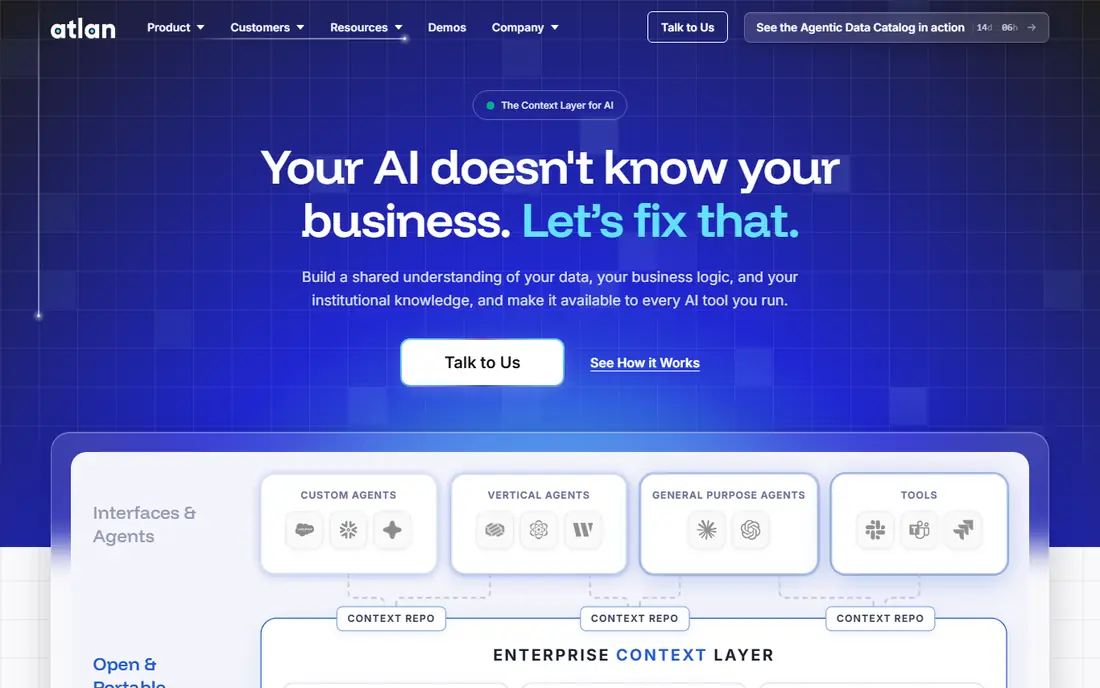
Atlan presents data as a shared workspace, not just a search index. Analysts can find tables, see lineage, read definitions, and ask questions in context, while stewards can assign owners and track quality signals. That collaboration layer helps teams that already use Snowflake, Databricks, or dbt, because Atlan is built around those modern stacks. Search, lineage, and glossary views sit together, so a user does not need three tools to answer one question about a metric.
The main drawback is pricing opacity. Atlan does not publish a simple starting price, so teams must request a quote and scope users, sources, and features. Implementation is faster than legacy suites, but still needs ownership and curation to stay useful. For cloud-first teams that want adoption, not just a catalog, Atlan is our pick.
- Collaboration features built into the catalog
- Strong support for modern cloud stacks
- Lineage and glossary tools in one place
- Quote-based pricing makes early budgeting hard
- Smaller teams may find the full suite more than they need

Alation ranks search results using how people actually query data, which helps analysts find tables that colleagues already trust. That usage signal, plus curation, ratings, and stewardship workflows, makes the catalog feel lived in rather than auto-generated. Alation also covers a wide mix of legacy and modern sources, which suits companies with both old warehouses and new cloud tools. Its glossary and lineage views help teams explain a metric without hunting through tickets.
Cost and effort are the honest catches. Alation does not publish pricing, and a full rollout takes weeks of connector setup, steward training, and curation. Teams that skip that work end up with a catalog few people trust. For analytics-led organisations that will invest in stewardship, Alation remains a leading choice.
- Search ranked by real usage
- Mature stewardship and curation tools
- Broad connector library
- Quote-based pricing
- Implementation is a project, not a quick install
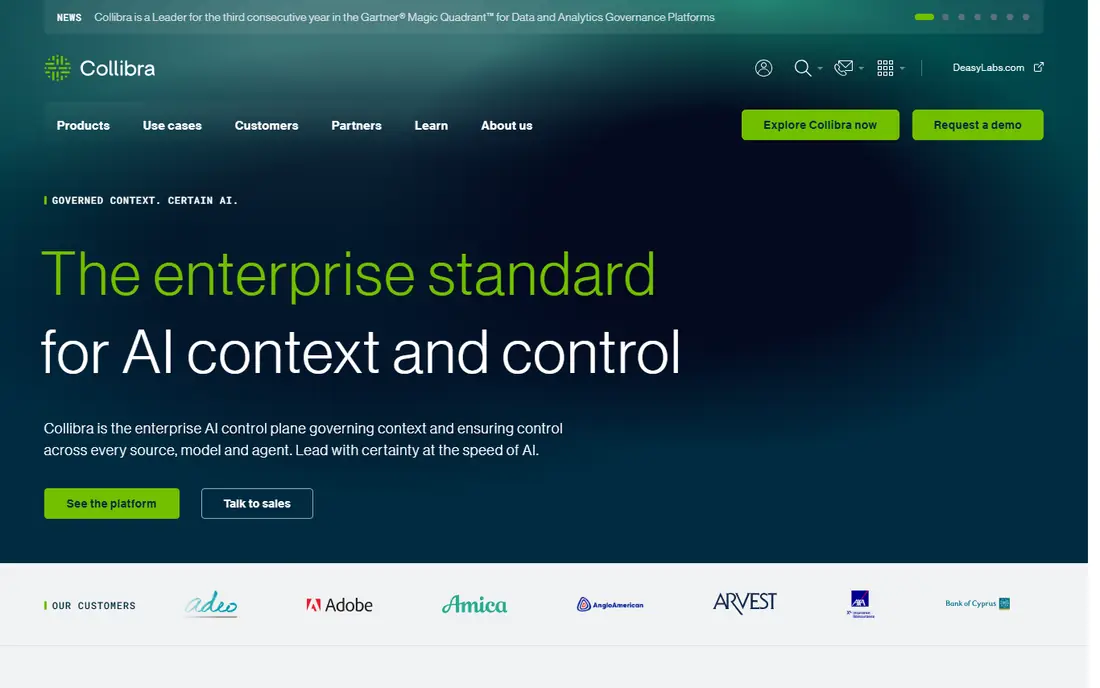
Collibra is built governance first. It offers hierarchical glossaries, policy-linked definitions, approval workflows, and audit trails that regulated teams need to prove control. Column-level lineage, data quality checks, and stewardship assignments sit inside the same platform, so a bank or insurer can trace a reported figure back to its source and show who approved each definition. That depth is why Collibra suits formal governance programmes.
The trade-off is time and complexity. Rollouts often take months, and analysts may find the interface more formal than a discovery-first tool. Pricing is also quote-based and typically enterprise level. For teams where compliance evidence matters as much as discovery, Collibra is the safer bet.
- Deep policy and workflow controls
- Strong data quality module
- Suited to regulated reporting
- Long implementation for large estates
- Steward-centred design can feel heavy for casual analysts
data.world, now part of ServiceNow, treats the catalog as a knowledge graph. That model links datasets, metrics, people, and business terms, so users can explore relationships rather than only keyword matches. Analysts can ask how a metric connects to a source system, a team, and a policy in one view. That connected view helps larger analytics teams that reuse metrics across many reports.
The graph model rewards teams that invest in modelling, but it can feel abstract for a team that only needs basic search. Pricing is handled through sales, so small teams should confirm cost early. For teams that value semantic links and reuse, data.world is a distinct and credible option.
- Knowledge graph model for connected data
- Strong semantic search
- Good fit for analytics teams that think in relationships
- Pricing is quote-based
- Graph approach needs clear modelling to pay off
Secoda aims for speed. A growing team can connect common sources, auto-generate documentation, and give analysts a searchable catalog in days or weeks rather than months. AI-assisted search and documentation reduce the manual curation burden that slows many catalog projects. That low-touch setup suits startups and mid-market teams that need discovery now, without a governance office.
Formal policy workflows, deep data quality, and complex approval chains are not its main strength. Teams in heavily regulated sectors may still need Collibra or Alation for those controls. For a modern team that wants a catalog people actually open each week, Secoda is a practical choice.
- Fast deployment for modern stacks
- AI-assisted search and documentation
- Suited to teams of five to fifty data users
- Less depth than enterprise suites for formal governance
- Pricing requires a quote
OpenMetadata is an open source data catalog that covers discovery, lineage, data profiling, and glossary management without a licence fee. Teams can run it on their own infrastructure and extend it through its API and connectors. That openness appeals to engineering-led teams that want control and want to avoid a large annual contract. The project has grown steadily, with managed cloud options for teams that prefer less operations work.
The cost shifts from licences to people. Someone must deploy, upgrade, secure, and tune the system, and connector depth varies by source. A team without data platform engineering time may struggle to keep it current. For teams with that skill in house, OpenMetadata is the strongest free starting point.
- Free open source core
- Broad connector support
- Lineage, glossary, and profiling in one project
- Self-hosting needs engineering effort
- Support depends on community or a paid managed option
DataHub began as an internal metadata platform and is now a widely used open source project. It offers a flexible metadata model, search, lineage, ownership, and glossary features, with a managed cloud version for teams that want hosting and support. That split lets a team start free and move to paid support when scale or uptime demands it. DataHub suits teams that want a modern discovery layer without committing to a proprietary suite.
As with OpenMetadata, the free core does not include every managed feature, and running it well takes operations skill. Documentation and community support are strong, but not a substitute for a vendor service agreement in a regulated setting. For engineering teams that value an open model, DataHub is a solid pick.
- Free open source core from a proven lineage
- Strong metadata model
- Managed cloud option for teams that want support
- Enterprise features sit in the paid cloud tier
- Self-hosted setup takes engineering time
Microsoft Purview brings data governance, catalog, lineage, and compliance tools into the Microsoft cloud. Teams already on Azure, Microsoft 365, and Power BI gain native connectors and a single place to view sensitivity, ownership, and lineage. Purview also links governance to broader Microsoft compliance features, which helps companies that already standardise on Microsoft security tools. Usage-based billing means cost follows actual use, rather than a fixed seat count.
That same usage model makes budgeting less predictable, and teams outside Microsoft may find connector depth weaker. Purview also carries a learning curve, because governance, compliance, and catalog features span several consoles. For Microsoft-centred estates, it is the natural first look.
- Native fit for Azure and Microsoft 365 data
- Unified governance and compliance views
- Usage-based billing can suit variable estates
- Pricing varies by use and is hard to forecast
- Best value stays inside the Microsoft estate
OvalEdge targets mid-market and enterprise teams that want governance without a sprawling, metered bill. Its base subscription includes data classification, lineage mapping, and catalog features that other vendors sell as add-ons. AI agents for curation and classification aim to cut manual steward work. Deployment is typically measured in weeks, which helps teams that cannot wait months for value.
The ecosystem is smaller than the largest suites, so a team with an unusual source should check connector coverage first. Pricing is licence-based but still quote-driven, so a sales conversation is needed for a firm figure. For mid-market teams that want predictable governance costs, OvalEdge deserves a shortlist place.
- Licence-based pricing rather than metered use
- Governance, classification, and lineage in the base product
- Faster deployment than legacy suites
- Smaller ecosystem than Alation or Collibra
- Pricing still requires a quote
How we picked these
We compared official product pages, pricing disclosures, and public 2026 catalog comparisons, and we kept only tools that actively collect metadata, support search and lineage, and are maintained in 2026. We treated quote-based pricing as See website rather than repeating third-party estimates as facts. We did not claim hands-on testing, and we weighed discovery, governance depth, deployment effort, and open source viability together.
What to check before you buy a metadata tool
Start with the question your team asks most often. If analysts cannot find trusted tables, prioritise search, usage signals, and curation. If auditors ask for lineage and ownership proof, prioritise workflow, policy, and audit trails. A tool that excels at one job may only be adequate at the other, so score vendors against your top three use cases, not a generic feature list.
Next, test connector coverage on your real stack. Ask for a proof of concept on your warehouse, BI tool, and key operational sources, and check lineage depth on a metric you actually report. Confirm who will own curation after launch, because a catalog without stewards decays fast. Also check how the tool handles sensitive data classification and access controls.
Finally, model total cost honestly. Include licences or quotes, implementation help, internal steward time, and any managed hosting fees. Open source tools look free until you count engineering time, while enterprise suites look costly until you count the audit work they replace. Run a pilot with one domain, such as finance or marketing, before a company-wide rollout.
Governance versus discovery
Governance tools enforce rules, approvals, and audit trails. Discovery tools help people find and trust data fast. Most teams need both, but the balance differs. A regulated bank leans toward governance, while a product analytics team leans toward discovery. Choose the tool whose default design matches your balance, rather than hoping add-ons will fix a mismatch.
Keeping a catalog useful
Assign an owner for each key dataset and metric, and review stale definitions each quarter. Remove or flag tables no one queries, and link each metric to its definition, owner, and lineage. A small, trusted catalog beats a large, uncurated one, because analysts stop checking a catalog they do not trust.
Frequently asked questions
What are the best metadata management tools?
For most modern teams, Atlan and Alation lead for discovery and adoption, while Collibra leads for formal governance. Secoda suits growing teams that need speed, and OpenMetadata or DataHub suit engineering teams that want open source control. The best pick depends on your stack, governance needs, and budget model.
What is the best data catalog tool for a small team?
Secoda, OpenMetadata, and DataHub are the usual starting points for smaller teams. Secoda offers fast managed setup, while the open source tools offer zero licence cost in exchange for engineering time. Start with one data domain, prove analysts use the catalog weekly, and expand from there.
How is metadata management software different from a data catalog?
A data catalog is the searchable inventory of datasets, while metadata management covers the wider job of collecting, governing, and maintaining that metadata. That wider job includes lineage, ownership, quality signals, glossaries, and policy controls. Many modern tools combine both, but governance depth still varies a lot between vendors.
Do metadata management platforms publish pricing?
Most enterprise platforms do not publish a simple price, and instead price by users, sources, and modules through a quote. Open source tools publish no licence fee, but managed hosting and support cost extra. Ask vendors for a scoped quote based on your source count and user count, and confirm what is included in the base price.
What is the best metadata management platform for Microsoft shops?
Microsoft Purview is the natural fit for teams already on Azure, Microsoft 365, and Power BI, because its connectors and compliance links are native. Teams with a mixed stack should also compare Atlan and Alation, which cover Microsoft sources alongside other clouds. Test lineage on a real Power BI report before deciding.
How long does it take to deploy a metadata tool?
Deployment ranges from days for a focused Secoda or open source pilot to months for a large Collibra or Alation rollout. Time depends on source count, lineage depth, steward availability, and governance design. A pilot on one domain gives a realistic timeline for the wider rollout.
Sources
- https://www.atlan.com/data-catalog-tools/
- https://www.ovaledge.com/blog/data-catalog-pricing-guide
- https://www.atlan.com
- https://www.alation.com
- https://www.collibra.com
- https://www.data.world
- https://www.secoda.co
- https://www.open-metadata.org
- https://www.datahubproject.io
- https://www.microsoft.com/en-us/security/business/microsoft-purview
- https://www.ovaledge.com
See where you really rank - block by block
ProMapRanker scans Google Maps across a grid of your service area. Simple monthly plans from $19, white-label on every plan.
Start freeKeep reading
 zscaler alternatives
Best Zscaler Alternatives in 2026
Looking for zscaler alternatives? We compare 9 SASE and zero trust platforms on architecture, data protection, pricing, and fit for your network and team.
Read → zapier alternatives free
Best Zapier Alternatives Free in 2026
Nine automation tools for zapier alternatives free in 2026, all with genuinely free tiers, plus free plan limits, starting prices and upgrade paths explained.
Read → which platform is best for online reputation
Which Platform Is Best for Online Reputation in 2026
Wondering which platform is best for online reputation? We compare 8 review, listing, and response tools for small and multi-location businesses and agencies.
Read →