 ProMapRanker
Best Membership Platforms in 2026


Memberships on an existing website · Pricing starts at: $49 per month
Key takeaways
- The cheapest way to start is usually a platform with no monthly fee, such as Patreon, while the cheapest way to scale is often a flat monthly plan with low transaction fees.
- Community-led memberships suit Mighty Networks and Circle, while memberships built around courses suit Kajabi and Podia.
- WordPress owners get the most control from MemberPress, while owners of an existing non-WordPress site get a simpler path from Memberful.
- Associations and clubs should weigh Wild Apricot first, because member records, events and dues sit in one place.
- Always add transaction fees and payment processing to the monthly price before comparing two platforms.
Quick comparison
| Pick | Great for | Pricing starts at | Free tier | |
|---|---|---|---|---|
| Memberful | Memberships on an existing website | $49 per month | Free trial | Visit |
 Mighty Networks | Community-led memberships | $79 per month | Free trial | Visit |
 Circle | Community plus courses | $89 per month | Free trial | Visit |
 Patreon | Creators with an existing audience | Free | Yes | Visit |
 Kajabi | Courses, coaching and memberships in one place | $179 per month | Free trial | Visit |
 Podia | Simple all-in-one selling for solo creators | See website | Free trial | Visit |
 Wild Apricot | Associations, clubs and nonprofits | See website | Free trial | Visit |
 MemberPress | WordPress membership sites | $399 per year | Free trial | Visit |
 Whop | Digital products and paid communities | Free | Yes | Visit |
 Skool | Simple gamified communities | See website | No | Visit |
The best membership platforms
We looked at official pricing pages, feature pages and public reviews to compare platforms that handle paying members, content access and community in different ways. The right choice depends less on the longest feature list and more on where your audience already lives and what you plan to sell.

Memberful suits a creator or publisher who already has a website they like and only needs the membership layer on top of it. You connect Memberful, set up plans and protected content, and keep your existing design, domain and content system. That separation is a real strength for people who do not want to rebuild a site just to charge for access.
The trade-off is that Memberful is not a community platform in its own right. If discussion, live events and member-to-member contact are central to your offer, you will need another tool alongside it, such as a forum or chat app. The entry plan also adds a transaction fee on top of payment processing, so check the total cost at your expected revenue before committing.
- Works with your current site
- Supports tiers, coupons and group plans
- Members stay on your brand
- Transaction fee on the entry plan
- No built-in community feed
- You supply the site and content
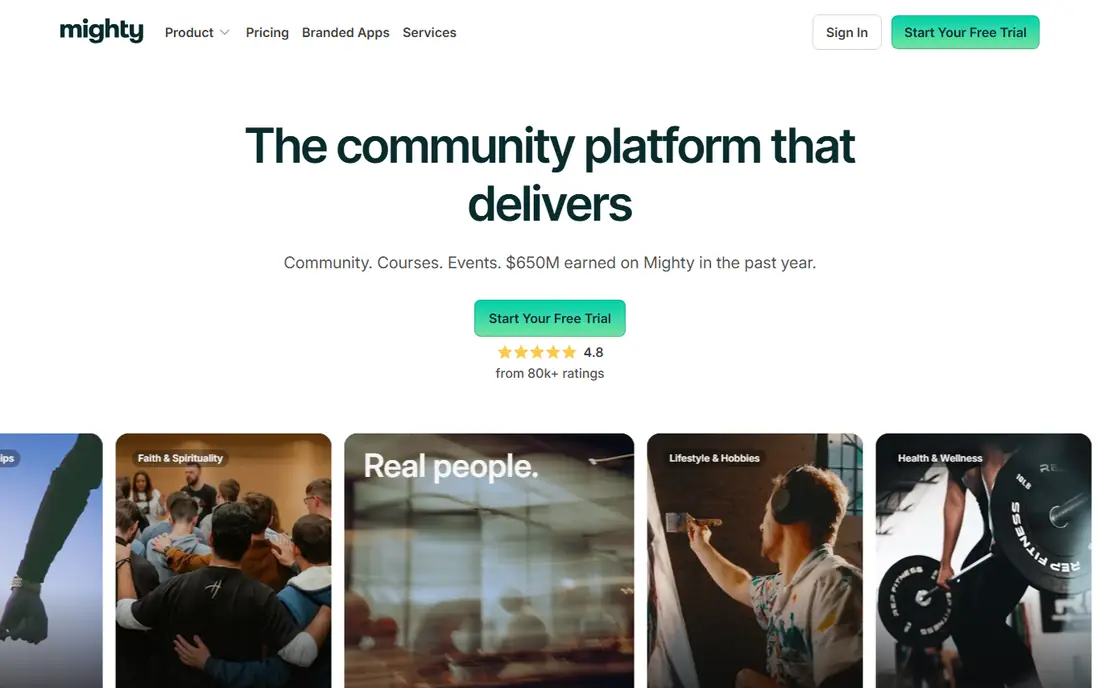
Mighty Networks is built around spaces where members talk, learn and attend events, rather than around a static library of posts. That structure works well for cohorts, challenges and masterminds where the value comes from other members as much as from the host. Courses, live streams, polls and member profiles sit inside the same space, which keeps people in one place instead of sending them across several apps.
The catch is price progression. The entry plan carries a transaction fee, and a fully branded mobile app is reserved for the top tier, which is priced on request. If you only need a simple paywall for written content, Mighty Networks may be more tool than you need, and a simpler platform could save money.
- Unlimited members and spaces on paid plans
- Courses, events and live streaming built in
- Native mobile experience
- Transaction fee on lower plans
- Branded apps sit on the highest tier
- Costs rise quickly with scale
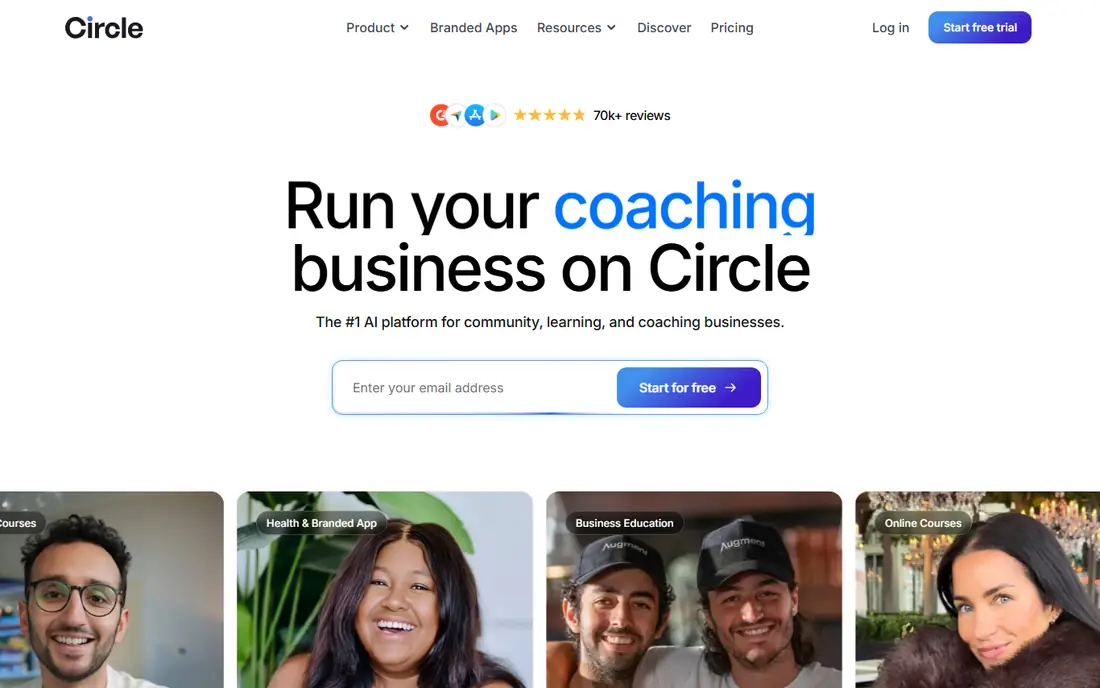
Circle gives a membership a tidy home: discussion spaces, courses, live events and member directories under one brand. It feels closer to a modern community product than to a course platform with a forum bolted on, and that shows in how easy it is for members to find conversations and content. Automation for onboarding, badges and access rules helps a small team run a larger community without constant manual work.
Our reservation is that some useful pieces cost more. Email marketing is a paid add-on rather than a core feature, and a fully branded app requires the highest tier. Teams that need strong email and a branded app from day one should price those extras before choosing Circle over a more all-in-one option.
- Clean community, course and event structure
- Automation and member management
- Email add-on available
- Transaction fee on lower plans
- Branded app only on the top tier
- Email costs extra
Patreon remains the lowest-friction way to start charging for membership. There is no monthly subscription to pay while you test an offer, and the platform handles payments, tiers and member-only posts. For a creator who already has followers on video, audio or social platforms, Patreon turns that attention into recurring revenue without a website build.
The price of that ease is control and cost at scale. Patreon takes a percentage of earnings plus payment processing, so a successful membership pays more over time than a flat-fee platform would. You also have less control over the look of the member experience, and discovery inside Patreon is limited, so you still need to bring your own audience.
- Free to join
- No monthly fee to start
- Built-in payments, tiers and member posts
- Platform fee on earnings
- Limited design control
- Members live mainly inside Patreon
Kajabi suits an expert seller who wants one bill for courses, coaching, email marketing and memberships. The landing page builder, checkout, email sequences and analytics work together, which removes the need to connect several separate tools. For a business selling premium programs, that consolidation can be worth the higher monthly price.
The weakness is community depth. Discussion tools exist, but they are lighter than those on Mighty Networks or Circle, with less emphasis on member-led conversation and gamification. Kajabi also caps contacts and products by plan, so a growing list can force an upgrade even when the membership itself is running well.
- Courses, email, landing pages and payments in one dashboard
- Strong funnel and automation tools
- No platform transaction fee on its own payments
- High entry price
- Community features are lighter than dedicated community tools
- Contact and product caps on plans
Podia is a friendly pick for a solo creator who wants to sell a course, a download and a membership without learning a complex system. Setup is straightforward, the storefront looks clean, and members get a community space alongside paid content. That simplicity matters when one person is doing the teaching, the marketing and the support.
It is not the tool for a large team with advanced automation needs. Email sending is capped by plan, and the marketing toolkit is narrower than Kajabi's. Creators who expect heavy email volume or complex funnels should check the plan limits closely, but for a first membership, Podia keeps the moving parts small.
- Courses, downloads, coaching and memberships in one storefront
- Simple setup
- Community spaces included
- Email limits on lower plans
- Fewer advanced marketing tools than Kajabi
- Transaction fee on the entry plan
Wild Apricot is made for organisations that need records as much as content. A club or association can store member details, collect dues, manage renewals, run event registration and publish a website from the same system. That combination is hard to match with creator platforms, which tend to treat members as subscribers rather than as a formal roll.
The look and feel is more practical than polished, and the price grows as the contact list grows. A creator selling video courses will find it a poor fit, but a professional body, sports club or alumni group will find the admin tools save real staff time. The long free trial gives a committee time to test it properly before paying.
- Member database, dues, events and website in one system
- 60-day free trial
- Strong fit for formal organisations
- Design feels dated next to creator tools
- Pricing rises with contact count
- Less suited to course-led creators
MemberPress is the pick for a WordPress site owner who wants to keep full ownership of the site, the data and the design. Access rules can cover posts, pages, files, categories and custom content, and features such as drip content, coupons and gift memberships are built in. The course builder adds lessons and quizzes without a second plugin for many sellers.
That control comes with responsibility. You manage hosting, updates and backups, and the initial setup takes longer than signing up for a hosted platform. The entry plan also carries a transaction fee, which drops on higher plans. For a team already comfortable with WordPress, those trade-offs are worth it; for a beginner, a hosted tool will be faster.
- Deep control over content access rules
- Coupons, drip content and corporate accounts
- Built-in courses
- Requires a WordPress site and hosting
- Transaction fee on the entry plan
- Setup takes more work than hosted tools
Whop works well for sellers of digital products, paid chat groups, courses and software access who want to list and sell quickly. There is no monthly fee to start, and the marketplace can bring buyers who are already browsing for products in a niche. Payments, access control and delivery are handled in one place, which suits small teams.
The downside is the same as with any marketplace: you pay fees on sales, and your product sits next to competitors. A brand that wants a fully owned, quiet member experience may prefer Memberful or a hosted community platform. For a new seller testing demand, though, Whop keeps upfront costs near zero.
- Free to start
- Marketplace discovery for digital products
- Handles payments and access
- Fees on sales
- Marketplace feel suits some niches better than others
- Less control than a self-hosted site
Skool strips community membership down to three parts: a feed, a classroom and a calendar. Members earn points and levels for participating, which gives a small community a lively feel without complex settings. That simplicity is the whole appeal, and many new community builders finish setup in an afternoon.
The limits show up as a community grows. Customisation is narrow, course tools are basic compared with Kajabi or Podia, and there is no free plan to test with. Skool fits a coach or creator running one paid group well; it fits a larger business with several products and tiers less well.
- Very simple setup
- Feed, classroom and calendar in one place
- Gamification keeps members active
- Limited customisation
- Pricing is not tiered by features in the usual way
- Fewer advanced course tools
How we picked these
We compared official pricing pages, feature pages and app store listings for platforms that serve paying members, and we checked that each product is live and accepting new customers in October 2026. We favoured platforms that cover a distinct buyer: creators, course sellers, associations, WordPress owners and marketplace sellers. Where pricing differed between sources, we used the vendor's own published starting price or wrote See website rather than guessing.
What to check before you pay
Start with the true cost, not the headline price. Add the monthly plan, the platform transaction fee and payment processing, then work out what that total looks like at your expected member count and price. A free-to-join platform can become the most expensive option once revenue grows, while a higher flat fee can become cheap at scale.
Next, decide what members actually get. If the value is conversation and peer support, pick a community-first tool and test its mobile experience yourself. If the value is a course library, pick a course-first tool and check drip, quizzes and certificates. If the value is formal membership with renewals and events, pick an association tool and test its admin side, not just the member view.
Finally, think about exit and ownership. Ask how you export your member list, whether content can be moved, and what happens to access if you cancel. A platform that locks your member data in is a bigger risk than a platform that charges a little more each month. Use free trials to run a small founding group through signup, payment and first-week content before you announce a public launch.
Frequently asked questions
What is the best app for memberships?
There is no single best app, because the fit depends on your model. Creators with an audience often start with Patreon, community builders often choose Mighty Networks or Circle, and course sellers often choose Kajabi or Podia. Pick the platform that matches what members pay for, then test it with a small group.
What are the best membership apps for a small club?
Wild Apricot is a strong fit for clubs and associations, because it combines member records, dues and event registration. MemberPress also works well if the club already runs a WordPress site. A casual social group may prefer Skool or Circle, which feel more like a community app than an admin system.
What is the top membership software for courses?
Kajabi and Podia both combine courses with memberships, with Kajabi offering deeper marketing tools and Podia offering a simpler setup. Circle is a good middle ground when courses matter but community discussion matters just as much. Compare course features and email limits before deciding.
Do top rated membership software reviews agree on one winner?
No, and that is expected, because reviewers weigh different things. Some rank by price, some by community depth and some by course tools. Use reviews to build a shortlist, then judge the finalists on your own trial, your own content and your own member count.
Can I run a membership without a monthly fee?
Yes, Patreon and Whop let you start without a monthly fee and take a share of sales instead. That keeps upfront costs low, but the total cost rises with revenue, so revisit the maths once you have steady income. A flat-fee plan may save money at that point.
Sources
See where you really rank - block by block
ProMapRanker scans Google Maps across a grid of your service area. Simple monthly plans from $19, white-label on every plan.
Start freeKeep reading
 zscaler alternatives
Best Zscaler Alternatives in 2026
Looking for zscaler alternatives? We compare 9 SASE and zero trust platforms on architecture, data protection, pricing, and fit for your network and team.
Read → zapier alternatives free
Best Zapier Alternatives Free in 2026
Nine automation tools for zapier alternatives free in 2026, all with genuinely free tiers, plus free plan limits, starting prices and upgrade paths explained.
Read → which platform is best for online reputation
Which Platform Is Best for Online Reputation in 2026
Wondering which platform is best for online reputation? We compare 8 review, listing, and response tools for small and multi-location businesses and agencies.
Read →