 ProMapRanker
Best Measuring App in 2026

Key takeaways
- Apple Measure is the best free starting point on iPhone, while AR Ruler App is a strong cross-platform option for Android and iPhone.
- Magicplan and Moasure suit room plans and larger layouts, while GPS Fields Area Measure suits outdoor land and field work.
- Phone measurements are estimates for planning, not a replacement for a tape measure on jobs where exact size matters.
- Good light, textured surfaces, and slow phone movement improve AR accuracy more than any app setting.
Quick comparison
| Pick | Great for | Pricing starts at | Free tier | |
|---|---|---|---|---|
 Apple Measure | Quick AR length on iPhone | Free | Yes | Visit |
 AR Ruler App | Cross-platform AR measuring | Free | Yes | Visit |
 Magicplan | Room plans and estimates | Free | Yes | Visit |
 Moasure | Irregular rooms and layouts | Free | Yes | Visit |
 GPS Fields Area Measure | Outdoor distance and area | Free | Yes | Visit |
 Ruler App | Small objects on screen | Free | Yes | Visit |
 AirMeasure | AR room and furniture planning | Free | Yes | Visit |
 Smart Measure | Height and distance estimates | Free | Yes | Visit |
 RoomScan Pro | Fast room scans on iPhone | Free | Yes | Visit |
The best measuring app
These apps use your phone camera, sensors, or GPS to estimate length, height, area, and angles. Where an app has no standalone homepage, we link its app store page and say so. For exact work, always confirm a phone reading with a tape measure before you cut, order, or build.

Apple Measure comes with iPhone and iPad, so most Apple users already own the best basic measuring app for free. Point the camera at a surface, tap to set points, and read length, height, or area for a rectangle. A level tool helps with hanging and alignment, and photos with measurements overlaid are easy to save and share.
Accuracy depends on the device and the surface. Phones with LiDAR give steadier results, while older phones rely on camera tracking that can drift in dim light or on plain walls. Apple Measure also lacks the plan exports and estimating tools of Magicplan. For a quick check on furniture fit or wall length, it is the fastest tool on iPhone, and it costs nothing extra.
- Built into iPhone and iPad
- Simple line and area tools
- Level tool included
- Needs a recent iPhone or iPad for best results
- Limited export options
- Apple devices only
AR Ruler App turns a phone camera into a tape measure with tools for lines, distances, angles, areas, volumes, and room plans. It supports metric and imperial units, and it can detect rectangles and 3D shapes for faster measuring. Android and iPhone users can use the same workflow, which helps a household or team with mixed phones.
The free version limits how many measurements you can take per day in some versions, and ads appear between sessions. That cap matters for a full house survey, though it rarely blocks a single furniture check. For a cross-platform AR app with a wide tool set, AR Ruler App is the most flexible free option here.
- Line, area, volume, and angle tools
- Works on Android and iPhone
- Room and 3D plan features
- Free measurements can be limited per day
- Ads in the free version
- This app has no standalone homepage, so we link its store page
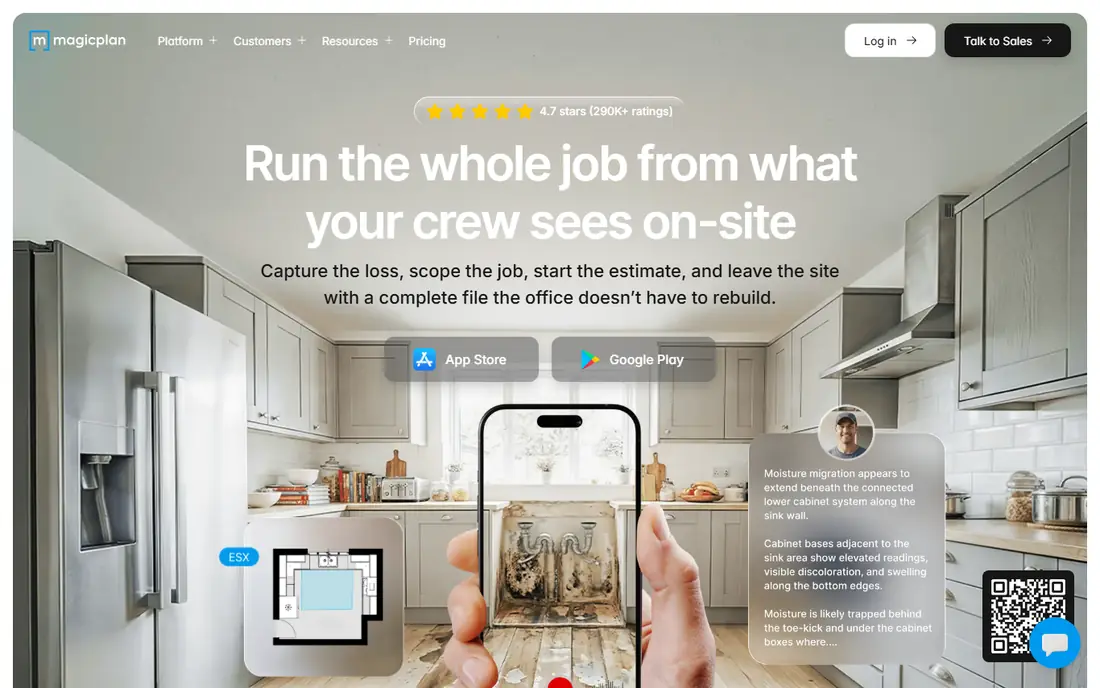
Magicplan is built for field work: scan a room, get a dimensioned floor plan, add notes and photos, and export a report or estimate. On LiDAR iPhones, scanning is fast and the plan updates as you move, which suits contractors, adjusters, and designers who document spaces often. Estimating tools and integrations with claims software set it apart from simple ruler apps.
The free tier covers only a couple of projects, so regular professional use needs a subscription. Android users also face limits, since AR scanning was removed from Android and Bluetooth laser meters are now the main accurate path there. For a homeowner measuring one or two rooms, the free tier may be enough. For weekly field work, budget for the subscription.
- Fast room scanning on LiDAR iPhones
- Dimensioned floor plans
- Estimating and export tools
- Free tier covers only a small number of projects
- Android AR scanning is limited
- Subscription for regular use
Moasure uses phone motion sensors rather than only the camera, so you measure by walking the phone around a shape or along a wall. That method suits irregular rooms, gardens, and curved layouts where a straight AR line is hard to place. The app builds a drawing as you move, and exports support common file formats for plans and records.
The motion method takes practice. Jerky movement, a change in grip, or a missed corner can shift a reading, so first-time users should test on a known length before trusting a plan. Paid features open fuller exports and tools. Moasure is worth learning for odd shapes, while a simple AR app may be faster for a single straight wall.
- Measures by moving the phone, not just by camera
- Good for irregular shapes
- Exports to common formats
- Learning curve for the motion method
- Accuracy depends on steady movement
- Paid features for exports
GPS Fields Area Measure starts from a map, not a camera, which makes it the right tool for fields, plots, routes, and outdoor perimeters. Drop points on a map to measure distance or area, or walk a boundary with GPS tracking and let the app record the path. Farmers and outdoor planners use it for quick estimates before a formal survey.
GPS accuracy depends on signal, device, and tree cover, so readings near buildings or under heavy canopy can drift. Treat results as planning estimates, and use a professional survey for legal boundaries or land sales. For a fast field check, the free version with ads is enough to test the workflow.
- Map-based distance and area
- GPS walk mode
- Metric and imperial units
- GPS accuracy varies by signal
- Ads in the free version
- This app has no standalone homepage, so we link its store page
Ruler App by NixGame is the simplest tool in this list: place a small object beside the phone, align it with the on-screen ruler, and read the length. It needs no AR setup, no surface scan, and no account, which makes it useful for screws, cards, keys, and other small items. Unit switching between centimeters and inches takes one tap.
The limit is size. Anything larger than the phone screen needs a different method, and calibration matters, since screen sizes vary. Check the ruler against a known object, such as a credit card, before trusting a reading. For tiny, quick checks, Ruler App beats opening a full AR tool.
- Simple on-screen ruler
- Quick unit switching
- No AR setup needed
- Only for objects that fit near the phone screen
- Calibration matters
- This app has no standalone homepage, so we link its store page
AirMeasure bundles more than a dozen AR tools, including length, height, area, and angle measurement, into one iPhone app. It suits furniture planning, since you can measure a space, check a piece, and preview fit without switching apps. The tool picker keeps each job separate, which helps when a room needs several kinds of readings.
The app is iPhone-focused, so Android users should choose AR Ruler App instead. Some tools also need newer hardware for steady tracking. AirMeasure is a good all-in-one choice for iPhone owners who want more than Apple Measure without paying for a professional plan app.
- Many AR tools in one app
- Furniture and room planning
- IPhone focus
- IPhone only in practice
- Some tools need newer devices
- This app has no standalone homepage, so we link its store page
Smart Measure estimates height and distance using trigonometry: enter the height at which you hold the phone, point at the base and top of an object, and the app calculates the result. It works for trees, buildings, and tall furniture where a tape measure cannot reach easily. The Android app is simple and free to try, with no AR surface scan needed.
Accuracy depends on the phone height you enter and on holding the phone steady, so results are estimates, not exact figures. A small error in angle grows with distance, so a tall building reading can be off by a noticeable amount. Use Smart Measure for rough planning, such as checking whether a tree clears a roof line, and confirm important heights another way.
- Simple height and distance estimates
- Uses phone angle
- Android friendly
- Estimates only
- Needs correct phone height input
- This app has no standalone homepage, so we link its store page
RoomScan Pro scans a room by tapping each wall as you turn, then builds a floor plan from those taps. The workflow is faster than placing AR points one by one, and it suits real estate agents, renters, and homeowners who need a quick plan for furniture layout. The plan output is easy to share and read at a glance.
Cluttered rooms, curved walls, and poor light can reduce accuracy, and free use is limited before a subscription or purchase is needed. RoomScan Pro is best for a fast, approximate plan, with Magicplan as the stronger choice when you need estimates and detailed exports. For a single room layout, its speed is hard to beat.
- Fast room scanning by tapping walls
- Floor plan output
- Simple workflow
- IPhone focused
- Free use is limited
- Accuracy drops in cluttered rooms
How we picked these
We compared official app pages, store listings, and measuring guides for apps that still work in October 2026, and we kept tools for length, area, angles, room plans, and outdoor distance. We left out discontinued apps, including Google Measure, which Google ended, and we noted device limits where they matter. We did not claim hands-on testing, and we treated all phone readings as estimates. Where an app had no standalone homepage, we linked its store page and noted it in the text.
How to get better readings from a phone
Start with light and texture. AR apps track visual details, so a well-lit room with wood grain, tile, or patterned carpet tracks better than a plain white wall in dim light. Move the phone slowly when the app asks you to scan, and keep the object or wall in frame. Fast, jerky movement is the most common cause of a drifting measurement.
Next, measure twice and compare. Take the same length from both ends, or measure a room in two passes, and note any gap between readings. If the two readings differ by more than a small margin, rescan in better light or switch to a tape measure for that span. For furniture fit, add a safety margin: if a sofa measures close to a doorway width, confirm with a tape before delivery day.
Finally, match the tool to the job. Use a screen ruler for small objects, an AR app for walls and furniture, a plan app for rooms, and a GPS app for land. No single app does all four jobs well, and switching tools takes less time than fixing a wrong order. Keep a tape measure in the same drawer as your phone charger, and use it for any cut, order, or build that must be exact.
Frequently asked questions
What is the best measuring app for iPhone?
Apple Measure is the best free measuring app for most iPhone users, since it is built in and handles length, area, and leveling. AirMeasure adds more AR tools, while Magicplan and RoomScan Pro suit room plans. For exact work, confirm phone readings with a tape measure.
What is the best measuring app for Android?
AR Ruler App is the best cross-platform measuring app for Android, with line, area, volume, and angle tools. GPS Fields Area Measure suits outdoor work, Moasure suits irregular layouts, and Ruler App suits small objects. Check that your phone supports ARCore for the best AR results.
Are phone measuring apps accurate?
Phone measuring apps give useful estimates for planning, often within a small margin in good light on textured surfaces, but they are not exact tools. Light, surface, movement, and device sensors all affect results. Use a tape measure or laser measure for cuts, orders, and any job where an error would cost money.
Can a measuring app replace a tape measure?
No, not for exact work. A measuring app can replace a tape for quick checks, furniture fit, and room planning, but a tape measure stays more reliable for building, cutting, and ordering. Use the app to plan, then confirm the final numbers with a physical tool.
Why does my AR measurement keep changing?
AR tracking can drift when light is low, the surface is plain, or the phone moves too fast. Rescan slowly in brighter light, keep the surface in frame, and measure the same span twice. If readings still vary, switch to a tape measure for that measurement.
Sources
- https://support.apple.com
- https://www.magicplan.app
- https://www.moasure.com
- https://www.locometric.com
- https://www.gadgetbridge.com/4-ways-to-use-your-iphone-or-android-phone-as-a-ruler/
- https://scienceinsights.org/how-to-measure-with-your-phone-on-iphone-or-android/
- https://maketecheasier.com/best-distance-measuring-apps-for-android/
See where you really rank - block by block
ProMapRanker scans Google Maps across a grid of your service area. Simple monthly plans from $19, white-label on every plan.
Start freeKeep reading
 zscaler alternatives
Best Zscaler Alternatives in 2026
Looking for zscaler alternatives? We compare 9 SASE and zero trust platforms on architecture, data protection, pricing, and fit for your network and team.
Read → zapier alternatives free
Best Zapier Alternatives Free in 2026
Nine automation tools for zapier alternatives free in 2026, all with genuinely free tiers, plus free plan limits, starting prices and upgrade paths explained.
Read → which platform is best for online reputation
Which Platform Is Best for Online Reputation in 2026
Wondering which platform is best for online reputation? We compare 8 review, listing, and response tools for small and multi-location businesses and agencies.
Read →