 ProMapRanker
Best Meal Planning App in 2026


Recipe collectors and calendar planning · Pricing starts at: $5.95 per month
Key takeaways
- Plan to Eat is the strongest pick for cooks who already have recipes and want full control over a weekly calendar.
- Samsung Food is the best free starting point, with a large recipe catalogue, a planner and grocery lists at no cost.
- Eat This Much is the best pick for weight loss planning, because it builds plans around calorie and macro targets.
- Paprika is the best pay-once option for recipe collectors who do not want another monthly subscription.
- AnyList is the best pick for shared households, because lists and plans stay in sync for everyone.
Quick comparison
| Pick | Great for | Pricing starts at | Free tier | |
|---|---|---|---|---|
| Plan to Eat | Recipe collectors and calendar planning | $5.95 per month | Free trial | Visit |
 Samsung Food Samsung Food | Free planning and recipe discovery | Free | Yes | Visit |
 Eat This Much Eat This Much | Calorie and macro-based plans | Free | Yes | Visit |
 Paprika Paprika | Pay-once recipe management | $4.99 one-time | Free trial | Visit |
 AnyList AnyList | Shared lists and household planning | Free | Yes | Visit |
 eMeals eMeals | Ready-made weekly menus | $4.99 per month | Free trial | Visit |
 Yummly Yummly | Recipe discovery and guided cooking | Free | Yes | Visit |
 Prepear Prepear | Family plans and creator recipes | Free | Yes | Visit |
The best meal planning apps
We compared official feature pages, app store listings, pricing pages and public reviews for apps that plan meals, build grocery lists and store recipes in October 2026. The list below covers calendar planners, auto-generated plans, recipe managers and family tools, so you can match the app to how you actually cook.

Plan to Eat works best when you already love certain recipes and want to turn them into a week without retyping anything. You save recipes from websites with the browser importer, drag them onto a calendar, and the app builds a grocery list from the meals you placed. That flow suits cooks who plan around family favourites, seasonal produce or a pantry they want to use up, rather than cooks who want the app to choose every meal. The published price in October 2026 comparisons is 5.95 dollars per month or 49 dollars per year, with a trial before you pay. That is a fair price if you plan every week, because the list alone can cut shopping time and duplicate buys. The trade-off is that Plan to Eat does not give you a library of ready-made meals, so you need to bring recipes or add them over time. If you want ready-made menus, eMeals will suit you better.
- Drag-and-drop calendar planning
- Strong recipe importer and organiser
- Automatic grocery list from your plan
- No recipes built in, you import your own
- No free plan beyond the trial
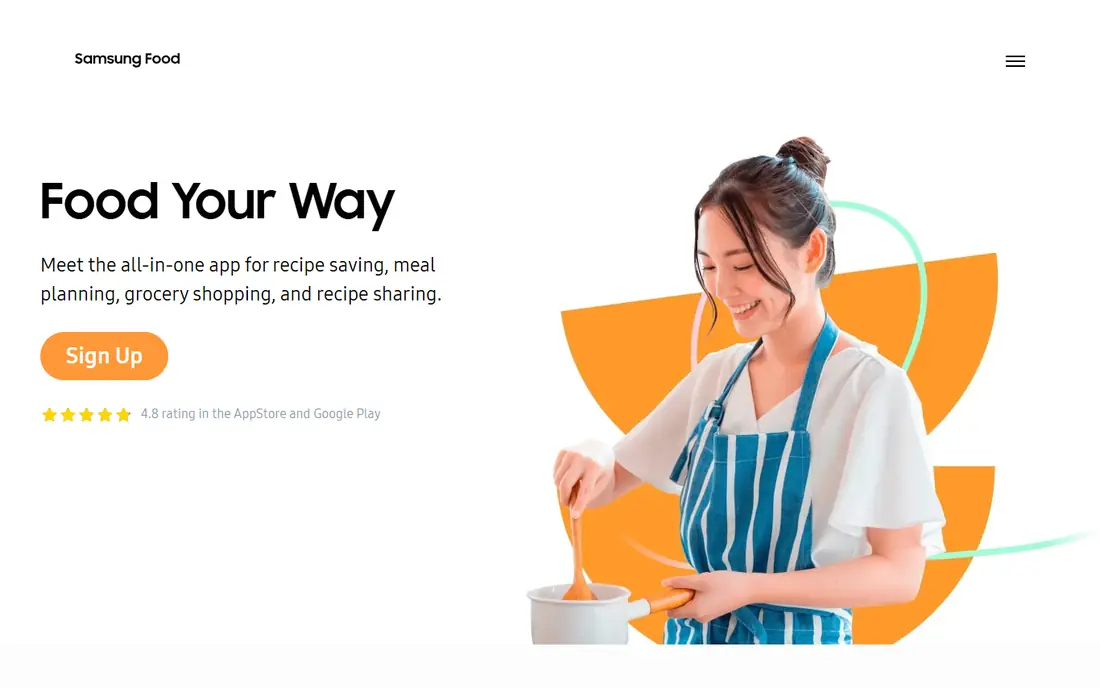
Samsung Food is the easiest free place to start meal planning, because the core planner, recipe saving and grocery list do not require a paid plan. You can browse a large catalogue, save recipes from sites you already use, place meals on a calendar and share a list with your household. That covers the basics for most home cooks, and it works well as a first app before you pay for a specialist planner. The paid Food+ plan is listed at 6.99 dollars per month or 59.99 dollars per year in recent comparisons, and it adds AI-tailored plans and fuller pantry features. You do not need it to plan a week, so start free and upgrade only if you use the planner daily and want tailored suggestions. Samsung Food is also a good fallback if you tried a paid app and stopped using it, since the free plan keeps your recipes and plans available without a subscription.
- Free planner and grocery list
- Large public recipe catalogue
- Save recipes from many websites
- Some AI and pantry features need the paid Food+ plan
- Ads on the free tier in some regions
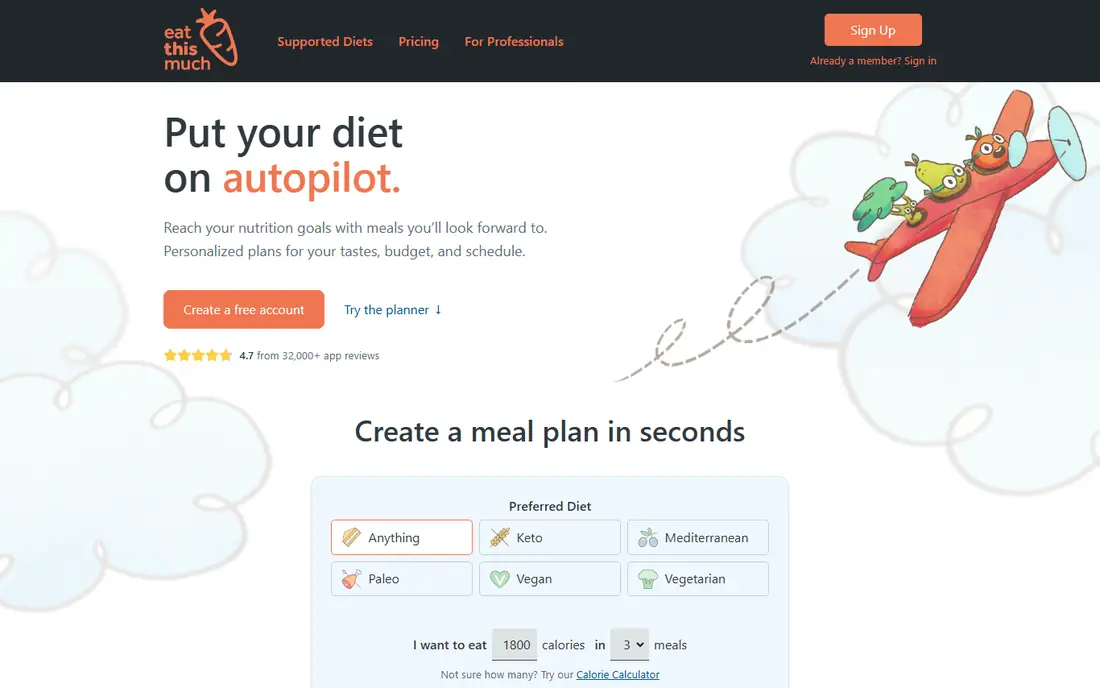
Eat This Much is different from recipe-first planners, because it starts with your numbers and builds the week around them. You set a calorie target, a diet pattern and macro goals, and the app generates meals and a grocery list to match. That makes it the strongest pick on this list for weight loss planning, since most recipe planners focus on what to cook rather than on daily totals. The free tier covers basic single-day plans, while Premium is listed at around 5 dollars to 9 dollars per month depending on billing in recent comparisons, so check the current app store listing before you subscribe. Premium adds full-week planning, more control and extra features. The plans can feel repetitive if you accept every suggestion, so use the swap and edit tools to keep meals you enjoy. If you also track fitness, pair it with a tracker rather than expecting one app to do everything.
- Plans built to calorie and macro targets
- Automatic grocery list
- Good fit for weight loss goals
- Meal variety can feel repetitive without editing
- Full features need Premium
Paprika is a recipe manager first and a meal planner second, and that order is why many cooks keep it for years. You import recipes from websites, organise them with categories and tags, track a manual pantry, and drag meals onto a calendar to build a grocery list. Because you pay once per platform, the long-term cost is far lower than a monthly planner, which matters if you plan to use the app for years. Published prices in October 2026 comparisons are 4.99 dollars for iOS or Android and 29.99 dollars for Mac or Windows, with a trial on some platforms. Note that Paprika has discussed a subscription for new features, described as optional for existing owners, so check the current store listing for what is included in the one-time purchase. Paprika will not choose meals for you or track macros, so pair it with Eat This Much if you need calorie-based plans, or with AnyList if shared lists matter more.
- One-time purchase per platform
- Strong recipe import and pantry tools
- Works offline for saved recipes
- No ready-made meal plans
- You pay per platform for mobile and desktop
AnyList is the best pick when the main problem is not choosing recipes but getting the shopping done without duplicate buys or missed items. Lists sync across phones, so anyone in the household can add items and check them off in the store. The Complete plan adds a meal calendar, recipe storage and list sharing features that turn a shared list into a light planner. Pricing in recent comparisons is 9.99 dollars per year for one person and 14.99 dollars per year for a household on Complete, with a free tier for basic lists and recipes. That low cost makes it easy to pair AnyList with Paprika or Plan to Eat: one app holds recipes and the calendar, the other holds the shared list. AnyList alone will not generate a weight loss plan or suggest meals, so choose it for household coordination rather than for auto-generated menus.
- Excellent shared grocery lists
- Meal calendar on the Complete plan
- Low yearly cost for a household
- No built-in recipe library
- Meal planning needs the paid Complete plan
eMeals suits cooks who find choosing meals the hardest part of the week. Instead of starting from a blank calendar, you pick a plan style, such as family dinners or a specific diet pattern, and eMeals gives you a weekly menu with a grocery list. The list can be sent to Walmart, Kroger, Amazon or Instacart in supported regions, which saves a separate shopping step. Pricing is listed as low as 4.99 dollars per month on a 12-month plan in recent comparisons, with a 14-day trial. That value depends on whether you cook most of the menu as written; if you swap half the meals, a calendar planner may suit you better. eMeals is also a good pick for busy families who want dinner decided and shopping handled, even if they do not want to manage a recipe library.
- Weekly menus written for you
- Many diet and family styles
- Lists send to major grocery services
- Less control than a calendar planner
- No free plan beyond the trial
Yummly is best for cooks who want to discover new recipes and filter by diet, ingredients, time or cuisine. You can search a large catalogue, save favourites, and follow guided steps while you cook. That discovery focus makes it a good companion to a planner: find meals in Yummly, then place them in Plan to Eat or Paprika for the week. The free tier covers search and saving, while paid features in app store listings add more guided and personalised tools. Prices vary by platform and region, so check the current listing and use See website if the store page does not show a clear price for your region. Yummly alone will not build a full grocery list as cleanly as a dedicated planner, so use it for ideas and keep your planner for the weekly shop.
- Large recipe search with filters
- Guided cooking steps
- Free tier for discovery and saving
- Meal planning is lighter than dedicated planners
- Some features need a paid plan
Prepear combines meal planning with recipes from food creators and cookbooks, which suits families who follow specific cooks or want themed plans. You can plan meals, build a grocery list and share plans with family members, and browse a large creator catalogue for ideas. That mix is useful when one person plans and others cook or shop. The free tier is ad-supported, while Gold is listed at around 119.99 dollars per year in recent comparisons, which is high next to Plan to Eat or Paprika. That price only makes sense if you use creator plans and family features every week. If you just need a calendar and a list, a cheaper planner will do the same job. Prepear is worth trying free first, then deciding whether the creator content earns the yearly cost.
- Creator plans and cookbooks
- Family sharing and meal planning
- Free tier with ads
- Paid Gold plan is costly compared with rivals
- Some features suit creator followers more than general planners
How we picked these
We started with apps that plan meals, build grocery lists or manage recipes and were active in October 2026. We compared official feature pages, pricing pages, app store listings and public reviews, and we kept apps that cover different jobs: calendar planning, free planning, calorie-based planning, pay-once recipe management, shared lists, ready-made menus, discovery and family planning. We left out PlateJoy, which discontinued service on 1 July 2025, and we left out Mealime after reports that it would shut down on 21 October 2026, since a planner you cannot rely on is not a safe recommendation. We did not claim hands-on testing that did not happen. We focused on facts you can check: whether a free plan exists, what the paid plan costs, whether recipes are built in or imported, and whether the app builds a grocery list from your plan. Where prices varied by platform, we noted the range and advised checking the current store listing.
How to choose a meal planning app
Start with how you cook, not with features
If you already have favourite recipes, pick a calendar planner such as Plan to Eat or Paprika. If you want meals chosen for you, pick eMeals or Eat This Much. If shopping is the pain point, pick AnyList or Samsung Food for shared lists. Matching the app to your current habit matters more than a long feature list you will not use.
Check the free tier before you pay
Try the free plan or trial for two full weeks, including a real shop. Check whether the grocery list groups items by store section, whether swaps are easy, and whether the app keeps your recipes if you cancel. A planner that saves time in week one but adds work in week three is not worth a yearly plan.
Plan for weight loss with numbers, not just recipes
For weight loss, a recipe planner alone is not enough, because it does not track daily totals. Use Eat This Much for calorie and macro-based plans, or pair a recipe planner with a nutrition tracker. Set a realistic target, keep meals you enjoy in rotation, and use the swap tool rather than following a generated plan exactly.
Frequently asked questions
What is the best free meal planning app?
Samsung Food is the best free meal planning app for most cooks, because the planner, recipe saving and grocery list are free. Eat This Much also offers free basic plans, and AnyList offers free lists. If you need full-week calorie plans or ready-made menus, you will likely need a paid plan, so start free and upgrade only after two weeks of regular use.
What is the best meal planning app for weight loss?
Eat This Much is the best meal planning app for weight loss, because it builds plans around calorie and macro targets and generates a grocery list to match. Recipe-first planners such as Plan to Eat and Paprika are excellent for organising meals, but they do not set calorie targets. Pair a recipe planner with a tracker if you prefer to choose every meal yourself.
What is the best meal plan app for weight loss on a budget?
Eat This Much free tier is a good budget start for single-day plans, while Samsung Food is free for general planning. If you want full-week macro plans, check the current Premium price in the app store, since it varies by billing period. Avoid paying yearly until you have used the app for at least two weeks and know you will stick with it.
Is there a best free meal planning app for families?
Samsung Food and AnyList both work well for families at no cost, with Samsung Food offering a fuller free planner and AnyList offering stronger shared lists. Prepear also offers family sharing on its free tier, with ads. For a household, the best test is whether everyone can add to the list and see the plan without extra accounts or confusion.
What is the best menu planning app for recipe collectors?
Plan to Eat is the best menu planning app for recipe collectors who want calendar control, while Paprika is the best pay-once choice for long-term recipe storage. Plan to Eat builds a cleaner grocery list from a calendar, while Paprika costs less over time. Many cooks use Paprika to store recipes and AnyList to share the shopping list.
Can a meal planning app really save money on groceries?
A meal planning app can save money when it stops duplicate buys, uses pantry items first and plans around what you already have. The saving comes from the list and the plan, not from the app alone. Plan meals before you shop, check the pantry first, and keep a short list of low-cost meals you can repeat in busy weeks.
Sources
See where you really rank - block by block
ProMapRanker scans Google Maps across a grid of your service area. Simple monthly plans from $19, white-label on every plan.
Start freeKeep reading
 zendesk alternatives
Best Zendesk Alternatives in 2026
Compare the best Zendesk alternatives in 2026, from budget help desks to AI-first support tools, with current pricing, free plans, and honest trade-offs.
Read → wordpress alternatives
Best WordPress Alternatives in 2026
Looking for the best WordPress alternatives? We compare 8 free and paid options for blogs, business sites, stores, and developer-led projects in 2026.
Read → which real estate company has the best training
Best Real Estate Company Training in 2026
Compare which real estate company has the best training, from Keller Williams and eXp to Compass and Coldwell Banker, by program, mentor, and fit in 2026.
Read →