 ProMapRanker
Best Map Monitoring Software in 2026


MSPs and multi site teams needing live topology maps · Pricing starts at: See website
Key takeaways
- In this guide, map monitoring means live network topology maps, so you can see devices, links and faults in one visual view.
- Auvik and PRTG lead for visual maps, while Zabbix, LibreNMS and Checkmk give strong open source options if you can host them yourself.
- Pricing models differ sharply: per sensor, per device and open source support costs all change the total, so model your device count first.
- A map is only useful if discovery stays current, so test auto discovery, link status and alerting on your own network during a trial.
Quick comparison
| Pick | Great for | Pricing starts at | Free tier | |
|---|---|---|---|---|
| Auvik | MSPs and multi site teams needing live topology maps | See website | Free trial | Visit |
 PRTG Network Monitor | Sensor based monitoring with custom maps | $1,750 per year | Yes | Visit |
 SolarWinds Network Performance Monitor | Large enterprise networks | See website | Free trial | Visit |
 ManageEngine OpManager | Mixed vendor networks with business views | See website | Free trial | Visit |
 Zabbix | Open source monitoring at any scale | Free | Yes | Visit |
 Nagios XI | Plugin based monitoring with maps | See website | Free trial | Visit |
 Checkmk | Rule based monitoring for distributed sites | Free | Yes | Visit |
 LibreNMS | Fast auto discovered SNMP maps | Free | Yes | Visit |
 Datadog Network Monitoring | Cloud and container traffic next to app data | See website | Free trial | Visit |
The best map monitoring software
Network map monitoring software discovers devices, draws them as a topology map and keeps that map live as links go up, go down or change. That visual view helps an IT team find a failed switch, a saturated link or a new device far faster than a list of alerts alone. We compared tools that offer real maps, not just dashboards, and we noted where maps are custom built, auto generated or both.
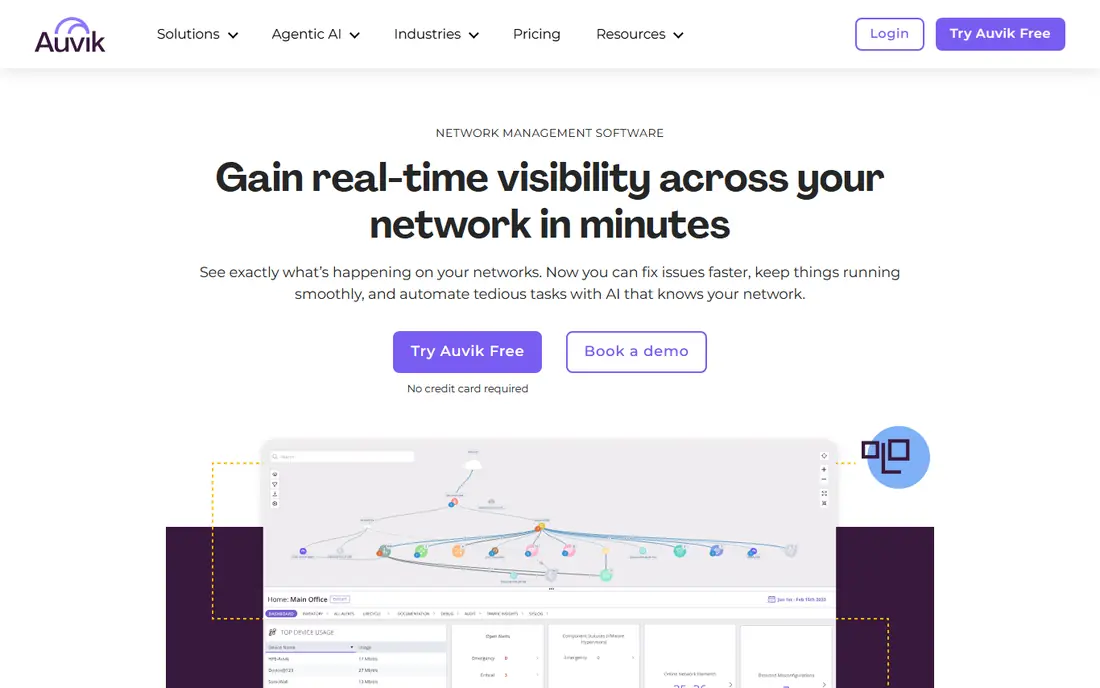
Auvik is the clearest map first choice for managed service providers and multi site teams. A collector discovers devices, draws a live topology map and keeps it updated as the network changes, so a new switch or a failed link shows up visually without manual diagram work. Configuration backup and alerting sit alongside the map, which helps a remote team act before users report a problem.
Pricing is the main question. Auvik prices by managed device and does not publish a simple list price, so you will need a quote based on your device count and sites. For a single small network, that model may feel heavy. For an MSP or a business with several sites, the live maps and central view often justify the conversation.
- Automated discovery and live topology maps
- Cloud managed with config backup
- Strong multi site view for MSPs
- Quote based pricing by device
- Traffic and flow detail may need plan checks
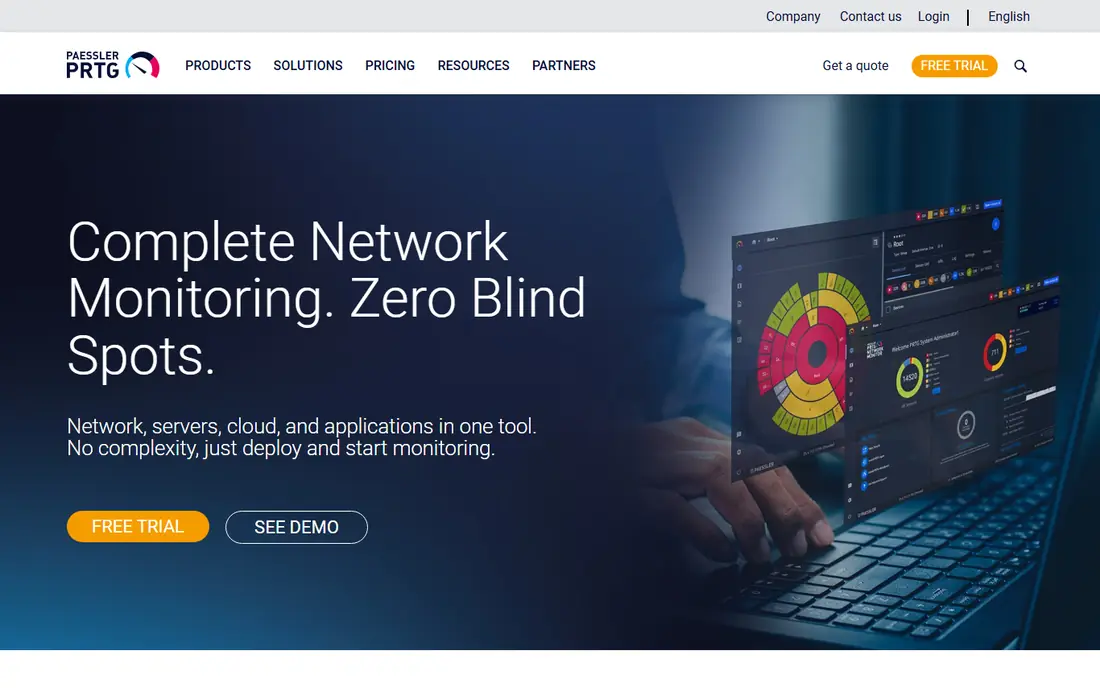
PRTG, from Paessler, gives you a sensor based view of the network, where each metric counts as a sensor, and lets you build custom maps from those sensors. That flexibility suits Windows centred IT teams that want to monitor switches, servers, applications and even environmental sensors in one place. The free version covers up to 100 sensors, which is enough for a very small network or a focused evaluation.
Sensor maths is the catch. A single switch can need many sensors for thorough coverage, so a network that looks small on paper can need a larger licence. Paid pricing starts at $1,750 per year for 500 sensors in recent listings. If you like building your own maps and you can count sensors carefully, PRTG is a proven, flexible option.
- Free version up to 100 sensors
- Custom maps and dashboards
- Wide sensor library for SNMP, NetFlow and more
- Sensor counts grow quickly on larger networks
- Subscription pricing with multi year terms in recent listings
SolarWinds Network Performance Monitor, often shortened to NPM, is built for large, complex networks where a simple map is not enough. Topology views, path analysis and performance data help enterprise teams trace a fault across routers, switches and WAN links, and the wider SolarWinds platform can add server, storage and application views. For organisations already invested in SolarWinds, the integration story is a real benefit.
The trade off is scale and cost. Pricing is quoted, deployment is heavier than a cloud tool such as Auvik, and small teams may find the platform more than they need. Large enterprises with a dedicated network team, a large device count and a need for deep path analysis will get the most from NPM.
- Deep enterprise network monitoring
- NetPath and topology views
- Wide device and vendor coverage
- Quote based enterprise pricing
- Heavier deployment and admin overhead
OpManager suits IT teams with a mixed estate of Cisco, Juniper, Fortinet, HP and other vendors. Business views, topology maps, heat maps and custom dashboards give managers an at a glance view of device health, while workflows can automate common diagnostic steps. A free trial and a small free device allowance in some listings let you test discovery before buying.
Pricing needs care, because device packs, editions and add ons change the total. OpManager is not a single flat price, so model your device count and the features you need, including configuration management and flow analysis, before comparing it with per sensor tools. For mixed vendor networks that want maps plus automation, it is a strong mid market option.
- Business views, topology maps and heat maps
- Broad device support
- Workflow automation and reports
- Pricing varies by device pack and edition
- Some advanced features are add ons
Zabbix is the open source workhorse in this list. It is free under an open licence, with no device or sensor limits, and it covers servers, networks, cloud and applications from one platform. Maps, auto discovery, triggers and event correlation help a skilled team build a live network view without licence costs, and distributed proxies support many sites.
The cost moves from licences to labour. You host Zabbix, design templates, tune triggers and maintain upgrades, and the interface rewards experience. Paid support is available from Zabbix LLC if you want help. For teams with Linux skills and a tight licence budget, Zabbix offers remarkable depth for no software cost.
- Free open source software with no device limits
- Auto discovery, maps and event correlation
- Distributed monitoring
- Setup and tuning need Linux and monitoring skills
- Interface feels technical to new users
Nagios XI builds on Nagios Core, the long running open source monitor, and adds a commercial interface, maps, dashboards and configuration tools. The plugin ecosystem is enormous, so you can monitor almost any device or service with an existing check or a custom script. That flexibility has kept Nagios in data centres and server rooms for many years.
The experience can feel dated compared with Auvik or PRTG, and XI pricing is per node, so you should confirm your node count. Teams that already run Nagios plugins, or that need a custom check no other tool offers, will value XI. Teams starting fresh and wanting a modern map first experience may prefer Auvik, PRTG or Zabbix.
- Huge plugin ecosystem
- Maps and visual views in XI
- Long track record in IT monitoring
- Core is free but XI is paid per node
- Plugin based setup can feel dated
Checkmk suits distributed teams that want configuration by rules, not by clicking each host. You define rules for discovery, thresholds and notifications, and Checkmk applies them consistently across sites. The Raw edition is free and open source, while Enterprise adds features such as flow monitoring and advanced reporting, priced per service.
That rule based power has a learning curve, and per service pricing means you should model your service count, not just your host count. For organisations with many similar sites, such as retail chains or branch offices, Checkmk's consistency is a genuine advantage. For a single site, a simpler tool may get you to a live map faster.
- Free Raw edition
- Rule based configuration for many sites
- Strong auto discovery and service monitoring
- Enterprise pricing is per service, so costs need modelling
- Interface takes learning
LibreNMS is a favourite among network engineers who want SNMP graphs fast. Auto discovery finds devices, polls interfaces and builds device views with minimal manual setup, and the result is a clear, practical map of what is on the network and how it is performing. As open source software, there is no licence cost for the core product.
You host it on Linux, maintain it yourself and rely largely on community support, which suits engineering led teams more than a general IT helpdesk. LibreNMS also pairs well with other tools, since its graphs and data can feed dashboards elsewhere. For SNMP heavy networks and engineers who value speed over polish, it is an excellent free choice.
- Free open source software
- Fast SNMP auto discovery and graphs
- Clean device views and maps
- Linux based self hosting
- Support is community driven unless you arrange help
Datadog Network Monitoring
Great for: Cloud and container traffic next to app data
Datadog Network Monitoring fits teams that already use Datadog for infrastructure or application monitoring. Network performance, flow data and device monitoring sit next to logs, metrics and traces, so a network fault can be traced to an application impact in one place. That context is valuable in cloud and container environments, where a network map alone does not explain a user facing error.
The platform scope is also the cost risk. Pricing by host and device, plus other Datadog products, can grow quickly if you enable everything. Datadog is not the cheapest map only tool, and small networks may prefer PRTG or Zabbix. For cloud native teams that already pay for Datadog, adding network monitoring is a natural, powerful step.
- Network data next to infrastructure, logs and APM data
- Cloud and container friendly
- Strong dashboards and alerting
- Pricing by host and device can grow quickly
- Network maps are part of a wider observability platform
How we picked these
We compared official product pages, pricing pages and network monitoring comparisons, and we kept tools with a live product in October 2026 that offer network maps, auto discovery or custom map building. We looked for discovery quality, map clarity, alerting, protocol coverage such as SNMP and flow data, and pricing transparency. Where a vendor does not publish a price, we wrote See website rather than presenting a third party estimate as a vendor price.
What to check before you buy
Start by counting devices, interfaces and sites, then model pricing in the vendor's own unit, whether that is sensors, devices, nodes or services. A tool that looks cheap per unit can become expensive once every switch port is counted. Test auto discovery on a real segment of your network, and check whether the map updates when a device is added, moved or fails, rather than only at setup time.
Next, check alerting and access. A map that shows a fault but does not alert the right person at night is only half a tool. Confirm notification channels, alert thresholds, role based access and how maps can be shared with helpdesk staff without giving full admin rights. Finally, confirm protocol support for your vendors, including SNMP versions, flow protocols and API access, and test a trial on your own traffic before you sign a multi year deal.
Frequently asked questions
What is map monitoring software?
Map monitoring software discovers network devices, draws them as a topology map and updates that map as devices and links change. It helps IT teams see faults, saturated links and new devices visually, instead of working only from alert lists. Most tools also offer dashboards, reports and alerting alongside the map.
Is Auvik better than PRTG for maps?
Auvik is better for auto generated, always current topology maps, especially for MSPs and multi site teams. PRTG is better for custom maps built from sensors, where you control exactly what each map element shows. Choose Auvik for live discovery, and PRTG for flexible, sensor based custom maps.
Are there free network map monitoring tools?
Yes. Zabbix, LibreNMS and Checkmk Raw are free open source options, and PRTG offers a free version up to 100 sensors. Free tools still need hosting, setup and maintenance time, so factor labour into the total cost before calling them free in practice.
Do I need SNMP to use these tools?
Most network map tools rely heavily on SNMP for device data, interface traffic and health, though many also support agents, APIs and flow protocols. Check that your switches, routers and firewalls support the SNMP version the tool needs, and that credentials and access are configured securely.
How do I price a network monitoring tool?
Count devices, interfaces, sensors or services in the vendor's own pricing unit, then add sites, users and add ons. Ask for a quote based on your actual inventory, not a generic small network example, and check whether pricing is subscription, perpetual or per service. Trial the tool on your network to validate the count before you sign.
Can map monitoring replace a full observability platform?
Not always. Map tools excel at network topology and device health, while observability platforms add application traces, logs and user experience data. Cloud native teams often use both, with Datadog or a similar platform for applications and a dedicated network tool for topology. Choose by the problem you need to solve first.
Sources
- https://www.auvik.com
- https://www.paessler.com
- https://www.solarwinds.com
- https://www.manageengine.com
- https://www.zabbix.com
- https://www.nagios.com
- https://checkmk.com
- https://www.librenms.org
- https://www.datadoghq.com
- https://tekpon.com/insights/productivity-tools/it/best-network-monitoring-software/
- https://www.dotcom-monitor.com/blog/best-network-monitoring-software/
See where you really rank - block by block
ProMapRanker scans Google Maps across a grid of your service area. Simple monthly plans from $19, white-label on every plan.
Start freeKeep reading
 worlds best local seo company
8 Worlds Best Local SEO Companies for Map Pack Growth in 2026
Compare the worlds best local seo company options for Google Business Profile work, citations, reviews, and multi-location rankings and reporting in 2026.
Read → world's best web hosting company
World's Best Web Hosting Company in 2026
Searching for the world's best web hosting company? We compared 10 hosts on price, renewal rates, speed, and support to help you choose well today in 2026.
Read → who's got the best nanny tax services
Who's Got the Best Nanny Tax Services in 2026
We answer who's got the best nanny tax services, comparing full filing, back taxes, software, and pricing so families can handle nanny taxes correctly.
Read →