 ProMapRanker
Best Managed Print Services Companies in 2026

Key takeaways
- HP, Xerox, Canon and Ricoh suit large fleets, while Kyocera, Brother and Lexmark can be better value for smaller offices.
- Managed print pricing is usually a monthly fee plus a per-page cost, so your real bill depends on volume, colour mix and included services.
- Security, automatic supplies and clear service levels matter more than headline device prices when you choose a provider.
- Check contract length, device return terms and what happens to excess pages before you sign, since those details drive total cost.
Quick comparison
| Pick | Great for | Pricing starts at | Free tier | |
|---|---|---|---|---|
 HP Managed Print Services | Large HP fleets | See website | No | Visit |
 Xerox Managed Print Services | Document-heavy offices | See website | No | Visit |
 Canon Managed Print Services | Colour and image quality | See website | No | Visit |
 Ricoh Managed Print Services | High-volume workflows | See website | No | Visit |
 Konica Minolta | Production colour and workflows | See website | No | Visit |
 Kyocera | Low running costs | See website | No | Visit |
 Lexmark | Secure managed fleets | See website | No | Visit |
 Brother | Small office managed print | See website | No | Visit |
 Sharp | Simple small business fleets | See website | No | Visit |
 Toshiba | Mixed office fleets | See website | No | Visit |
The best managed print services companies
We compared providers on fleet management, security, supplies automation, service coverage and the size of office each one serves best, using vendor service descriptions and public managed print guidance.
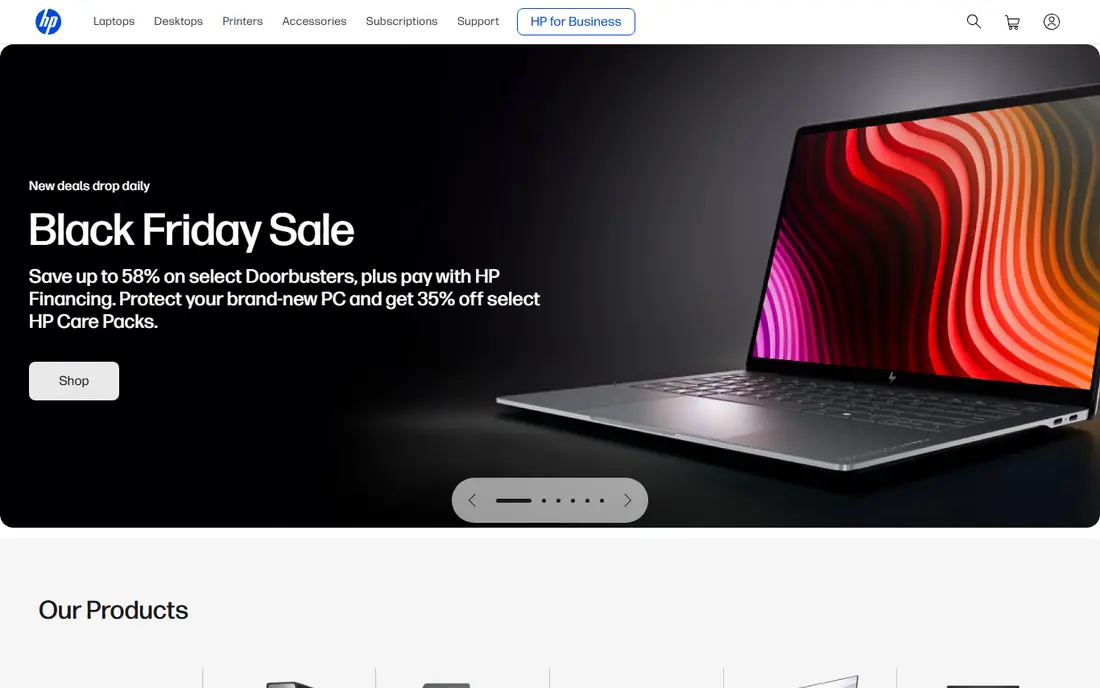
HP Managed Print Services suits companies that already use HP printers or want to standardise on one vendor. Its tools monitor device health, order supplies automatically and report on usage by department or location, which helps finance teams see where print costs actually go. Security features for device and document protection are a useful part of the offer for regulated offices.
The limit is vendor focus. HP services work best within an HP fleet, and a mixed estate may need separate arrangements for other brands. If you are willing to standardise, HP can simplify procurement, supplies and support into a single contract.
- Wide device range
- Strong fleet monitoring and supplies automation
- Large service network
- Best value when you standardise on HP
- Mixed fleets need extra planning
Xerox is a strong choice for offices where printing is tied to document workflows, such as scanning, routing and approval. Its ConnectKey platform lets multifunction devices run apps that move documents into business systems, which can cut manual handling. Xerox also has long experience running large, multi-site fleets.
Pricing and contract structure can feel heavy for a small office, and Xerox is at its best when print volume and document work justify a managed programme. Ask for a clear per-page rate, included services and a volume review clause so the contract adapts if your usage changes.
- Strong document workflow tools
- ConnectKey app platform
- Large enterprise experience
- Premium positioning
- Smaller offices may find contracts complex
Canon suits creative, marketing, property and professional offices where colour quality matters. Its imageRUNNER ADVANCE devices are known for consistent colour and reliable performance, and Canon managed print services add monitoring, supplies and maintenance around them. That combination helps teams produce client-ready material without managing printers themselves.
Colour printing is where costs can surprise buyers, so check the colour per-page rate separately from black-and-white, and ask how duplex, paper size and finishing affect the bill. For offices that print mostly in black-and-white, a cheaper fleet may deliver the same result for less.
- Excellent colour output
- Reliable imageRUNNER devices
- Strong service network
- Colour per-page costs need careful checking
- Premium devices raise monthly fees
Ricoh is built for offices that print and scan at volume, including law firms, healthcare providers and large corporate teams. Its devices handle heavy daily use, and its workflow tools help move scanned documents into records systems with less manual work. Managed print contracts add proactive maintenance and supplies management, which matters when downtime delays client work.
Ricoh contracts are often delivered through dealers as well as directly, so service quality can vary by location. Compare the local service team, response times and included parts before you judge Ricoh on device specs alone.
- Durable high-volume devices
- Strong scanning and workflow tools
- Scalable service model
- Enterprise focus can mean complex contracts
- Smaller offices should compare local dealer offers
Konica Minolta suits offices that need strong colour and document workflow in one fleet. Its bizhub devices are widely used by marketing teams and print-heavy departments, and its managed services add security, monitoring and document management. For companies moving toward digital archiving, Konica Minolta workflow tools can bridge paper and digital records.
The cost of colour devices and per-page rates should be modelled carefully, especially for high colour volumes. A trial print comparison with your actual documents will tell you more than a brochure about whether the quality justifies the price.
- Strong colour fidelity on bizhub devices
- Workflow and security tools
- Production print options
- Premium pricing for colour devices
- Service depth varies by dealer
Kyocera is a practical pick for cost-conscious offices that want reliable printing without high consumable costs. Its ceramic drum technology and long-life components aim to reduce parts replacement and waste, which can lower total cost over a contract. TASKalfa devices cover everyday office printing, copying and scanning well.
Kyocera is less obviously suited to demanding production colour work, where Canon and Konica Minolta lead. For a general office that values low running costs and simple management, Kyocera managed print services deserve a close look.
- Long-life components can lower running costs
- Durable TASKalfa devices
- Good small business fit
- Less production colour depth than Canon or Konica Minolta
- Smaller brand presence in some regions
Lexmark focuses on secure, well-managed fleets for offices that handle sensitive documents. Its devices and management tools support secure release, access controls and fleet monitoring, which helps IT teams enforce print policies. Lexmark managed print services suit mid-sized companies that want a controlled fleet without a large in-house print team.
The range is narrower than the largest vendors, and local dealer coverage matters for service speed. If Lexmark fits your security needs, confirm service levels and parts availability for your locations before signing.
- Strong security focus
- Good fleet management tools
- Reliable workgroup devices
- Narrower device range than HP or Canon
- Availability varies by region and dealer
Brother is a sensible option for small offices that want managed print without enterprise complexity. Its printers are affordable, easy to set up and reliable for everyday volumes, and Brother managed services and supplies programmes can remove toner ordering from a busy team. Small professional firms often find Brother a good balance of price and simplicity.
Brother is not the best fit for a large, high-volume fleet with complex workflow needs. If your office prints thousands of pages a week across many departments, a larger vendor with deeper fleet tools will usually serve you better.
- Affordable devices
- Simple setup
- Good for small teams and home offices
- Less suited to very high volumes
- Enterprise fleet tools are lighter than rivals
Sharp suits small and mid-sized offices that want straightforward multifunction devices with intuitive controls. Its MX series covers printing, copying and scanning, and Sharp managed print arrangements through dealers can add supplies and maintenance. Energy efficiency is a useful bonus for offices watching running costs and sustainability.
Sharp has a smaller managed print presence than the largest vendors, so local dealer quality matters. Check response times, included maintenance and device replacement terms, and compare at least one larger vendor before committing.
- Easy-to-use devices
- Energy-efficient models
- Good small business value
- Smaller managed print footprint than HP or Xerox
- Production options are limited
Toshiba offers a solid multifunction range through its e-STUDIO line, with managed print services that typically cover monitoring, supplies and maintenance through dealers. It suits offices that want a capable fleet and are comfortable buying through a local partner. Document management and workflow options help teams handle scanning and archiving.
Because delivery is dealer-led, contract terms and service quality can differ more than with a direct vendor programme. Compare the dealer agreement line by line, especially on service response, parts, page allowances and end-of-contract device return.
- Solid e-STUDIO multifunction range
- Document management support
- Flexible dealer model
- Brand presence varies by market
- Managed service terms depend heavily on the dealer
How we picked these
We compared vendor managed print service pages and public guidance on managed print costs and contract terms, and we favoured providers with live, clearly described managed print offers in 2026. Managed print pricing depends on fleet size, volume and services, so we use See website rather than publishing a rate that would not match your office. Ask every shortlisted provider for a written quote based on your actual print volumes.
What to check in a managed print contract
Start with a print audit. Count devices, monthly pages, colour share and the cost of supplies, maintenance and staff time spent on printer problems. That baseline lets you judge whether a managed contract actually saves money or simply moves costs into a monthly fee.
Then read the page terms carefully. Check the included page allowance, the cost of extra pages, whether unused pages roll over, and how colour pages are counted. Also confirm what is included, such as parts, labour, supplies and device replacement, and what counts as an extra charge.
Finally, check service levels and exit terms. Ask for guaranteed response and fix times, a named account contact, and clear rules for ending the contract, returning devices and keeping your print data. A managed print deal should reduce work for your team, not lock you into terms that no longer fit.
Frequently asked questions
What is included in managed print services?
A typical contract covers device monitoring, automatic supplies ordering, maintenance, repairs and usage reporting, often for a monthly fee plus a per-page charge. Some contracts also include device leasing, security settings and document workflow tools, so check the exact inclusions in your quote.
How much do managed print services cost?
Costs depend on fleet size, monthly volume, colour share and included services. Public guidance suggests small business managed print can start around a few hundred dollars per month, while larger fleets cost far more. Get a quote based on your actual volumes rather than relying on a general range.
Is managed print worth it for a small office?
It can be, if printer problems, toner ordering and downtime take up staff time or delay work. For a very small office with one low-volume printer, a supplies subscription and a local repair contact may be cheaper than a full managed contract.
Can we keep our existing printers under managed print?
Some providers manage mixed fleets, while others require standardisation on their devices. Ask each provider which brands and models it supports, and whether older devices can be included or should be replaced at contract start.
How do we reduce print costs without a managed contract?
Set duplex and black-and-white defaults, use secure release so uncollected jobs are not printed, remove unused devices, and track usage by department. Those steps alone often cut volume before you spend anything on a managed service.
Sources
See where you really rank - block by block
ProMapRanker scans Google Maps across a grid of your service area. Simple monthly plans from $19, white-label on every plan.
Start freeKeep reading
 worlds best local seo company
8 Worlds Best Local SEO Companies for Map Pack Growth in 2026
Compare the worlds best local seo company options for Google Business Profile work, citations, reviews, and multi-location rankings and reporting in 2026.
Read → world's best web hosting company
World's Best Web Hosting Company in 2026
Searching for the world's best web hosting company? We compared 10 hosts on price, renewal rates, speed, and support to help you choose well today in 2026.
Read → who's got the best nanny tax services
Who's Got the Best Nanny Tax Services in 2026
We answer who's got the best nanny tax services, comparing full filing, back taxes, software, and pricing so families can handle nanny taxes correctly.
Read →