 ProMapRanker
Best Managed Print Services in 2026


HP fleets and hybrid offices · Pricing starts at: See website
Key takeaways
- Managed print services cover your printers, supplies, maintenance, and security under one managed plan, rather than a set of separate purchases.
- Most pricing is quoted per device or per page, so a print audit of your real volume matters more than any headline rate.
- Security features, such as secure release and access controls, matter as much as print speed in offices handling sensitive documents.
- Brand-neutral dealers can suit mixed fleets, while a single-brand service suits offices that want one standard device range.
Quick comparison
| Pick | Great for | Pricing starts at | Free tier | |
|---|---|---|---|---|
| HP Managed Print Services | HP fleets and hybrid offices | See website | No | Visit |
 Xerox Managed Print Services | Document-heavy offices | See website | No | Visit |
 Canon Managed Print Services | Image quality and office printing | See website | No | Visit |
 Ricoh Managed Print Services | High-volume scanning and workflow | See website | No | Visit |
 Konica Minolta Managed Print Services | Colour work and workflow automation | See website | No | Visit |
 Lexmark Managed Print Services | Security-focused fleets | See website | No | Visit |
 Kyocera Managed Print Services | Low running costs | See website | No | Visit |
 Brother Managed Print Services | Small offices on a budget | See website | No | Visit |
 Epson Managed Print Services | Inkjet fleets and low energy use | See website | No | Visit |
The best managed print services
Managed print services, often called MPS, take over the day-to-day running of office printers and copiers. A provider assesses your fleet, supplies toner and parts, handles maintenance, monitors usage, and helps cut waste. The services below are the main manufacturer-led options, plus the features to compare when you ask for a quote.
HP is a natural first call for offices that already use HP printers. Its managed print offer covers fleet assessment, supplies automation, maintenance, and security features such as secure printing and device access controls. Cloud printing support also suits hybrid teams that print from home, office, and mobile devices.
The main drawback is that pricing depends on your fleet size, volume, and contract terms, so you need an audit before you get a firm figure. Mixed fleets with many non-HP devices may be better served by a brand-neutral dealer. We would pick HP when your office already leans HP, or when you plan to standardise on HP devices.
- Broad device range from desktop to floor-standing models
- Strong security tools
- Good cloud and mobile printing support
- Pricing is quoted, not published
- Best value usually comes with a standard HP fleet
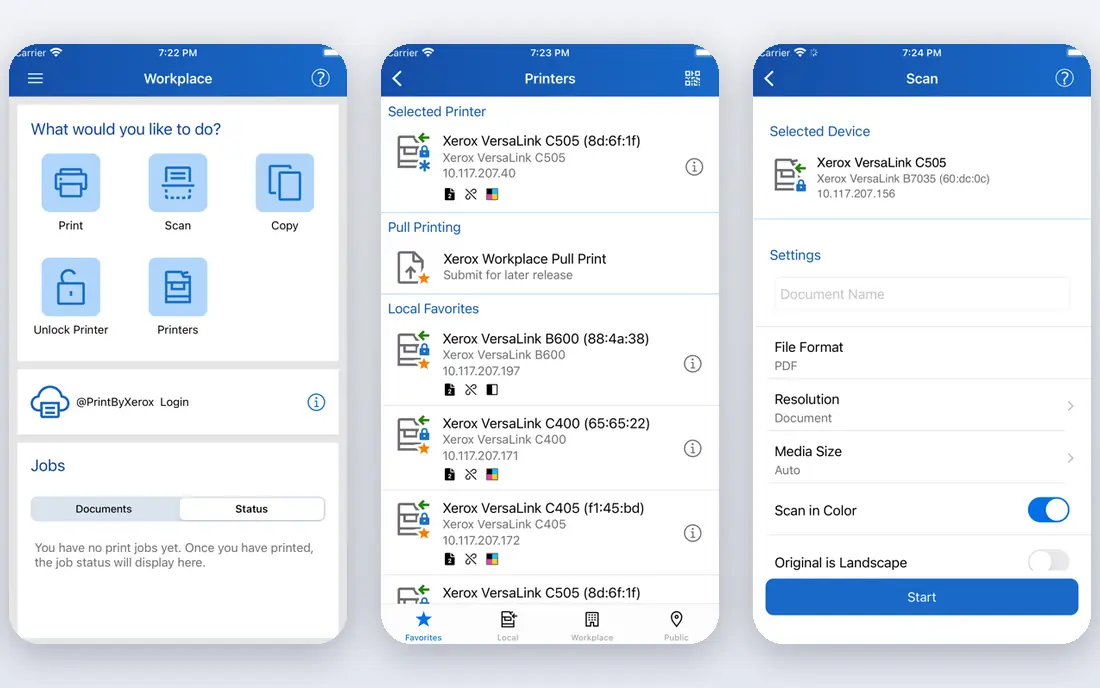
Xerox has long focused on offices where printing is tied to document work, not just output. Its ConnectKey platform turns multifunction printers into workflow points, with apps for scanning, routing, and common office tasks. Managed print plans add supplies, maintenance, and fleet monitoring on top of that hardware base.
That workflow depth is most useful when your team scans, files, and shares documents daily. A very small office that only prints occasionally may not need it. We would shortlist Xerox for law firms, finance teams, and other document-heavy offices that want printing and document handling under one service.
- Strong document workflow tools
- ConnectKey apps for common tasks
- Wide service network
- Pricing is quoted
- Higher-end workflow features sit on higher tiers
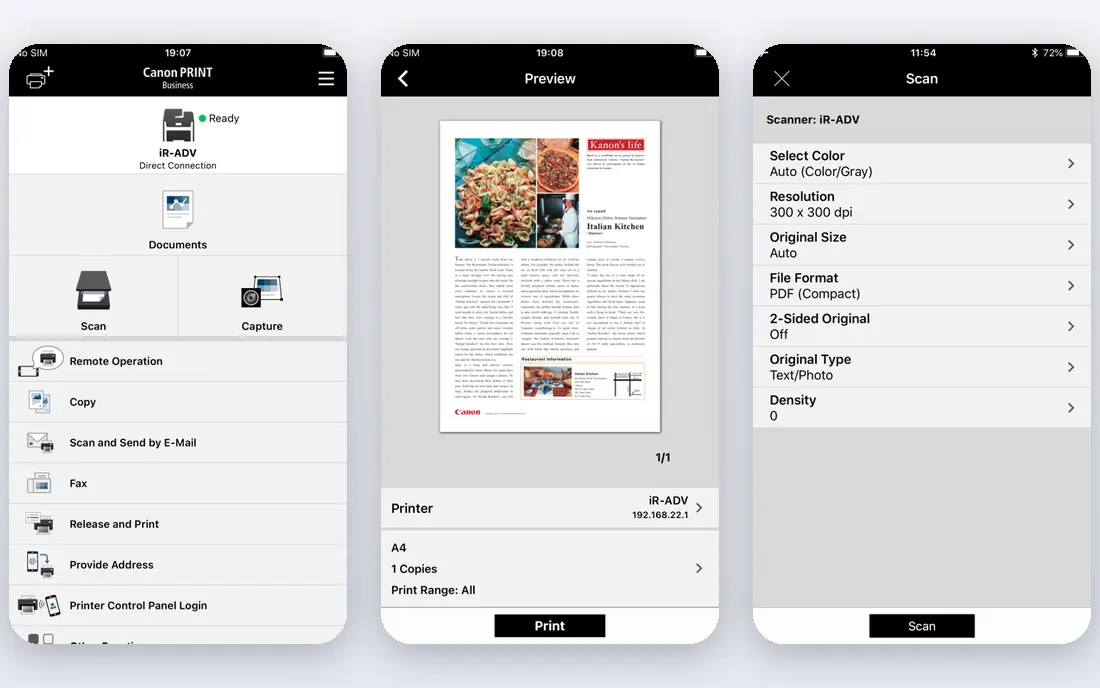
Canon is known for colour accuracy and reliable office machines, and its managed print service builds on that hardware. Plans cover fleet management, supplies, maintenance, and workflow tools for scanning and document handling. For marketing teams, design studios, and real estate offices that print image-heavy material, that colour quality is a real point in its favour.
As with every manufacturer service here, the price is quoted after an assessment, so budget planning takes an extra step. Very high-volume production printing is a separate Canon conversation from everyday office MPS. We recommend Canon when print quality matters as much as running cost.
- Strong colour accuracy on imageRUNNER models
- Reliable office hardware
- Good service coverage
- Pricing is quoted
- Production print needs a separate conversation
Ricoh suits offices with high print and scan volumes that need machines to keep up all day. Its multifunction devices are known for durability and fast single-pass scanning, and its managed print plans add supplies, maintenance, and fleet monitoring. Workflow tools help route scanned documents to the right folders and systems without manual handling.
The range is broad, so device choice matters: a small desktop model will not match a floor-standing machine for a busy office. Pricing is quoted, and the best fit usually comes from a proper volume audit. We would pick Ricoh for growing offices, medical practices, and other teams with heavy daily output.
- Fast, durable multifunction devices
- Strong scanning and workflow features
- Scalable for growing offices
- Pricing is quoted
- Interface and software depth vary by model
Konica Minolta Managed Print Services
Great for: Colour work and workflow automation
Konica Minolta focuses on offices moving toward digitised workflows as well as print. Its bizhub range offers strong colour output, and its managed print plans add security, supplies, maintenance, and software for automating document tasks. That mix suits marketing teams and offices that want to cut paper handling over time.
Smaller offices that only need basic printing may find the full workflow offer more than is needed. Pricing is quoted after assessment, so ask which software is included in your tier. We recommend Konica Minolta when colour quality and workflow automation are both priorities.
- Strong colour output on bizhub models
- Security features
- Workflow and digitisation tools
- Pricing is quoted
- Smaller offices may not need the full workflow suite
Lexmark puts security at the centre of its managed print offer, with device hardening, access controls, and secure release features that suit offices handling sensitive data. Its fleet management tools give IT teams a clear view of usage, supplies, and device health across sites. The hardware itself is built for steady office use rather than showpiece colour work.
Dealer coverage can vary by region, so check local service response times before you sign. Pricing is quoted, as with the other manufacturer services here. We would pick Lexmark for finance, healthcare, and government-adjacent offices where print security is a formal requirement.
- Strong built-in security features
- Good fleet management tools
- Durable office devices
- Pricing is quoted
- Smaller dealer network than some rivals in some regions
Kyocera is the low-running-cost pick in this list. Its ceramic drum technology and long-life components are designed to cut maintenance visits and consumable waste, which shows up in total cost over a contract, not just in the monthly fee. Its TASKalfa range covers everyday office printing, copying, and scanning well.
It is less of a colour production choice than Canon or Konica Minolta, so image-heavy teams should test output first. Pricing is quoted after a fleet review. We recommend Kyocera for cost-conscious offices that want a reliable fleet with fewer service calls.
- Long-life components help cut running costs
- Low maintenance needs
- Solid office range
- Pricing is quoted
- Colour range is narrower than some rivals
Brother suits small offices that want managed print without an enterprise contract. Its devices are affordable, setup is plain, and managed plans can cover supplies and maintenance for a small fleet. For a team with a handful of printers, that simplicity is a benefit, not a limitation.
Very large fleets, production colour, and deep workflow automation are outside its main strength. Pricing is quoted, but the overall scale of a Brother fleet usually keeps costs modest. We would pick Brother for small businesses, branch offices, and home-office teams that want predictable print costs.
- Affordable devices
- Simple setup
- Good for small fleets
- Less suited to very large fleets
- Workflow depth is thinner than enterprise rivals
Epson takes a different hardware path from most names here, using business inkjet technology instead of laser. Its managed print plans cover fleet management, supplies, and maintenance for offices that want lower energy use and fewer moving parts. Colour output is strong for everyday business documents and marketing material.
Offices used to laser output should test Epson inkjet results on their own documents before committing a whole fleet. Pricing is quoted after assessment. We recommend Epson for offices that value energy savings and low-intervention printing, and for teams open to inkjet as a serious office option.
- Heat-free inkjet technology can cut energy use
- Low intervention printing
- Good colour output
- Pricing is quoted
- Laser-focused offices may need to test inkjet output first
How we picked these
We compared official manufacturer pages and current managed print roundups checked in October 2026. We favoured providers with a live managed print offer, fleet monitoring, supplies automation, and maintenance coverage in the US market. We used See website for pricing because manufacturer MPS pricing is quoted per fleet, and publishing a single rate would mislead readers with different volumes.
What to ask for in a quote
Start with a print audit. A good provider will count your devices, measure monthly volume by device, and note colour versus black-and-white split. That audit is the basis for a fair quote, and it often reveals printers that should be retired or moved. If a provider quotes without asking about volume, treat that quote with care.
Next, clarify what is included: toner and parts, labour, response times, replacement devices, and security software. Ask how overage is charged when you print more than the allowance, and what happens at contract end. A clear answer on those points matters more than a small difference in the headline monthly rate.
Security and sustainability
Ask about secure release, so jobs only print when the user is at the device, and about access controls for sensitive departments. Also ask about duplex defaults, toner recycling, and device energy ratings. Small defaults across a fleet can cut both cost and waste over a contract term.
Contract traps to avoid
Check the minimum term, the cost of adding or removing a device, and whether the provider can raise per-page rates during the term. Confirm who owns the devices at the end of a lease, and whether you can keep the fleet monitoring data. Get those terms in writing before you sign.
Frequently asked questions
What do managed print services include?
Most plans include fleet assessment, supplies delivery, maintenance and repairs, usage monitoring, and help with security settings. Some add workflow software, scanning tools, and device replacement. The exact mix depends on the provider and the tier you choose, so check the contract line by line.
How much do managed print services cost?
Pricing is usually quoted per device, per page, or as a monthly fleet fee, and it depends on volume, colour mix, and device count. Third-party guides often cite starting points around a few hundred dollars per month for a small fleet, but your quote will differ. A print audit is the only reliable way to get a firm figure.
Are managed print services worth it for a small office?
They can be, if your office prints regularly and you spend time ordering toner, fixing jams, or chasing service calls. A small fleet plan with Brother or Kyocera hardware may cost less than ad-hoc repairs and emergency toner orders. If you print very rarely, a simple printer purchase may be cheaper.
What is the difference between MPS and printer leasing?
Leasing covers the device itself, usually with a monthly payment for the hardware. Managed print services cover the running of the fleet, including supplies, maintenance, and monitoring, and may include leased devices as well. Many contracts combine both, so read the terms to see what each fee covers.
How do I choose between brands?
Match the brand to your work: Canon or Konica Minolta for colour quality, Ricoh for high-volume scanning, Lexmark for security, Kyocera for low running costs, and Brother for small budgets. If your fleet is mixed, ask a brand-neutral dealer for a comparison before you standardise.
Can I keep my existing printers under MPS?
Often yes, especially with a brand-neutral dealer or a provider that supports mixed fleets. Manufacturer-led plans usually work best with that maker's devices, but many will manage a mixed fleet for a fee. Ask about device age limits and service coverage for older models.
Sources
See where you really rank - block by block
ProMapRanker scans Google Maps across a grid of your service area. Simple monthly plans from $19, white-label on every plan.
Start freeKeep reading
 zoro.to alternatives
Best Zoro.to Alternatives in 2026
We compare the best zoro.to alternatives in 2026, listing only legal licensed anime streaming services, from Crunchyroll to free options for fans today.
Read → zip alternatives
Best Zip Alternatives in 2026
We compare the best zip alternatives for buy now, pay later in 2026, covering pay-in-4 plans, fees, spending limits, and credit reporting options today.
Read → yesware alternatives
Best Yesware Alternatives in 2026
Compare the best yesware alternatives for sales email tracking, templates, and sequences, with current pricing and honest tradeoffs for small sales teams.
Read →