 ProMapRanker
Best Managed File Transfer Software in 2026


Mid-size teams that want workflow automation · Pricing starts at: See website
Key takeaways
- Managed file transfer software replaces manual FTP scripts with scheduled transfers, encryption, audit logs, and partner onboarding in one place.
- Files.com is the clearest published price in this group, at $199 per month for Starter, while most enterprise MFT vendors price by quote.
- Teams moving EDI or partner files at scale should shortlist IBM Sterling, Axway, and Cleo, while smaller teams often start with Files.com or JSCAPE.
- Patch history matters here, so check each vendor's current security advisories before signing, and ask how quickly fixes reach customers.
Quick comparison
| Pick | Great for | Pricing starts at | Free tier | |
|---|---|---|---|---|
| Fortra GoAnywhere MFT | Mid-size teams that want workflow automation | See website | Free trial | Visit |
 Progress MOVEit | Regulated teams that need audit controls | See website | Free trial | Visit |
 IBM Sterling File Gateway | Large B2B partner networks | See website | No | Visit |
 Axway SecureTransport | Enterprise governance at scale | See website | No | Visit |
 Cleo Integration Cloud | Supply chain and EDI-heavy teams | See website | No | Visit |
 Kiteworks | Governed sharing plus managed transfer | See website | No | Visit |
 Files.com | Cloud-first teams that want published pricing | $199 per month | Free trial (7 days) | Visit |
 JSCAPE by Redwood | Flexible protocol and workflow setups | See website | Free trial | Visit |
 Fortra Globalscape EFT | Event-driven transfers for mid-market teams | See website | Free trial | Visit |
The best managed file transfer software
These nine tools move files between systems and partners with controls that plain FTP cannot provide. We looked at protocol support, automation, audit trails, and deployment choices.
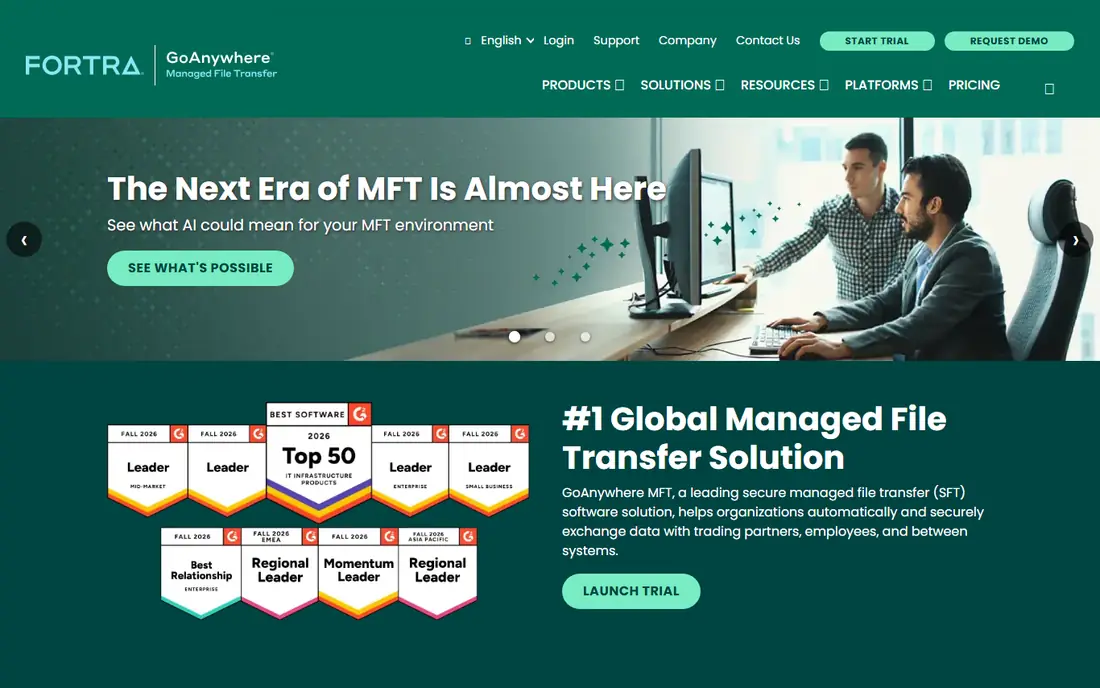
GoAnywhere suits teams that have outgrown scripts but do not want a heavyweight integration suite. Its workflow tools let staff build scheduled transfers, add file checks, and route failures to the right person instead of digging through logs at midnight. Support for SFTP, FTPS, AS2, and HTTPS covers most partner requirements, and the browser-based admin console keeps day-to-day work in one place.
The catch is commercial, not technical. Fortra does not publish a starting price, so budgeting means going through sales and scoping user counts, partners, and deployment. Smaller teams should confirm which features sit in the base product and which need an add-on. GoAnywhere is still a strong pick when automation and audit trails matter more than a self-serve checkout.
- Visual workflow designer
- Broad protocol support
- Central audit and monitoring
- Pricing is not published
- Enterprise features can raise the total cost

MOVEit is built for organisations that must prove who sent what, when, and to whom. Its automation, reporting, and permission controls fit healthcare, finance, and government-adjacent work, where a missing log entry can become a real problem. The product also pairs transfer with automation, so teams can trigger downstream jobs when a file lands rather than polling folders by hand.
Buyers should go in with eyes open about security operations. MOVEit was hit by a widely reported exploitation in 2023, and Progress has since worked on hardening the product, but any MFT platform needs prompt patching and a tested update plan. Ask for the current support lifecycle, patch cadence, and hardening guide during evaluation, and treat those answers as part of the price.
- Strong compliance and audit features
- Automation tools
- Cloud and on-premises options
- Pricing is by quote
- Past security incidents mean patching must stay disciplined

Sterling File Gateway is the backbone choice for companies with hundreds or thousands of trading partners. It sits alongside IBM Sterling B2B Integrator, so file movement, EDI translation, and partner management can share governance instead of living in separate silos. For banks, retailers, and logistics firms, that central control is the main reason to accept the complexity.
That complexity is also the drawback. Sterling projects tend to need skilled administrators and a longer rollout than a cloud MFT service. Small teams will find it oversized and expensive to run. For large partner networks, though, few tools match its breadth, and its long track record in B2B transfer is a genuine asset.
- Proven at very large partner scale
- Deep B2B and EDI links
- Central governance
- Heavy to implement
- Pricing and staffing costs suit enterprises best
Axway SecureTransport focuses on policy. Administrators can set rules for encryption, routing, and partner access once, then apply them across many flows instead of configuring each transfer by hand. That approach helps when auditors ask how a file was handled, because the policy trail is easier to explain than a pile of one-off scripts.
Axway also pairs MFT with API management through its Amplify platform, which helps teams modernise partner connections without replacing everything at once. The downside is familiar for this tier: no published price, a sales-led purchase, and a deployment that rewards experienced staff. Teams that value governance over speed of setup will get the most from it.
- Policy-driven governance
- Strong enterprise references
- API management alongside MFT
- Quote-only pricing
- Implementation effort is high
Cleo is a good fit when file transfer is only part of a wider integration problem. Many supply chain teams juggle EDI documents, API feeds, and flat files from suppliers, carriers, and retailers, and Cleo brings those patterns into one platform. Its partner onboarding tools aim to shorten the time it takes to bring a new trading partner live, which matters when onboarding delays hold up orders.
The trade-off is scope. A team that only needs scheduled SFTP transfers may find Cleo larger than necessary, and pricing requires a sales conversation. For logistics, manufacturing, and retail teams, however, the combination of MFT, EDI, and integration in one place can replace several separate tools and reduce handoffs between teams.
- Combines MFT with EDI and API integration
- Partner onboarding tools
- Supply chain focus
- Pricing is by quote
- Breadth can feel large for simple transfer needs
Kiteworks takes a different angle from pure MFT vendors. It covers managed transfer alongside secure file sharing and secure email, with one set of policies and audit logs across those channels. That helps teams that worry about sensitive files leaving through email or ad hoc sharing links as well as through scheduled transfers.
For a team with a narrow MFT brief, Kiteworks can feel broad, and the quote-only pricing makes quick comparison harder. Its strength shows up in regulated settings where governance must cover every way a file moves, not just the scheduled jobs. If your risk review covers people as well as systems, Kiteworks deserves a place on the shortlist.
- Combines MFT, secure sharing, and email under one governance layer
- Strong compliance focus
- Pricing is by quote
- May be more than a pure MFT buyer needs
Files.com is the easiest tool on this list to evaluate without a sales call. Starter costs $199 per month, or $2,099 per year, and the 7-day trial gives full platform access with no card required, according to its pricing page. It supports SFTP, FTP, FTPS, AS2, HTTPS, and WebDAV, and connects to storage systems such as Amazon S3, Azure, Google Drive, SharePoint, Dropbox, and Box.
The cloud-first design means there are no servers to maintain, which suits teams that want to start quickly. The catch is tiering: SSO, GPG encryption, custom domains, and the on-premises agent sit on the Power plan at $499 per month or on Enterprise. Teams that need those controls should price Power from the start rather than assuming Starter covers everything.
- Published pricing and a 7-day trial
- Cloud-native setup
- Many storage and protocol integrations
- No permanent free plan
- Advanced features such as SSO sit on higher tiers
JSCAPE, now part of Redwood, appeals to teams that want protocol flexibility without an enterprise suite. It handles common transfer protocols, supports automated workflows, and runs across platforms, which helps mixed Windows and Linux shops. For mid-market teams with varied partner requirements, that flexibility can keep one tool in place where several point solutions might otherwise appear.
The main drawback is opacity on price. Buyers need a quote, and the vendor footprint is smaller than the largest names here, so reference checks matter. Ask for customers in a similar industry and partner mix, and test workflow automation on a real partner scenario during the trial rather than judging it on a demo alone.
- Wide protocol support
- Workflow automation
- Cross-platform deployment
- Pricing is not published
- Smaller vendor footprint than IBM or Axway
Globalscape EFT is the other Fortra MFT product on this list, and the overlap can confuse buyers. Its strength is event-driven automation: transfers and actions trigger when files arrive, change, or meet a rule, rather than only on a fixed schedule. That pattern fits teams with partner files that arrive at irregular times and need prompt handling.
Because Fortra sells both GoAnywhere and Globalscape EFT, teams should ask Fortra directly which product fits their use case and why, and whether a future consolidation affects support. Pricing is by quote for both, so the comparison should rest on workflow fit, administration, and total cost, not on brand alone.
- Event-based automation
- Established mid-market product
- Fortra portfolio links
- Pricing is not published
- Overlaps with GoAnywhere, so compare both Fortra options
How we picked these
We compared official product pages, pricing pages where published, protocol lists, and public reviews, and we kept only tools that are live MFT products in October 2026 with automation and audit features. We favoured tools with clear protocol coverage, central monitoring, and a credible path for regulated work, and we marked pricing as See website wherever the vendor does not publish it rather than guessing a figure.
What to check before you buy MFT software
Start with your partners, not the feature list. Write down every protocol they require, every file format they send, and how often files arrive. A tool that handles SFTP well but lacks AS2 will fail an EDI partner on day one, and a tool built for scheduled jobs may struggle with event-driven arrivals.
Next, test the audit trail. Ask for a sample log, check how long logs are kept, and confirm who can change permissions. Then confirm deployment: cloud, on-premises, or hybrid, and who patches the system and how quickly. Finally, price the full setup, including partners, users, storage, and any SSO or encryption add-ons, and run a trial with at least one real partner flow before committing.
Frequently asked questions
What is the best MFT software?
There is no single winner for every team. GoAnywhere and Files.com suit mid-size and cloud-first teams, while IBM Sterling and Axway suit very large partner networks. Pick by partner count, protocol needs, and whether you need EDI alongside transfer.
What is the best managed file transfer software for small businesses?
Files.com is often the simplest starting point because its pricing is published and its trial is open. JSCAPE and GoAnywhere are also worth a trial if you need more workflow control. Small teams should avoid enterprise suites unless partner volume truly demands them.
What is the top managed file transfer software for regulated industries?
MOVEit, Kiteworks, IBM Sterling, and Axway all publish compliance-focused features and audit controls. The right choice depends on your regulator, data types, and existing systems. Check current certifications on the vendor site rather than relying on older claims.
Is MFT the same as FTP?
No. FTP moves files, while MFT adds encryption, scheduling, automation, monitoring, and audit logs. MFT also manages partner access and failure handling, which plain FTP leaves to scripts and manual checks.
How much does MFT software cost?
Costs range from $199 per month for Files.com Starter to custom enterprise contracts that can run far higher. Most vendors in this category price by quote, so total cost depends on partners, users, deployment, and add-ons.
Sources
See where you really rank - block by block
ProMapRanker scans Google Maps across a grid of your service area. Simple monthly plans from $19, white-label on every plan.
Start freeKeep reading
 zscaler alternatives
Best Zscaler Alternatives in 2026
Looking for zscaler alternatives? We compare 9 SASE and zero trust platforms on architecture, data protection, pricing, and fit for your network and team.
Read → zapier alternatives free
Best Zapier Alternatives Free in 2026
Nine automation tools for zapier alternatives free in 2026, all with genuinely free tiers, plus free plan limits, starting prices and upgrade paths explained.
Read → which platform is best for online reputation
Which Platform Is Best for Online Reputation in 2026
Wondering which platform is best for online reputation? We compare 8 review, listing, and response tools for small and multi-location businesses and agencies.
Read →