 ProMapRanker
Best Macro App in 2026: 8 Apps Compared

Key takeaways
- MyNetDiary and Cronometer let you set gram-based macro targets for free, which matters when calories change but protein should stay fixed.
- MacroFactor suits lifters who want targets that adjust from weight and intake trends, but it has no free tier.
- MyFitnessPal has the largest food database, but gram targets and some scanning features sit behind Premium.
- Carb Manager is the clearest pick for low-carb and keto macro tracking, with free daily targets.
- Macro tracking is general information only, not medical advice, so talk to a clinician about targets for a health condition.
Quick comparison
| Pick | Great for | Pricing starts at | Free tier | |
|---|---|---|---|---|
 MyNetDiary | Free gram targets | Free | Yes | Visit |
 Cronometer | Nutrient depth and charts | Free | Yes | Visit |
 MacroFactor | Adaptive macro coaching | $11.99 per month | Free trial | Visit |
 MyFitnessPal | Large food database | Free | Yes | Visit |
 Lose It | Beginner-friendly tracking | Free | Yes | Visit |
 Carb Manager | Low-carb and keto macros | Free | Yes | Visit |
 Eat This Much | Meals planned around macros | Free | Yes | Visit |
 MyMacros+ | Simple macro targets | Free | Yes | Visit |
The best macro app
Macro tracking is general information only, not medical advice. We compared official pricing pages, app listings, and current October 2026 roundups, and we kept only apps that are live, let you set protein, carb, and fat targets, and offer food logging on iOS and Android. Prices are US list prices where verified, and we marked others as See website where sources disagreed.

MyNetDiary is our pick for most people because its free tier does the core macro job well. You can set protein, carbs, and fat in grams or as percentages, scan barcodes without paying, and see per-meal totals against your daily target. That gram option matters, since a protein target in grams stays fixed when you cut calories, while a percentage target drops with them.
Premium at $59.99 per year adds meal plans, photo logging, and advanced autopilot features. Most casual trackers will not need those extras at first. The main drawback is style, since the app prioritizes speed and data over a polished social feed, which suits serious trackers more than casual browsers.
- Gram or percent macro targets free
- Barcode scanning free
- No ads on the free tier
- Premium meal plans and photo logging cost extra
- Design is functional rather than flashy
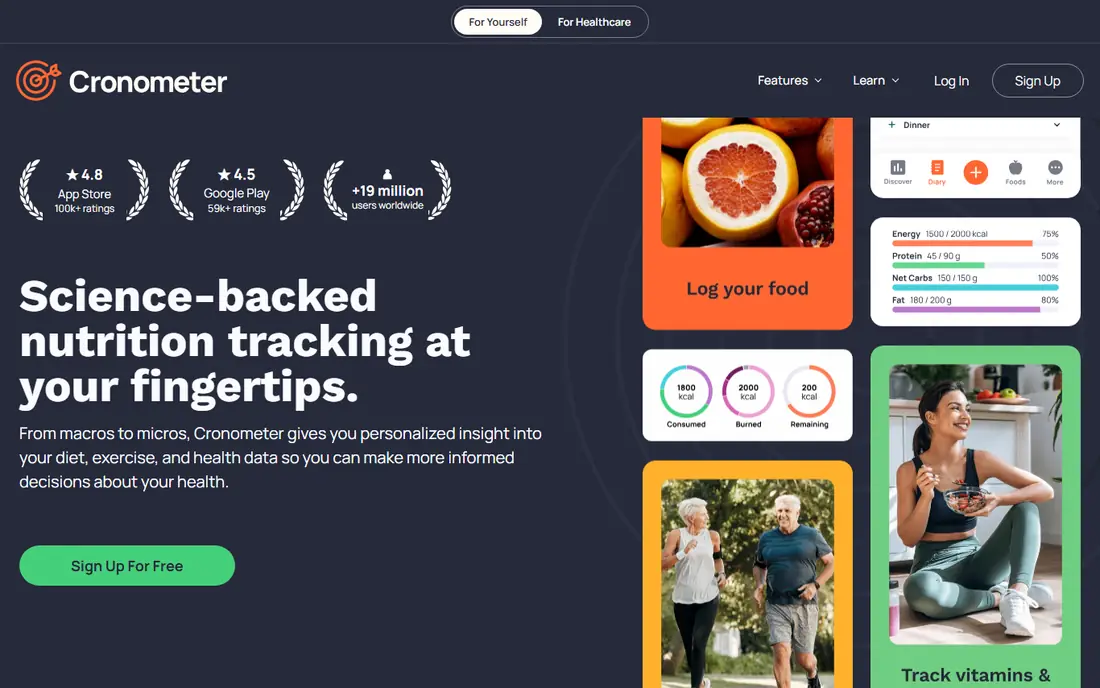
Cronometer suits readers who want more than macros. It tracks vitamins, minerals, and amino acids where data exists, and its Gold tier adds custom charts that plot intake against device data such as sleep or activity. That depth appeals to people who already track other health data and want one place to compare it.
The free tier carries ads, and Gold at $59.99 per year is needed for photo logging, voice logging, and the full charting set. If you only need macros, MyNetDiary gives a cleaner free experience. If nutrient depth and charts matter, Cronometer is worth the trade.
- Gram targets free
- Up to 95 nutrients tracked
- Device integrations and custom charts in Gold
- Free tier carries ads
- Photo and voice logging need Gold

MacroFactor is built for lifters and serious trackers who want coaching, not just logging. Its algorithm estimates your expenditure from your logged intake and weight trend, then adjusts macro targets over time. You can also set manual targets or work in a collaborative mode that blends your input with its suggestions.
The cost is the catch. At $11.99 per month or $71.99 per year, with no free tier beyond a trial, it is a commitment. It is worth it if you will log consistently and act on weekly adjustments. If you log sporadically, a free tracker will serve you just as well for far less money.
- Targets adjust from weight and intake trends
- Manual and coached programs
- Detailed expenditure estimates
- No free tier, only a 7-day trial
- Annual cost at $71.99 per year is higher than many rivals
MyFitnessPal remains popular because its food database is huge, especially for branded and restaurant foods in the United States. If you eat many packaged foods, you are more likely to find an exact match here than in a smaller database. Its device integrations and long history also appeal to users with years of logged data.
The free tier is more limited for macro work than its rivals. Percentage targets are free, but gram targets and per-meal macro targets need Premium. Barcode scanning is also a Premium feature in current listings, which is a real drawback for a tracker whose main job is fast logging.
- Very large food database
- Barcode scanning in Premium
- Wide device integrations
- Gram targets and per-meal targets need Premium at $79.99 per year
- Free tier carries ads
Lose It is the easiest app in this list to start with. Its logging flow is short, its daily budget view is clear, and photo logging helps when you do not want to search for every ingredient. For beginners who feel overwhelmed by nutrient tables, that simplicity is a genuine strength.
Macro customization is the limit. Setting detailed custom macros needs Premium, so check the current Premium price in the app store before you buy, since published prices have varied. If you need gram targets free, start with MyNetDiary or Cronometer instead.
- Simple logging flow
- Photo logging
- Clear daily budget view
- Custom macro targets need Premium
- Free tier carries ads
- Nutrient depth is thinner than Cronometer
Carb Manager is the clearest pick for low-carb and keto tracking. It tracks net carbs, offers keto-specific tools and recipes, and lets you set daily macro targets for free. That focus makes it easier to stay within a carb limit than a general tracker that treats all macros the same.
For high-carb or balanced plans, its keto framing can feel less relevant, though the core logging still works. Premium at $39.99 per year adds per-meal targets, day-of-week targets, and more meal planning features. For keto trackers, the free tier alone covers the essentials.
- Free daily macro targets
- Keto and low-carb tools
- Net carb tracking
- No third-party ads in free tier
- Less suited to high-carb plans
- Some per-meal and day-of-week targets need Premium
Eat This Much solves a different problem from most trackers. Instead of asking you to log meals and hope they fit your macros, it plans meals that are designed to hit your protein, carb, and fat targets from the start. That reduces the end-of-day scramble to fix a macro that is far off target.
The trade-off is flexibility. If you eat out often or cook without a plan, a standard logger will fit better. For home cooks who want a weekly plan and a grocery list that matches their macros, Eat This Much is a strong, practical choice.
- Builds meals to hit your macros
- Grocery lists
- Diet and allergy filters
- Meal planning focus means logging is less flexible
- Full features need Premium at around $5 per month
MyMacros+ appeals to readers who want a macro tracker and nothing else. Its design puts daily and per-meal macro targets front and center, without the social features, meal plans, and coaching layers that crowd larger apps. That focus keeps logging fast once you know your regular foods.
The smaller database is the honest drawback. You may need to create custom foods more often than in MyFitnessPal or MyNetDiary. If you eat a narrow set of regular meals, that cost is small. If you eat many new branded foods each week, a larger database will save you time.
- Simple macro-first design
- Per-meal targets
- Offline-friendly logging in places
- Smaller food database than major rivals
- Fewer coaching and planning features
How we picked these
We compared official pricing pages, app listings, and October 2026 roundups, and we kept only apps that are live, set protein, carb, and fat targets, and log food on mobile. We favored a mix of free gram-target apps, adaptive coaching, keto-specific tracking, and meal planning, so readers with different diets and budgets can find a fit. We did not test accuracy against weighed meals ourselves, and we treated database size claims as vendor figures, not verified counts.
How to set macros that actually work
Start with protein, since it is the macro most readers care about most. A gram target is easier to follow than a percentage when calories change, so favor apps that let you set grams free, such as MyNetDiary and Cronometer. Set carbs and fat around that protein target, based on your diet style and total calorie goal, rather than copying a stranger's split.
Next, log honestly for two weeks before you judge the app. Most trackers feel slow in week one, when you are creating custom foods and learning the search. Speed improves sharply once your regular meals are saved. If logging still feels like a chore after two weeks, switch apps rather than quitting tracking entirely, since a tracker you use beats a perfect tracker you abandon.
Watch for database errors
User-submitted foods can carry wrong macro values, especially for restaurant dishes and branded items. When a result looks too good to be true, check it against the package or a verified entry. Verified databases such as Cronometer and MyNetDiary reduce this risk, but no database is error-free.
When to talk to a professional
Macro targets for pregnancy, diabetes, kidney disease, eating disorders, or other health conditions need professional guidance. These apps give general information only, and they cannot replace advice from a clinician or registered dietitian. If you have a health condition, or if tracking starts to feel stressful or compulsive, pause and seek professional support.
Frequently asked questions
What is the best free macro counter app?
MyNetDiary is a strong free pick because it offers gram-based macro targets, barcode scanning, and no ads on the free tier. Cronometer is also free for gram targets and nutrient tracking, though its free tier carries ads. Both beat MyFitnessPal free for macro customization, since MyFitnessPal reserves gram targets for Premium.
Is MacroFactor worth the price?
MacroFactor is worth it if you log consistently and want targets that adjust from your weight and intake trends. At $11.99 per month or $71.99 per year, with no free tier, it is a commitment. If you log sporadically, or you only need fixed targets, a free tracker will do the same core job for less money.
What is the best macro app for keto?
Carb Manager is the clearest keto pick, with net carb tracking, keto tools, and free daily macro targets. It also offers keto meal planning in Premium. General trackers can track keto macros too, but Carb Manager's keto framing makes daily carb limits easier to follow.
Can I track macros without counting calories?
Most macro apps track calories alongside macros, since macros add up to calories. Some apps let you hide calorie totals or focus on macro targets, but the underlying math still links them. If calorie counting feels unhelpful, focus on protein and meal structure, and talk to a professional about an approach that fits you.
How do I set custom macros in MyFitnessPal?
In MyFitnessPal, free users can set macro targets by percentage, while gram targets and per-meal targets need Premium. Open your goals settings, choose custom macros, and set percentages that match your plan. For gram targets free, MyNetDiary or Cronometer may be a better fit.
Do macro apps work for weight loss and muscle gain?
Macro apps help by making intake visible, which makes it easier to follow a calorie and protein plan for either goal. They do not cause weight loss or muscle gain on their own, and results depend on training, sleep, overall diet quality, and consistency. Use the app as a tracking tool, not as a guarantee of results.
Sources
See where you really rank - block by block
ProMapRanker scans Google Maps across a grid of your service area. Simple monthly plans from $19, white-label on every plan.
Start freeKeep reading
 zscaler alternatives
Best Zscaler Alternatives in 2026
Looking for zscaler alternatives? We compare 9 SASE and zero trust platforms on architecture, data protection, pricing, and fit for your network and team.
Read → zapier alternatives free
Best Zapier Alternatives Free in 2026
Nine automation tools for zapier alternatives free in 2026, all with genuinely free tiers, plus free plan limits, starting prices and upgrade paths explained.
Read → which platform is best for online reputation
Which Platform Is Best for Online Reputation in 2026
Wondering which platform is best for online reputation? We compare 8 review, listing, and response tools for small and multi-location businesses and agencies.
Read →