 ProMapRanker
Best Local SEO Tools for Montessori Schools in 2026

Listing management across maps and directories · Pricing starts at: See website
Direct answer
Partoo is my first pick for Montessori schools because it keeps your Google Business Profile, Apple Maps and directory listings consistent from one dashboard, which matters when parents search by neighbourhood. Pricing is quote-based, so check its pricing page. For review requests after a tour, look at Signpost, and for local rank tracking by suburb, SE Ranking is a solid alternative.
I compared these tools from vendor documentation and public sources, not from hands-on tests. I looked at what each one does for a single-campus or small multi-site school, how much manual work it leaves you, and where the limits sit. The list is ordered by fit for a Montessori setting, not by size of the company.
Key takeaways
- Montessori schools compete in a small radius, so profile accuracy and parent reviews matter more than broad keyword coverage.
- A listing management tool keeps your name, address, phone, hours and program details the same across Google, Apple Maps and directories.
- Review request tools help you ask families politely after a tour or enrolment, without incentives or gating.
- Local rank tracking shows whether you appear when parents search "montessori near me" in nearby suburbs.
- Call tracking helps you see which listings and pages bring actual enquiry calls, not just clicks.
Quick comparison
| Pick | Great for | Pricing starts at | Free tier | |
|---|---|---|---|---|
| Partoo | Listing management across maps and directories | See website | Not stated | Visit |
 Localo | Simple GBP management for small schools | See website | Free trial | Visit |
 Signpost | Automated review requests after tours | See website | Not stated | Visit |
 Trustpilot | A public review profile beyond Google | See website | Free plan | Visit |
 SE Ranking | Local rank tracking by suburb | See website | Free trial | Visit |
 Whitespark | Citation building and local audits | See website | Not stated | Visit |
 WhatConverts | Call and form tracking with lead detail | See website | Free trial | Visit |
The best local SEO tools for Montessori schools compared
Partoo is a listing management platform. You enter your school details once and push them to Google Business Profile, Apple Maps, Waze, Facebook and a long list of directories. For a Montessori school with one campus it is more tool than you strictly need, but it becomes useful when you run a toddler community, a children's house and an elementary program at different addresses, or when you open a second site.
The workflow that matters for a school is consistency. Your opening hours, holiday closures, admissions phone number and program names should read the same everywhere, because parents often check Google Maps and then a directory or a local parenting site. Partoo lets you schedule updates for term dates and open days, and it gives you a single place to fix a wrong phone number before it spreads. That saves the office manager from chasing listings one by one.
The limit is the sales process. There is no published self-serve price, and the platform is aimed at brands with several locations. A single small school with a tight budget should look at Localo first and come back to Partoo when it grows.
- Central profile editing for many directories
- handles Google Business Profile and Apple Maps
- built for multi-location brands
- Pricing is quote-based
- more than a single small school may need
Localo is a local SEO tool built around Google Business Profile. It shows how complete your profile is, suggests improvements, and helps you publish updates and respond to reviews from one screen. For a Montessori school where the director or office administrator handles marketing between admissions tasks, that simplicity is the main draw.
In practice you would use it to keep your profile complete through the year: term start dates, open house announcements, holiday closures and photos of the prepared environment. It also nudges you to reply to reviews, which matters because prospective parents read how a school responds to a concern as much as they read the concern itself. Keep replies factual and warm, and never offer anything in exchange for a review.
Skip it if you already run a larger SEO suite or if you need listings managed across dozens of directories. It fits the school that wants one clean dashboard and nothing more.
- Plain dashboard for Google Business Profile
- helps with posts and review replies
- suited to one or two locations
- Fewer directory integrations than enterprise tools
- limited multi-site reporting
Signpost is a marketing automation tool for small businesses, and its review request feature is the part that fits a school. After a tour or an enquiry, you can set a message that asks the family to leave a review if they are happy with the visit. The timing matters: a parent who has just seen the classroom and met a guide is far more likely to write something useful than one who gets a request weeks later.
For a Montessori school the tone has to be careful. Ask for honest feedback, not for a positive rating. Do not filter out families you think will be critical, and do not offer a discount or a priority place in return. Google's guidelines prohibit review gating and incentives, and parents notice when a review profile looks curated.
The limitation is that automation can feel impersonal if you let it run without review. Read the templates before they go out, and make sure the message sounds like your school, not like a software vendor.
- Automates review request messages
- can follow up by text and email
- keeps customer conversations in one inbox
- Pricing needs a quote
- automation still needs a human tone check
Trustpilot is a review platform where you build a public profile and collect reviews from families. It is not a replacement for Google reviews, because most parents searching for a Montessori nursery or school start on Google Maps. It works as a second source you can point to from your website, especially for families who move between cities and compare schools online before they call.
A sensible use is to invite reviews from families who have already left one on Google, or to collect feedback on your admissions process rather than on the classroom. Keep the invitation neutral and never script the content. If you display reviews on your site, show them as they are, including the mixed ones.
The limit is relevance. For a neighbourhood school, a Trustpilot score carries less weight than a Google rating with recent reviews. Treat it as a supporting profile, not the centre of your local SEO.
- Recognisable review platform
- free plan to start collecting reviews
- widgets you can add to your site
- Parents usually check Google first
- paid tiers needed for deeper features
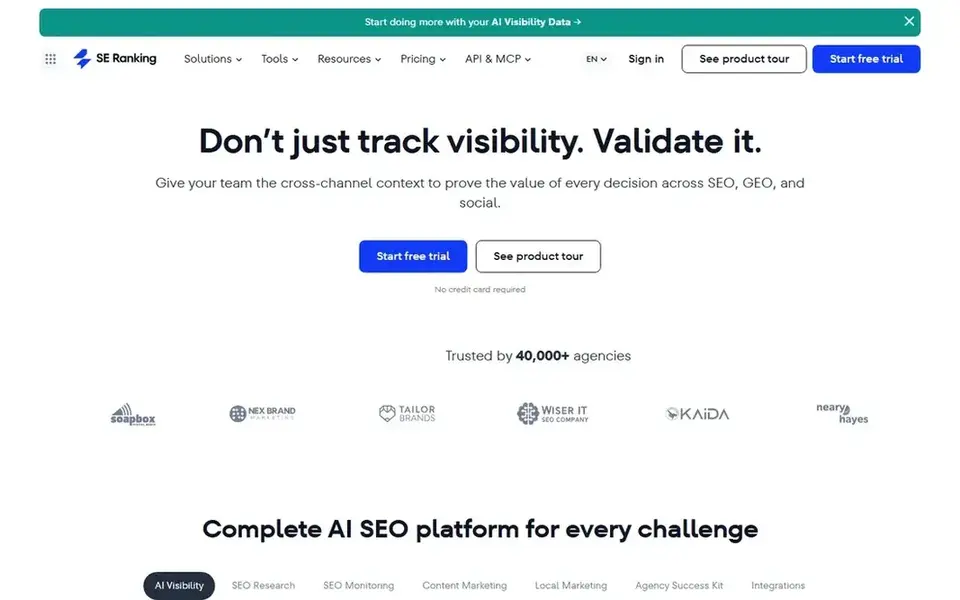
SE Ranking is an SEO platform with a local rank tracking module. You can check where your site appears for searches like "montessori school near me" or "montessori nursery [suburb]" from different points on the map, which is closer to how parents actually search than a single national ranking number.
For a school, that view helps you decide where to put effort. If you rank well in your own suburb but poorly two miles away, the fix is usually more local content, a clearer location page, and listings in that area's directories, not a rewrite of the whole site. You can also watch a nearby competitor's visibility without copying their content.
One limitation is scope. SE Ranking does much more than local tracking, so a school that only wants to monitor a few keywords may find it heavy. Check the plan tiers before you commit, because local grid tracking is not always in the entry level.
- Rank tracking with local grid views
- competitor tracking
- site audit and keyword research in one place
- Local features are part of a broader suite
- grid tracking needs a paid tier
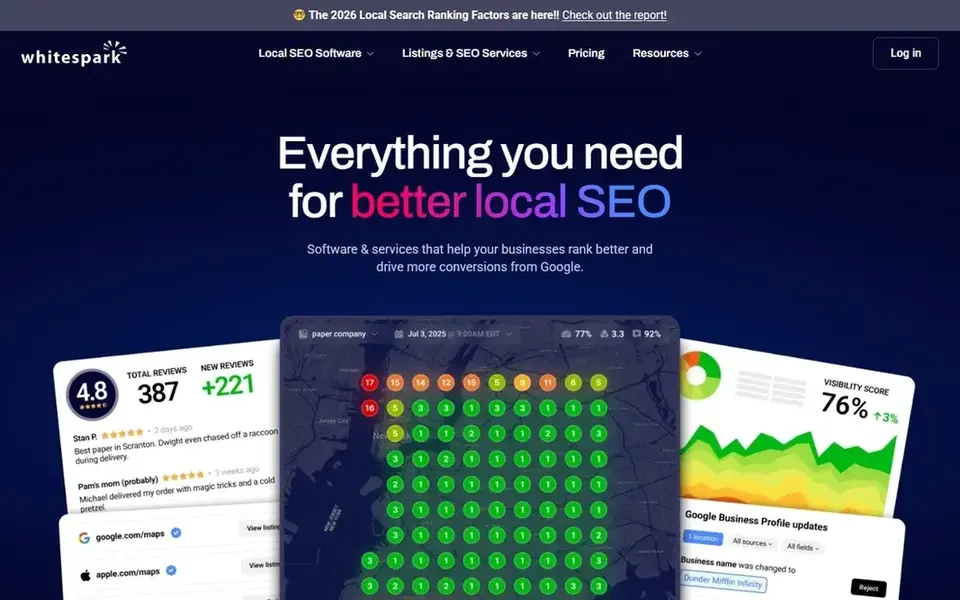
Whitespark is a local SEO company known for citation building and local search tools. Citations are the mentions of your school's name, address and phone number on directories, chambers of commerce, parenting sites and local listings. For a Montessori school, the useful citations are the ones parents actually use: local family directories, council or community listings, and education portals.
The citation finder shows where your details already appear and where they are missing or inconsistent. The building service then submits and fixes listings, usually as a project. That suits a school that has just rebranded, moved campus or changed its phone number and needs a clean baseline.
The limit is that citations are maintenance, not a one-off. New directories appear, old ones change formats, and a wrong phone number can sit unnoticed for months. Budget for a periodic check rather than a single push.
- Citation finder and building services
- local search audit tools
- long track record in local SEO
- Much of the citation work is manual
- services are priced per project or quote
WhatConverts is a lead tracking tool. It captures phone calls, form submissions and chats, then ties each one back to the source, such as a Google Business Profile listing, a directory or a page on your site. For a school, that answers a practical question: which listings actually bring admissions enquiries, and which ones only bring clicks.
The workflow is straightforward once installed. You add a tracking number to your listings and site, tag the sources, and read the lead report each month. If most of your tour requests come from Google Maps calls, you know where to spend time. If a directory sends nothing, you can stop paying attention to it.
Be careful with call recording. Consent rules vary by country and region, and a school should not record parent calls without a clear notice. The tool supports tracking without recording, which is the safer default for admissions lines.
- Tracks calls, forms and chats as leads
- records which source produced each enquiry
- call recording and lead reports
- Setup needs planning
- call recording requires care with consent
How I chose
I built this list from vendor documentation and public sources. I read what each tool says it does, checked which features sit in which plan where that was published, and looked at how the workflow would land in a school office with limited marketing time. I did not run hands-on tests, and I did not use client results or case studies to rank anything.
The fit test was simple. A Montessori school usually has one or a few locations, a small radius of families, a steady but modest flow of enquiries, and no dedicated SEO staff. Tools that assume an enterprise team or a large paid budget went lower. Tools that help with profile accuracy, honest review requests, suburb-level rank checks and enquiry tracking went higher. I also noted where pricing is quote-based, because that changes how you should approach a purchase.
What to check before you buy
- Confirm whether the tool manages Google Business Profile directly or only reports on it, since direct editing saves the most time.
- Check how many locations the plan covers, because a second campus or a separate elementary site may need an upgrade.
- Ask whether review requests can be sent without gating or incentives, and walk away from anything that filters reviewers.
- Look at how term dates, holiday closures and open day hours are handled, since a wrong closure frustrates parents.
- Check whether local rank tracking is included at your tier or sold as an add-on.
- Ask about call tracking consent and recording rules in your region before you route the admissions line through a new number.
Frequently asked questions
Do Montessori schools need local SEO tools at all?
Yes, if you want to appear when parents search by neighbourhood. Most families start on Google Maps, then check reviews and a website. A small set of tools keeps your profile accurate, helps you collect honest reviews and shows which listings bring enquiries. You do not need a large stack; two or three tools cover the basics well.
Which tool should a single-campus school start with?
Start with a Google Business Profile management tool such as Localo, then add a review request process. Listing management platforms like Partoo make more sense once you have several sites or a complicated program structure. Rank tracking can wait until the profile and reviews are in good shape.
How do I ask parents for reviews without breaking Google's rules?
Ask every family the same way, at the same point in the process, and never offer anything in return. Do not screen out families you expect to be critical, and do not write reviews for them. A simple message after a tour or at the end of a term, inviting honest feedback, is fine.
Can these tools help with multiple program locations?
Yes, but check the location limits on each plan. Partoo and similar listing platforms are built for multi-site management. Review and call tracking tools usually charge by volume or location. Map out your sites and program names before you buy so you do not pay for capacity you will not use.
Is call tracking worth it for a small school?
It can be, if you cannot tell which listings bring admissions calls. A tool like WhatConverts shows the source of each call and form. For a very small school with one phone line and few enquiries, a simple ask at intake ("how did you hear about us?") may be enough.
Sources
See where you really rank - block by block
ProMapRanker scans Google Maps across a grid of your service area. Simple monthly plans from $19, white-label on every plan.
Start freeBrowse all guides
← Best Local SEO Tools for Medical Transport Services in 2026Best Local SEO Tools for Trailer Dealers in 2026 →
 best local seo tools for gutter guard installers
Best Local SEO Tools for Gutter Guard Installers in 2026
A practical guide to the best local SEO tools for gutter guard installers in 2026, covering GBP management, reviews, rank tracking and call tracking.
Read → best local seo tools for firewood suppliers
Best Local SEO Tools for Firewood Suppliers in 2026
A practical guide to the best local SEO tools for firewood suppliers in 2026, covering listings, reviews, rank tracking and call tracking.
Read → best local seo tools for cabinet refacing companies
Best Local SEO Tools for Cabinet Refacing Companies in 2026
A practical guide to the best local SEO tools for cabinet refacing companies in 2026, covering GBP management, reviews, rank tracking and call tracking.
Read → best free local seo tools
Best Free Local SEO Tools That Are Actually Useful
The best free local SEO tools worth using, including a truly free geo-grid scan.
Read → google map pack
What Is the Google Map Pack? A Plain-English Guide
What the Google Map Pack is, why it matters, and how Google decides which three businesses show up.
Read → citation cleanup
Citation Cleanup: A Complete Guide
Everything you need to know about citation cleanup: what it is, why it matters for local SEO, and exactly how to act on it.
Read →More in Local SEO & Google Maps · All guides A to Z by date · Latest guides