 ProMapRanker
Best Live Stream Platform in 2026

Key takeaways
- YouTube Live, Twitch, Facebook Live, and LinkedIn Live are free destinations, so pick the one where your audience already spends time.
- Restream and StreamYard are the best multistreaming tools in this list, with Restream covering more destinations and StreamYard offering an easier guest studio.
- OBS Studio is free and powerful for producers who want full control, while Vimeo and Dacast suit businesses that need branded, monetized, or private streams.
- Paid multistreaming plans start at about $16 per month for Restream and $35.99 per month for StreamYard on annual billing in recent listings.
- We compared destinations, studio tools, chat, monetization, and price, and we kept only platforms that are still available in October 2026.
Quick comparison
| Pick | Great for | Pricing starts at | Free tier | |
|---|---|---|---|---|
 YouTube Live | Largest live audience reach | Free | Yes | Visit |
 Twitch | Gaming and community live streams | Free | Yes | Visit |
 Restream | Broadcasting to many platforms at once | $16 per month | Yes | Visit |
 StreamYard | Easy browser studio for guests | $35.99 per month | Yes | Visit |
 Facebook Live | Reaching existing followers | Free | Yes | Visit |
 LinkedIn Live | B2B events and thought leadership | Free | Yes | Visit |
 OBS Studio | Free, full-control production software | Free | Yes | Visit |
 Vimeo | Branded, ad-free business live video | $75 per month | Yes | Visit |
The best live stream platforms
A live stream platform can mean a destination where viewers watch, a studio where a show is produced, or software that sends one feed to many places. This list covers all three, so a creator can pick a destination first and then add a studio or multistreaming tool when needed. We compared official pricing pages, feature pages, and public reviews, and we kept only platforms that are still available in October 2026.
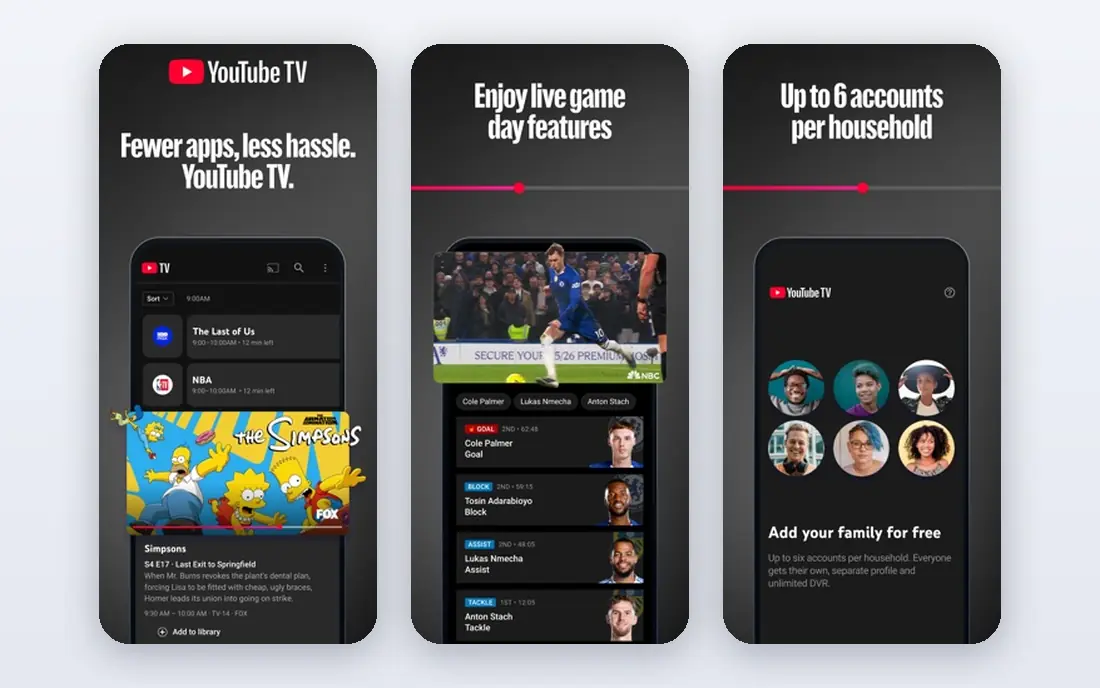
YouTube Live fits creators who want the biggest possible audience for a public stream. Viewers can find a live video through search, subscriptions, and recommendations, and replays stay on the channel for later viewing. Monetization options include ads, channel memberships, and Super Chat where a channel meets eligibility rules, which helps creators who already build an audience on YouTube. The catch is competition and rules. A new channel can struggle to be found among many live streams, and content, copyright, and community rules must be followed carefully. YouTube Live is still the best free destination for most public streams, especially when the stream is also a video that should live on after it ends. Pair it with Restream or StreamYard when the same show must also go to other platforms.
- Largest potential live audience
- Search and discovery built in
- Monetization through ads, memberships, and Super Chat where eligible
- Algorithm and policy rules change
- Discoverability is hard for new channels
- Live features need channel eligibility in some cases
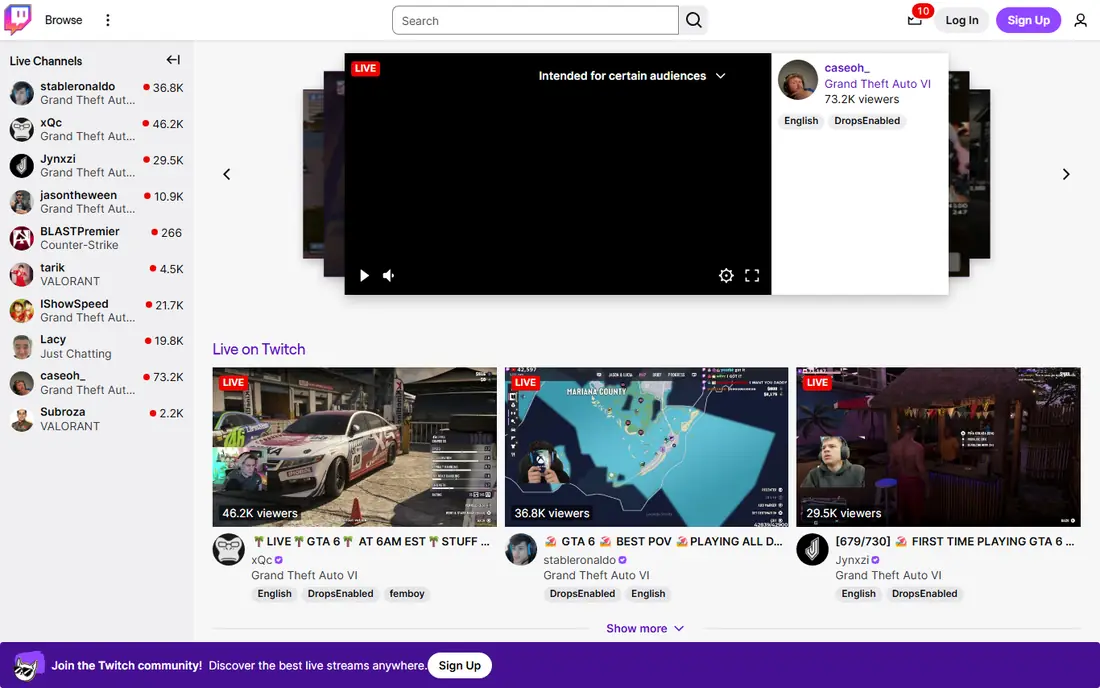
Twitch fits streamers who build a regular live community, especially in gaming, music, art, and just chatting categories. Chat, emotes, raids, channel points, and subscriptions create a live culture that rewards showing up on a schedule and talking with viewers in real time. For a streamer who goes live several times a week, that community loop is hard to match on a general video platform. The limits are discovery and monetization. A new streamer can be hard to find without an audience elsewhere, and subscriptions and ads need Affiliate or Partner status. Video on demand storage is also limited compared with YouTube. Pick Twitch when live community is the main goal, and use YouTube or TikTok beside it when replays and short clips matter.
- Strong live community culture
- Chat, raids, and subscriptions built in
- Good for regular scheduled shows
- Discovery is hard outside gaming and popular categories
- Monetization needs Affiliate or Partner status
- VOD storage is limited

Restream fits creators who want maximum distribution from one show. One feed can go to YouTube, Twitch, Facebook, LinkedIn, and many other destinations at once, and combined chat pulls messages from every platform into one window. A creator can produce in the browser studio with guests, or send a feed from OBS Studio through Restream cloud relay, which keeps upload bandwidth low. The catch is tier limits. The free plan covers two destinations with Restream branding, paid plans start at $16 per month billed annually in recent listings, and Full HD in the studio needs the Professional tier. Pre-recorded uploads and webinars are also tiered or add-on features. For a creator who already produces a show and wants the widest reach, Restream is the best value multistreaming pick in this list.
- Streams to 30 plus destinations
- Combined chat from all platforms
- Browser studio plus encoder ingest
- Full HD studio streaming needs a higher tier
- Free plan caps at two destinations
- Some features are paid add-ons
StreamYard fits interview shows, podcasts, and panel discussions where guests must join easily. Guests join from a browser link without installing software, the host controls layouts, banners, and comments on screen, and local recordings help when a guest connection is weak. Higher tiers add webinars, AI clips, and longer pre-recorded streams, which suit creators who turn live shows into clips and lessons. The trade is price. Paid plans start at $35.99 per month billed annually in recent listings, which is higher than Restream, and the free plan streams to only one destination. StreamYard is still worth it when guest ease and recording reliability matter more than destination count. Pick StreamYard for interviews, and Restream for widest multistreaming.
- Easiest guest studio in this list
- Local recordings
- Built-in clips and webinar tools on higher tiers
- Higher starting price than Restream
- Free plan streams to one destination
- Branding on free and lower tiers
Facebook Live fits creators, groups, and local businesses who already have followers on Facebook. A live video can appear in feeds, groups, and pages, and viewers can comment and react without leaving the app they already use. That direct reach helps for community updates, Q and A sessions, local events, and product demos where the audience is already gathered. The catch is reach and discovery. Organic reach can vary by page and post, and Facebook Live is weaker than YouTube for search-based discovery after the stream ends. Monetization also has eligibility rules that not every page meets. Use Facebook Live as a free destination for an existing community, and add YouTube or a multistreaming tool when new audience discovery matters.
- Free
- Reaches followers, groups, and pages directly
- Comments and reactions built in
- Organic reach varies
- Video discovery is weaker than YouTube
- Monetization rules are strict
LinkedIn Live fits B2B creators, founders, and companies who want to reach a professional audience with events, panels, and talks. A live session on LinkedIn can attract viewers who would not watch the same content on Twitch or TikTok, and comments often come from people in the same industry. That context helps for thought leadership, hiring, product launches, and partner events. The limit is access and format. Many accounts need a third-party streaming tool such as Restream or StreamYard to go live, and the audience expects professional content rather than casual entertainment. LinkedIn Live is not a general creator destination, but for B2B live video it is a strong free option. Pair it with StreamYard for guest panels or Restream for multistreaming to other platforms.
- Free for eligible accounts
- Reaches a professional audience
- Good for events, panels, and product talks
- Needs a third-party tool or LinkedIn Live access in many cases
- Audience is professional, not general entertainment
- Analytics are basic compared with paid platforms
OBS Studio fits producers who want full control over a live show without paying for studio software. Scenes, sources, transitions, audio mixing, and filters can be shaped exactly, and plugins add features such as multistreaming, captions, and remote control. OBS Studio sends a feed to YouTube, Twitch, Facebook, or a multistreaming service, so it pairs well with Restream for distribution. The catch is setup. OBS Studio has a learning curve, and a beginner may need guides to set scenes, audio, and encoding correctly. It also needs a computer that can handle encoding, unlike a browser studio that runs in the cloud. For a producer who wants control and a zero software cost, OBS Studio is the best live stream software in this list, especially when combined with a multistreaming platform.
- Free and open source
- Full scene, source, and audio control
- Plugins for many workflows
- Learning curve for beginners
- No built-in multistreaming without a plugin or service
- Needs a capable computer
Vimeo fits businesses that want live video without ads, with their own branding, and with registration and follow-up for webinars. The player can be embedded on a company site, streams can be simulcast to social platforms on higher tiers, and event tools help with registration, chat moderation, and analytics. That control suits corporate events, training, product launches, and paid webinars. The catch is price. Simulcasting is listed at $75 per month in recent material, which is far above a free destination such as YouTube Live or Facebook Live. Solo creators who only need public reach should not pay for Vimeo. Businesses that need a branded, private, or monetized stream, with no ads and full control, will find Vimeo worth the cost.
- Branded, ad-free player
- Simulcasting to social platforms
- Webinar and event tools
- Starting price is high for solo creators
- Free tier is limited
- Simulcasting needs a higher tier in recent listings
How we picked these
We compared official pricing pages, feature pages, and public reviews for live platforms, and we checked destinations, studio tools, multistreaming, chat, monetization, and price. We kept platforms that are still available in October 2026 and that cover a distinct need: free destinations, multistreaming, browser studios, free production software, or business live video. We did not claim hands-on testing, and we did not rank platforms by a single score, because audience, production, and distribution needs differ by creator. Prices are starting prices from vendor or recent pricing material.
How to choose the right live stream platform for your show
Start with audience, then production, then distribution. Pick the destination where viewers already are, such as YouTube for public reach, Twitch for live community, Facebook for an existing group, or LinkedIn for B2B. Then pick a studio that fits the show format, such as StreamYard for guests or OBS Studio for full control. Only then add multistreaming, because sending a weak show to more places does not fix the show itself.
Test the full show before going live in public
Run a private test with guests, graphics, audio, and chat, and check recording, bandwidth, and backup plans. Test what happens when a guest drops, audio fails, or chat gets busy, because those cases happen in real shows. Record the test and watch it back, since audio and framing problems are easier to spot in a recording than during a live session.
Keep costs tied to audience growth
Start free with a destination and OBS Studio or a free multistreaming tier, and only pay when a limit blocks growth, such as destination count, branding, or recording quality. A $16 Restream plan or a $35.99 StreamYard plan should pay for itself in time saved or audience reached, not just in features. Review the plan each quarter and drop tiers that are no longer used.
Frequently asked questions
What is the best live stream platform for beginners?
YouTube Live is the best live stream platform for beginners who want a free, public destination with a large audience. StreamYard is the easiest studio for beginners who host guests, because guests join from a browser link. OBS Studio is free and powerful, but it has a learning curve, so beginners may start with StreamYard and move to OBS Studio later.
What is the best live stream software for multistreaming?
Restream is the best live stream software for multistreaming in this list, with 30 plus destinations, combined chat, and a free plan for two destinations. StreamYard also multistreams, but it covers fewer destinations and costs more at the entry tier. OBS Studio can multistream with a plugin or through Restream, which is a good free-plus-paid combination.
What is the best app to live stream on multiple platforms?
Restream is the best app to live stream on multiple platforms at once, because one feed reaches many destinations and chat is combined in one window. StreamYard is a strong alternative for guest shows that also need multistreaming. Pick Restream when destination count matters most, and StreamYard when guest ease matters most.
Is Twitch or YouTube Live better for new streamers?
YouTube Live is better for new streamers who want search discovery and replays that keep working after the stream ends. Twitch is better for streamers who go live on a regular schedule and want a strong live chat community, especially in gaming. Many new streamers use both, with Twitch for live community and YouTube for clips and replays.
Do I need paid software to live stream?
No, not at first. YouTube Live, Twitch, Facebook Live, and LinkedIn Live are free destinations, and OBS Studio is free production software. A free Restream or StreamYard tier can add multistreaming or guest tools. Pay only when a free limit, such as destination count, branding, or recording quality, blocks real growth.
What is the best live stream platform for business webinars?
Vimeo is the best live stream platform for business webinars in this list, with a branded, ad-free player, registration, and event tools. StreamYard also offers webinar tools on higher tiers for smaller teams. YouTube Live can work for public business talks, but it lacks the branding and registration control that Vimeo provides.
Sources
See where you really rank - block by block
ProMapRanker scans Google Maps across a grid of your service area. Simple monthly plans from $19, white-label on every plan.
Start freeKeep reading
 zscaler alternatives
Best Zscaler Alternatives in 2026
Looking for zscaler alternatives? We compare 9 SASE and zero trust platforms on architecture, data protection, pricing, and fit for your network and team.
Read → zapier alternatives free
Best Zapier Alternatives Free in 2026
Nine automation tools for zapier alternatives free in 2026, all with genuinely free tiers, plus free plan limits, starting prices and upgrade paths explained.
Read → which platform is best for online reputation
Which Platform Is Best for Online Reputation in 2026
Wondering which platform is best for online reputation? We compare 8 review, listing, and response tools for small and multi-location businesses and agencies.
Read →