 ProMapRanker
Best Linux Hosting Company in 2026

Key takeaways
- Linux hosting is the standard choice for most websites, since WordPress, PHP frameworks and common content systems run on Linux servers.
- Introductory prices rarely last: check the renewal price and the prepaid term before you judge a host on its headline rate.
- Shared Linux hosting suits small sites, while VPS hosting suits sites that need root access, more resources or custom software.
- Control panel matters: cPanel, hPanel and custom panels change daily tasks such as backups, email and staging.
- Compare total cost over two or three years, not just month one, and test support and restore options early.
Quick comparison
| Pick | Great for | Pricing starts at | Free tier | |
|---|---|---|---|---|
 Hostinger | Budget shared and VPS hosting | $2.99 per month | No | Visit |
 SiteGround | Managed WordPress on Linux | $2.99 per month | No | Visit |
 InMotion Hosting | Business shared and VPS hosting | See website | No | Visit |
 DreamHost | Multiple sites and VPS hosting | $2.89 per month | No | Visit |
 Bluehost | WordPress sites for beginners | $3.99 per month | No | Visit |
 Hosting.com | Speed-focused shared and VPS | $1.99 per month | No | Visit |
 InterServer | Price-lock shared hosting | $2.50 per month | No | Visit |
 Vultr | Developer VPS with root access | $4 per month | No | Visit |
 DigitalOcean | Developer cloud and VPS hosting | $6 per month | No | Visit |
The best Linux hosting companies
Linux hosting means a server running a Linux operating system, usually with Apache or LiteSpeed, PHP, MySQL and a control panel. Most hosts below offer both shared Linux plans, where many sites share one server, and VPS plans, where your site gets dedicated resources on a virtual server. Pick shared for a simple site and VPS when you need more control or headroom.

Hostinger is a strong budget pick for a first site or a small business site on Linux. Its Premium shared plan is cited in recent comparisons at $2.99 per month on a 48-month term, renewing around $10.99 per month, with free SSL and a 30-day money-back window. The hPanel dashboard is easy to follow for domain, email, file and database tasks, and LiteSpeed plus NVMe storage help page speed on typical WordPress sites.
The long prepaid term is the catch to weigh. A 48-month prepayment locks you in for four years to keep the headline rate, and the renewal jump is large. If you may move hosts or close the site sooner, compare the monthly billing rate and the two-year total before paying. For a stable site that will stay put, Hostinger remains hard to beat on entry cost.
- Low introductory shared price
- LiteSpeed servers and NVMe storage on many plans
- Clear hPanel dashboard for beginners
- Best price needs a long prepaid term
- Renewal price is much higher
- Email on some plans is limited after year one

SiteGround suits WordPress site owners who want managed help without paying for a full managed VPS. Its StartUp plan is cited at $2.99 per month for 12 months, renewing at $17.99 per month, with daily backups, managed WordPress updates and free SSL. Support is available around the clock, and the tools for caching, staging on higher plans and security are clearly laid out.
Renewal price is the main warning. At $17.99 per month after year one, SiteGround costs far more over three years than its first-year price suggests. That can still be fair value if you use the support and managed features often, but a site owner who rarely contacts support may get similar results cheaper elsewhere. Work out the three-year total before you choose SiteGround on price alone.
- Daily backups and managed updates on shared plans
- Staging from GrowBig up
- Strong support by chat, phone and tickets
- Highest renewal jump among hosts compared here
- StartUp plan covers one site only
- Storage limits are tighter than some rivals
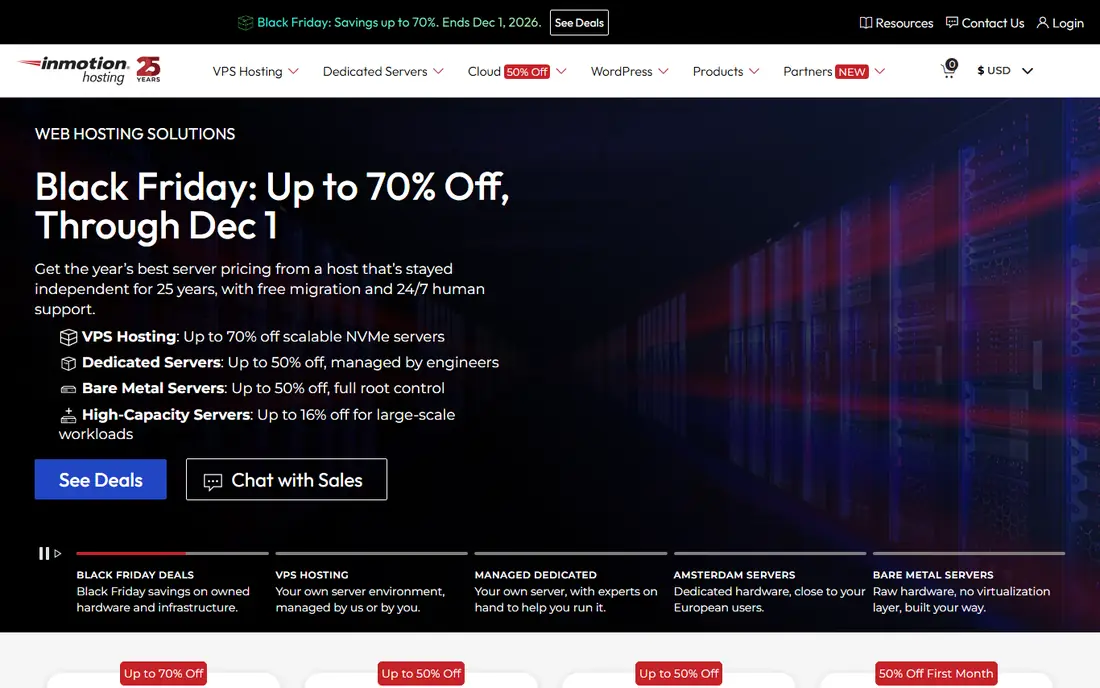
InMotion Hosting is a business-focused Linux host with cPanel on shared plans, which many site owners already know. That familiarity helps when moving a site, since cPanel backups, email accounts and database tools work in a standard way. The 90-day money-back window on terms of six months or longer gives more room to test a site than the usual 30 days.
Pricing is less tidy than Hostinger or SiteGround, since the entry rate varies by term and plan, with recent comparisons citing around $3.19 per month for a Core plan and renewal around $10.99 per month. Check the exact plan page for the term you want, and note email limits and storage on the entry plan. InMotion fits businesses that value cPanel, phone support and a longer refund window over the lowest headline price.
- CPanel on shared plans
- 90-day money-back window on longer terms
- US data centers and business-focused support
- Entry price varies by term and is not a single fixed figure
- Higher plans needed for larger sites
- Renewal prices need a plan page check
DreamHost is a long-running host that suits owners with several sites, since some shared plans allow unlimited websites. Its Launch shared plan is cited at $2.89 per month for the first year, renewing at $10.99 per month, with a 30-day money-back window. The custom panel is clean, and the VPS plans offer a clear step up when a site outgrows shared hosting.
Support channels and email terms need a check. Basic plans rely on chat and email rather than phone, which suits many owners but not those who prefer a call for an outage. Email terms also differ by plan, with free email for a limited period on some shared plans. If email hosting matters to you, confirm the email terms in writing before you move domains to DreamHost.
- Launch plan cited at a low first-year price
- Unlimited sites on some shared plans
- Clear VPS upgrade path
- Email is free only for a limited period on some plans
- Support is chat and email, not phone on basic plans
- Renewal price rises sharply
Bluehost is a common first host for WordPress beginners, with WordPress plans cited from $3.99 per month on a 36-month term, renewing around $9.99 per month. Setup guides walk a new owner through WordPress install, theme choice and basic settings, and the range from shared to VPS means a growing site can stay with the same provider. That path suits a blog, a small business site or a simple store.
Checkout upsells are the practical warning. Add-ons for email, security and backups can raise the bill if accepted without thought, so review each line before paying. Email is sold separately on some plans, which surprises owners who expect mailboxes included. Compare the total with email included against Hostinger and SiteGround before deciding.
- WordPress plans from a low introductory price
- Guided WordPress setup
- Wide range from shared to VPS and dedicated
- Renewal price varies by plan
- Email is sold separately on some plans
- Upsells during checkout need care
Hosting.com, formerly A2 Hosting, positions itself on speed, with Turbo plans combining NVMe storage and LiteSpeed. Recent comparisons cite a Starter shared price around $1.99 per month on a long term, and VPS plans with managed and unmanaged options. Free migration and free SSL are useful for owners moving a site, and the VPS range scales from small to large resource levels.
Renewal pricing is the main risk, with VPS reviews noting renewals at more than double the introductory rate. That pattern is common in hosting, but Hosting.com shows a large jump, so the three-year total matters more than the first-term screenshot. Check whether you need managed or unmanaged VPS, since managed plans cost far more but include server care that an unmanaged plan leaves to you.
- Turbo speed stack with NVMe and LiteSpeed on VPS plans
- Managed and unmanaged VPS options
- Free migration and SSL cited in reviews
- Best prices need long terms
- Renewal prices are much higher than intro prices
- Plan names changed after the A2 Hosting rebrand
InterServer is the value pick for owners who hate renewal jumps. Its Standard shared plan is cited at $2.50 per month, rising to $7 per month on renewal in some indexes, with a Price Lock Guarantee that holds the price you sign up at for the life of the account in vendor descriptions. LiteSpeed, unlimited storage as described and round-the-clock support make it a practical host for a stable small site.
The trade-off is polish and breadth. InterServer does not match SiteGround for managed WordPress tools or Hostinger for dashboard design, and its premium range is narrower. For a site owner who wants a predictable bill and a straightforward Linux shared plan, that trade is often worth it. Confirm the price lock terms for your plan at signup, since guarantees can carry conditions.
- Price Lock Guarantee holds the signup price for the life of the account
- Standard plan includes LiteSpeed and unlimited storage as described
- No long-term jump
- Interface feels less polished than larger rivals
- Fewer premium managed features
- Data center choice is more limited
Vultr suits developers who want full root control on a Linux VPS at a low price. Plans start at $4 per month in recent developer comparisons, with high-frequency compute options on NVMe storage for database and input-heavy work. Nine US locations in those comparisons give good latency choices, and a one-click marketplace covers common stacks such as LAMP, Docker and control panels.
Vultr is unmanaged, which is the key limit. You handle updates, security, backups and troubleshooting, or you hire someone to do it. That is fine for a developer or a team with server skills, but a poor fit for a business owner who wants the host to manage the server. Compare Vultr with DigitalOcean on panel, docs and bandwidth for your workload before choosing.
- Low VPS starting price
- Many US data center locations
- One-click apps for common stacks
- Generous bandwidth on many plans
- Unmanaged by default, so you handle server care
- No managed option built in
- Support is geared to developers
DigitalOcean is a developer favorite for Linux cloud hosting, with Droplets starting at $6 per month for a basic configuration in recent comparisons. The panel is clean, deployment is fast, and docs and tutorials cover most common setups. As a project grows, managed databases, Kubernetes and an app platform offer a path beyond a single VPS without changing providers.
Cost control needs attention. Bandwidth overages, backups, snapshots and managed services add to the base Droplet price, so a small project can grow more expensive than a shared plan if left unchecked. DigitalOcean suits developers, startups and agencies with server skills, rather than owners who want a simple shared plan with email and a website builder included.
- Clean control panel and strong docs
- Droplets deploy fast
- Managed Kubernetes, databases and app platform for scaling
- Costs rise with add-ons and bandwidth overages
- No shared hosting for simple sites
- Support tiers cost extra for faster help
How we picked these
We compared Linux hosts with a current shared or VPS offer in the United States, using recent hosting comparisons, renewal price indexes and vendor plan pages. We favored hosts with clear Linux support, a control panel or developer tools, free SSL and a realistic upgrade path. We mixed budget shared hosts with developer VPS providers so readers can match skill level and site type.
We did not run live speed tests ourselves. Prices change with term and promotion, so we note the term where a comparison gives one, and we use See website where the entry price varies too much to state fairly. Always check the plan page and renewal price at checkout.
How to choose a Linux host without regret
Start with site type and skill level. A WordPress blog or small business site fits shared hosting with a panel, while a custom app, a busy store or a site needing root access fits VPS. If you cannot manage server updates yourself, choose managed hosting or a managed VPS, even if it costs more, since an unmanaged server left unpatched is a security risk.
Next, work out the true cost. Add the introductory term, the renewal price, email, backups, SSL and any control panel license, then total that over three years. A host that looks cheapest in month one can cost most by year three, as the SiteGround and Hosting.com examples show. A price lock or a modest renewal jump can beat a deep first-term discount.
Finally, test the host before you commit fully. Move a staging copy first, check speed from your audience location, test a backup restore, and contact support with a real question. A host that answers clearly and restores a backup cleanly earns trust faster than any feature list. Keep your domain registered separately from hosting if you can, so moving hosts later stays simple.
Frequently asked questions
Is Linux hosting better than Windows hosting?
For most websites, yes. WordPress, PHP, Python and common content systems run on Linux, and Linux hosting is usually cheaper and more widely supported. Windows hosting is mainly needed for specific Microsoft technologies such as ASP.NET, which most small sites do not use.
What is the difference between shared hosting and VPS hosting?
Shared hosting puts many sites on one server with shared resources, which keeps cost low but limits control. VPS hosting gives your site dedicated resources on a virtual server with root access, which suits larger or custom sites but needs more server skill unless you choose a managed plan.
Do I need cPanel for Linux hosting?
No, but it helps if you know it. Hostinger uses hPanel, DreamHost uses a custom panel, and DigitalOcean and Vultr use developer panels. Pick a panel you find clear for backups, email, databases and SSL, since you will use it for daily site tasks.
Why do hosting prices rise after the first term?
Hosts discount the first term to win customers, then charge a higher renewal rate. The jump can be two to five times the intro price, depending on host and term. Always check the renewal price and the prepaid length before paying, and budget on the renewal rate for a long-term site.
Can I move my Linux site to another host later?
Yes, in most cases. A full backup of files and database, plus a domain DNS change, moves a standard WordPress or PHP site to a new Linux host. Free migration services from many hosts help, but keep your own backup copy as well, and test the moved site before pointing live traffic to it.
Sources
- https://www.linuxteck.com/best-linux-vps-hosting/
- https://gizmodo.com/best-web-hosting/shared
- https://gizmodo.com/best-web-hosting/vps
- https://hostingguider.com/blog/web-hosting-renewal-price-index/
- https://www.hostinger.com
- https://www.siteground.com
- https://www.inmotionhosting.com
- https://www.dreamhost.com
- https://www.bluehost.com
- https://www.hosting.com
- https://www.interserver.net
- https://www.vultr.com
- https://www.digitalocean.com
See where you really rank - block by block
ProMapRanker scans Google Maps across a grid of your service area. Simple monthly plans from $19, white-label on every plan.
Start freeKeep reading
 zscaler alternatives
Best Zscaler Alternatives in 2026
Looking for zscaler alternatives? We compare 9 SASE and zero trust platforms on architecture, data protection, pricing, and fit for your network and team.
Read → zapier alternatives free
Best Zapier Alternatives Free in 2026
Nine automation tools for zapier alternatives free in 2026, all with genuinely free tiers, plus free plan limits, starting prices and upgrade paths explained.
Read → which platform is best for online reputation
Which Platform Is Best for Online Reputation in 2026
Wondering which platform is best for online reputation? We compare 8 review, listing, and response tools for small and multi-location businesses and agencies.
Read →