 ProMapRanker
Best LinkedIn Automation Tools in 2026


Branching sequences with safety controls · Pricing starts at: $99 per month
Key takeaways
- Cloud tools run without keeping a browser open, while browser extension tools are cheaper but depend on your own computer and session.
- Expandi and HeyReach lead for teams that need safety controls and multi-account handling, while Waalaxy and Dux-Soup suit solo users on a budget.
- LinkedIn automation carries account risk, so keep daily volumes modest, personalize messages, and follow LinkedIn rules and each tool safety guidance.
- The cheapest plan is not always the cheapest total, because billing is per user, per sender, or per account, and email add-ons can change the price.
Quick comparison
| Pick | Great for | Pricing starts at | Free tier | |
|---|---|---|---|---|
| Expandi | Branching sequences with safety controls | $99 per month | Free trial | Visit |
 HeyReach | Agencies running many sender accounts | $79 per sender per month | Free trial | Visit |
 Dripify | Simple cloud drip campaigns | $39 per user per month | Free trial | Visit |
 Waalaxy | Beginners testing outreach | Free | Yes | Visit |
 Dux-Soup | Budget solo outreach with CRM links | $14.99 per month | Free trial | Visit |
 Skylead | LinkedIn plus unlimited email in one seat | $100 per month | Free trial | Visit |
 Lemlist | Email-first teams adding LinkedIn steps | $99 per user per month | Free trial | Visit |
 Salesflow | Agency outreach with reporting | $99 per month | Free trial | Visit |
 Linked Helper | Low-cost desktop power users | $15 per month | Free trial | Visit |
The best linkedin automation tools
These are the best LinkedIn automation tools we found for connection requests, follow-up sequences, and inbox management in 2026. We compared official pricing pages, published feature pages, and public reviews, and we left out tools with no clear current product page.
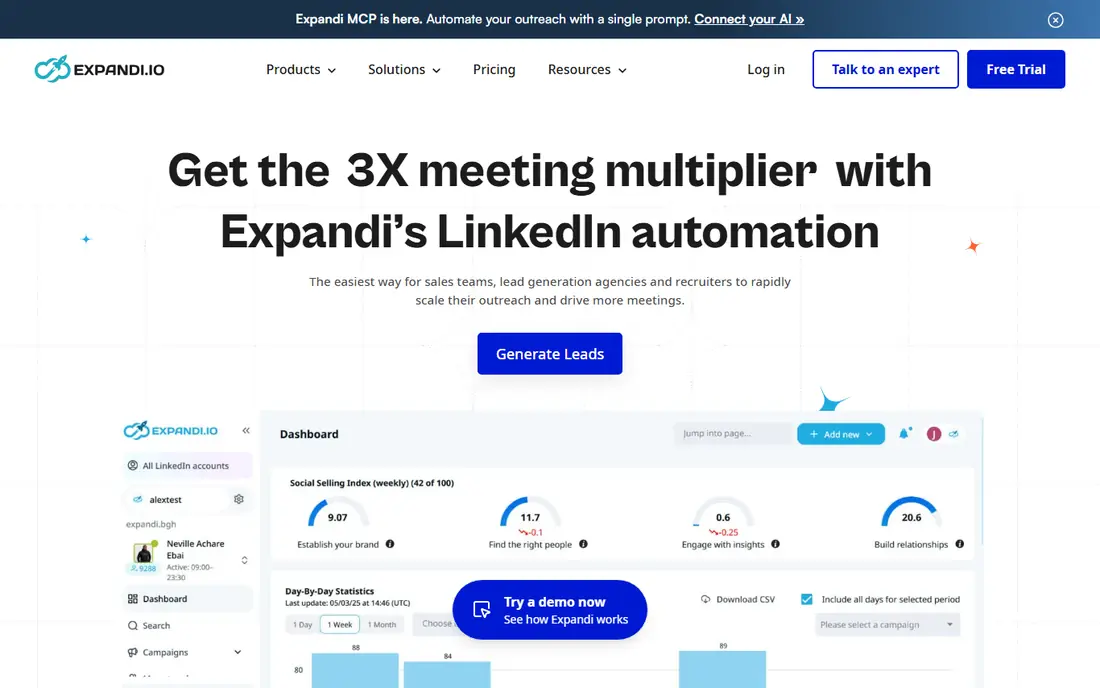
Expandi suits sales teams that want LinkedIn sequences to react to what a prospect does. If someone accepts, replies, or stays quiet, the next step can change, which keeps follow-ups closer to a real conversation. It runs in the cloud, so you do not need to leave a browser open all day. The trade-off is price. At $99 per month, it costs more than a simple extension, and small teams should check whether they will use the branching logic enough to justify it. Safety settings, daily limits, and smart inbox tools are the main reason to pay the premium, not raw sending volume.
- Cloud based campaigns
- Branching sequences based on replies
- Dedicated IP option on higher plans
- Higher entry price than extension tools
- Email features vary by plan

HeyReach is built for agencies and teams that run outreach from several LinkedIn accounts at once. Sender rotation spreads activity across accounts, and a unified inbox keeps replies in one place instead of scattered across logins. That structure matters when one person manages outreach for several clients. For a single user, the same system feels heavy, and the per sender price can surprise buyers who compare it with a flat single account tool. Check the current plan page for what counts as a sender before you budget for a team.
- Multi-account sender rotation
- Unified inbox
- Agency friendly reporting
- Per sender pricing adds up fast
- Overkill for one solo account

Dripify is a good middle ground for solo reps and small teams that want a visual builder without learning a complex system. You build a drip sequence, set delays and conditions, and let it run in the cloud. Analytics show which steps get replies, so you can fix weak messages instead of guessing. The catch is billing. The $39 figure reflects annual billing in published comparisons, and the monthly rate is higher, so confirm the billing term on the pricing page. It also works best when LinkedIn is the main channel, with email as a supporting step rather than the core.
- Visual campaign builder
- Cloud based operation
- Team and analytics options
- Monthly price is higher than annual price
- Advanced email features sit on higher tiers
Waalaxy is the easiest low risk way to test LinkedIn outreach. The free plan lets you try sequences before paying, and the setup is plain enough for a first time user. Paid plans add email finding and larger limits, which makes it a sensible step up once you know outreach works for your market. The limit to keep in mind is the model. As a browser extension tool, it depends on your browser session more than a cloud tool does. If you want fully hands off operation or many accounts, a cloud tool will suit you better.
- Free plan for a first test
- Simple sequence setup
- Email finder on paid plans
- Browser extension model
- Free plan has tight monthly limits
Dux-Soup has been around longer than most tools in this list, and that history shows in its practical focus. It automates profile visits, connection requests, and follow-up messages, and it connects with common CRMs on paid tiers. The entry price is one of the lowest here, which makes it a fair pick for a solo user who wants to keep costs down. The downside is feel. The extension based workflow and older interface will not suit buyers who want a polished cloud dashboard. If you value price and control over polish, it still earns its place.
- Low entry price
- Long track record
- CRM integrations on higher tiers
- Extension based on lower tiers
- Interface feels dated next to newer cloud tools
Skylead takes a different pricing approach by offering one all in plan instead of many tiers. That plan combines LinkedIn outreach with email, plus smart sequences that branch on prospect behaviour. For a solo operator who would otherwise pay for two tools, the combined price can make sense. The risk is the opposite. If you only need LinkedIn, you pay for email capacity you may not use, and there is no cheaper stripped back tier to drop into. Try the trial with a real campaign in mind, and judge it on replies and time saved, not on the feature list alone.
- LinkedIn and email in one plan
- Smart sequence branching
- Built in lead database options
- Single all in plan leaves little room to pay less
- Learning curve for advanced logic
Lemlist is best understood as an email platform first. Its strength is cold email sequences with personalization, deliverability tools, and a contact database. LinkedIn steps are available on its multichannel plans, which makes it a good fit for teams that already run email outreach and want LinkedIn as an added touch. Buyers who want LinkedIn only should read the plan details closely, because the cheaper email only tiers do not include LinkedIn steps. At $99 per user per month for the LinkedIn capable plan in published comparisons, it is a team purchase, not a casual solo tool.
- Strong cold email sequences
- LinkedIn steps on multichannel plans
- Personalization and warm-up tools
- LinkedIn access sits on higher priced plans
- Email only buyers will pay for more than they need
Salesflow targets agencies and larger sales teams that need reporting across clients and campaigns. It combines LinkedIn and email steps, and its agency features help teams show clients what happened without building reports by hand. That focus is also its weakness for individuals. A solo user will find cheaper tools that do the core job, and the setup deserves attention so daily limits and message timing stay conservative. For an agency that bills outreach as a service, the reporting and multi-client structure can justify the price.
- LinkedIn and email campaigns
- Agency reporting and white label options
- Inbox management
- Entry price is high for solo users
- Setup takes care to get limits right
Linked Helper appeals to power users who want a lot of control for little money. It includes CRM style features for managing prospects, and its automation covers visits, messages, and follow-ups in detail. The monthly price is far below most cloud tools, which is why it keeps appearing in budget comparisons. The catch is the desktop model. Local campaigns depend on your computer, while cloud campaigns depend on the vendor plan you choose, so read the current product page before you assume it runs fully in the background. If you are comfortable with a desktop tool and want depth over polish, it is strong value.
- Low price
- Built in CRM features
- Wide automation options
- Desktop app model
- Needs your computer running for local campaigns
How we picked these
We compared official pricing pages, feature pages, and recent public comparisons, and we kept only tools with a live product in October 2026 that clearly automate LinkedIn connection requests, messages, or sequences. We favoured a mix of cloud tools, extension tools, and desktop tools, plus solo, team, and agency options, so readers can match the tool to their team size. We did not claim hands-on testing, and we treated third party prices as a starting point to check on the vendor site before buying.
What to check before you pay
Start with how the tool runs. Cloud tools keep campaigns going without your browser open, while extension and desktop tools tie activity to your own machine and session. Next, check what counts as a billable unit. Per user, per sender, and per account pricing can look similar on a pricing page and differ a lot on an invoice for a team. Then look at safety controls. Daily limits, delays between actions, working hours, and a pause option matter more than maximum volume claims, because a restricted LinkedIn account costs far more than a slower campaign. Finally, test message quality on a small list. Personalized first lines, a clear reason to connect, and a short follow-up beat long generic sequences, and most tools here offer a trial for that exact test.
Safety and LinkedIn rules
Automation can breach LinkedIn terms if used aggressively, and LinkedIn may restrict accounts that send too many requests or messages too fast. Keep volumes modest, avoid copied and pasted pitches to everyone, and stop a campaign if you see warnings or a sharp drop in acceptance rates. Use the tool safety settings, keep your profile complete and human, and remember that a tool cannot make a weak offer or a poor list perform well.
Frequently asked questions
What is the best LinkedIn automation tool for beginners?
Waalaxy is a sensible first test because it has a free plan and simple sequences, while Dux-Soup is a low cost step up with more control. Start small, learn what messages get replies, and only move to a cloud tool when you need steadier operation or more accounts.
What is the best LinkedIn automation software for agencies?
HeyReach and Salesflow suit agencies because they handle many sender accounts, keep replies in one place, and provide reporting across clients. Compare per sender pricing carefully, since agency totals depend on how many accounts you run, not just the headline monthly rate.
Is LinkedIn automation safe?
No tool can guarantee safety, because LinkedIn controls account enforcement and its rules change. Safer use means low daily volumes, realistic delays, personalized messages, and prompt pauses when acceptance rates fall or warnings appear. Treat any tool that promises unlimited safe sending with caution.
Can I automate LinkedIn and email in one tool?
Yes. Skylead, Lemlist on multichannel plans, and Salesflow combine LinkedIn steps with email, while Dripify adds lighter email support. If email is your main channel, pick an email first tool and check that LinkedIn steps are included on the plan you choose.
How much do LinkedIn automation tools cost?
Entry prices in this list range from free to about $100 per month, but billing units differ. A $15 extension and a $99 cloud seat are not the same purchase, and agency plans billed per sender can cost several hundred dollars a month in total. Always check the billing unit and billing term on the vendor pricing page.
Do I need LinkedIn Sales Navigator as well?
Not always, but it helps for larger prospect lists and finer search filters. Many automation tools work with standard LinkedIn search, while teams that need saved leads, larger lists, and deeper filters often pair automation with Sales Navigator. Budget for both if your list building depends on advanced search.
Sources
See where you really rank - block by block
ProMapRanker scans Google Maps across a grid of your service area. Simple monthly plans from $19, white-label on every plan.
Start freeKeep reading
 zscaler alternatives
Best Zscaler Alternatives in 2026
Looking for zscaler alternatives? We compare 9 SASE and zero trust platforms on architecture, data protection, pricing, and fit for your network and team.
Read → zapier alternatives free
Best Zapier Alternatives Free in 2026
Nine automation tools for zapier alternatives free in 2026, all with genuinely free tiers, plus free plan limits, starting prices and upgrade paths explained.
Read → which platform is best for online reputation
Which Platform Is Best for Online Reputation in 2026
Wondering which platform is best for online reputation? We compare 8 review, listing, and response tools for small and multi-location businesses and agencies.
Read →