 ProMapRanker
Best Legal Practice Management Software in 2026

Key takeaways
- Clio is the broadest all-rounder, MyCase offers strong value for small firms, and PracticePanther leads on automation.
- Entry prices cluster around $49 to $50 per user per month, but add-ons for intake, payments, and accounting change the total fast.
- Trust accounting and client portal features vary by plan, so check those two areas before choosing, not just case management.
- Most tools offer a free trial, and a trial with real matters and invoices is the best test before signing a firm up.
Quick comparison
| Pick | Great for | Pricing starts at | Free tier | |
|---|---|---|---|---|
 Clio | Firms of all sizes | $49 per user per month | Free trial | Visit |
 MyCase | Small firms and solo attorneys | $50 per user per month | Free trial | Visit |
 PracticePanther | Automation-led firms | $49 per user per month | Free trial | Visit |
 Smokeball | Document-heavy small firms | See website | Free trial | Visit |
 Filevine | Litigation and personal injury | See website | Free trial | Visit |
 CosmoLex | Built-in legal accounting | $49 per user per month | Free trial | Visit |
 Rocket Matter | Simple billing workflows | $39 per user per month | Free trial | Visit |
 Lawmatics | Client intake and marketing | $149 per month | Free trial | Visit |
The best legal practice management software
We focused on cloud tools that combine matter management, time tracking, billing, documents, and client communication for US law firms. Prices below are entry published figures where available, and many vendors price higher tiers and add-ons separately.

Clio is the default shortlist pick for most firms, from solo attorneys to mid-size practices. Its Manage product covers matters, contacts, calendars, tasks, time tracking, billing, documents, and a client portal, with trust accounting available across plans in current published summaries. The integration library is the largest in this category, which helps firms that already use other tools for e-signatures, accounting, or document automation.
The catch is packaging. Client intake and CRM tools sit in Clio Grow, which adds cost unless you choose the Complete tier, and payment processing fees apply on top of the subscription. If you need a flexible platform that can grow with the firm and connect to many other tools, Clio is the safest starting point.
- Widest integration library
- Strong matter, billing, and trust accounting options
- Large support community
- Intake and CRM features need add-ons or higher tiers
- Total cost rises with add-ons
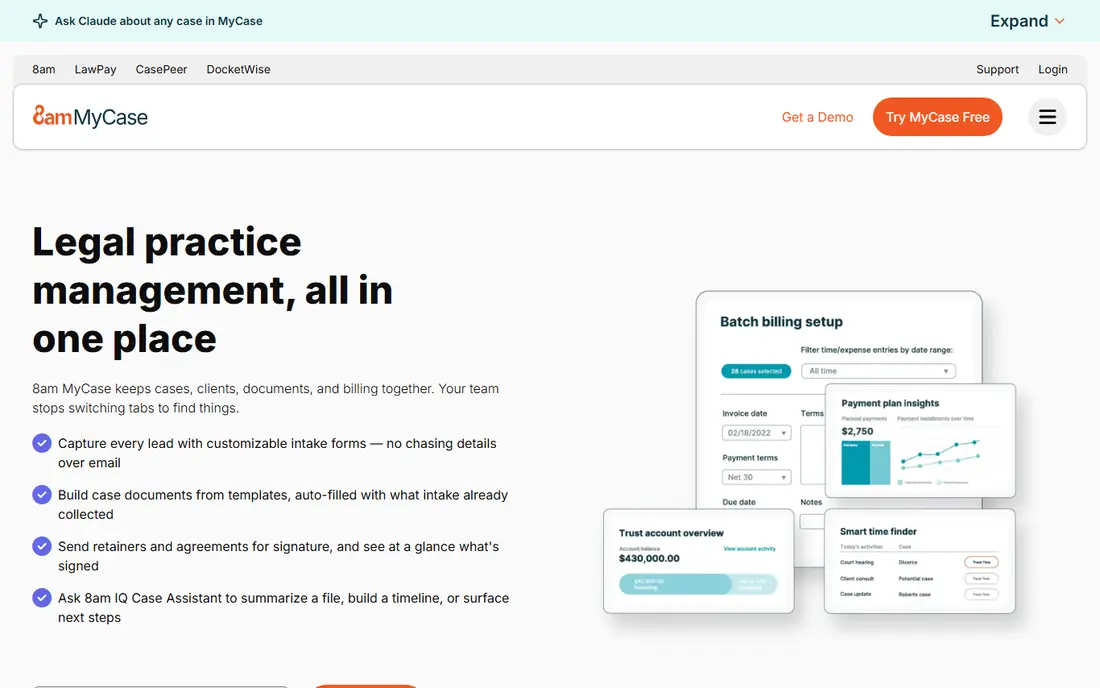
MyCase suits small firms that want one tool for the whole client journey, from intake to payment. It bundles case management, a client portal, built-in texting, document sharing, time tracking, billing, and online payments, which reduces the need for separate tools. Setup is quicker than on more configurable platforms, and solo attorneys often find the interface easier to adopt.
MyCase offers less deep customization than Clio, and firms with complex workflows or niche practice needs may hit limits. For a small firm that values simplicity, bundled features, and a lower learning curve, MyCase offers strong value.
- All-in-one design with intake, portal, and payments
- Easy to learn
- Clear tier structure
- Less customization than Clio
- Some advanced features sit on higher tiers
PracticePanther stands out for automation. You can build workflows that create tasks, send reminders, generate documents, and move matters forward without manual steps, which saves time for firms handling many similar cases. Its CRM, intake forms, billing, and client portal cover the core practice workflow in one place.
Pricing starts near Clio and MyCase, but the fuller feature set sits on higher tiers, so the monthly bill can climb as the firm grows. For a firm that wants to automate routine work and reduce admin time, PracticePanther is a strong contender, provided you price the tier you actually need.
- Strong workflow automation
- Built-in CRM and intake forms
- Two-way texting
- Higher tiers get expensive for small firms
- Some users report billing quirks
Smokeball is built for firms that produce many documents and want to capture billable time without manual timers. Its AutoTime feature records time spent in Word and Outlook, and its form library covers thousands of legal forms, which cuts drafting time for common matters. Document automation and matter management round out a package aimed squarely at small firms.
Smokeball uses custom pricing rather than a single published entry price, so you will need a quote to budget accurately. For a document-heavy practice where missed time and manual forms cost real money, that quote is worth getting.
- Automatic time capture in Word and Outlook
- Large legal form library
- Strong document automation
- Pricing is quote-based, so budgeting needs a sales conversation
- May be more than simple firms need
Filevine suits litigation-heavy firms, especially personal injury practices. It handles case tracking, task automation, document assembly, and outcome reporting in a workflow designed around litigation stages, with tools for medical records and demand letters that general practice tools lack. Teams handling many cases at once benefit from its structured views and deadlines.
Filevine uses custom pricing, and implementation takes more effort than a simple all-in-one tool. For a general practice with simple matters, it may be more than needed. For a litigation firm, its specialist depth is the reason to shortlist it.
- Strong litigation workflows and task automation
- Medical timeline and demand tools for injury cases
- Good reporting
- Custom pricing
- Setup and learning curve for complex cases
CosmoLex is the pick for firms tired of juggling a practice tool and a separate accounting system. It combines matter management, time tracking, billing, and native legal accounting, including trust accounting, in one platform. That single-system approach reduces reconciliation work and the risk of trust accounting errors from moving data between tools.
The accounting features add a learning curve, and staff used to QuickBooks may need training time. For a firm where accounting accuracy and trust compliance are the main pain points, CosmoLex removes a whole layer of double entry.
- Native trust and general ledger accounting, no separate accounting tool needed
- Matter and billing in one system
- Accounting depth adds learning time
- Higher tiers cost more for larger firms
Rocket Matter suits firms that want straightforward matter management and billing without a heavy setup. Its Kanban boards give a clear view of matter stages, and invoicing is quick, which helps firms that bill often and want to get paid faster. The entry price in published summaries is lower than several rivals, which helps small firms on a tight budget.
Advanced automation and integration options are thinner than at Clio or PracticePanther, so firms with complex workflows may outgrow it. For a small firm that values simplicity and billing speed, Rocket Matter is a practical, lower-cost option.
- Low entry price in published summaries
- Kanban matter views
- Fast invoicing and billing
- Fewer advanced automation features than rivals
- Integration range is narrower
Lawmatics focuses on the front end of a firm: intake, CRM, and marketing automation. It captures leads, automates follow-ups, tracks lead sources, and moves new clients into your practice system with less manual work. Pricing is firm-wide rather than per user in published summaries, which can suit firms with many intake staff.
Lawmatics is best paired with a practice management tool such as Clio or MyCase, rather than replacing one outright. If slow intake and lost leads are your main problem, Lawmatics addresses that stage directly, while your practice tool handles matters and billing.
- Strong intake, CRM, and marketing automation
- Firm-wide pricing rather than per-user entry
- Good reporting on lead sources
- Not a full practice management replacement on its own
- Price is firm-wide, so compare totals carefully
How we picked these
We compared official pricing pages, vendor feature pages, and current October 2026 pricing summaries, and we favored cloud tools actively used by US law firms. We did not claim hands-on testing of every platform. We weighed matter management, billing, trust accounting, client portal quality, automation, and pricing transparency, since those points decide daily usefulness and total cost for a firm.
What to check before you commit
Start with trust accounting and your state bar rules. Confirm that the tool handles IOLTA accounting, generates the reports your state requires, and separates client funds correctly. A tool that looks good for calendars but weak on trust accounting is a risk no firm should accept, so test that area in the trial with a realistic matter.
Price the firm, not the seat. Add intake, CRM, payment processing, e-signatures, document automation, and any per-user add-ons to the entry price, then multiply by your actual user count over a year. A $49 entry price can become a much larger annual bill once add-ons are included, so ask for a written total before signing.
Run a real trial
Enter two real matter types, create test invoices, send a test client portal message, and run a trust transaction if the plan allows it. A demo alone will not reveal slow spots in billing or document handling. Involve the staff who will use the tool daily, since their adoption decides whether the purchase pays off.
Plan migration early
Ask each vendor about data migration from your current system, including matters, contacts, documents, billing history, and trust balances. A clean migration plan with a named contact and a timeline matters more than a small price difference, since a messy move can disrupt client work for weeks.
Frequently asked questions
What is the best legal practice management software overall?
Clio is the best all-rounder for most firms, thanks to its breadth and integration library. MyCase is better for small firms that want simplicity and value, while PracticePanther suits firms that want automation.
How much does legal practice management software cost?
Entry prices for leading tools cluster around $49 to $50 per user per month, with higher tiers and add-ons raising the total. Some tools use custom pricing, and payment processing fees sit on top of subscriptions, so get a written total for your firm size.
Does Clio or MyCase offer a free trial?
Both offer free trials, as do most tools on this list. Use the trial with real matters, invoices, and portal messages rather than demo data, so you can judge daily workflow before paying.
What is trust accounting, and why does it matter?
Trust accounting tracks client funds held in trust separately from firm funds, following state bar rules. Errors here can create serious compliance problems, so choose a tool with built-in trust accounting and test its reports during your trial.
Can legal software replace QuickBooks?
CosmoLex includes native legal accounting that can replace a separate accounting tool for many firms. Other tools usually integrate with QuickBooks instead, so check whether your firm prefers built-in accounting or an integration.
Sources
See where you really rank - block by block
ProMapRanker scans Google Maps across a grid of your service area. Simple monthly plans from $19, white-label on every plan.
Start freeKeep reading
 outreach alternatives
Outreach Alternatives in 2026
Compare outreach alternatives for 2026, from Salesloft and Apollo to HubSpot and Lemlist, with pricing, channels, features, limits, and honest trade-offs.
Read → best web conference tools
Best Web Conference Tools in 2026
Compare the best web conference tools for meetings, webinars and team calls, with current pricing, free plans and honest limits for each option here today.
Read → best voice cloning tools
Best Voice Cloning Tools in 2026
Compare the best voice cloning tools in 2026, from ElevenLabs and Descript to Resemble and Cartesia, with consent rules, pricing, licenses, and limits.
Read →