 ProMapRanker
Best Legal Document Automation Software in 2026

Key takeaways
- Gavel is our pick for small firms that want client intake and document assembly in one tool.
- Clio Draft suits firms already using Clio Manage, especially for court forms across US states.
- HotDocs and Contract Express remain enterprise options, but both need a sales conversation for pricing.
- Motionize and Pathagoras suit Word-first lawyers who want lower ongoing cost and less new software to learn.
- The best tool is the one your team will actually use to build templates, not the one with the most features on paper.
Quick comparison
| Pick | Great for | Pricing starts at | Free tier | |
|---|---|---|---|---|
 Clio Draft | Clio Manage firms | See website | Free trial | Visit |
 Gavel | Small firms with client intake | $83 per month | Free trial | Visit |
 HotDocs | Enterprise document assembly | See website | Free trial | Visit |
 Contract Express | Large firm contract automation | See website | Free trial | Visit |
 Woodpecker | Word template automation | See website | Free trial | Visit |
 Motionize | Solo firms working in Word | $25 per month | Free trial | Visit |
 LEAP | Practice management plus automation | $149 per user per month | Free trial | Visit |
 Pathagoras | One-time purchase for Word users | $379 per user | No | Visit |
The best legal document automation tools
Legal document automation turns a Word file you already use into a reusable template, then fills it from client answers instead of copy and paste. We compared official feature pages, pricing pages and public documentation, and we focused on template building, court forms, intake, e-signature support and how each tool fits a real firm workflow.

Clio Draft, formerly Lawyaw, helps firms turn existing Word documents into templates and generate document sets from client and matter data. Its court form library is a major draw for US firms that file the same forms often, because it reduces time spent searching for current versions. Client questionnaires with conditional logic also cut down on repeated questions and missing answers.
The catch is pricing clarity. Clio no longer publishes a simple standalone rate in the same way it once did, and drafting features increasingly sit alongside Clio Manage plans. If you already use Clio, ask what Draft adds to your current plan. If you do not use Clio, get a written quote before you compare it with simpler tools.
- Court forms across all 50 states
- AI-assisted template building from Word files
- Built-in e-signature and client questionnaires
- Standalone pricing is not published clearly
- Works best when paired with Clio Manage
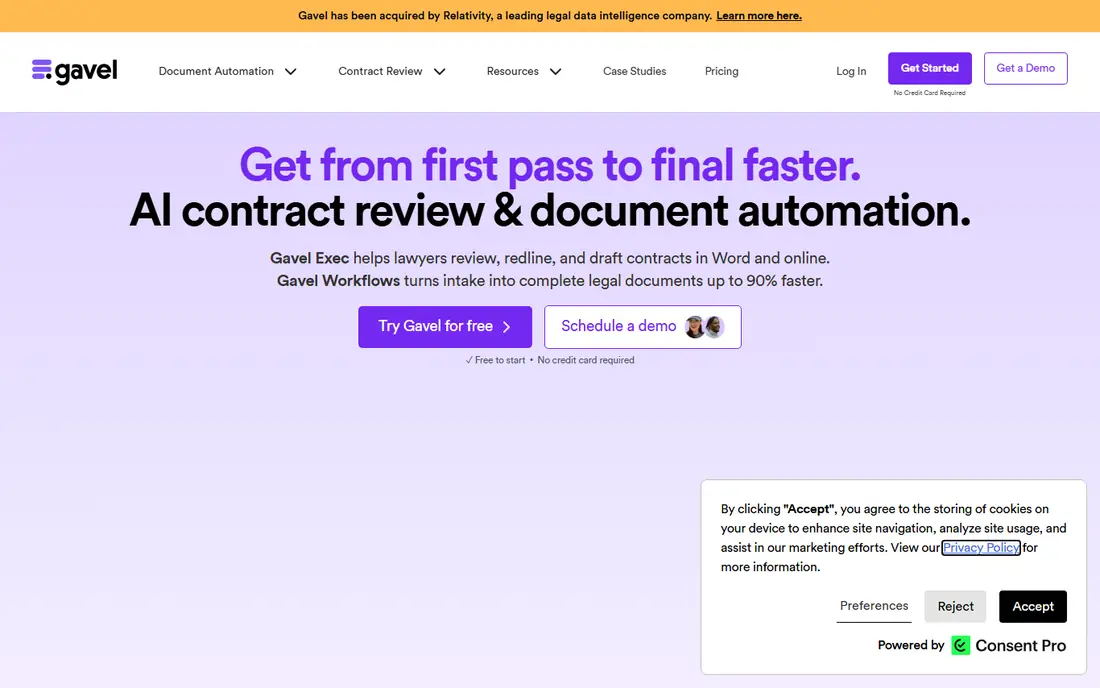
Gavel, formerly Documate, stands out because intake and automation live in the same workflow. A client answers questions online, and those answers feed directly into documents, which reduces manual data entry and transcription errors. For small firms that handle repeatable matters, such as estate planning or business formation, that link saves real hours each week.
Gavel is not a full practice management system, so firms that need billing, calendaring and matter management will still need other tools. Its strength is the client-facing side. Start with one matter type, build that workflow well, and only then expand to other practice areas.
- Combines intake forms with document assembly
- Client-facing workflows that reduce back-and-forth
- Clear starting price for small firms
- Advanced firm-wide workflows may need higher tiers
- Template building still needs time up front
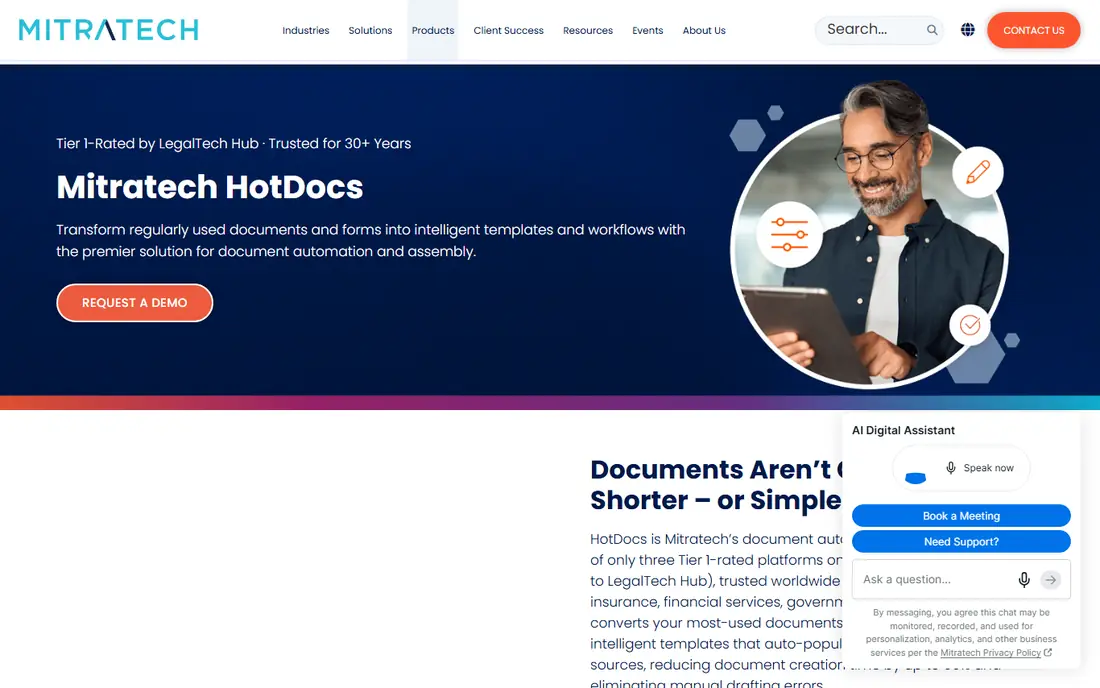
HotDocs is one of the oldest names in document assembly, and it shows in its handling of complex logic. Firms with long, conditional documents, such as loan agreements or large commercial contracts, can build rules that change clauses, tables and schedules based on answers. That depth matters when a single wrong clause creates real legal risk.
The trade-off is effort and cost. HotDocs is sold through a sales process, and complex libraries take time to build and test. Smaller firms may find Gavel or Motionize faster to adopt. Larger firms with dedicated operations staff will get more value from HotDocs depth.
- Long track record in complex document assembly
- Strong conditional logic for large template libraries
- Used by large firms and corporate teams
- Pricing is quoted
- Setup for complex templates can need specialist help
Contract Express, from Thomson Reuters, is built for firms and corporate legal teams that produce many similar contracts. It turns precedent documents into guided questionnaires, so lawyers and business users can generate consistent drafts without starting from a blank file. Integration with Thomson Reuters research and content tools adds value for firms already in that ecosystem.
Solo and small firms will likely find the sales-led process and enterprise focus heavy for their needs. Contract Express makes most sense when contract volume is high, consistency matters across many drafters, and the firm already uses Thomson Reuters tools.
- Deep integration with Thomson Reuters content
- Strong clause and precedent handling
- Suited to high-volume contract work
- Pricing is quoted
- Best fit for larger firms, not solo practices
Woodpecker appeals to lawyers who do not want to learn a new drafting environment. It works as a Word add-in, so you build templates from documents you already trust, then answer questions to generate a finished draft. That Word-first approach reduces training time and keeps formatting under your control.
Woodpecker is narrower than a full automation platform. It does not replace client intake, billing or matter management, and firms that need a client portal will need another tool. For a firm whose main pain is repetitive Word drafting, that narrow focus is a strength, not a weakness.
- Works inside Microsoft Word
- Simple template building from existing documents
- Good for firms that want to stay in Word
- Pricing is not published as a simple public rate
- Less intake and practice management depth than Gavel or LEAP
Motionize is a straightforward Word add-in for solo and small firms that draft contracts inside Word every day. At a low solo starting price, it lets a single lawyer automate common documents without a large subscription or a long implementation project. Templates stay in Word, which keeps the learning curve short.
The limit is scale. Motionize does not try to be a client portal, a practice management system or an enterprise clause library. Firms that need team workflows, client intake and reporting should look at Gavel or LEAP instead. For a solo lawyer with a set of repeatable forms, Motionize is a sensible low-cost start.
- Low starting price for solo users
- Works as a Word add-in
- Simple setup for repeatable contracts
- Smaller feature set than enterprise tools
- Team and collaboration features are more limited
LEAP suits firms that want automation as part of a wider practice management system, not as a separate add-on. Documents, matters, time recording and billing sit together, so data entered once can feed documents, invoices and client records. That integration reduces duplicate entry for firms that handle many matters at once.
The price reflects that breadth. At a per-user monthly rate, LEAP costs more than a standalone Word add-in, and adopting it means changing more than just drafting. Firms that only need document automation should not pay for a full system they will not use. Firms ready to consolidate systems may find LEAP good value.
- Document automation built into practice management
- Matter, billing and document tools in one place
- Good for firms that want one system
- Higher per-user price than standalone automation tools
- Moving to LEAP means adopting its wider system
Pathagoras takes a different commercial approach: a one-time purchase per user instead of a monthly subscription. For a firm with a stable set of templates that will not change often, that model can cost less over several years than a monthly tool. It works in Word and supports clause libraries, so lawyers can assemble documents from trusted blocks of text.
The trade-off is modern cloud convenience. Pathagoras is a desktop Word tool, so it does not offer the same client portal or cloud collaboration as Gavel or Clio Draft. Firms that want clients to complete intake online will need another solution. Firms that want Word drafting at a fixed cost will appreciate it.
- One-time purchase with no monthly subscription
- Works inside Word with clause libraries
- Good long-term value for stable template sets
- No free plan
- Interface and setup feel older than newer cloud tools
How we picked these
We compared official product pages, pricing pages and public documentation for legal document automation tools that are current in October 2026. We kept tools that turn templates into finished legal documents, and we left out general document signing or storage tools that do not automate drafting. We did not claim hands-on testing. We judged each tool on template building, intake, court forms, Word integration and pricing transparency, and we marked pricing as See website where the vendor does not publish a clear rate.
How to choose legal document automation software
Start with one matter type that you repeat often. Pick the documents your firm drafts every week, count how many fields change each time, and note where errors usually creep in. That list tells you whether you need simple Word automation, client intake, court forms or enterprise clause logic. A tool that solves your most repeated matter first will earn its place faster than a tool bought for every matter at once.
Next, test template building with your own documents. Upload a real Word file, build the questions, and generate a finished draft. Check formatting, numbering, conditional clauses and signature blocks, because a tool that mangles your formatting will cost time on every draft. Also check who can edit templates, how changes are versioned, and whether client answers are stored securely.
Finally, confirm the full cost and the exit route. Ask about per-user fees, intake limits, e-signature limits and support costs, and ask how you export templates and client data if you leave. For firms handling sensitive client information, check data storage, access controls and privacy terms before any client data goes into the system.
Frequently asked questions
What is the best document automation software for law firms?
There is no single best tool for every firm. Gavel suits small firms that want intake plus automation, Clio Draft suits firms already using Clio Manage, and HotDocs or Contract Express suit larger firms with complex templates. Start with your most repeated matter type and test template building with your own documents before you commit.
What are the best legal document automation tools for small firms?
Gavel and Motionize are strong small-firm options. Gavel adds client intake and a clear monthly price, while Motionize offers a low-cost Word add-in for solo lawyers. Pathagoras also suits small firms that prefer a one-time purchase and mainly work in Word.
How much does legal document automation software cost?
Prices range from a low monthly Word add-in to quoted enterprise contracts and a one-time purchase model. Gavel starts at $83 per month, Motionize starts at $25 per month for solo users, LEAP starts at $149 per user per month, and Pathagoras costs $379 per user as a one-time purchase. HotDocs, Contract Express, Clio Draft and Woodpecker require a quote or a check of their current pricing page.
Does legal document automation replace lawyers?
No, it replaces repetitive drafting and data entry, not legal judgment. Templates still need lawyer review, and generated drafts should be checked for accuracy, current law and client-specific facts. Automation works best when a lawyer sets the template, reviews the output and keeps responsibility for the final document.
Can clients fill in their own information?
Yes, with tools such as Gavel and Clio Draft, clients can answer guided questionnaires online and those answers feed into documents. That reduces back-and-forth emails and transcription errors. Check how the tool handles sensitive data, access controls and e-signatures before you invite clients to use it.
Sources
See where you really rank - block by block
ProMapRanker scans Google Maps across a grid of your service area. Simple monthly plans from $19, white-label on every plan.
Start freeKeep reading
 outreach alternatives
Outreach Alternatives in 2026
Compare outreach alternatives for 2026, from Salesloft and Apollo to HubSpot and Lemlist, with pricing, channels, features, limits, and honest trade-offs.
Read → best web conference tools
Best Web Conference Tools in 2026
Compare the best web conference tools for meetings, webinars and team calls, with current pricing, free plans and honest limits for each option here today.
Read → best voice cloning tools
Best Voice Cloning Tools in 2026
Compare the best voice cloning tools in 2026, from ElevenLabs and Descript to Resemble and Cartesia, with consent rules, pricing, licenses, and limits.
Read →