 ProMapRanker
Best Lawn Care Software in 2026

Key takeaways
- The best lawn software covers the full job cycle: quote, schedule, route, invoice and payment, not only scheduling.
- Recurring route work needs strong repeat scheduling, while one-off yard projects need strong estimating.
- A free starter plan can suit a solo operator, but check limits on customers, routes and invoices before relying on it.
- Price the tool at your crew and route count, since per-route and per-user pricing changes the total fast.
Quick comparison
| Pick | Great for | Pricing starts at | Free tier | |
|---|---|---|---|---|
 Jobber | Growing lawn companies | $29 per month | Free trial | Visit |
 Housecall Pro | Home service crews with financing needs | $59 per month | Free trial | Visit |
 Yardbook | Solo operators on a budget | Free | Yes | Visit |
 Service Autopilot | Automation for recurring lawn routes | See website | No | Visit |
 GorillaDesk | Per-route pricing with no contracts | $49 per month | Free trial | Visit |
 RealGreen | Lawn and pest companies at scale | See website | No | Visit |
 SingleOps | Tree and grounds companies with complex estimates | See website | No | Visit |
 Aspire | Larger yard and grounds companies | See website | No | Visit |
 MowProHQ | Small lawn crews that want simple routing | $39 per month | Free trial | Visit |
The best lawn care software
We compared tools used by lawn care companies for quoting, scheduling, routing, invoicing and payments, and favored tools with recurring job support and clear pricing.
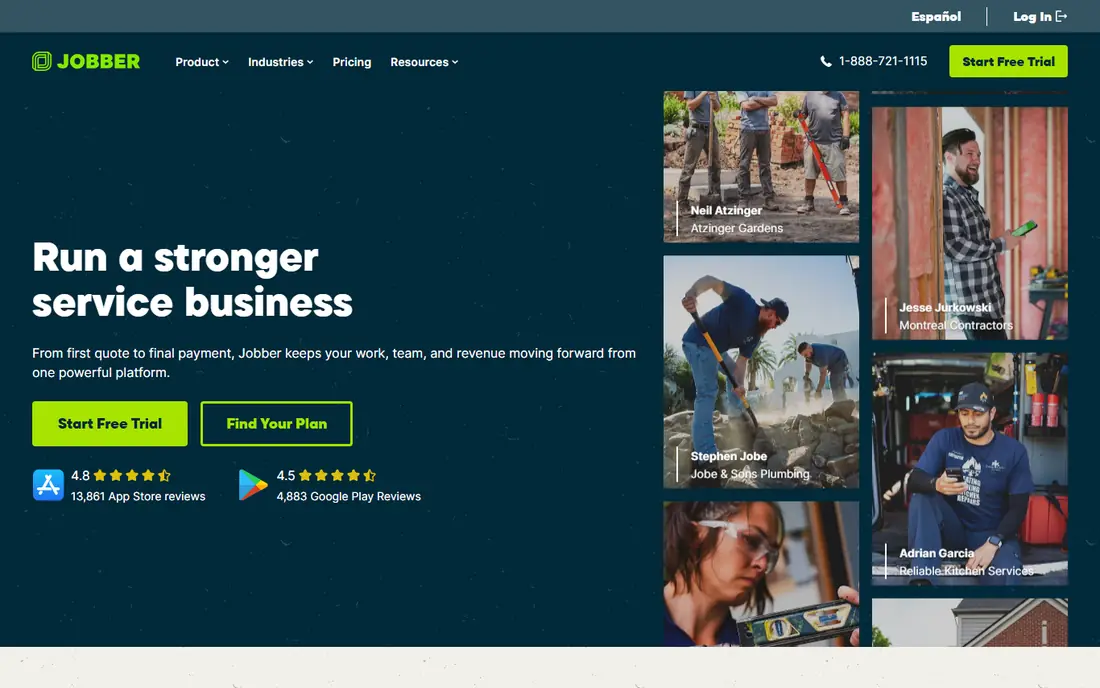
Jobber is our pick for most growing lawn companies because it covers the full job cycle in a polished system. You can quote a yard job, schedule it, route a crew, invoice the customer and take payment without switching tools. Its online booking also helps customers book routine mowing without a phone call, which saves office time during peak season.
The starting price, listed near $29 per month with annual billing and $49 month to month for the Core plan, is good for a solo operator or small crew. Larger teams will need higher tiers, and payment processing fees sit on top of the subscription. For a company moving from paper or spreadsheets, Jobber is one of the easiest upgrades to justify.
- Quote to payment in one system
- Online booking and scheduling
- Strong reporting and marketplace links
- Higher tiers needed for larger teams
- Payment processing fees are separate
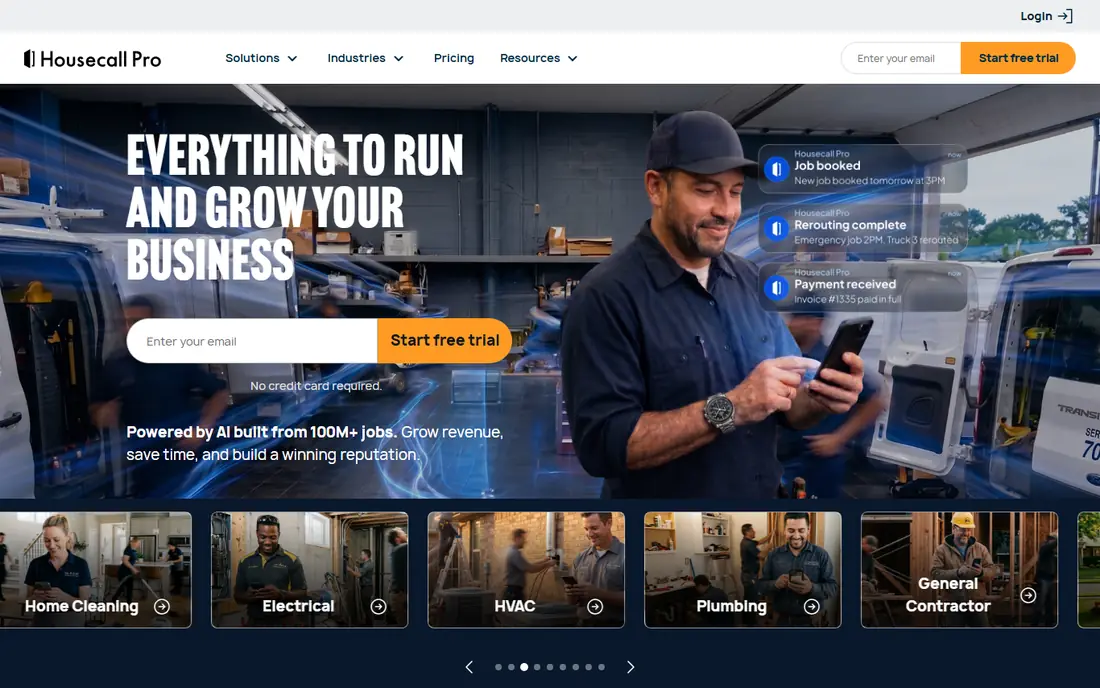
Housecall Pro suits a lawn company that also does other home services, or a lawn crew that wants financing and review tools built in. Its scheduling and dispatch tools handle crews well, its payment tools are direct, and its consumer financing option can help close larger yard projects. Its review tools also help a local company build online reputation.
The entry price, near $59 per month with annual billing for Basic, is higher than Jobber Core, so a solo operator should compare included features, not only price. If price book tools, job costing, financing and reviews matter on day one, Housecall Pro may be worth the extra cost. If you only need quote to payment, Jobber is cheaper.
- Scheduling, dispatch and payments
- Consumer financing
- Review and marketing tools
- Higher entry price than Jobber
- Larger team plans cost much more

Yardbook is the best starting point for a solo lawn operator who needs a real system without a monthly bill. Its free Starter plan covers basic scheduling, customers and invoicing, and paid plans start near $34.99 per month for more capacity. That low entry cost makes it easy to try for a new business.
The limit is scale and automation. Larger crews that need route optimization, deep automation and marketing tools will outgrow Yardbook faster than Jobber or Service Autopilot. For a solo operator with a modest route list, though, Yardbook delivers the core job without the cost, and that is a strong reason to start there.
- Free Starter plan
- Scheduling, invoicing and customer tools
- Low cost to start
- Paid plans needed for larger teams
- Fewer automation tools than premium rivals
Service Autopilot suits a lawn company that lives on recurring routes and wants to automate as much office work as possible. It handles repeat scheduling, route billing, customer follow-up and job workflows in a way that fits a lawn business, not a general service business. For a company with many weekly and biweekly customers, that automation saves real hours each week.
Pricing is quote-based and sold through demos, so budget planning needs a sales conversation. Setup also takes time, since automation must be configured for your routes and billing rules. For a larger lawn company, that effort pays off. For a solo operator, a simpler tool such as Jobber or Yardbook may be faster to start.
- Strong automation for recurring routes, billing and follow-up
- Built for lawn companies
- Deep workflow tools
- Pricing is not published
- Setup and learning take time
GorillaDesk suits a lawn, pest or pool company that wants pricing tied to routes, not users. Its Basic plan, listed near $49 per month per route, is clear for a small company, and its no-contract model lowers the risk of trying it. Its scheduling, routing and billing tools cover the daily work for a route-based crew.
The catch is growth. As route count rises, per-route pricing can become more expensive than a flat team plan from Jobber or Housecall Pro. GorillaDesk is best for a company with a stable route count that values simple pricing and no contract. Compare the total at your real route count before choosing.
- Per-route pricing
- No long contracts
- Suits pest, lawn and pool companies
- Per-route cost rises with route count
- Fewer enterprise tools than larger platforms
RealGreen suits a larger lawn and pest company that needs a system built for that trade at scale. It handles routes, customers, billing and operations for companies with many crews and customers, and its history in lawn and pest work means its workflows match how those businesses actually run. For a company outgrowing a general field service tool, that trade focus helps.
Pricing requires a quote, and the system is likely more than a solo operator needs. Smaller companies should start with Jobber, Yardbook or GorillaDesk. Larger lawn and pest firms should demo RealGreen against Service Autopilot on route handling, billing and reporting at their real customer count.
- Built for lawn and pest operations
- Route and customer tools at scale
- Long history in the trade
- Pricing is not published
- Smaller operators may find it more than needed
SingleOps suits tree care and grounds companies that sell complex, high-value jobs, not only weekly mowing. Its estimating tools handle multi-day jobs, crew costs and detailed proposals better than a simple scheduling tool. That depth helps a company that quotes large tree removals, plantings or grounds projects where a wrong estimate costs far more than a missed mow.
For a simple mowing business, SingleOps is likely too much, and its quote-only pricing makes comparison harder. For a tree and grounds company that needs accurate estimates and job costing, it is one of the best specialist tools in this list, and it pairs well with a clear proposal workflow.
- Strong estimating for high-value tree and grounds jobs
- Job costing and proposal tools
- Crew scheduling
- Pricing is quote-only
- Less suited to simple weekly mowing routes
Aspire suits larger yard and grounds companies that need estimating, scheduling, job costing and reporting in one system. It is built for firms with multiple crews and complex jobs, where tracking profit per job and per crew matters. Its reporting helps owners see which services and customers actually make money, not only which ones fill the schedule.
The trade-off is cost and setup. Pricing is quote-only, and implementation for a larger team takes planning and training. A solo operator should not start here. A growing company with several crews that has outgrown a simple tool should demo Aspire against Service Autopilot and RealGreen on job costing and reporting.
- Strong estimating, scheduling and job costing for larger firms
- Built for yard and grounds work
- Reporting depth
- Pricing is quote-only
- Implementation takes time for larger teams
MowProHQ suits a small lawn crew that wants simple routing and scheduling without a large platform. Its starting price near $39 per month is low, its workflow is direct, and it covers the core needs of a mowing route: customers, jobs, routes and billing. For a new crew, that simplicity can be a benefit.
The limit is breadth. It lacks the marketing, financing and deep reporting tools of larger platforms, and its community is smaller. If you only need clean routing and billing for a small crew, MowProHQ is good value. If you plan to grow fast into a multi-crew company, Jobber may be a safer long-term base.
- Simple routing and scheduling for lawn crews
- Low starting price
- Easy to learn
- Fewer business tools than Jobber or Housecall Pro
- Smaller community and support resources
How we picked these
We compared official pricing and feature pages plus recent lawn software comparisons, and kept only tools used by lawn, yard and grounds companies for scheduling, routing and billing. We favored recurring job support, route tools and clear pricing, and we avoided general field service tools with no lawn workflow. Where pricing was not published, we wrote See website.
What to check before you buy
Start with your route, not a feature list. Load a real week of jobs into your top two tools, route a crew, invoice customers and check how long each step takes. That test will show route speed, repeat scheduling quality and invoice clarity in a way a demo cannot. Also check how the tool handles skipped visits, rain days and one-off add-on jobs, since those happen every season.
Next, check customer communication. Ask how customers book, pay, receive reminders and view job history, since those tools reduce phone calls and late payments. Also check payment processing fees, since a low subscription with a high processing rate can cost more than a higher subscription with a lower rate. Ask about contract length and data export, so you can leave if the tool no longer fits.
Finally, price the tool at your real size. Count crews, routes and users, and ask about per-route, per-user and add-on fees. A free plan can suit a solo operator, but a growing crew needs to know when the next tier starts. Choose the tool that fits your next season, not only this week, so you do not switch systems during peak work.
Frequently asked questions
What is the best lawn care software for small businesses?
Jobber is our pick for most small lawn businesses because it covers quoting, scheduling, routing, invoicing and payments in one system. Yardbook suits a solo operator on a tight budget, while Housecall Pro suits a crew that wants financing and review tools. Test each one with a real week of routes before choosing.
Is there free lawn care software?
Yardbook offers a free Starter plan that covers basic scheduling, customers and invoicing, which suits a solo operator. Most other tools offer free trials rather than free plans. Check free plan limits on customers and jobs, since a busy route may need a paid plan quickly.
What is the best software for managing a lawn care business?
The best management software depends on size. Jobber suits growing companies, Service Autopilot suits automation-heavy route companies, and Aspire or RealGreen suit larger firms. For a solo operator, Yardbook or Jobber Core is usually enough. Compare route, billing and reporting tools at your real customer count.
How much does lawn care software cost per month?
Starting prices in this list range from free to about $59 per month for solo and small crew plans, with larger team and per-route plans costing more. Payment processing fees, add-ons and per-user charges sit on top of the subscription. Always calculate the total at your crew and route count.
Does lawn care software help with routing?
Yes, most tools in this list offer routing or route scheduling, though depth varies. Jobber, Service Autopilot, GorillaDesk and RealGreen offer stronger route tools for recurring work. Test routing with your real addresses, since route quality depends on customer density and job timing, not only software features.
What is the best yard business management software for larger companies?
Aspire, RealGreen and Service Autopilot suit larger yard and grounds companies because of their estimating, job costing, route automation and reporting depth. Compare them on job profit reporting and crew scheduling, not only monthly price, since a larger firm gains more from accurate costing than from a low subscription.
Sources
See where you really rank - block by block
ProMapRanker scans Google Maps across a grid of your service area. Simple monthly plans from $19, white-label on every plan.
Start freeKeep reading
 outreach alternatives
Outreach Alternatives in 2026
Compare outreach alternatives for 2026, from Salesloft and Apollo to HubSpot and Lemlist, with pricing, channels, features, limits, and honest trade-offs.
Read → best web conference tools
Best Web Conference Tools in 2026
Compare the best web conference tools for meetings, webinars and team calls, with current pricing, free plans and honest limits for each option here today.
Read → best voice cloning tools
Best Voice Cloning Tools in 2026
Compare the best voice cloning tools in 2026, from ElevenLabs and Descript to Resemble and Cartesia, with consent rules, pricing, licenses, and limits.
Read →