 ProMapRanker
Law Firm Time Tracking Software in 2026


Document heavy businesses that want automatic time capture from Word · Pricing starts at: Quote
Direct answer
Start with Smokeball if you need document heavy businesses that want automatic time capture from Word and Outlook. LeanLaw is the stronger choice for businesses that run QuickBooks Online and want legal billing and trust accounting, while PracticePanther suits solo and small businesses that want a quick to learn system.
Key takeaways
- Smokeball is the opening pick, best for document heavy businesses that want automatic time capture from Word and Outlook.
- One limit worth knowing about LeanLaw: it needs a separate QuickBooks Online subscription, and it has no case management.
- TimeSolv suits businesses that already have case management and want a dedicated time and billing system.
- For the cheapest start, look at TimeSolv: $34.95/user/mo, Legal plan, monthly billing.
Quick comparison
| Pick | Great for | Pricing starts at | Free tier | |
|---|---|---|---|---|
| Smokeball | Document heavy businesses that want automatic time capture from Word | Quote | Free trial | Visit |
 LeanLaw | Businesses that run QuickBooks Online and want legal billing | $55/user/mo, Core plan; Pro $75/user/mo | Free trial | Visit |
 PracticePanther | Solo and small businesses | $49/user/mo, Solo plan, annual billing ($59 billed per month) | Free trial (7 days) | Visit |
 MyCase | Solo and small businesses | $50/user/mo, Basic plan, annual billing ($60 billed per month) | Free trial | Visit |
 Clio | Most businesses that want matters | $49/user/mo, Starter plan, annual billing; higher tiers quote only | Free trial (7 days) | Visit |
 TimeSolv | Businesses that already have case management and want a dedicated | $34.95/user/mo, Legal plan, monthly billing ($31.46 on annual billing) | Free trial | Visit |
The best law firm time tracking software
ProMapRanker compared 6 tools for law firm time tracking software. The goal is a practical shortlist: published prices, free plan facts, best-fit use cases and honest limits for every entry.
Smokeball
Great for: Document heavy businesses that want automatic time capture from Word

Smokeball is designed for document heavy businesses that want automatic time capture from Word and Outlook. Its AutoTime feature records work as it happens and turns it into draft entries that a lawyer can accept, edit or delete.
Strengths: document automation.
Smokeball does not show a fixed starting price, so you request a quote. Free options: Free trial. Limits to weigh: AutoTime sits in the higher levels or as an add-on.
- Large legal form library
- AutoTime automatic capture
- The vendor pricing page displays plan names with no dollar figures
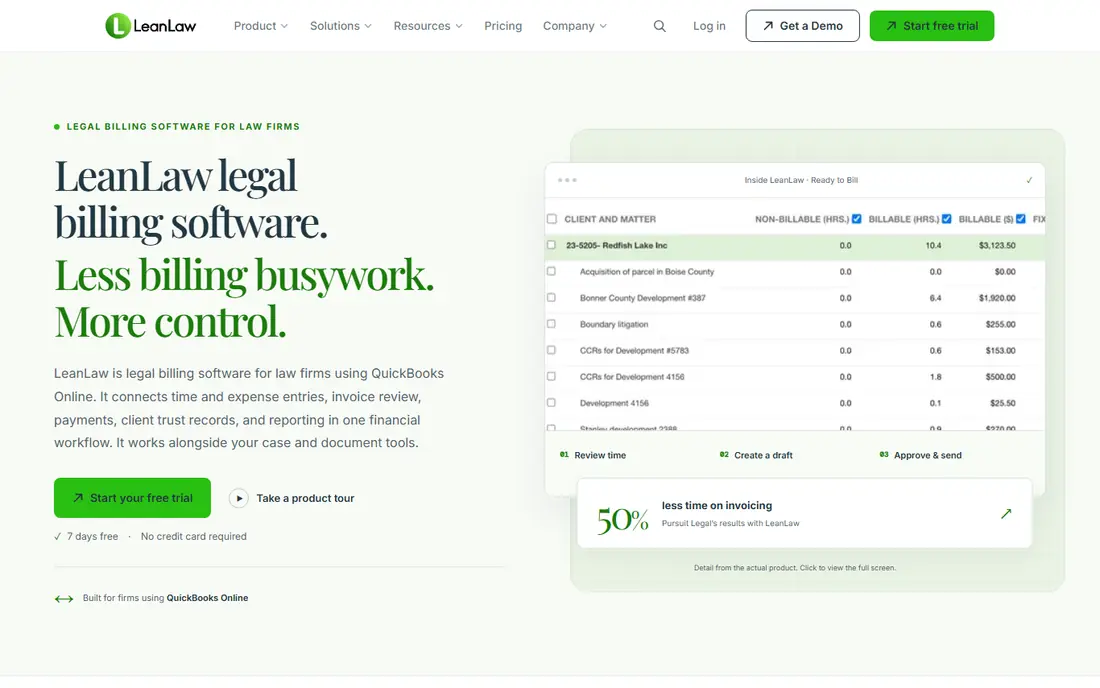
LeanLaw is a good fit for businesses that run QuickBooks Online and want legal billing and trust accounting on top of it. Time entries flow into invoices, invoices flow into QuickBooks, and trust balances stay in sync, so the bookkeeper does not retype figures.
Downsides: it has no case management.
Also, the model fits businesses that like QuickBooks and want legal rules added to it, instead of a new ledger. On cost, LeanLaw starts like this: $55/user/mo, Core plan. Free plan details: Free trial.
- LEDES billing on Pro
- Trust accounting on every plan
- It needs a separate QuickBooks Online subscription
Choose PracticePanther for solo and small businesses that want a simple to pick up system with clear published prices. The Solo plan at 49 dollars per user a month on annual billing fits a solo lawyer, whereas Essential at 69 dollars and Business at 89 dollars add custom fields, security roles, intake forms and LEDES billing.
Also, a firm that needs trust accounting should price Business Pro, not Solo. As for the details, business Pro at 114 dollars layers on PantherAccounting Plus, with trust and operating accounting. On cost, PracticePanther starts like this: $49/user/mo, Solo plan, annual billing. On free options: Free trial (7 days).
- Native payments
- Intake forms and e-signature on higher levels
- Full trust accounting is restricted to Business Pro at 114 dollars per user a month, which is 65 dollars more than the entry plan
MyCase serves solo and small businesses that want a straightforward all in one system with built in intake and payments. MyCase includes cases, time entry, invoicing, trust accounting and a client portal for solo and small businesses. Clients can pay online through LawPay.
Best features of MyCase: built in intake forms and e-signature on higher levels.
Where it is weaker: accounting costs 39 dollars more per user a month; 89 and 109 dollars to 50.
The 2026 price rise is a real caveat: a firm that needs accounting pays 39 dollars more per user a month. Even with that rise, MyCase remains one of the clearest priced options here, and staff can learn it in a day. On cost, MyCase starts like this: $50/user/mo, Basic plan, annual billing. As for free access: Free trial.
- Trust accounting
- Unlimited document storage
- Prices rose in August 2026 from 39
Clio was built for most businesses that want matters, time, billing and trust in one system. Older guides list EasyStart at 39 dollars per user a month, whereas the vendor page now lists Starter at 49 dollars and displays higher levels as quote only.
Starting cost for Clio: $49/user/mo, Starter plan, annual billing. Free access: Free trial (7 days).
What to check first: intake is a separate product that layers on cost.
- Trust accounting
- Wide practice management
- Higher levels are quote only
TimeSolv
Great for: Businesses that already have case management and want a dedicated
TimeSolv serves businesses that already have case management and want a dedicated time and billing system. It centres on time entry, billing, e-billing and trust accounting, and it pairs with a separate case system. Its TimeSync desktop tool records work without a browser open and keeps working offline, which helps lawyers who work in court or on a plane.
Beyond that, the vendor lists Legal at 34.95 dollars per user a month for a single timekeeper, with lower rates for bigger businesses. Ask for a quote that states seat count, billing cycle and e-billing fees. The starting price for TimeSolv: $34.95/user/mo, Legal plan, monthly billing. Trial and free access: Free trial.
- Trust accounting
- No case management bloat
- Prices conflict across sources, with third party pages listing 43 dollars for Pro and 58 dollars for Legal, so confirm your band in writing
A closer look at law firm time tracking software
A firm that already runs a case management system may only need billing. TimeSolv and LeanLaw fit that shape, since they focus on time, billing and accounting and leave case files to another tool. It fails when lawyers must keep the same matter in two places, since one list will drift and entries will land on the wrong file.
In practice, the trade off is depth, so a firm should list the five tasks it does every day and check each one in the trial. That path is fine when the billing tool exports clean data and the firm keeps matter names consistent. It becomes expensive when the firm grows and must move years of time entries into a new system, so ask what migration costs and whether entries keep their history after a move.
Selecting law firm time tracking software: the practical checks
Start with the billing model, not the feature list. A firm that bills by the hour needs timers, task codes, LEDES output and pre-bill review. From a buyer's view, a firm that works on contingency needs cost tracking and case expenses.
Integration is the next test.
Pricing patterns for law firm time tracking software
Most businesses do not pay the entry price. Card payments frequently carry a fee near 2.99 percent plus 30 cents per payment. So a firm that collects 50,000 dollars per month by card can pay close to 1,500 dollars per month in fees.
Also, contract terms change the total as well. Worth adding: annual billing normally saves about 10 to 20 percent against monthly billing, which is 120 dollars per user a year on a 50 dollar plan. In daily use, implementation fees also vary.
Some vendors bundle setup and migration, whereas others charge 500 to 2,000 dollars per user.
What went into this list
Selection started from tools commonly considered for law firm time tracking software, then narrowed to 6 that have clear pricing information or a clear quote process. Prices and plan limits come from vendor pages and can change, so confirm them on the vendor site before you buy. Tools are placed by general fit for law firm time tracking software, with price clarity and free access as tie-breakers. A different team can reasonably rank them differently.
What to confirm before you sign up
- Confirm the entry price on the vendor page. For Smokeball that means a quote rather than a fixed price.
- Run a trial of Smokeball, LeanLaw, PracticePanther and others with real work before paying for a year; your own workflow is the best test.
- Read the limits listed for Smokeball first: the vendor pricing page presents plan names with no dollar figures, and AutoTime sits in the higher levels or as an add-on.
- Run a one or two week pilot of LeanLaw with the people who will use it every day.
- Ask PracticePanther how an export works before you move any records in; an easy exit lowers the risk.
Frequently asked questions
Does any tool for law firm time tracking software here have a free plan?
A permanent free plan is not offered by Smokeball, TimeSolv or the other tools here. Several tools offer a trial. Plan a short evaluation period instead.
How are the tools for law firm time tracking software ordered?
Smokeball sits first and TimeSolv last because the order follows typical fit for law firm time tracking software, then price clarity and free access. It is a judgement call, so read each profile for fit and limits.
Do these tools publish their prices?
Not all of them. Smokeball publishes no starting price, so expect a quote request for it. The rest, LeanLaw included, show a starting price, though seats and billing terms still change the final cost.
What is the best law firm time tracking software for a solo lawyer?
Smokeball comes first here and is built for document heavy businesses that want automatic time capture from Word and Outlook. Buyers with other needs may prefer LeanLaw (for businesses that run QuickBooks Online and want legal billing and trust accounting on top) or PracticePanther (for solo and small businesses that want a quick to learn system). Compare costs and limits first.
Is Smokeball the right pick for everyone comparing law firm time tracking software?
No single tool suits every team. Smokeball comes first because it fits document heavy firms that want automatic time capture from Word and Outlook, while LeanLaw suits firms that run QuickBooks Online and want legal billing and trust accounting on top and PracticePanther suits solo and small firms that want an easy to learn system. Match the tool to your own size, budget and workflow before deciding.
Sources
See where you really rank - block by block
ProMapRanker scans Google Maps across a grid of your service area. Simple monthly plans from $19, white-label on every plan.
Start freeKeep reading
 zscaler alternatives
Best Zscaler Alternatives in 2026
Looking for zscaler alternatives? We compare 9 SASE and zero trust platforms on architecture, data protection, pricing, and fit for your network and team.
Read → zapier alternatives free
Best Zapier Alternatives Free in 2026
Nine automation tools for zapier alternatives free in 2026, all with genuinely free tiers, plus free plan limits, starting prices and upgrade paths explained.
Read → which platform is best for online reputation
Which Platform Is Best for Online Reputation in 2026
Wondering which platform is best for online reputation? We compare 8 review, listing, and response tools for small and multi-location businesses and agencies.
Read →