 ProMapRanker
Best Law Firm Accounting Software in 2026


All-in-one legal accounting · Pricing starts at: $49 per user per month
Key takeaways
- CosmoLex, Clio and MyCase lead for firms that want trust accounting and billing in one legal system.
- LeanLaw suits firms that want to keep QuickBooks Online as the accounting engine and add legal billing on top.
- Generic tools such as QuickBooks Online and Xero work for firm books, but they need a legal layer for trust and matter billing.
- Trust accounting is the deciding feature: check three-way reconciliation, trust ledgers and audit trails before price.
- Per-user pricing multiplies fast across attorneys, paralegals and billing staff, so model the full team cost.
Quick comparison
| Pick | Great for | Pricing starts at | Free tier | |
|---|---|---|---|---|
| CosmoLex | All-in-one legal accounting | $49 per user per month | Free trial | Visit |
 Clio | Firms wanting a full practice platform | $49 per user per month | Free trial | Visit |
 MyCase | Small firms wanting clear tiers | $50 per user per month | Free trial | Visit |
 LeanLaw | Firms running QuickBooks Online | $55 per user per month | No | Visit |
 Tabs3 | Mid-size firms needing deep billing | $69 per user per month | No | Visit |
 PCLaw | Established firms needing legal accounting | See website | No | Visit |
 QuickBooks Online | Firms with an accountant on QuickBooks | See website | Free trial | Visit |
 Xero | Small firms wanting clean general ledger | See website | Free trial | Visit |
 TimeSolv | Firms with complex billing arrangements | See website | Free trial | Visit |
The best law firm accounting software
This guide covers general information only and is not legal or accounting advice. Check your state bar trust rules and your accountant's requirements before choosing, since trust accounting rules vary by jurisdiction. We compared official product and pricing pages for tools that handle firm finances, client funds and legal billing.
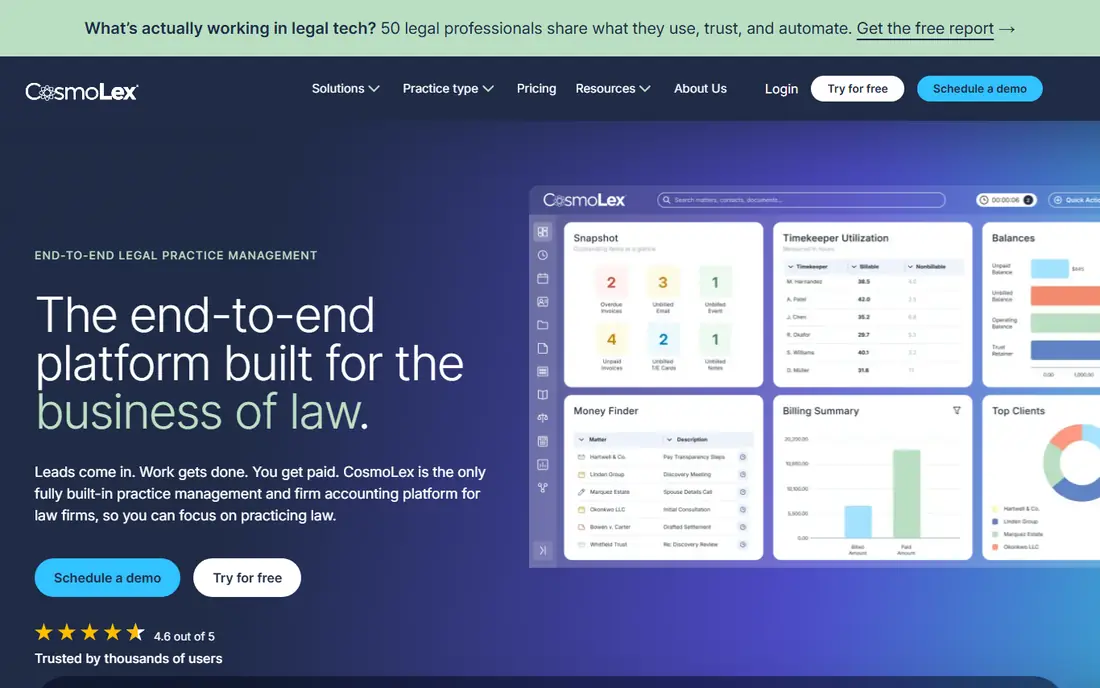
CosmoLex is built around legal accounting rather than adapted from generic bookkeeping. It combines practice management, billing, trust accounting and a general ledger in one system, so a payment can move from client trust to earned fees without exporting data between tools. Launch pricing starts at $49 per user per month when billed annually, with higher tiers for larger firms.
The main weakness is scale cost. Every staff member who needs full access adds a seat, and firms with many paralegals and billing staff should model that total. For a firm that wants one ledger and one vendor for legal finances, CosmoLex remains a strong, focused choice.
- Built-in legal accounting and trust accounting
- Matter-centered billing
- No separate QuickBooks subscription needed
- Per-user cost adds up for larger teams
- Smaller integration catalog than Clio

Clio is the broadest practice platform on this list, with matter management, billing, client intake and document tools alongside accounting features. Entry pricing starts at $49 per user per month, and firms can add accounting and payment features as they grow. Its integration catalog is the largest in legal software, which helps firms that already use other tools for documents, e-signature or research.
Accounting depth is the caveat. Small-firm cash-basis accounting is well covered, but firms with complex accrual or reporting needs should test the accounting reports during a trial and compare them with what their accountant expects. Price the add-ons too, since the headline plan rarely reflects the full stack.
- Large integration catalog
- Billing inside a full practice platform
- Trust accounting features
- Full accounting depth varies by tier
- Add-ons raise the total cost
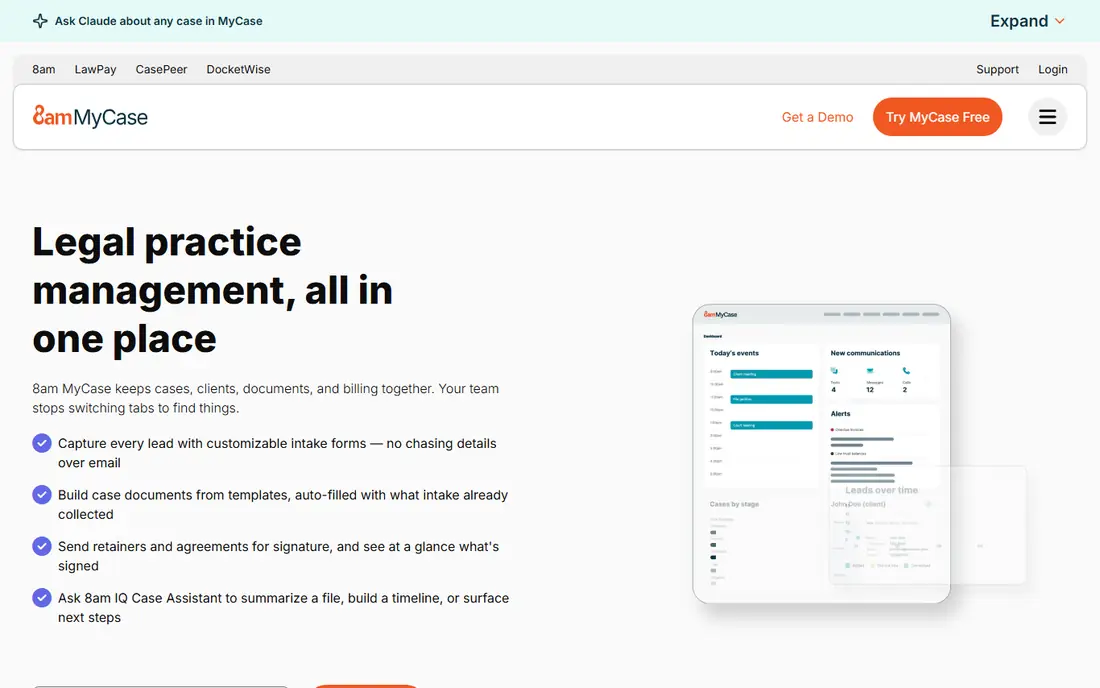
MyCase suits small firms that want predictable pricing and a simple setup. The entry tier starts at $50 per user per month when billed annually, and billing, case management and a client portal sit in one system. Clients can view invoices and pay online, which shortens the collection cycle for firms that still chase paper checks.
Accounting is the limit to check. MyCase Accounting is an add-on at extra cost per user, and some trust and reporting features depend on tier. Trial the accounting workflow with a real matter, including a trust deposit, an invoice and a trust-to-operating transfer, before assuming the base plan covers it.
- Clear published tier pricing
- Client portal and billing together
- Simple setup for small firms
- Accounting add-on costs extra
- Advanced billing features sit on higher tiers
LeanLaw takes a different route: it keeps QuickBooks Online as the books and adds legal timekeeping, matter billing and trust workflows on top. Pricing starts at $55 per user per month, plus the QuickBooks subscription itself. That model suits firms whose accountant already works in QuickBooks and wants to keep that access.
The trade-off is managing a connected stack rather than a single native platform. Sync between LeanLaw and QuickBooks must be understood by billing staff, and trust rules still need careful setup. For firms already committed to QuickBooks, that trade is worth it. For firms starting fresh, a native option such as CosmoLex may be simpler.
- Keeps QuickBooks Online as the accounting engine
- Legal timekeeping and matter billing
- Trust-friendly workflows
- Requires a separate QuickBooks subscription
- Two-system setup needs care
Tabs3 has served law firms for decades, and its billing depth shows it. Statement formats, split billing, complex fee arrangements and trust accounting are handled with more control than many newer tools offer. On-premises pricing starts at $69 per user per month, with cloud options priced separately.
The interface is the honest catch. It feels older than Clio or MyCase, and staff used to modern web apps may need training time. Firms that value billing control and an on-premises option over a polished interface will still find Tabs3 hard to replace.
- Deep billing and statement options
- On-premises option
- Long track record with law firms
- Interface feels older than cloud rivals
- Cloud pricing differs from on-premises pricing
PCLaw, from LexisNexis, remains a familiar name for firms that want legal-specific accounting and billing without moving to a newer cloud suite. It handles matter accounting, trust ledgers, billing and firm financial reports in a system designed for law practice workflows. Established firms with long PCLaw histories often stay because staff know it and data migration feels risky.
Pricing is handled by quote, and the product has not modernized as quickly as cloud rivals. New firms should trial it against CosmoLex and Clio on the same billing workflow, and weigh migration cost against the comfort of a known system. Existing PCLaw firms should confirm support and upgrade paths before renewing.
- Long-standing legal accounting and billing focus
- Matter and trust accounting
- Established firm base
- Pricing is not published as a simple list price
- Modernization lags newer cloud tools
QuickBooks Online is the safest general ledger choice for firms whose accountant already uses it. Reporting, bank reconciliation, payroll connections and the app ecosystem are broader than any legal-only tool. For operating books, tax preparation and accountant collaboration, it is hard to beat.
It is not legal accounting on its own. Trust accounting, matter billing and three-way reconciliation need a legal layer such as LeanLaw or Clio, or careful manual processes that increase risk. Firms that choose QuickBooks should budget for that layer and confirm who owns trust compliance: the firm, not the software vendor.
- Accountants know it well
- Broad app ecosystem
- Strong general ledger and reporting
- No native trust accounting
- Needs a legal billing layer for matter and trust work
Xero suits small firms that want clean operating books without QuickBooks. Bank feeds, reconciliation, invoicing and reporting are straightforward, and many small-firm accountants work in Xero daily. Setup is quick, and the interface is easier for non-accountants than some larger systems.
Like QuickBooks, Xero does not provide native trust accounting or matter billing. A firm that takes client funds must pair it with a legal tool or a separate trust process, and must reconcile trust accounts outside Xero. For firms with no trust work, Xero alone may suffice. For firms with trust accounts, treat it as the operating ledger, not the whole solution.
- Clean interface and bank reconciliation
- Strong accountant network
- Good for small firm operating books
- No native legal trust accounting
- Legal billing needs a separate tool
TimeSolv fits firms whose billing is the hard part: multiple rates, split matters, LEDES invoices for insurance or corporate clients, and complex fee arrangements. Time tracking and billing are its core strengths, and firms with demanding clients often value that control more than a broad practice platform.
Accounting depth is thinner than CosmoLex or Tabs3, so firms may still need a separate ledger or accountant workflow. Trial it with the firm's most complex invoice, including LEDES formatting if corporate clients require it, and confirm which tier includes that format before buying.
- Flexible billing and rate handling
- LEDES billing for corporate clients
- Time tracking focus
- Accounting features are thinner than full legal suites
- Pricing is quote-based for many plans
How we picked these
We compared official product and pricing pages, trust accounting claims and billing features for software current in October 2026. To qualify, a product had to handle law firm finances in a real way: legal billing, trust accounting, or a general ledger that firms commonly pair with a legal billing layer. We kept prices as See website where vendors quote or change tier pricing often, rather than printing unverified figures.
How to choose law firm accounting software
Start with trust accounting. If the firm holds client funds, the tool must support trust ledgers, three-way reconciliation and a clear audit trail, and staff must be trained on those reports. A general ledger alone does not meet that bar, no matter how good its invoicing looks.
Billing, reporting and migration
Test billing with real matters: hourly, flat fee, contingency tracking and split billing, plus LEDES if corporate clients demand it. Check month-end reports, trust balances and outstanding invoices, and confirm the accountant can access or export what tax preparation needs. For migration, ask how matter balances, trust balances and open invoices transfer, and who validates the opening balances. A bad migration can create trust errors that take months to untangle.
Cost and compliance
Model per-user cost across the whole team, including billing staff who need access but do not practice law. Add payment processing fees, accounting add-ons and any separate QuickBooks or Xero subscription. Confirm data security, access controls and export options, and keep a written trust reconciliation routine with a named owner and a monthly schedule.
Frequently asked questions
What is the best accounting software for a small law firm?
CosmoLex and MyCase lead for small firms that want trust accounting and billing in one system. LeanLaw plus QuickBooks Online leads for firms whose accountant already uses QuickBooks. The right pick depends on whether the firm wants one native system or a QuickBooks-centered stack.
What is the best legal accounting software for trust accounting?
CosmoLex, Clio and Tabs3 all offer trust accounting with ledgers and reconciliation tools. CosmoLex is the most all-in-one, while Tabs3 offers the deepest billing control. Trial trust workflows with real deposits and transfers, and confirm three-way reconciliation reports before buying.
Can QuickBooks handle law firm accounting?
QuickBooks Online handles operating books well, but it does not provide native trust accounting or matter billing. Firms that use it for law practice usually pair it with LeanLaw or another legal billing tool. Firms with trust accounts should not rely on QuickBooks alone for client funds.
How much does law firm accounting software cost?
Entry pricing in this guide runs from $49 to $69 per user per month for legal-native tools, plus add-ons and any separate accounting subscription. Generic tools price separately, and payment processing fees sit on top. Model the full team and the first year, including migration and training.
What is the difference between legal billing software and legal accounting software?
Legal billing software tracks time, creates invoices and collects payments. Legal accounting software also maintains the general ledger, trust ledgers and firm financial reports. Many modern tools combine both, but some billing tools still need a separate accounting system for full books.
Sources
See where you really rank - block by block
ProMapRanker scans Google Maps across a grid of your service area. Simple monthly plans from $19, white-label on every plan.
Start freeKeep reading
 who has the best home internet service
Who Has the Best Home Internet Service in 2026
Who has the best home internet service in 2026? Compare fiber, cable, and 5G providers on speed, price, data caps, and availability at your address today.
Read → visio alternatives
Best Visio Alternatives in 2026
Compare 9 Visio alternatives for flowcharts, org charts, and network diagrams, with free plans, pricing, and the best pick for teams and solo users in 2026.
Read → top 10 logistics software
Top 10 Logistics Software in 2026
We compared the top 10 logistics software tools for transport, warehousing, visibility and shipping, for shippers, carriers and 3PL teams in 2026 today.
Read →