 ProMapRanker
Best Landscaping Scheduling Apps in 2026

Key takeaways
- Jobber is the best starting point for small grounds-care firms, with a low entry price and a clear scheduling, quoting, and invoicing flow.
- Housecall Pro suits crews that want strong dispatch and online booking, while ServiceTitan fits larger firms that need a full operations platform.
- Yardbook gives solo operators a free starting point, and GorillaDesk offers per-route pricing for lawn and grounds work.
- Check user limits, route pricing, and payment fees before you commit, since those details change the real monthly cost.
Quick comparison
| Pick | Great for | Pricing starts at | Free tier | |
|---|---|---|---|---|
 Jobber | Small grounds-care firms | $29 per month | Free trial | Visit |
 Housecall Pro | Dispatch and online booking | $59 per month | Free trial | Visit |
 ServiceTitan | Large multi-crew firms | See website | No | Visit |
 Service Autopilot | Recurring routes and automation | $49 per month | No | Visit |
 GorillaDesk | Per-route pricing | $49 per month | Free trial | Visit |
 Yardbook | Solo operators on a budget | Free | Yes | Visit |
 SingleOps | Tree and grounds estimating | See website | No | Visit |
 FieldEdge | Heavy dispatch operations | See website | No | Visit |
The best grounds-care scheduling apps
This list is written plainly as scheduling software for grounds-care businesses, covering mowing, lawn care, tree work, and other outdoor services. We compared official pricing pages, feature pages, and app store listings, and we kept only tools that handle job scheduling, crews, and customer jobs for field service firms.
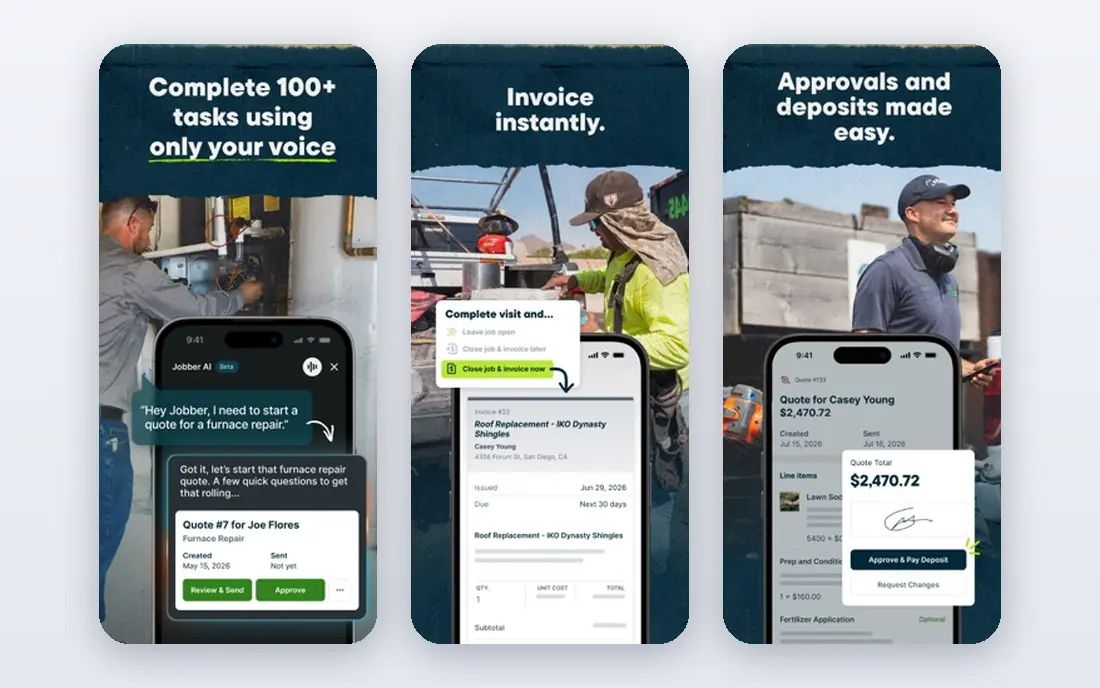
Jobber is our pick for most small grounds-care firms because it covers the full job cycle without forcing a large firm workflow on a small crew. You can schedule recurring mowing visits, send a quote, turn an approved quote into a job, and invoice from the same record. For a firm moving off paper calendars and spreadsheets, that single flow is the main win.
The honest catch is scaling cost. The entry plan covers one user, and adding crew members or moving to higher tiers raises the monthly bill. If you run a large multi-crew firm with complex dispatch needs, ServiceTitan or FieldEdge may fit better. For one to fifteen people, Jobber is hard to beat for clarity and price.
- Clear drag-and-drop scheduling
- Quoting, invoicing and payments in one place
- Easy for small crews to learn
- Higher tiers add cost quickly as users grow
- Some advanced reporting sits on pricier plans
- Payment processing fees apply
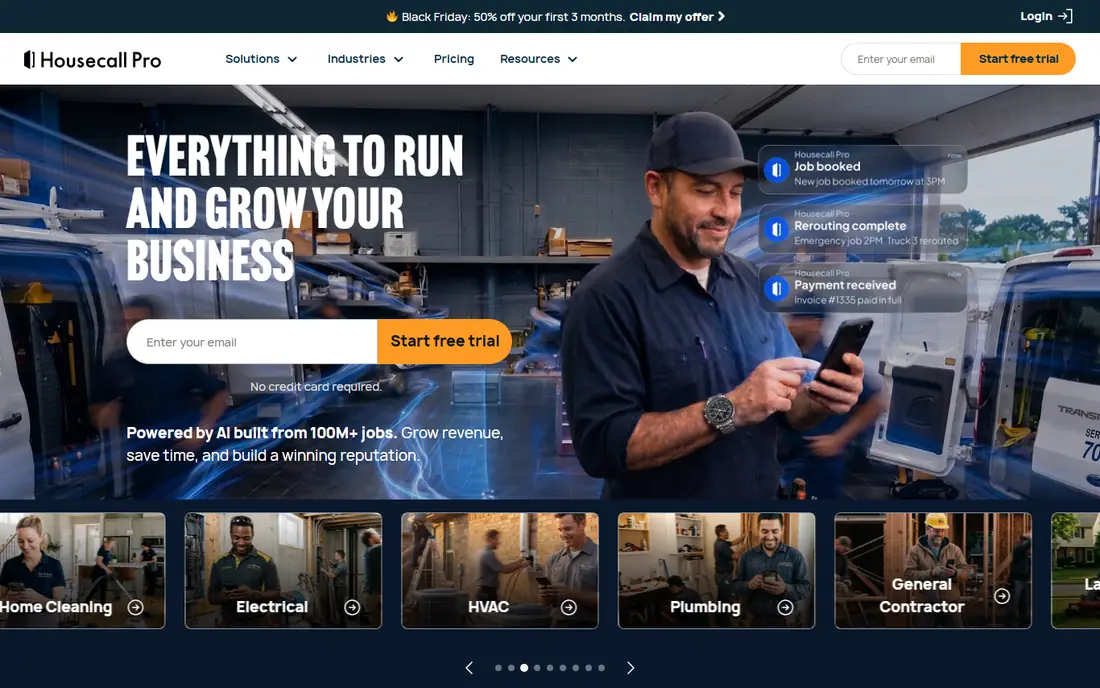
Housecall Pro appeals to firms that live on their phones. Crews can see the day's jobs, navigate to each site, and update job status from the app, while customers can book online and receive reminders. That mobile-first feel is why many small outdoor service firms choose it over a desktop-heavy system.
The price structure needs a close look. The basic plan covers one user, and the mid and top tiers, at higher monthly prices, are where larger crews get room to grow. If you have a single operator, Jobber's entry price is lower. If you value Housecall Pro's app and booking flow, the extra cost may be worth it.
- Strong mobile app for crews
- Online booking and customer reminders
- Dispatch board that is easy to read at a glance
- Entry plan covers only one user
- Higher tiers jump in price
- Some marketing add-ons cost extra

ServiceTitan is the platform for firms that have outgrown simple scheduling. It combines dispatch, customer records, estimates, invoicing, call tracking, and marketing tools in one system, with reporting that suits managers overseeing many crews. Larger grounds-care and home service firms use it as their central operations hub.
The drawbacks are just as clear. Pricing is by quote and is commonly estimated in the hundreds of dollars per technician per month, and setup can involve a longer implementation and training period. A solo operator or a five-person crew will likely find it heavy and costly. For a firm with many crews and office staff, that depth is the point.
- Full platform for scheduling, dispatch, sales and marketing
- Strong reporting for larger firms
- Built for multi-truck operations
- No published price, quote only
- Implementation takes time and training
- More software than a small firm needs
Service Autopilot stands out for firms whose work is mostly repeat visits on set routes. It is designed around recurring lawn and grounds jobs, with automation that handles billing, reminders, and follow-up without manual work for each visit. For a mowing firm with hundreds of weekly stops, that route-first design saves real office time.
The trade-off is focus. If your firm also does varied one-off projects, a general tool like Jobber may handle those jobs more naturally. Service Autopilot also sells through tiered plans that are best confirmed on a demo. For route-heavy firms, though, its automation is a genuine advantage.
- Built for recurring lawn and grounds routes
- Automation for billing and follow-up
- Route optimization for repeat visits
- Narrower focus than general field service tools
- Pricing tiers vary and need a demo for detail
- Learning curve for automation setup
GorillaDesk takes a different pricing approach that suits route-based firms: it charges per route rather than only per user. That can make costs easier to predict for a firm that thinks in routes, not seats, and it covers scheduling, invoicing, and payments without a long contract. Pest, lawn, and pool firms are its natural audience.
The limit is scale and depth. It does not match ServiceTitan for reporting and marketing, and a firm with many routes will see the per-route bill climb. For a small to mid-size grounds-care firm that wants simple route pricing and a 14-day trial to test it, GorillaDesk is a practical choice.
- Per-route pricing suits lawn, pest and pool firms
- No long contracts on published plans
- Scheduling, invoicing and payments included
- Smaller feature set than ServiceTitan
- Per-route cost adds up with many routes
- Some integrations are limited
Yardbook is the best free starting point on this list for a solo operator. Its free starter plan covers basic scheduling, customer records, and invoicing, which is enough to replace a paper diary and scattered notes. Paid plans from about $34.99 per month add more capacity and features as the firm grows.
The catch is that Yardbook is a smaller product than the leaders, with fewer integrations and less depth in reporting. A growing firm may outgrow it and move to Jobber or Housecall Pro. As a first step, though, it is hard to argue with a free plan that gets a solo operator organized this week.
- Free starter plan for solo operators
- Scheduling, invoicing and customer records
- Low barrier to moving off paper
- Paid plans needed for fuller features
- Smaller company than Jobber or Housecall Pro
- Fewer integrations than larger platforms
SingleOps fits firms where each job needs a careful estimate, not just a recurring slot on a route. Tree care and larger grounds projects often involve site visits, detailed proposals, and job costing, and SingleOps is built around that workflow. It pairs estimating with scheduling and crew management, so a quoted job flows into the work calendar.
The downside is that pricing is quote-only and sales are demo-led, which makes quick comparison harder. It is also more software than a basic mowing firm needs. If your work is mostly high-value, estimate-driven outdoor jobs, SingleOps deserves a demo. If your work is mostly repeat mowing, a route tool will be simpler.
- Strong estimating for tree and grounds jobs
- Job costing and crew scheduling in one system
- Built for higher-value outdoor work
- No published price, demo-based sales
- More complex than a simple scheduler
- Overkill for basic mowing routes
FieldEdge closes the list for firms with heavy dispatch needs. Its dispatch board helps office staff assign many jobs across crews, track job status, and keep customer records and invoicing in one place. Firms with many trucks and a busy office will value that control.
The limits mirror ServiceTitan: pricing is by custom quote, and setup takes time. FieldEdge also serves many trades, so grounds-care firms should check that its templates and workflows fit outdoor work during a demo. For dispatch-heavy firms that have outgrown a simple scheduler, it is a serious option.
- Strong dispatch board for multi-crew firms
- Invoicing and customer records included
- Built for high-volume field service work
- No published price, custom quote
- Implementation takes effort
- Broader home service focus, not grounds-only
How we picked these
We compared official pricing pages, feature pages, and app store listings for field service tools used by grounds-care firms, and we favored tools with clear scheduling, dispatch, and invoicing for outdoor work. We used published prices where vendors list them and wrote See website where pricing is quote-only, rather than repeating third-party estimates as vendor prices. We also checked that each tool is still sold and supported in October 2026.
What to check before you buy
Count your real users and routes before you compare prices, since some tools charge per user and others per route. A low headline price can climb fast once extra crew members, extra routes, or payment processing fees are added. Ask each vendor what is included on the plan you would actually buy, not only on the top plan shown in a demo.
Also test the mobile app with a real crew member, not only in the office. Grounds-care work happens outdoors, often with weak signal, so offline access, simple job updates, and clear navigation matter more than a long feature list. Run a trial with one crew for two weeks, schedule real recurring jobs, and see which tool your crew actually opens each morning. That test will tell you more than any sales call.
Frequently asked questions
What is the best scheduling app for a small grounds-care firm?
Jobber is our pick for most small firms, thanks to its entry price, clear scheduling, and combined quoting and invoicing. Housecall Pro is a strong alternative if you value its mobile app and online booking more highly.
Is there a free scheduling app for grounds-care work?
Yes, Yardbook offers a free starter plan for solo operators, covering basic scheduling, customer records, and invoicing. Paid plans add capacity and features as your firm grows.
How much does grounds-care scheduling software cost?
Entry prices here range from free on Yardbook to $29 per month on Jobber and $59 per month on Housecall Pro, while larger platforms such as ServiceTitan and FieldEdge are quote-only. Always check user limits, route pricing, and payment fees for the total cost.
Do these apps handle recurring mowing routes?
Yes, most tools here support recurring jobs, and Service Autopilot and GorillaDesk are built with route-based work in mind. Check how each tool handles route changes, skipped visits, and seasonal pauses before you commit.
Can crews use these apps on a phone in the field?
Yes, all eight tools offer mobile apps for crews, with job lists, navigation, and status updates. Test the app outdoors with weak signal before you buy, since field conditions differ from office Wi-Fi.
Should a solo operator buy ServiceTitan?
Usually not. ServiceTitan is built for larger multi-crew firms, with quote-only pricing and a longer setup. A solo operator will get more value from Yardbook, Jobber, or Housecall Pro at a lower cost and with less setup.
Sources
See where you really rank - block by block
ProMapRanker scans Google Maps across a grid of your service area. Simple monthly plans from $19, white-label on every plan.
Start freeKeep reading
 zyte alternatives
Best Zyte Alternatives in 2026
These zyte alternatives cover managed scraping APIs, proxy networks and no code tools for lawful collection from your own or consented sources only in 2026.
Read → zerto alternatives
Best Zerto Alternatives in 2026
Compare the best zerto alternatives for disaster recovery and replication, with recovery targets, cloud options and honest trade-offs for teams in 2026.
Read → zerofox alternatives
Best ZeroFox Alternatives in 2026
We compared 9 zerofox alternatives for brand protection, phishing takedowns, dark web monitoring, and social impersonation, with clear coverage notes.
Read →