 ProMapRanker
Best Landscape Software With Accounting Integration in 2026


Small yard care crews moving off spreadsheets · Pricing starts at: $29 per month
Key takeaways
- QuickBooks sync is the deciding feature in this group, but it sits on different plans, so check the tier you will actually buy, not the headline price.
- Jobber and Housecall Pro suit small crews best, while LMN, Aspire and SingleOps suit larger firms with job costing and estimating needs.
- Yardbook is the clear low-cost starting point, but its accounting links are simpler than the paid tools in this list.
- Per-user pricing can change the total fast, so count every office and field seat before you compare monthly totals.
Quick comparison
| Pick | Great for | Pricing starts at | Free tier | |
|---|---|---|---|---|
| Jobber | Small yard care crews moving off spreadsheets | $29 per month | Free trial (14 days) | Visit |
 Housecall Pro | Teams that want scheduling, payments and financing | $59 per month | Free trial (14 days) | Visit |
 LMN | Larger firms with budgets and job costing | See website | No | Visit |
 Arborgold | Tree care and yard care firms with routes | See website | No | Visit |
 SingleOps | Tree care and green industry firms | See website | No | Visit |
 Aspire Software | Mid-size and large commercial firms | See website | No | Visit |
 Service Autopilot | Firms that want automation and chemical tracking | See website | No | Visit |
 Yardbook | Solo operators and tiny crews on a budget | Free | Yes | Visit |
 WorkWave | Firms that want routing plus field service tools | See website | No | Visit |
The best outdoor work software with accounting integration
We compared official feature pages, pricing pages and integration lists for tools that serve outdoor work and connect to an accounting system. The nine tools below cover solo operators through large commercial firms, and each one handles quotes, scheduling and invoicing in its own way.
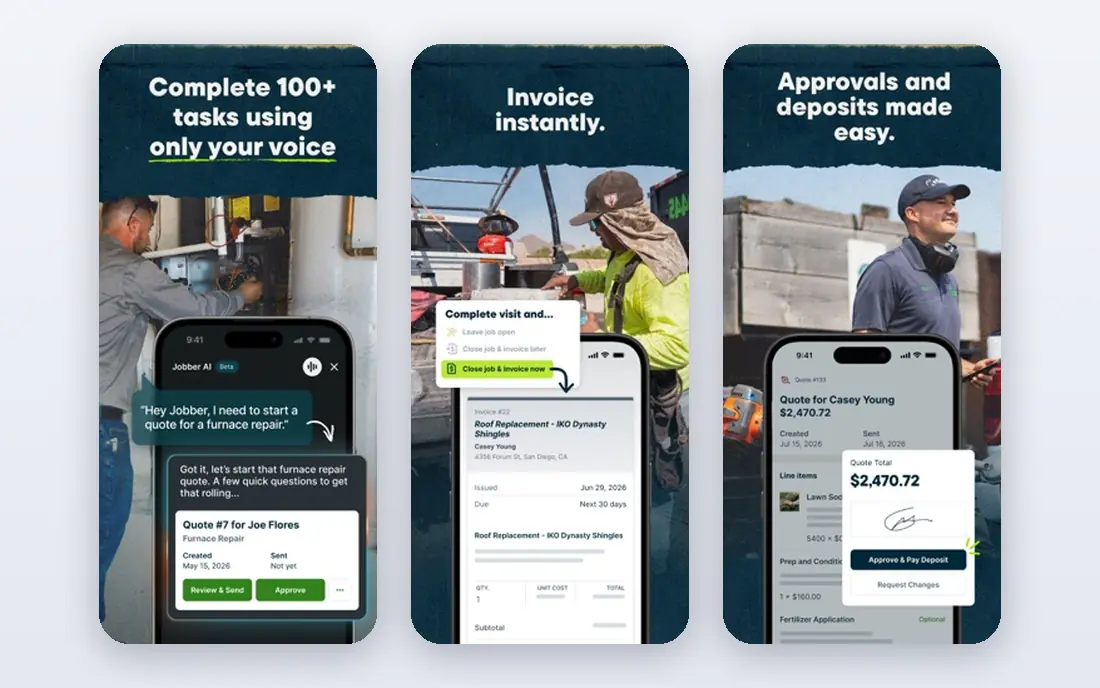
Jobber is the easiest first step for a small crew that still runs on paper or spreadsheets. Quotes look clean, clients can approve and pay through a client hub, and scheduling, invoicing and payments sit in one flow. That simplicity matters when the people using the app most are out in the field, not at a desk.
The accounting link is the reason it earns a place here. Jobber syncs with QuickBooks Online and Xero, so invoices and payments do not have to be typed twice. The catch is seat count. The entry plan covers one user, so a crew with an office manager and two leads will pay more than the headline price. Firms that need budget-based estimating or deep construction-style job costing will also outgrow it, but for mowing, cleanups, maintenance routes and light installs, it is a strong, low-friction pick.
- Clear quotes and client hub
- Strong mobile app for crews
- QuickBooks and Xero sync
- Core plan covers one user
- Deeper job costing sits on higher tiers
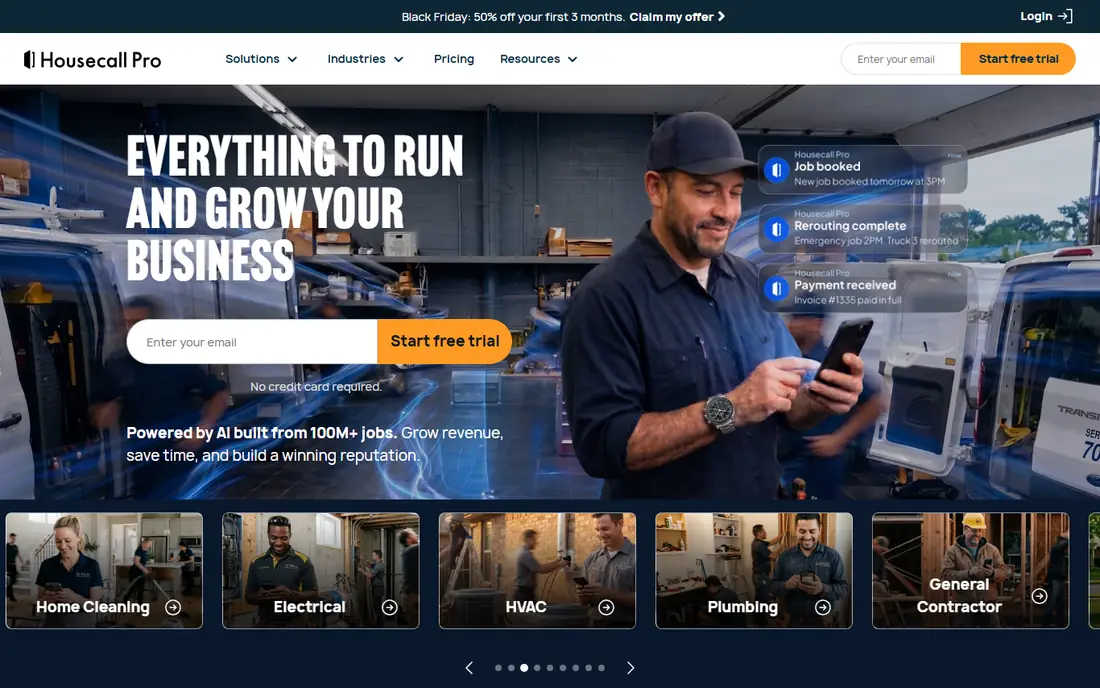
Housecall Pro suits a team that runs many jobs a day and wants consistent pricing in the field. Its price book keeps quotes steady across technicians, and dispatch, scheduling and payment tools are built for speed. Consumer financing is a real plus for big-ticket jobs such as patio or planting installs, where a client may need to spread the cost.
For accounting, plan around the Essentials tier. That is where QuickBooks Online sync appears, along with routes, GPS tracking and commissions, so the $59 Basic price is not the price most accounting-minded buyers will pay. The trade is fair in our view, because Essentials covers five users, which softens the per-seat math for a small team. Just budget for the tier you need and confirm processing fees before you sign.
- Flat-rate price book
- Consumer financing and bank payments
- No long-term contracts
- QuickBooks sync starts on Essentials, not Basic
- Extra users add cost on the top tier

LMN is built for firms that live or die by job budgets. Estimating starts from labor, material and equipment costs, and job costing then shows actual spending against the budget while work is under way. That pairing is what separates it from general field service tools, which often treat costing as an afterthought.
Its accounting links matter too. LMN connects to QuickBooks, so approved invoices and job costs can flow to the books without retyping. The downside is transparency: pricing is quote-based, so you will need a demo and a written quote to know your total. It is also more to learn than Jobber or Yardbook. For a firm with several crews, estimators and a real office team, that depth is the point. For a solo operator, it is more tool than you need.
- Budget-based estimating
- Job costing against budgets
- Built for outdoor work firms
- Quote-based pricing makes comparison harder
- Setup takes more time than simpler tools
Arborgold serves tree care firms first, but many yard care firms use it too, because its scheduling, routing and customer records fit route-based work well. Crews can see job history, site notes and prior work for a property, which helps when a client asks what was done last season. Invoicing and payments keep the office side in the same system.
The QuickBooks link keeps invoices and payments aligned with the books, which is the core test for this list. Pricing is the weak spot for shoppers, since Arborgold does not publish a starting price and asks for a demo. That is common in this category, but it means you should ask for the full cost, including any per-user or onboarding fees, in writing. If your work is tree-heavy or route-heavy, the fit is strong enough to justify that call.
- Route and crew scheduling
- Customer and job history in one place
- QuickBooks sync
- Pricing is not published
- Some features suit tree care more than general yard work
SingleOps covers the full job flow for green industry firms, from CRM and estimates through scheduling, work orders, timesheets, invoicing and inventory. Its estimate builder handles material, labor and equipment line items, which helps tree care and install firms price complex jobs with fewer surprises. Inventory for items such as mulch, soil, stone and plants is a useful extra for firms that also sell materials.
Job costing with budget against actual spending gives managers a clear view of which jobs made money and which did not. QuickBooks Online sync ties that back to accounting. The main drawback is price opacity, since SingleOps prices by quote after a demo. Mid-size firms with five to thirty staff are its sweet spot, and those firms should compare its total against LMN and Aspire before choosing.
- Estimates with material, labor and equipment detail
- Inventory for yard materials
- QuickBooks Online sync
- Demo-gated pricing
- Smaller peer community than Jobber or LMN
Aspire is aimed at commercial firms that manage large contracts, multiple crews and detailed margins. Estimating, scheduling, time tracking, invoicing and job costing sit in one system, and reporting can cut by crew, job, branch or contract. That scale is why it appears in this list, even though its pricing is not published and its setup is heavier than a small-business tool.
For accounting, Aspire connects to common accounting systems, including QuickBooks, so financial data does not live apart from operations. The honest catch is cost and effort. Expect a sales process, an implementation period and training for office staff. Small firms will find it too much. Firms that already feel squeezed by spreadsheets across several branches, or that lose margin on large commercial jobs, are the ones who get value from it.
- Strong estimating and job costing for commercial work
- Scheduling and crew tools
- Accounting integrations
- Quote-based enterprise pricing
- Longer setup and training period
Service Autopilot
Great for: Firms that want automation and chemical tracking
Service Autopilot is a long-running choice for yard care and pest control firms that want routes, recurring billing and automation to run with little daily input. Recurring services can be scheduled, billed and routed on a cycle, and automation handles reminders, follow-ups and late notices. Chemical application tracking is a notable strength for firms that spray or treat properties and need clean records.
Its QuickBooks sync keeps invoices and payments in step with the books. The drawbacks are familiar in this category: pricing is quote-based, and the interface packs in a lot, so new users may need time to learn it. Firms with steady recurring routes and a need for application records will get the most from it. Firms with only occasional one-off jobs may prefer a simpler tool.
- Strong automation for routes and billing
- Chemical and application tracking
- QuickBooks sync
- Pricing not published
- Interface can feel busy for new users
Yardbook is the budget pick in this list, and for a solo operator it is hard to beat on price alone. The free core plan covers scheduling, customer records, invoicing and payments, which is enough to run a small route business without a monthly subscription. Setup is quick, and the focus stays on getting jobs booked and paid.
The trade is depth. Yardbook does not match LMN or Aspire on job costing, estimating or reporting, and its accounting connections are simpler than the dedicated sync tools above. If you run a one-person or two-person crew and your accountant only needs clean invoices and payment records, that may be plenty. If you need budget tracking per job or multi-crew reporting, start here and plan to move up later rather than forcing it to do work it was not built for.
- Free core plan
- Simple scheduling, invoicing and payments
- Low barrier to start
- Accounting links are simpler than paid tools
- Fewer advanced costing features
WorkWave offers field service products used across yard care, pest control, cleaning and other route-based trades. Route planning, dispatch, scheduling and mobile job tools are its core strengths, and the platform is built for firms that run many stops per day. That routing focus helps crews finish more jobs with less driving time, which shows up directly in margins.
On accounting, WorkWave products integrate with accounting systems, but the exact depth varies by product, so buyers should confirm the sync for the specific WorkWave product they are quoted, not the family as a whole. Pricing is quote-based, which makes head-to-head comparison slower. For a firm where routing efficiency is the main pain, and accounting sync is a must-have rather than a nice extra, it is worth a demo with a clear list of sync questions.
- Route planning and dispatch
- Mobile tools for field teams
- Broad service industry coverage
- Pricing is quote-based
- Accounting depth varies by product in the WorkWave family
How we picked these
We compared official feature pages, pricing pages and integration lists for tools that serve outdoor work firms and connect to an accounting system. We kept only tools that exist and work now, that handle quotes, scheduling and invoicing, and that offer a real accounting link rather than a simple export. We left out general field service tools with no outdoor work focus and accounting tools with no field workflow, since neither solves the combined problem in this article.
What to check before you buy
Start with the accounting link, not the feature list. Ask which accounting system and version the sync supports, which direction it flows, and what happens to payments, credits and taxes. A one-way sync can still work well, but you should know who owns each record and how errors are fixed. Test the sync with a small batch of real invoices before you move your whole book over.
Next, count seats and price the tier you need. Many tools in this list advertise a low entry price that covers one user or leaves out the accounting sync. Add office staff, crew leads and any seasonal help, then compare totals at that seat count. Finally, check estimating and costing against your real jobs. Run two or three past jobs through each finalist, from quote to invoice to cost report, and pick the tool that makes that loop shortest and clearest.
Frequently asked questions
Do I need QuickBooks for these tools to work?
No. Most tools in this list also work on their own for quotes, scheduling and invoicing. The accounting link saves double entry and keeps your books cleaner, but you can run the field side first and add the sync later if your accountant prefers a different system.
Which tool is best for a solo operator?
Yardbook is the lowest-cost start, and Jobber is the strongest paid step up for a solo operator who wants a polished client hub. Both keep daily work simple. Move to LMN, SingleOps or Aspire only when job costing, estimating depth or multi-crew reporting becomes a daily need.
Is free software enough for a small yard care firm?
It can be, if your jobs are simple and recurring. Free tools cover booking, invoicing and payments well. They tend to fall short on budget tracking, detailed estimates and reporting, so review your margins at least once a season and upgrade when manual work starts costing real time.
What does accounting integration usually sync?
It usually syncs invoices, payments, customers and sometimes items or services. Tax handling, credits and refunds vary by tool, so confirm those details with the vendor. Always keep a backup of your books before the first full sync.
How long does setup take?
Simple tools can be running in days. Larger platforms with estimating, costing and accounting setup can take weeks, including data cleanup and staff training. Ask each vendor for a written timeline and for help importing your customer and job history.
Sources
See where you really rank - block by block
ProMapRanker scans Google Maps across a grid of your service area. Simple monthly plans from $19, white-label on every plan.
Start freeKeep reading
 zoro.to alternatives
Best Zoro.to Alternatives in 2026
We compare the best zoro.to alternatives in 2026, listing only legal licensed anime streaming services, from Crunchyroll to free options for fans today.
Read → zip alternatives
Best Zip Alternatives in 2026
We compare the best zip alternatives for buy now, pay later in 2026, covering pay-in-4 plans, fees, spending limits, and credit reporting options today.
Read → yesware alternatives
Best Yesware Alternatives in 2026
Compare the best yesware alternatives for sales email tracking, templates, and sequences, with current pricing and honest tradeoffs for small sales teams.
Read →