 ProMapRanker
Best Keyword Research Tool Under $50 Per Month in 2026


Starter keyword and competitor research · Pricing starts at: $29 per month
Key takeaways
- Ahrefs Starter at $29 per month and Mangools at $29.90 per month are the strongest paid picks under $50 for most small sites.
- Free Google tools, Keyword Planner and Trends, cover real search data at no cost, but they lack difficulty scores and competitor depth.
- Daily lookup caps matter more than headline price on budget plans, so check how many keywords you can research each day before buying.
- Semrush and higher Ahrefs tiers sit above $50 per month and are therefore left out of this list, however good they are.
Quick comparison
| Pick | Great for | Pricing starts at | Free tier | |
|---|---|---|---|---|
| Ahrefs | Starter keyword and competitor research | $29 per month | Yes | Visit |
 Mangools | Beginner-friendly long-tail research | $29.90 per month | Yes | Visit |
 Ubersuggest | Low-cost all-in-one SEO | $12 per month | Yes | Visit |
 LowFruits | Low-competition keyword finds | $29.90 per month | Yes | Visit |
 Keysearch | Budget keyword research | See website | Yes | Visit |
 Moz | Quick keyword checks for small sites | $49 per month | Yes | Visit |
 Google Keyword Planner | Free search volumes from Google | Free | Yes | Visit |
 Google Trends | Free trend and seasonality checks | Free | Yes | Visit |
 Surfer | Keyword research that feeds content briefs | $49 per month | Yes | Visit |
The best keyword research tools under $50 per month
We compared official pricing pages, feature pages and public documentation, and we only listed tools whose entry price is $50 per month or less, or whose free tier is genuinely useful for keyword research. Prices change, so confirm the checkout price before buying.

Ahrefs Starter brings the core of Ahrefs keyword research within a $50 budget. Keywords Explorer gives search volume, keyword difficulty, traffic potential and parent topic ideas, which together help a small site choose keywords it can actually rank for. The free Ahrefs tools for verified site owners add a useful check on your own site's keywords.
The limit is usage. Starter is built for a small site or a solo creator, and heavy research, extra users and add-ons can raise costs fast. If you research a few topics a week and need trusted difficulty data, Starter is the best value here. If you research daily at scale, a cheaper unlimited-lookup tool may suit you better.
- Keywords Explorer with difficulty and traffic potential
- Strong SERP and competitor data even on Starter
- Free tools for site owners
- Starter credits and limits are tight for heavy users
- Higher tiers quickly pass $50 per month
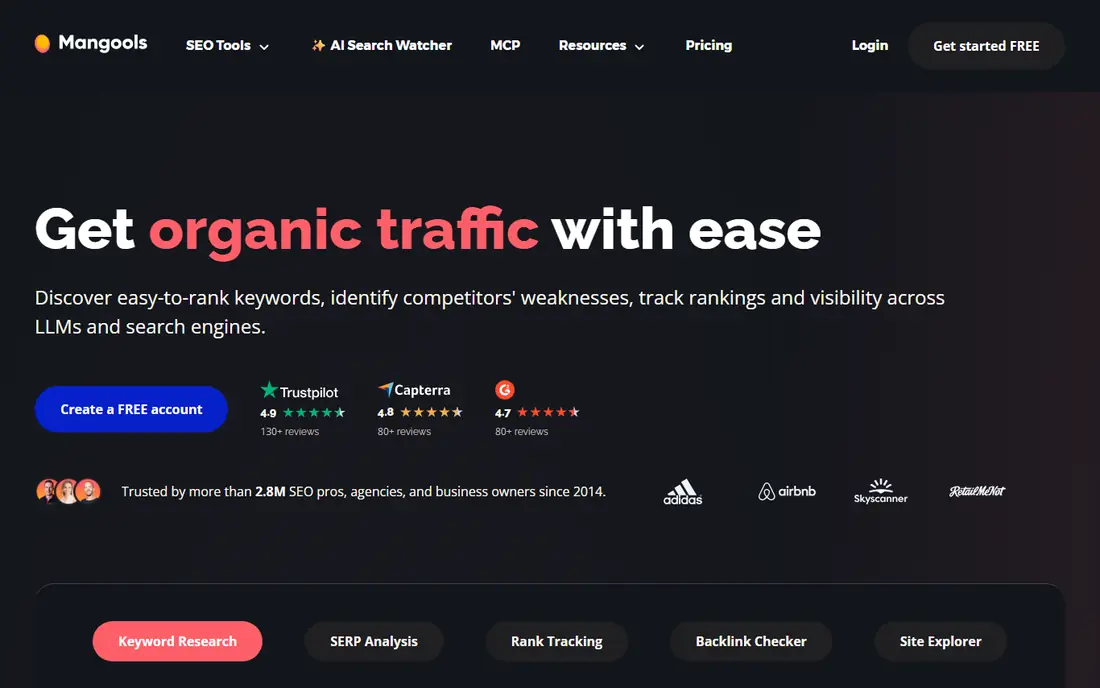
Mangools, built around KWFinder, is the tool we recommend most to beginners. Search a seed keyword, see volume, difficulty, cost per click and the ranking pages, and you can judge in a minute whether a long-tail keyword is realistic for a small site. The bundle also adds SERP analysis, rank tracking, backlink checking and site profiling, which covers the basics beyond keywords.
Lower plans cap daily lookups, so a blogger researching many topics in one session may hit the limit. For steady, topic-by-topic research, though, Mangools is clear, fast and fairly priced, and its free account gives a few lookups a day for testing.
- KWFinder is easy to learn and read
- Five tools in one bundle
- Daily lookups rather than a strict credit burn on many actions
- Daily lookup caps on lower plans
- Backlink data is thinner than Ahrefs

Ubersuggest suits a beginner on a tight budget who wants one dashboard rather than several tools. It covers keyword ideas, volume, difficulty, content ideas and site audits, plus checks for site speed and mobile issues. At $12 per month on its entry plan in the cases we checked, it is the cheapest paid route to a full SEO dashboard.
Depth is the compromise. Its keyword database and backlink data do not match Ahrefs, and serious competitor research will feel thinner. For a new site learning SEO, though, Ubersuggest gives enough data to pick topics and track progress without spending $50 a month.
- Lowest paid entry price in this list
- One dashboard for keywords, audits and site checks
- Free tier for limited daily searches
- Keyword and backlink depth is thinner than Ahrefs
- Free tier limits daily searches
LowFruits takes a focused approach: instead of giving you every keyword, it helps you find keywords where weak sites already rank, which signals a realistic opening for a smaller site. Its SERP view highlights low-authority results, so you can spot a winnable topic faster than by reading difficulty scores alone.
It is not a full SEO suite, so rank tracking, audits and backlink work may need another tool. For a content site or affiliate site whose main job is finding low-competition topics, LowFruits is a strong, budget-friendly specialist, and its free keyword idea searches let you test the approach first.
- SERP analysis flags weak, low-authority ranking sites
- Good for finding winnable long-tail keywords
- Pay-as-you-go option in some cases
- Narrower toolset than a full SEO suite
- Best for content sites rather than large ecommerce research
Keysearch has served budget SEO users for years, and it remains a practical pick for a small site that needs keyword ideas, difficulty scores and basic rank tracking without a suite price. Its workflow is direct: enter a seed keyword, review volume and competition, and build a list for content planning.
It does not feel as modern or as deep as Ahrefs or Mangools, and its pricing and plan details should be confirmed on the vendor site before purchase, since budget tools change plans often. If you want the lowest-cost paid research tool and can live with a plainer interface, Keysearch is worth a test.
- Long-standing budget tool for keyword ideas and difficulty
- Rank tracking and competitor checks in one place
- Free tier for testing
- Interface and data depth feel dated beside Ahrefs and Mangools
- Pricing should be confirmed on the vendor site
Moz Keyword Explorer is a solid choice for a small site that wants a quick, readable answer to a simple question: is this keyword worth targeting. Its difficulty and opportunity scores, plus SERP analysis, help a beginner avoid keywords dominated by large authority sites. Moz also offers a free keyword tool for limited checks, which is handy for a one-off query.
The entry paid plan sits at $49 per month in the cases we checked, right at this list's limit, so there is no headroom for add-ons. If you already use Moz for learning or rank tracking, the bundle makes sense. If keywords are your only need, Ahrefs Starter or Mangools give more depth for less money.
- Keyword Explorer with clear difficulty and opportunity scores
- Free keyword tool for quick checks
- Trusted brand for SEO learning
- Entry plan sits right at the $50 limit
- Paid features beyond keywords need higher plans for full depth
Google Keyword Planner is the free starting point every SEO should use, because its volumes come from Google itself. Enter a seed keyword or a URL, get related ideas, monthly volumes and bid estimates, and you have a grounded list to refine with a paid tool. It is especially useful for paid search planning, where bid data matters.
For organic research, its limits show quickly. Volume ranges can be broad unless you run ads, and there is no keyword difficulty score, SERP analysis or competitor gap view. Use Planner to build the list, then check difficulty and competition in Ahrefs, Mangools or LowFruits before choosing topics.
- Free with a Google Ads account
- Search volumes and ideas straight from Google
- Useful for paid and organic planning
- Volume ranges can be broad without active ad spend
- No difficulty score or competitor depth
Google Trends answers a different question from other tools here: is interest in this topic rising, falling or seasonal. Its 0 to 100 scores are relative, not absolute search counts, so a score of 100 means peak interest for that term in that period, not a fixed number of searches. That makes it ideal for timing content and comparing phrasings.
It cannot replace a keyword tool. Trends gives no difficulty score, no volume count and no ranking data, so pair it with Planner or a paid tool. Check a topic in Trends before you invest in a full article, especially for seasonal or news-led subjects.
- Free and instant
- Shows seasonality and rising interest
- Compares terms and regions side by side
- Scores are relative, not absolute volumes
- No difficulty or ranking data
Surfer earns its place for a writer who wants research to lead straight into a content plan. Its Discovery tier covers keyword research, topical maps and content planning, so a topic list becomes a cluster plan without exporting data between tools. The free Keyword Surfer extension also gives quick volume checks in search results.
The entry plan sits at $49 per month on annual billing in the cases we checked, so monthly billing may pass the $50 limit, and its keyword database is narrower than a dedicated research suite. Choose Surfer when content planning is the main job, and choose Ahrefs or Mangools when raw keyword database depth matters more.
- Keyword research flows into content planning and briefs
- Topical maps help plan clusters
- Free Chrome extension for quick checks
- Entry Discovery plan sits at the $50 limit on annual billing
- Not a full keyword database like Ahrefs
How we picked these
We compared official pricing and feature pages for tools with an entry price of $50 per month or less, or a genuinely useful free tier for keyword research. We excluded tools whose entry plan sits above $50, including Semrush and higher Ahrefs tiers, even though they are strong products. Where a vendor does not publish a clear entry price, we marked it as See website.
What to check before you buy
Start with your research volume. A tool with daily lookup caps suits a blogger who researches a few topics a week, while a tool with credit limits may frustrate a researcher who batches a month of topics in one day. Check the cap, not just the price, before paying.
Next, test difficulty scores on keywords you already rank for. A difficulty score is only useful if it matches your site's reality, so compare the tool's verdict with your own rankings. Finally, pair a paid tool with Google Planner and Trends for free. That combination covers volumes, seasonality and difficulty for under $50 a month, which is the whole point of this list.
Frequently asked questions
What is the best keyword research tool under $50 per month?
For most small sites, Ahrefs Starter at $29 per month or Mangools at $29.90 per month offer the best balance of data and price. Ubersuggest at $12 per month suits the tightest budgets, while LowFruits suits sites hunting specifically for low-competition topics.
Can I do keyword research for free?
Yes, with limits. Google Keyword Planner gives volumes and ideas, Google Trends gives seasonality, and free tiers from Ahrefs, Mangools and Ubersuggest give limited daily checks. Free tools lack difficulty depth and competitor analysis, so pair them for a fuller picture.
Why is Semrush not on this list?
Semrush is a strong tool, but its entry SEO plan sits above $50 per month, so it does not meet this list's price rule. If your budget rises above $50, Semrush becomes a strong all-in-one option to compare against Ahrefs Lite.
What does keyword difficulty mean?
Keyword difficulty estimates how hard it is to rank for a term, usually based on the strength of pages already ranking. It is an estimate, not a guarantee, and a small site should favour lower-difficulty, long-tail keywords where weaker sites already rank.
How many keywords should I research per article?
Research one main keyword and a handful of related terms, rather than a long list you never use. Check the main keyword's volume and difficulty, note related questions for headings and FAQs, and stop when you have a clear topic and angle.
Sources
See where you really rank - block by block
ProMapRanker scans Google Maps across a grid of your service area. Simple monthly plans from $19, white-label on every plan.
Start freeKeep reading
 zscaler alternatives
Best Zscaler Alternatives in 2026
Looking for zscaler alternatives? We compare 9 SASE and zero trust platforms on architecture, data protection, pricing, and fit for your network and team.
Read → zapier alternatives free
Best Zapier Alternatives Free in 2026
Nine automation tools for zapier alternatives free in 2026, all with genuinely free tiers, plus free plan limits, starting prices and upgrade paths explained.
Read → which platform is best for online reputation
Which Platform Is Best for Online Reputation in 2026
Wondering which platform is best for online reputation? We compare 8 review, listing, and response tools for small and multi-location businesses and agencies.
Read →