 ProMapRanker
Best Journal App in 2026: 9 Options Compared


full-featured private journaling across devices · Pricing starts at: See website
Key takeaways
- Day One is the fullest private diary in this list, while Journey is the best cross-platform pick for readers who switch devices often.
- Daylio is the best journaling app for people who hate writing, because mood and activity taps still build a useful record over time.
- Diarium suits readers who want a one-time purchase and their own cloud sync, rather than another subscription.
- Reflectly, Stoic, Rosebud, and Grid Diary suit guided journaling, with Stoic and Rosebud strongest for a mental health routine.
- Penzu remains a good web-first private diary, but check which privacy and export features need a paid plan.
Quick comparison
| Pick | Great for | Pricing starts at | Free tier | |
|---|---|---|---|---|
| Day One | full-featured private journaling across devices | See website | Yes | Visit |
 Journey Journey | cross-platform journaling everywhere | See website | Yes | Visit |
 Diarium Diarium | Windows-first users who want no subscription | See website | Yes | Visit |
 Penzu Penzu | web-first private diary writing | See website | Yes | Visit |
 Daylio Daylio | mood tracking without writing | See website | Yes | Visit |
 Reflectly Reflectly | guided journaling for beginners | See website | Free trial | Visit |
 Stoic Stoic | guided reflection and mental health routines | See website | Yes | Visit |
 Rosebud Rosebud | AI-guided journaling and reflection | See website | Yes | Visit |
 Grid Diary Grid Diary | structured daily prompts in a grid | See website | Yes | Visit |
The best journal app
We compared journal apps on writing comfort, photo and media support, sync, privacy controls, prompts, and price, using vendor pages, app store listings, and privacy policies.
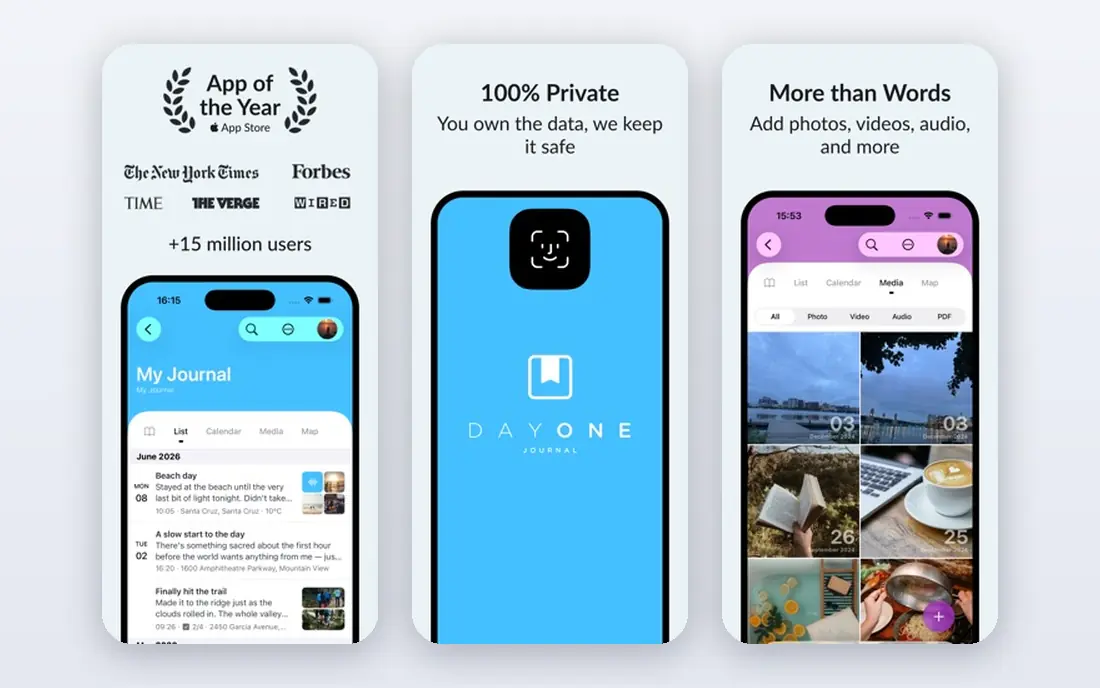
For people who want a long-term private diary, Day One is a practical starting point because it keeps the core workflow in one place. It is built around private journaling with rich media and strong encryption. The design favours routine use over occasional use, which matters when a tool only helps if people return to it every week. What stands out in Day One is On This Day recall that brings back past entries. It also helps a team keep one version of the truth, instead of keeping the same detail in email, chat, and a spreadsheet at the same time. The catch is free tier limits media and sync to one device in published guides. A short trial with real data gives a clearer answer than a feature list alone.
- Unlimited journals and entries on paid plans
- Photos, video, audio, and drawings
- End-to-end encryption and On This Day recall
- Best features, including multi-device sync and extra media, sit behind a paid plan
- Gold AI features cost more
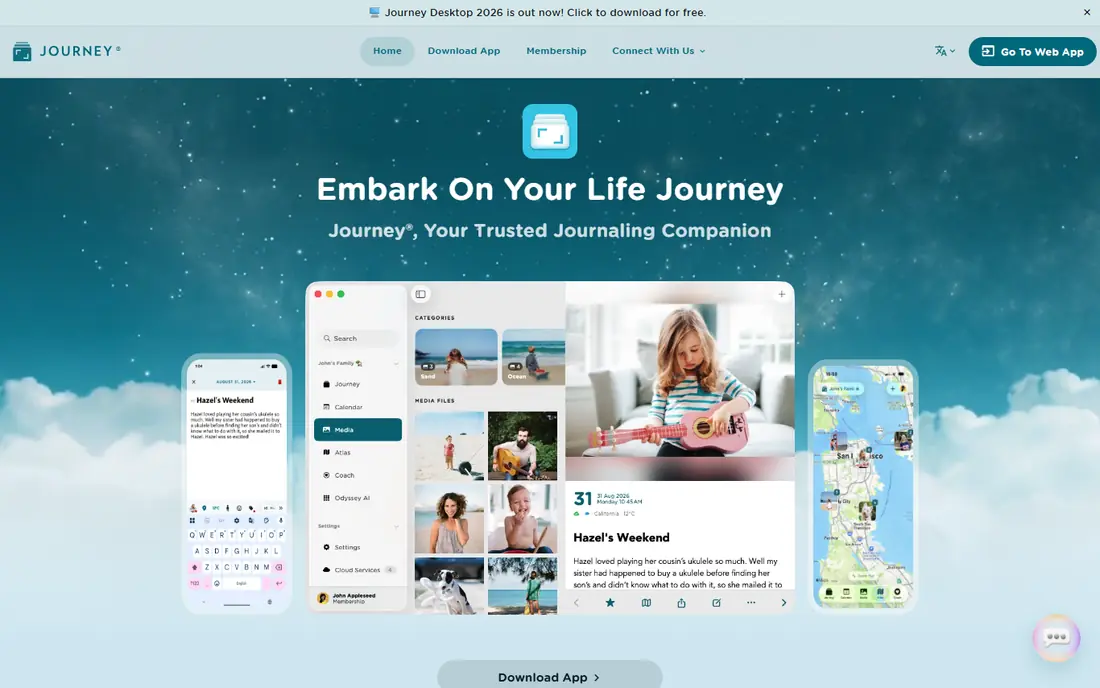
If cross-platform journalers need a tool that is easy to explain to a new team member, Journey deserves a close look. It is built around cross-platform diary writing with sync and media. The design favours routine use over occasional use, which matters when a tool only helps if people return to it every week. What stands out in Journey is a timeline view that makes past months easy to browse. It also helps a team keep one version of the truth, instead of keeping the same detail in email, chat, and a spreadsheet at the same time. The catch is check sync limits before relying on it for years of entries. A short trial with real data gives a clearer answer than a feature list alone.
- Apps for iOS, Android, Mac, Windows, Linux, and web
- Rich text, media, and end-to-end encryption options
- Calendar and timeline views
- Cloud sync allowance is limited on the free tier in published guides
- Desktop access needs a paid licence in some cases
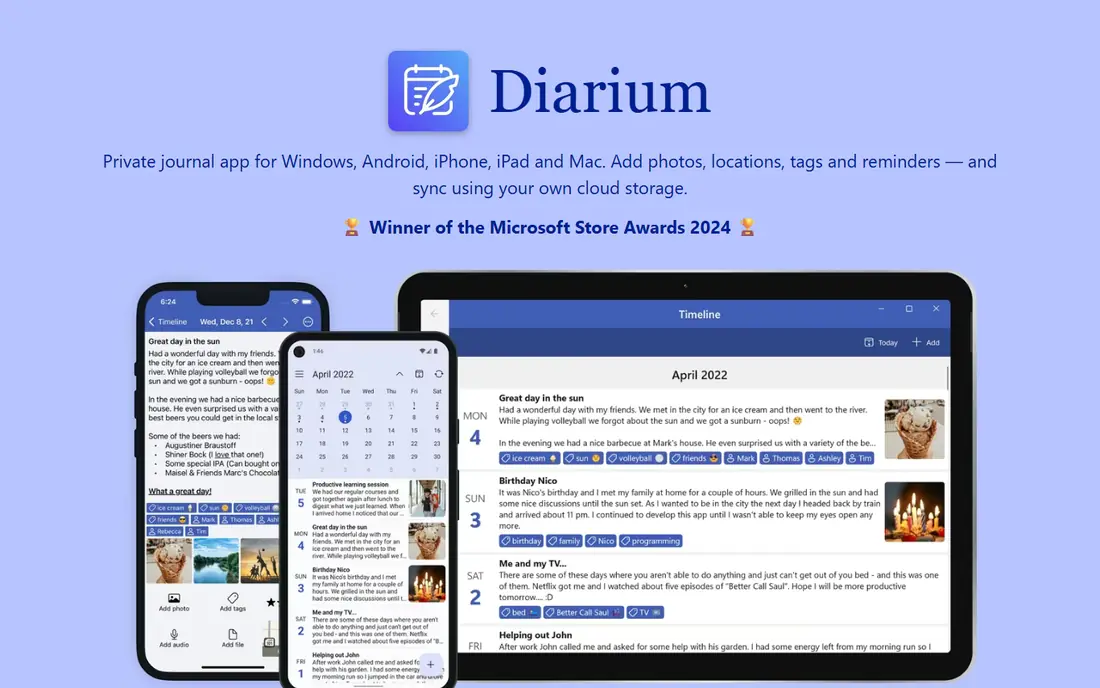
A good fit when Windows-first diary keepers want depth without a long setup, Diarium focuses on the work that matters most. It is built around offline-friendly diary writing with your own cloud sync. The design favours routine use over occasional use, which matters when a tool only helps if people return to it every week. What stands out in Diarium is a calendar view that shows writing streaks at a glance. It also helps a team keep one version of the truth, instead of keeping the same detail in email, chat, and a spreadsheet at the same time. The catch is mobile users should check the Pro price on their platform. A short trial with real data gives a clearer answer than a feature list alone.
- One-time Pro purchase on some platforms
- Sync through your own cloud storage
- Calendar, media, and location context for entries
- Pro is bought per platform in published guides
- Cloud sync needs Pro
- Design feels more desktop than mobile-first
Teams that value clarity over a long feature list often settle on Penzu after a short trial. It is built around private online diary writing with a clean editor. The design favours routine use over occasional use, which matters when a tool only helps if people return to it every week. What stands out in Penzu is a focus on writing, without social or feed features. It also helps a team keep one version of the truth, instead of keeping the same detail in email, chat, and a spreadsheet at the same time. The catch is media and export limits should be checked on the free tier. A short trial with real data gives a clearer answer than a feature list alone.
- Web-first diary with apps for iOS and Android
- Unlimited entries on the free tier in published guides
- Password and encryption locking on paid plans
- Encryption locking and PDF export need Pro in published guides
- Interface is simpler than media-rich rivals
When people who dislike writing but want a record need to move from scattered files to one shared record, Daylio makes that shift plain. It is built around mood and activity tracking in under a minute a day. The design favours routine use over occasional use, which matters when a tool only helps if people return to it every week. What stands out in Daylio is charts that link mood to activities and habits. It also helps a team keep one version of the truth, instead of keeping the same detail in email, chat, and a spreadsheet at the same time. The catch is writers who want long entries will need another app beside it. A short trial with real data gives a clearer answer than a feature list alone.
- Two-tap mood and activity logging
- Charts and streaks that show patterns over time
- No writing required for a useful entry
- No desktop or web journal in published guides
- Entries are data points, not long narratives
For beginners who need prompts to start who want a clear daily routine, Reflectly puts the next step in front of the user. It is built around prompt-led journaling for daily reflection. The design favours routine use over occasional use, which matters when a tool only helps if people return to it every week. What stands out in Reflectly is daily prompts that remove the blank-page problem. It also helps a team keep one version of the truth, instead of keeping the same detail in email, chat, and a spreadsheet at the same time. The catch is long-form writers may find the structure limiting. A short trial with real data gives a clearer answer than a feature list alone.
- Guided prompts and daily questions that help a beginner start
- Mood check-ins and simple statistics
- Clean mobile design
- Unlimited stories and advanced statistics are paid in published guides
- Android and iOS only, with no desktop app
A steady choice for people building a mental health routine, Stoic balances useful controls with a layout that stays readable. It is built around guided daily reflection tied to a morning and evening routine. The design favours routine use over occasional use, which matters when a tool only helps if people return to it every week. What stands out in Stoic is a structured routine that pairs journaling with mood and habits. It also helps a team keep one version of the truth, instead of keeping the same detail in email, chat, and a spreadsheet at the same time. The catch is casual users may find the routine more than they need. A short trial with real data gives a clearer answer than a feature list alone.
- Morning and evening routines with prompts, mood tracking, and quotes
- Journaling, breathing, and habit tools in one app
- Web and mobile apps
- Premium and AI upgrades are priced separately in app listings
- Full routine value needs daily use
If people who want AI help with reflection care most about follow-through, Rosebud is built to turn a plan into visible progress. It is built around AI-guided journaling that asks follow-up questions. The design favours routine use over occasional use, which matters when a tool only helps if people return to it every week. What stands out in Rosebud is follow-up prompts that help a writer go deeper on one topic. It also helps a team keep one version of the truth, instead of keeping the same detail in email, chat, and a spreadsheet at the same time. The catch is readers who want a plain diary may prefer a simpler app. A short trial with real data gives a clearer answer than a feature list alone.
- AI prompts and reflections that respond to what you write
- Encrypted entries and app lock
- Memory features that link past entries
- AI features sit behind a paid plan
- IOS and Android focus, with limited desktop use
For structured journalers who like prompts who want fewer tools and fewer tabs, Grid Diary covers the main jobs in one account. It is built around structured journaling with a daily prompt grid. The design favours routine use over occasional use, which matters when a tool only helps if people return to it every week. What stands out in Grid Diary is a grid layout that makes a short daily entry feel complete. It also helps a team keep one version of the truth, instead of keeping the same detail in email, chat, and a spreadsheet at the same time. The catch is long-form writers may find the grid too rigid. A short trial with real data gives a clearer answer than a feature list alone.
- Grid of daily prompts and templates that suit short, structured entries
- Photos and mood options
- Mac, iOS, Android, and web apps
- Free tier limits some templates and features
- Grid structure suits short entries more than long essays
How we picked these
We compared official feature pages, pricing pages, app store listings, privacy policies, and public reviews for each product in this guide. We checked whether each product exists and works in October 2026, whether it fits the topic, and whether its price, free tier, and plan limits could be confirmed from a vendor source or a recent published guide. We did not claim hands-on testing, and we did not invent awards, user counts, ratings, or features. Where a price could not be confirmed from a vendor page at the time of writing, we wrote See website, so a reader can check the live price before buying. Prices and plan limits change, so the vendor page remains the final source.
How to pick a journal app you will still use in six months
The best journal app is the one you open tomorrow. Pick for habit fit first, then check privacy, sync, and export, because a diary is a long-term record, not a one-week experiment.
Start with the habit, not the feature list
If writing feels hard, start with Daylio taps or a short Grid Diary grid. If writing feels good, pick Day One, Journey, or Penzu for longer entries. If a blank page stops you, pick a prompt-led app such as Reflectly, Stoic, or Rosebud. A habit that fits your day beats a feature you never use.
Check privacy, sync, and export before you commit
Check whether entries are encrypted, whether sync covers all your devices, and whether you can export entries as text or PDF. A diary gains value over years, so a weak export path is a real cost. Also check app lock and passcode options if you share a device.
Test the free tier with a real week
Write for seven days on the free tier, including photos if you use them, and check sync on a second device. That week shows whether prompts help, whether the editor feels good, and whether limits appear before you pay.
Frequently asked questions
What is the best journal app overall?
Day One is the strongest all-round pick for private, media-rich journaling across devices. Journey is close for cross-platform use, Daylio is best for mood tracking without writing, and Diarium is best for a one-time purchase.
What is the best journaling app for mental health?
Stoic and Rosebud are the strongest in this list for a mental health routine, because both pair prompts with mood tracking and reflection. Rosebud adds AI follow-up questions, while Stoic adds a morning and evening routine. Neither replaces professional care.
What is the best free journaling app?
Apple Journal is free on Apple devices, and among dedicated apps, Day One, Journey, Penzu, and Daylio all offer useful free tiers. The best free pick depends on whether you want writing, mood taps, or cross-platform sync.
Is a digital journal app private?
Privacy varies by app and plan. Look for end-to-end encryption, app lock, and a clear privacy policy on storage and deletion. Day One and Journey publish encryption options, while Penzu locks some encryption features behind a paid plan.
Can I use a journal app on Windows and phone together?
Yes, with Journey, Diarium, and Day One, which cover Windows plus mobile. Apple Journal is Apple-only, and Daylio has no desktop journal in published guides, so check platform coverage before you commit.
What is the best diary app for beginners?
Reflectly and Grid Diary are good for beginners, because prompts and a short structure remove the blank-page problem. Stoic also suits beginners who want a guided morning and evening routine.
Sources
See where you really rank - block by block
ProMapRanker scans Google Maps across a grid of your service area. Simple monthly plans from $19, white-label on every plan.
Start freeKeep reading
 zendesk alternatives
Best Zendesk Alternatives in 2026
Compare the best Zendesk alternatives in 2026, from budget help desks to AI-first support tools, with current pricing, free plans, and honest trade-offs.
Read → wordpress alternatives
Best WordPress Alternatives in 2026
Looking for the best WordPress alternatives? We compare 8 free and paid options for blogs, business sites, stores, and developer-led projects in 2026.
Read → which real estate company has the best training
Best Real Estate Company Training in 2026
Compare which real estate company has the best training, from Keller Williams and eXp to Compass and Coldwell Banker, by program, mentor, and fit in 2026.
Read →