 ProMapRanker
Best Job Scheduling App in 2026

Key takeaways
- Jobber is our pick for most small home service teams because pricing is published, scheduling is clear, and invoicing is built in.
- Housecall Pro suits residential firms that value customer messaging and online booking, while ServiceTitan suits larger operations.
- Quote-only pricing is common in this category, so request a demo price before comparing headline figures.
- GPS tracking, route optimization, and offline mobile access often sit on higher tiers, not entry plans.
- Test scheduling with a real week of jobs, including a reschedule and an emergency call, before committing.
Quick comparison
| Pick | Great for | Pricing starts at | Free tier | |
|---|---|---|---|---|
 Jobber | Small home service teams | $49 per month | Free trial (14 days) | Visit |
 Housecall Pro | Residential firms focused on customer experience | $79 per month | Free trial (14 days) | Visit |
 ServiceTitan | Large trade operations with many technicians | See website | No | Visit |
 Workiz | Phone-led service firms | See website | Free trial (7 days) | Visit |
 FieldEdge | Shops running QuickBooks Desktop or Online | See website | No | Visit |
 Service Fusion | Growing teams that dislike per-user fees | $225 per month | No | Visit |
 Kickserv | Budget-conscious small teams | $47 per month | Free trial | Visit |
 Connecteam | Shift scheduling and field team communication | See website | Yes | Visit |
 Deputy | Shift scheduling for hourly field and service teams | See website | Free trial | Visit |
The best job scheduling apps
Job scheduling for field work means more than a calendar. It covers dispatch, customer messages, quotes, invoices, and a mobile app that works on site. These nine tools cover that job for trades, cleaning, landscaping, and other field service firms.
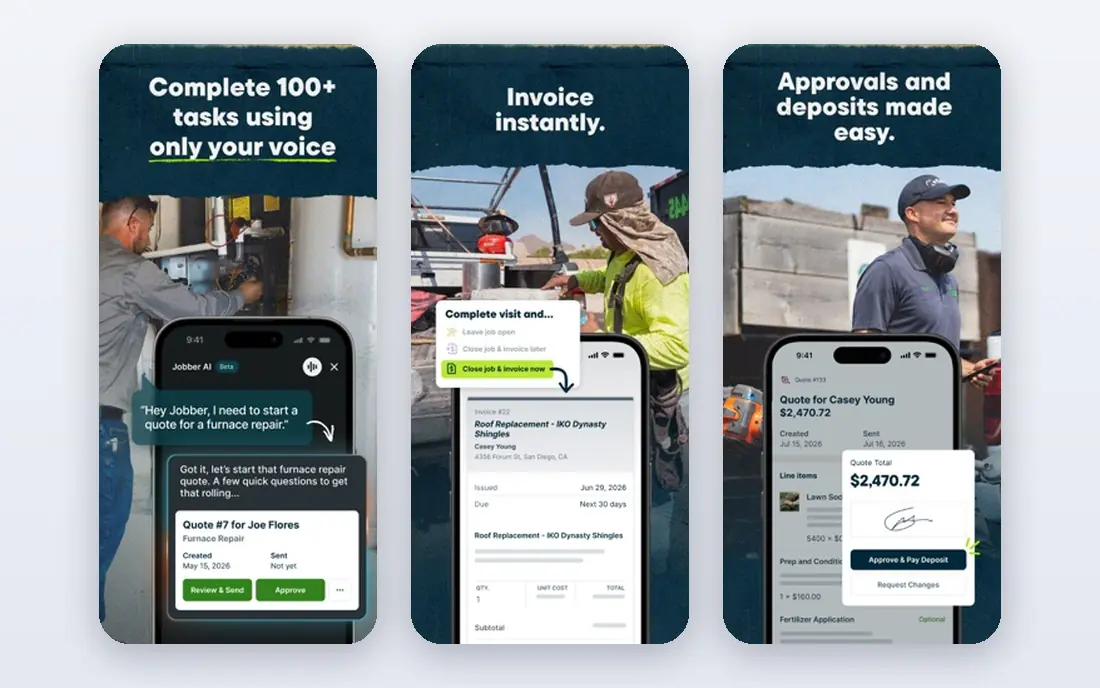
Jobber is built for small home service businesses that need to schedule jobs, dispatch staff, and get paid without juggling separate tools. The calendar supports drag-and-drop scheduling, recurring visits, and customer reminders, while quotes and invoices flow from the same job record. A mobile app lets field staff view jobs, update status, and collect payments on site.
Advanced routing and GPS tracking sit on the Grow tier, so entry-plan users should not expect full fleet features. Still, the published pricing and 14-day trial make Jobber easy to evaluate. For a team of one to ten, it is the most balanced starting point.
- Published pricing
- Clear scheduling and dispatch
- Quotes and invoicing built in
- GPS and routing need higher tiers
- Per-user costs rise with team size
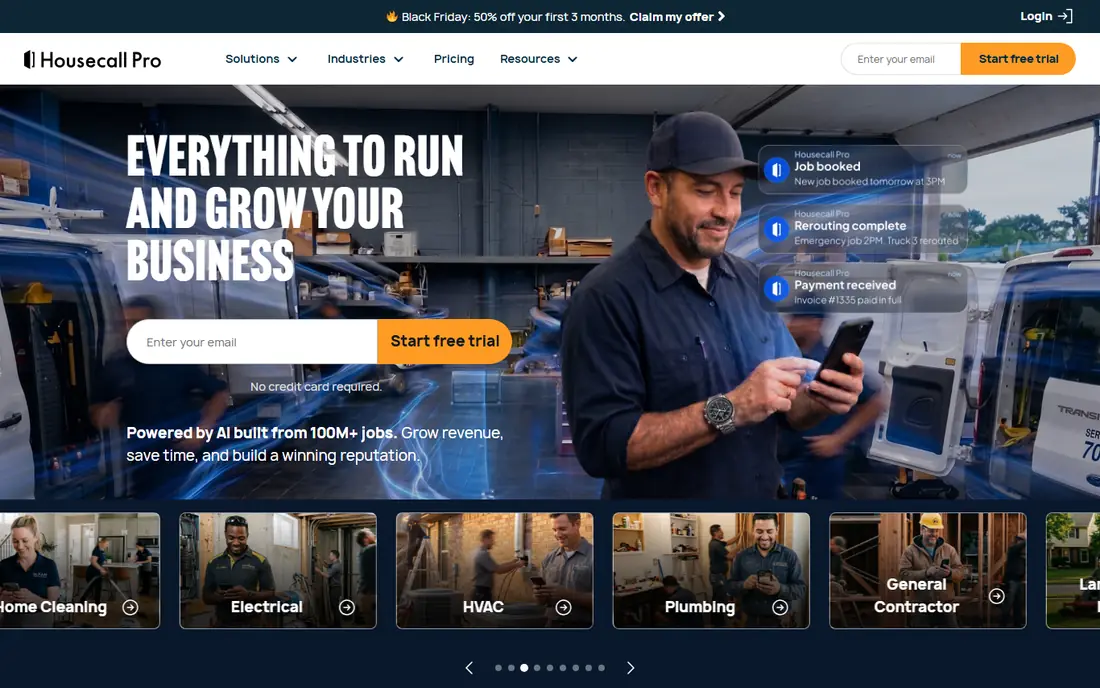
Housecall Pro covers the full customer journey, from online booking to job completion and review requests. Automated texts keep customers informed about arrival times, and the dispatch board helps office staff assign jobs by availability and location. Invoicing and card payments are built in, which shortens the time from finished job to paid invoice.
Route optimization and deeper dispatch tools need the higher Max tier, so larger teams should price that tier, not the entry plan. For residential firms where reviews and repeat bookings drive growth, Housecall Pro is a strong fit.
- Online booking
- Automated customer messages
- Review requests built in
- Route optimization needs higher tiers
- Entry plan limits some features
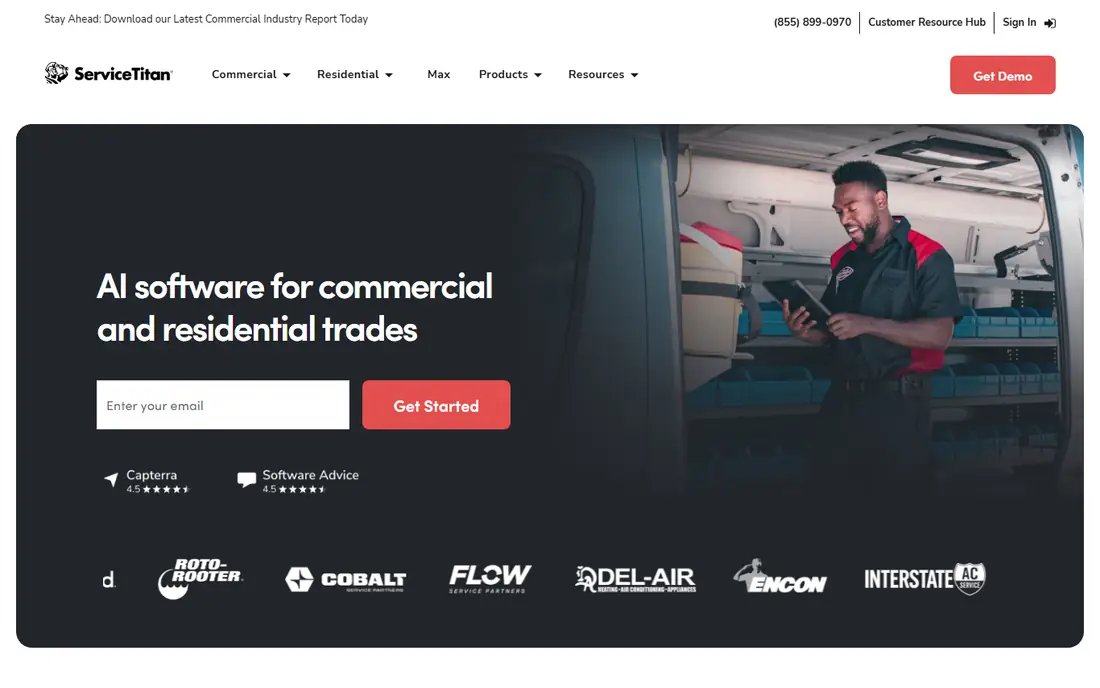
ServiceTitan is the enterprise option for larger HVAC, plumbing, electrical, and pest firms. Its dispatch board handles capacity planning, property history, and job costing at scale, while marketing tools track campaigns to booked jobs. Reporting covers technician performance, revenue, and call booking rates in unusual depth.
Pricing requires a sales conversation, and setup can take weeks, so small firms may find it heavy and costly. For operations with ten or more technicians, the depth justifies the effort. Solo operators should start with Jobber or Housecall Pro instead.
- Powerful dispatch board
- Marketing and sales tools
- Deep reporting
- Quote-only pricing
- Long setup
- Likely too much for solo operators
Workiz starts from the phone, which matches how many trades firms still win work. Its built-in phone system, call tracking, and AI answering help firms catch calls after hours, while scheduling, dispatch, invoicing, and payments sit in the same system. Team location tracking appears across tiers, which helps dispatchers assign the nearest technician.
Current pricing pages emphasize quotes rather than a single published entry price, so request a written quote for your team size. Add-ons can raise the total, so list must-have features before a demo. For phone-heavy firms, Workiz is worth that extra pricing step.
- Built-in phone system
- AI answering options
- Scheduling and dispatch in one place
- Pricing is quote-based on current pages
- Some features are add-ons
FieldEdge suits HVAC, plumbing, and electrical shops that already run on QuickBooks. It syncs jobs, invoices, and payments with QuickBooks Desktop and Online, and supports service agreements, dispatch, and flat-rate price books. That accounting link reduces double entry and month-end reconciliation work.
Pricing requires a demo and quote, and the interface is less modern than Jobber or Housecall Pro. Firms that do not use QuickBooks get less value from its main strength. For QuickBooks-heavy shops, FieldEdge remains a practical, proven choice.
- Strong QuickBooks sync
- Service agreement management
- Flat-rate pricing tools
- Quote-only pricing
- Interface feels dated in places
- Setup takes time
Service Fusion charges a flat monthly price with unlimited users, which helps growing teams avoid per-technician fees. Scheduling, dispatch, GPS tracking, estimates, invoicing, and customer management sit in one system, and the mobile app supports field updates. That flat model makes budgeting predictable as headcount grows.
The entry price is higher than Jobber or Housecall Pro, so solo operators may pay more than they need. There is no free trial listed on current pages, so request a demo with your own job types. For teams adding staff fast, the unlimited-user model can save money over time.
- Unlimited users on plans
- GPS tracking
- Strong scheduling and invoicing
- Higher entry price
- No free trial on current pages
- Setup support varies
Kickserv offers scheduling, estimates, invoicing, and payments at a lower entry price than most rivals. Setup is quick, and the interface stays simple for owners who do not need enterprise reporting. Small cleaning, repair, and maintenance firms can run a full job cycle from one account.
Feature depth is narrower than Jobber or ServiceTitan, and advanced dispatch tools sit on higher plans. Support and integrations are also more limited. For a small team watching every dollar, Kickserv delivers the core scheduling job at a fair price.
- Low entry price
- Scheduling, invoicing, and payments
- Simple setup
- Smaller feature range than leaders
- Advanced dispatch needs higher tiers
Connecteam is an all-in-one employee app with strong shift scheduling, time tracking, forms, and team communication. Field managers can publish shifts, handle swap requests, and share job details with staff who do not sit at desks. A free plan covers small teams, which makes it easy to test.
Job costing, quoting, and invoicing are lighter than dedicated field service tools, so firms that need full job accounting may pair it with another system. For teams whose main problem is scheduling people and communicating shift changes, Connecteam is a strong, affordable option.
- Free plan for small teams
- Shift scheduling
- Forms and team chat
- Less deep on job costing and invoicing
- Pricing varies by hub and team size
Deputy focuses on scheduling hourly staff, tracking time and attendance, and controlling labor costs. Managers build rosters, publish shifts, handle availability, and export timesheets for payroll. That focus suits cleaning, security, care, and hospitality teams with rotating shifts.
It is not a full job management suite: quoting, dispatch boards, and customer invoicing are not its core job. Firms that need those features should look at Jobber or ServiceTitan, or pair Deputy with an invoicing tool. For shift-heavy teams, Deputy scheduling depth is hard to beat.
- Strong shift scheduling
- Time and attendance tracking
- Labor cost controls
- Not a full field service suite
- Pricing needs a quote for exact team size
How we picked these
We compared vendor pricing pages, scheduling and dispatch features, mobile apps, and invoicing tools for job scheduling software used by US field service firms in October 2026. We kept only tools that still operate and support real job scheduling, dispatch, and field staff use. Where vendors publish no price, we wrote See website rather than quoting a third-party estimate.
How to choose a job scheduling app
Start with team size and job volume. Solo operators and small teams usually do best with published-price tools such as Jobber, Housecall Pro, or Kickserv. Larger operations with complex dispatch, marketing, and reporting needs should evaluate ServiceTitan and FieldEdge through demos, even though pricing takes longer to obtain.
Test the mobile app on site, not just in the office. Field staff need offline access, easy status updates, photo capture, and payment collection in areas with weak signal. Also check integrations: QuickBooks, payment processors, and review platforms should connect without manual double entry. Finally, run a trial week with real jobs, a cancellation, and an urgent call, and watch how dispatch, messaging, and invoicing hold up.
Frequently asked questions
What is the best job scheduling software for small businesses?
Jobber is our pick for most small home service teams because pricing is published and scheduling, quotes, and invoicing work together. Housecall Pro suits firms focused on customer messaging and reviews, while Kickserv suits the tightest budgets. Test the mobile app with your own jobs before paying.
What is the best free scheduling app for jobs?
Connecteam offers a free plan for small teams, focused on shift scheduling and team communication. Dedicated field service tools rarely offer permanent free plans, though most offer trials. For free job scheduling with invoicing, expect limits and plan an upgrade path.
How much does job scheduling software cost?
Entry prices range from about $47 to $79 per month for small-team tools, while larger platforms are quote-based and can cost far more per month. Add-on costs for GPS, routing, and extra users can raise the total, so request a written quote for your team size and must-have features.
Does job scheduling software include invoicing?
Most dedicated tools in this list include quotes, invoices, and card payments, including Jobber, Housecall Pro, FieldEdge, Service Fusion, and Kickserv. Shift-focused tools such as Deputy and Connecteam are lighter on invoicing, so check that feature before choosing them for a service firm.
Can field staff use job scheduling apps offline?
Many field apps support some offline work, but coverage varies by tool and plan. Check offline job viewing, photo capture, and sync behavior during a trial, especially if staff work in basements, rural areas, or buildings with weak signal. Do not assume offline support from marketing pages alone.
Sources
See where you really rank - block by block
ProMapRanker scans Google Maps across a grid of your service area. Simple monthly plans from $19, white-label on every plan.
Start freeKeep reading
 zoho inventory alternatives
6 Alternatives to Zoho Inventory, Compared on Price and Fit
Zoho Inventory alternatives: 6 tools compared on price, free plans and fit. Katana leads the list for manufacturers. Fit and flaws are laid out for each entry.
Read → zoho crm alternatives
Best Zoho CRM Alternatives (2026)
Need Zoho CRM alternatives? We compare 7 tools on cost, free access and who each suits. Every pick gets a straight assessment. Built for quick decisions.
Read → zelle alternatives
Best Zelle Alternatives in 2026
Compare the best Zelle alternatives for sending money to friends, paying sellers and moving funds abroad, with honest notes on fees, speed and safety in 2026.
Read →