 ProMapRanker
Best Job Management Software for Trades in 2026


Solo operators to mid-size crews · Pricing starts at: From $29 per month
Key takeaways
- Jobber and Housecall Pro suit most small to mid-size trade crews because quoting, scheduling, dispatch, and invoicing sit in one mobile-friendly flow.
- ServiceTitan fits larger HVAC, plumbing, and electrical businesses with dedicated office staff, but its pricing is quote-only and typically higher.
- Tradify and GeoOp suit solo operators and small crews that want simple quoting and invoicing without enterprise complexity.
- Knowify stands out for trade contractors that bill progress or AIA-style jobs and need deeper job costing with QuickBooks sync.
- Per-user pricing punishes growing crews, so compare flat-rate options such as Service Fusion when headcount is rising.
Quick comparison
| Pick | Great for | Pricing starts at | Free tier | |
|---|---|---|---|---|
| Jobber | Solo operators to mid-size crews | From $29 per month | Free trial | Visit |
 Housecall Pro | HVAC and plumbing dispatch | From $59 per month | Free trial | Visit |
 ServiceTitan | Larger trades businesses | See website | No | Visit |
 Tradify | Solo tradespeople and small crews | From $47 per user per month | Free trial | Visit |
 Service Fusion | Crews wanting flat-rate pricing | From $208 per month | Free trial | Visit |
 FieldPulse | Small service businesses | See website | Free trial | Visit |
 Knowify | Trade contractors needing job costing | From $99 per month | Free trial | Visit |
 Workiz | Service businesses wanting automation | See website | Free trial | Visit |
 GeoOp | Small trades wanting simple job tracking | From $17 per user per month | Free trial | Visit |
 Fergus | Trades in the US, UK, and Australia | See website | Free trial | Visit |
The best job management software for trades
Job management software for trades covers the full job flow: quotes, scheduling, dispatch, timesheets, job notes, invoicing, and payments. We compared official pricing pages, feature pages, and public documentation for tools that serve plumbers, electricians, HVAC techs, builders, and similar trades today.
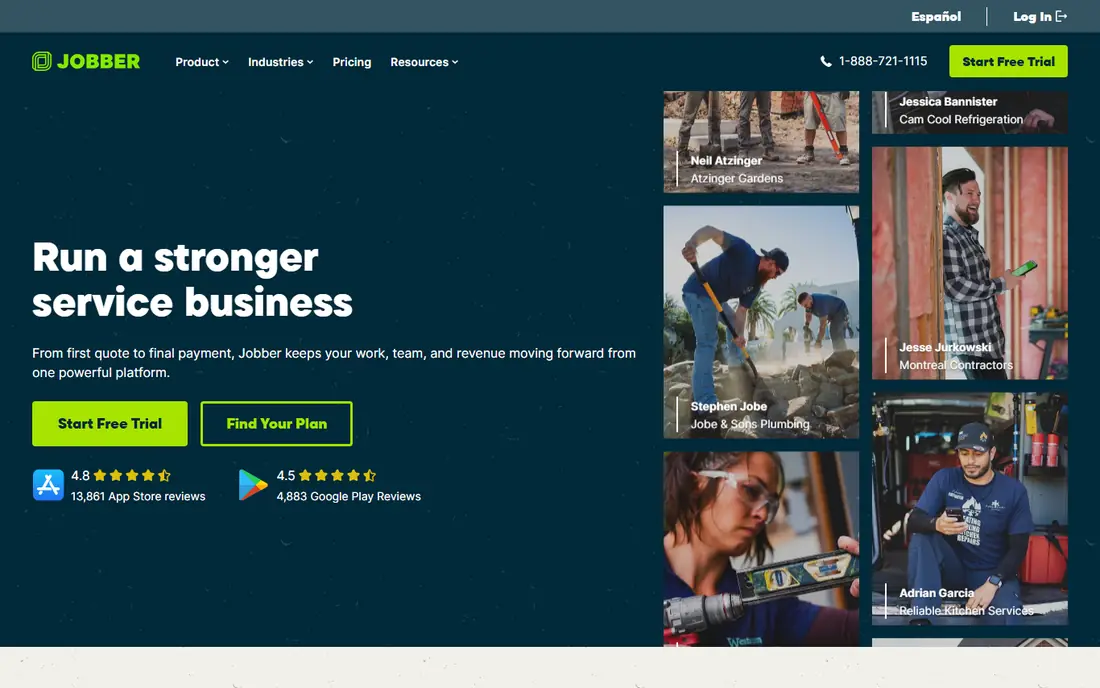
Jobber connects quotes, scheduling, job records, and invoicing into a single flow that most service businesses can follow without a training manual. A quote becomes a scheduled job, the job record holds notes and photos, and invoicing follows from the same record. Batch invoicing and automatic payment collection save office time, and client reminders cut no-shows.
Pricing starts around 29 dollars per month on annual billing for the Core plan, rising with users and features. The honest limit is costing depth: Jobber tracks jobs and invoices well, but budget-versus-actual tracking is lighter than on Knowify or construction platforms. For a crew that needs scheduling and invoicing done well, Jobber is the most balanced starting point in this list.
- Quotes, scheduling, and invoicing in one flow
- Strong mobile app
- Batch invoicing and client communication
- Job costing is shallow compared with construction platforms
- Price rises with user count

Housecall Pro is a strong match for HVAC, plumbing, and similar trades that prioritize dispatch, online booking, and onsite payment. The dispatch board, technician tracking, and customer notifications keep a busy day moving, and techs can collect card payments on site. Online booking also lets customers schedule without calling the office, which helps smaller teams.
Pricing starts around 59 dollars per month billed annually for a single user, with extra users adding cost. Like Jobber, Housecall Pro treats invoicing as a workflow endpoint rather than a live costing system, so firms that need deep job costing should pair it with accounting software or look at Knowify. For service dispatch, it is one of the strongest options here.
- Strong dispatch and online booking
- Onsite card collection
- Good fit for HVAC and plumbing
- Per-user costs add up beyond the included seats
- Job costing is lighter than construction tools

ServiceTitan is built for larger trades businesses, especially in HVAC, plumbing, and electrical, that run many techs and want dispatch, marketing, sales, and reporting in one system. Its depth shows in call booking, dispatch optimization, pricebook management, and performance reporting, which smaller tools do not match. Integrated payments and related tools reduce separate subscriptions.
The catch is cost and complexity. Pricing is quote-only and commonly runs well above smaller rivals per technician, and the platform needs dedicated office staff to configure and maintain it. A solo operator will find it heavy. For a larger firm that can staff it, ServiceTitan is the most complete trades platform in this list.
- Deep dispatch, marketing, and reporting for larger firms
- Strong HVAC and plumbing feature set
- Integrated payments and payroll tools
- Quote-only pricing, typically higher than rivals
- Needs dedicated admin staff to get full value
Tradify is a job management app built for tradespeople and contractors, covering quoting, scheduling, timesheets, and invoicing in one mobile-friendly system. It suits electricians, plumbers, HVAC techs, and builders who want to stop writing quotes and invoices in the evening from paper notes. The interface stays close to the daily job flow, which keeps adoption high on site.
Pricing starts around 47 dollars per user per month on the US pricing page, with a 14-day trial of all features. Per-user pricing means a growing crew should model total cost carefully. Tradify also lacks the deep dispatch boards of larger platforms. For a solo operator or small crew, its simplicity is the point.
- Built for tradespeople
- Quoting, scheduling, timesheets, and invoicing in one app
- Mobile-friendly
- Per-user pricing adds up for larger teams
- Dispatch depth is lighter than Housecall Pro or ServiceTitan
Service Fusion prices flat with unlimited users at every tier, which changes the math for crews where per-user fees add up fast. Entry pricing starts around 208 dollars per month billed annually, covering scheduling, dispatch, invoicing, and customer management. For a crew of ten or more, that flat price can beat per-user rivals even though the entry figure looks higher.
The trade-off is the starting point. A solo operator will pay more than on Jobber Core or Tradify Lite, so flat pricing only wins past a certain headcount. The feature set is broad, which also means more setup time. For a growing crew that wants predictable pricing as it hires, Service Fusion is worth a direct cost comparison.
- Unlimited users at every tier
- Strong dispatch and invoicing
- Flat pricing favors larger crews
- Higher entry price than per-user rivals for a solo operator
- Learning curve for full feature set
FieldPulse serves small service businesses with scheduling, estimates, invoicing, payments, and customer records in one system. It fits trades that want a single tool for the daily job flow without paying for enterprise depth they will not use. The mobile app keeps techs connected to job details, notes, and customer history on site.
Pricing is not published as a simple starting figure, so buyers should request a quote for their team size. FieldPulse also lacks the marketing and reporting depth of ServiceTitan. For a small crew that wants a tidy all-in-one tool and a straightforward trial, it belongs on the shortlist alongside Jobber and Housecall Pro.
- Scheduling, estimates, and invoicing in one tool
- Customer management and payments
- Suited to small teams
- Pricing is not published in a simple form
- Fewer enterprise features than ServiceTitan
Knowify is built for trade and specialty contractors such as electricians, HVAC, plumbing, painting, and concrete companies. Core covers bidding, running, and invoicing fixed-price and AIA jobs, while Advanced adds project management and job costing, and a Service Pro add-on adds dispatching and equipment history. Its QuickBooks Online integration syncs clients, vendors, bills, payments, and projects both ways.
Pricing starts around 99 dollars per month for Core and 329 dollars for Advanced on annual billing, with extra users at 29 dollars per month. The honest catch is that job costing, the main reason many buyers choose Knowify, sits on Advanced rather than Core. For contractors that bill progress or AIA-style jobs and live in QuickBooks, that upgrade is usually worth it.
- Strong QuickBooks sync
- AIA and progress billing
- Job costing and contract management
- Job costing sits on Advanced, not Core
- Core includes only one user
Workiz serves field service businesses with scheduling, dispatch, invoicing, and automation for calls, messages, and follow-ups. Its phone system and automation rules help small offices handle booking and reminders without extra staff. Online booking and customer notifications keep the daily schedule moving with less phone time.
Pricing is quote-based for many plans, which makes direct comparison harder than with Jobber or Tradify. Buyers should confirm which automation and phone features sit on each tier before signing. For a service business that wants automation around the job flow, Workiz offers a useful middle ground between simple tools and enterprise platforms.
- Scheduling and dispatch with automation tools
- Online booking
- Phone and messaging features
- Pricing is quote-based for many plans
- Feature depth varies by tier
GeoOp is job management software for small trades and service businesses, covering quotes, job assignment, timesheets, invoices, and accounting integrations. Its pitch is time saved on admin: enter client and job details once, then manage the job from quote to payment in one flow. The per-user entry price is among the lowest in this list.
The limit is depth. Dispatch boards, reporting, and enterprise features are lighter than on Housecall Pro or ServiceTitan, and GeoOp has a smaller US footprint than its rivals. For a small crew that wants a simple, low-cost system and mainly needs quoting, scheduling, and invoicing done cleanly, GeoOp is a fair low-risk trial.
- Simple quote-to-payment flow
- Low per-user entry price
- Timesheets and accounting integrations
- Lighter dispatch and reporting depth
- Smaller presence in the US than larger rivals
Fergus is job management software built for trades, covering quoting, job tracking, scheduling, invoicing, and supplier pricing integration. It serves trades across the US, UK, and Australia, which helps firms with work or staff in more than one of those markets. The job flow stays close to how a trade business actually runs, from first quote to final invoice.
Pricing is quote-based, and some features vary by region, so US buyers should confirm the exact feature set for their market. Fergus lacks the enterprise marketing depth of ServiceTitan, but it covers the core job flow well. For a trade business that values supplier pricing links and a trade-first design, Fergus deserves a trial.
- Built for trades with job tracking and invoicing
- Supplier and pricing integrations
- Multi-country coverage
- Pricing is quote-based
- Feature availability varies by region
How we picked these
We compared official pricing pages, feature pages, and public documentation for job management tools that serve trades in October 2026. We favored tools with real trade deployments, mobile apps for techs, and coverage of quoting, scheduling, and invoicing. We left out generic project tools and pure invoicing apps with no dispatch or job tracking. Where a vendor does not publish a price, we wrote See website rather than repeating third-party figures as fact.
How to choose job software for your crew
Start with crew size and job type. A solo plumber needs quoting, scheduling, and invoicing in a phone-friendly app. A ten-tech HVAC firm needs dispatch, online booking, and payments that keep up with a full board. A contractor billing progress jobs needs costing and AIA billing, which points to Knowify. Matching the tool to the job type matters more than picking the longest feature list.
Next, model total cost at your real headcount. Per-user tools look cheap for one person and expensive for twelve, while flat-rate tools look expensive for one person and cheap for twelve. Run both models for your crew size in twelve months, not today. Also trial the tech app on a real job: create a quote, schedule it, add notes and photos, invoice it, and take payment. If techs resist the app, the office gains nothing.
Questions to ask before signing
Ask about contracts, data export, and what happens to job history if you leave. Ask how QuickBooks or Xero sync works, including whether it is two-way and which records sync. Ask about payment processing fees, since those sit on top of the subscription. Finally, ask for first-year total cost in writing, including extra users, add-ons, and payment fees.
Frequently asked questions
What is job management software for trades?
It is software that runs the full job flow for a trade business: quotes, scheduling, dispatch, job notes, timesheets, invoicing, and payments. It replaces paper job sheets, separate calendars, and standalone invoicing tools with one system that office staff and techs share.
How much does job management software for trades cost?
Entry prices in this list run from about 17 dollars per user per month for GeoOp to about 208 dollars per month flat for Service Fusion, with several quote-only platforms above that. Total cost depends on user count, plan tier, and payment processing fees. Always model cost at your real crew size.
Do I need ServiceTitan for a small crew?
Usually not. ServiceTitan fits larger firms with dedicated office staff and many techs. A small crew usually gets the same core quoting, scheduling, and invoicing for less from Jobber, Housecall Pro, or Tradify. Move up only when dispatch volume or reporting needs outgrow those tools.
Does job software replace QuickBooks?
No, for most firms it sits alongside accounting software. Tools such as Knowify and Jobber sync with QuickBooks, while others cover invoicing and payments only. Keep accounting in QuickBooks or Xero, and use job software for the operational flow, unless your tool covers both well.
Can techs use job software on their phones?
Yes, all tools in this list offer mobile apps or mobile-friendly access for techs. Trial the app on a real job before buying, since tech adoption decides whether job notes, photos, and timesheets actually get recorded.
What happens to my job history if I switch tools?
Most tools let you export client and job data, but formats and completeness vary. Export quotes, jobs, invoices, and client records before cancelling, and confirm import support with the new vendor. Run both systems briefly during the switch to avoid gaps.
Sources
See where you really rank - block by block
ProMapRanker scans Google Maps across a grid of your service area. Simple monthly plans from $19, white-label on every plan.
Start freeKeep reading
 zoro.to alternatives
Best Zoro.to Alternatives in 2026
We compare the best zoro.to alternatives in 2026, listing only legal licensed anime streaming services, from Crunchyroll to free options for fans today.
Read → zip alternatives
Best Zip Alternatives in 2026
We compare the best zip alternatives for buy now, pay later in 2026, covering pay-in-4 plans, fees, spending limits, and credit reporting options today.
Read → yesware alternatives
Best Yesware Alternatives in 2026
Compare the best yesware alternatives for sales email tracking, templates, and sequences, with current pricing and honest tradeoffs for small sales teams.
Read →