 ProMapRanker
Best Job Apps in 2026: 9 Apps Compared

Key takeaways
- Indeed is the best starting point for volume, while LinkedIn is best for professional roles and recruiter visibility.
- Glassdoor is best for checking pay and culture before you apply, not just for finding listings.
- ZipRecruiter suits people who want matched invitations to apply, while Dice and Wellfound suit tech and startup roles.
- FlexJobs is the only major app here that charges job seekers, and its value is hand screened remote listings.
- The fastest search uses three layers: a broad app, a research app, and one niche or local source in parallel.
Quick comparison
| Pick | Great for | Pricing starts at | Free tier | |
|---|---|---|---|---|
 Indeed Indeed | Widest volume | Free | Yes | Visit |
 LinkedIn LinkedIn | Professional roles and networking | Free | Yes | Visit |
 Glassdoor Glassdoor | Employer and salary research | Free | Yes | Visit |
 ZipRecruiter ZipRecruiter | Matched invitations | Free | Yes | Visit |
 Dice Dice | Tech and software jobs | Free | Yes | Visit |
 Wellfound Wellfound | Startup jobs and equity detail | Free | Yes | Visit |
 FlexJobs FlexJobs | Screened remote work | $23.95 per month | No | Visit |
 Handshake Handshake | Students and graduates | Free | Yes | Visit |
 Monster Monster | Broad legacy listings | Free | Yes | Visit |
The best job apps in 2026
We compared official app pages, pricing pages, and public reviews for apps that are live in October 2026 and that let job seekers search, save, and apply from a phone or browser. We focused on listing volume, search filters, application flow, employer research, and whether the app suits general, tech, remote, or student searches. We note that most apps are free for job seekers, with employers paying for postings, except FlexJobs, which charges candidates.
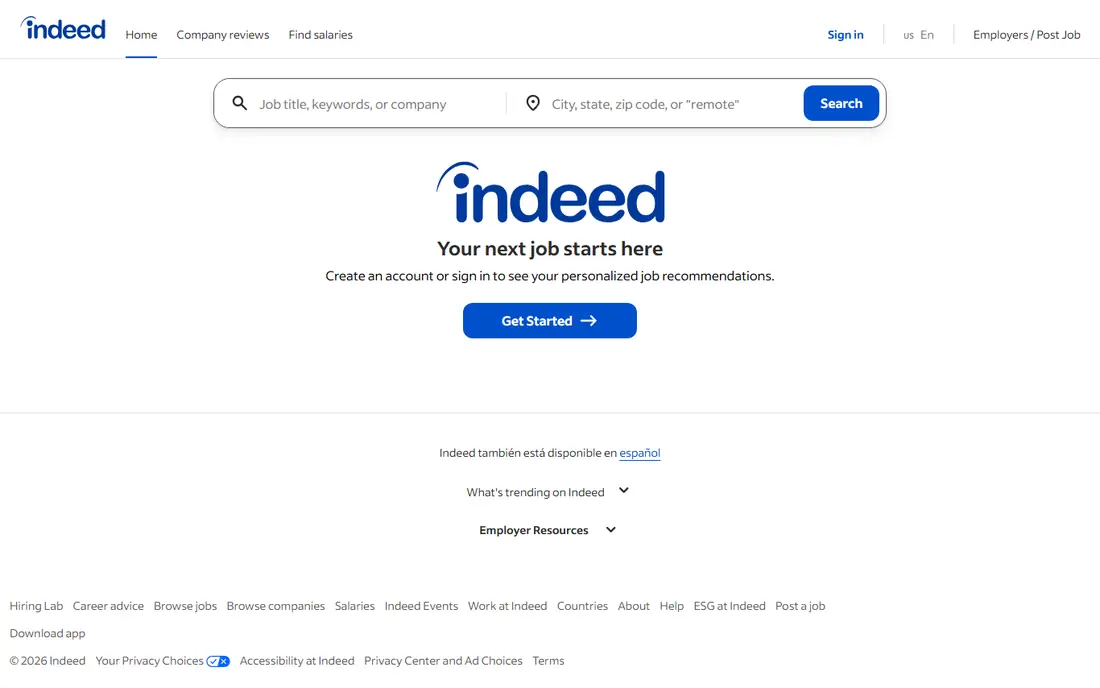
Indeed remains the default starting point for most job searches, because it aggregates listings from employers, boards, and company sites into one search. Filters for location, salary, job type, and remote work help narrow a large result set, and alerts keep new matches coming without daily manual searching. Many listings support a fast apply flow with a saved resume. The drawback is noise. Popular roles attract many applicants, and some listings are duplicates or stay live after a role is filled. Use Indeed for coverage, then verify the role on the employer site before you tailor a full application. For most seekers, Indeed plus one research app is the core stack.
- Largest broad inventory
- Strong filters
- One click apply on many listings
- Job alerts
- Duplicate and stale listings appear
- High competition on popular roles
LinkedIn Jobs pairs a large professional listing set with a profile that recruiters search directly. That dual value is why it beats a pure board for many white collar roles: a strong profile can bring inbound interest, while connections and referrals can move an application past the first screen. Job alerts, saved searches, and Easy Apply on many roles keep the mobile flow fast. The free tier covers search and apply, while Premium plans are listed from about $29.99 per month in 2026 comparisons, with variation by plan and region. Premium adds insights such as applicant competition and profile views, but it is not required to apply. Keep your profile current, use the app for both search and networking, and treat referrals as a separate channel, not a bonus.
- Professional roles
- Recruiter visibility
- Networking and referrals
- Company pages
- Premium features are paid
- Feed and networking take time to maintain
Glassdoor is best used as a research layer, even though it also lists jobs. Before you apply, you can check reviews, salary ranges, benefits notes, and interview reports for a company and role. That context helps you judge culture, pay expectations, and interview style, and it can save you from a role that looks good on a listing but fails on workload or management. Review quality varies, and salary data depends on who reported it, so read several reports and check the date and location. Free access covers core search and research, with some features gated by contribution or account steps in current listings. Use Glassdoor after Indeed or LinkedIn shortlists a role, not as your only search app.
- Company reviews
- Salary data
- Interview reports
- Job listings
- Review quality varies
- Some salary data is dated or role specific
ZipRecruiter is built around matching: you create a profile, and the app surfaces roles and invitations to apply from employers. That inbound flow suits people who want to be found as well as to search, and its mobile apply flow is fast for high volume applications. It is free for job seekers, with employers paying for distribution. The limit is quality control. As with any large board, some listings are stale, duplicated, or less detailed than the employer site. Verify a role before you invest in a tailored application, and use ZipRecruiter as a discovery channel alongside Indeed. For hourly and high volume hiring, its matching can surface roles you would miss by searching alone.
- Free for job seekers
- AI matching
- Invitations to apply
- Fast mobile apply
- Listing quality varies
- Some users report stale or repeated matches
Dice is a niche board for technology professionals, covering software engineering, data, cybersecurity, cloud, and related roles. Its skill filters, tech stack tags, and contract versus full time filters are more precise than a general board, which saves time when you need a specific stack or clearance level. It is free for job seekers. The trade off is scope. Dice is US focused and tech only, so it will not help a general search. For software jobs, it directly answers the other keyword in this brief, because it is built for software roles rather than general listings. Pair Dice with LinkedIn for tech searches, and use Dice filters to avoid wading through non tech roles on broader apps.
- Tech only listings
- Skill based filters
- Contract and full time roles
- Salary data on many posts
- US focused
- Not useful outside tech
Wellfound, formerly AngelList Talent, focuses on startup jobs across stages, from seed to later stage companies. Many listings show salary ranges and equity details upfront, which helps you judge total compensation before you apply. The app also suits people who want early stage impact, broader roles, and direct contact with hiring teams. Startup roles carry higher risk than large company roles, including funding changes and shifting job scope. Check funding stage, runway signals in public reporting, and role history before you accept. Wellfound is the best niche pick for startup seekers, and it pairs well with LinkedIn for a broader professional search.
- Startup roles
- Salary and equity transparency on many listings
- Direct founder contact on some roles
- Startup risk is higher
- Fewer large company roles
FlexJobs is different from every other app here, because job seekers pay. Its pitch is hand screened remote, hybrid, part time, and freelance listings, with scams and low quality posts filtered out by a human team. That screening can save time for remote seekers who are tired of fake work from home posts on free boards. Pricing in 2026 listings includes a $2.95 14 day full access offer that auto renews at $23.95 billed every four weeks, plus longer plans at lower monthly equivalents. There is no lasting free tier for full listing access. FlexJobs is worth a short trial if remote work is your main goal and you value screening over volume, but set a renewal reminder and cancel if the volume does not justify the cost.
- Every listing hand screened
- Remote, hybrid, part time, and freelance focus
- No ads in member view
- Paid for job seekers
- Lower volume than free boards
- Subscription auto renews
Handshake is built for current students and recent graduates, connecting them with employers that actively recruit from college networks. It lists internships, part time roles, and entry level jobs, and it surfaces employers that have hired from your school before. That campus link is a real advantage for first roles, where a general board can feel overwhelming. The limit is life stage. Handshake is less useful once you are several years into a career and your network and experience matter more than campus recruiting. Students should use Handshake alongside Indeed and LinkedIn, and should complete their profile fully, because employers search Handshake profiles as well as posting jobs.
- Free for students
- Employers recruiting from colleges
- Internships and early career roles
- Limited value after early career
- Campus network matters
Monster is a long running general board with broad listings, a resume builder, and job alerts. It still serves as a useful second net for general roles, especially for skilled trades and roles in regions where Monster retains employer coverage. It is free for job seekers, with a straightforward mobile search and apply flow. The drawback is relevance. For many professional and tech roles, Indeed and LinkedIn now carry fresher and larger inventories, and Monster results can duplicate listings found elsewhere. Use Monster as a backup search once a week, not as your main app, and verify any role on the employer site before you apply.
- Free for job seekers
- Broad listings
- Resume builder
- Alerts
- Smaller and less current than Indeed or LinkedIn for many roles
- Duplicate listings
How we picked these
We kept apps that are live in October 2026, free or clearly priced for job seekers, and available on mobile with a real apply flow. We checked official feature and pricing pages, app store listings, and public reviews, and we favored apps that own a distinct job in the search: volume, networking, research, matching, tech, startups, remote screening, students, and legacy breadth. We left out apps that only repackage listings with no distinct value. We did not apply for jobs as test candidates, and we do not present response rates as our own findings. Our comparison rests on published features, stated pricing, and review evidence. Prices for Premium and FlexJobs vary by region and billing period, so check the app listing before you pay.
How to use job apps without wasting weeks
Use three apps in parallel, not ten. Run Indeed for volume, LinkedIn for professional visibility, and Glassdoor for research, then add one niche app for your field, such as Dice for tech, Wellfound for startups, or Handshake for students. That stack covers listings, people, and employer fit without spreading your attention across duplicate feeds.
Apply with a system
Save every application, date, link, and contact in one tracker, and set follow up dates. Tailor your resume headline and first bullets to each role, rather than sending the same file to fifty jobs. A smaller set of tailored applications usually beats a large set of identical ones, especially for professional roles.
Avoid scams
Never pay a fee to apply, never share bank details or a Social Security number before an offer, and be wary of interviews held only on chat apps with vague job titles and high pay for no experience. Verify the employer domain, check the role on the company site, and search the company name plus scam reports before you share personal data.
Use the app, then go beyond it
Apps find listings, but referrals and direct outreach often shorten a search. After you apply, look for the hiring manager or team on LinkedIn, and send a short, specific note about the role. Keep it brief, mention one relevant result, and do not ask for a favor you have not earned with a clear fit.
Frequently asked questions
What is the best job app?
Indeed is the best job app for broad volume, and LinkedIn is the best for professional roles and networking. Most seekers should use both, plus Glassdoor for employer research. The best single app depends on whether you need volume, visibility, or research most.
What are the best apps to find jobs quickly?
Indeed and ZipRecruiter are best for fast, high volume searching, because they surface many roles and support fast apply flows. Set alerts, complete your profile, and apply to fresh listings early. For faster results, also check employer sites directly for roles you care about.
What job app is the best for software jobs?
Dice is the best app for software jobs in the US, because it is tech only and filters by skill, stack, and contract type. Wellfound is best for startup software roles, while LinkedIn covers larger tech employers and recruiter outreach. Use Dice plus LinkedIn for most tech searches.
Are job apps free for job seekers?
Most major job apps are free for job seekers, including Indeed, LinkedIn, Glassdoor, ZipRecruiter, Dice, Wellfound, Handshake, and Monster. FlexJobs is the main exception in this list, because it charges a subscription for screened remote listings. Premium upgrades on LinkedIn and other apps are optional.
What is the best app for remote jobs?
FlexJobs is best for screened remote listings, because every post is hand checked. Indeed and LinkedIn also have strong remote filters and larger volume, so use them alongside FlexJobs if you pay for it. Always verify remote terms, time zone, and location rules in the listing before you apply.
How many job apps should I use?
Three is enough for most searches: one broad app, one research app, and one niche app for your field. More apps usually mean duplicate listings and less time for tailored applications and outreach. If an app adds no new roles after two weeks, drop it and keep the stack tight.
Sources
See where you really rank - block by block
ProMapRanker scans Google Maps across a grid of your service area. Simple monthly plans from $19, white-label on every plan.
Start freeKeep reading
 zendesk alternatives
Best Zendesk Alternatives in 2026
Compare the best Zendesk alternatives in 2026, from budget help desks to AI-first support tools, with current pricing, free plans, and honest trade-offs.
Read → wordpress alternatives
Best WordPress Alternatives in 2026
Looking for the best WordPress alternatives? We compare 8 free and paid options for blogs, business sites, stores, and developer-led projects in 2026.
Read → which real estate company has the best training
Best Real Estate Company Training in 2026
Compare which real estate company has the best training, from Keller Williams and eXp to Compass and Coldwell Banker, by program, mentor, and fit in 2026.
Read →