 ProMapRanker
Best Job Application Automation Software in 2026

Key takeaways
- True auto-apply tools submit for you, while autofill tools only complete forms you still submit yourself, so check that distinction before you pay.
- Review controls matter more than volume, because a fast tool that sends wrong answers or generic resumes can hurt more than it helps.
- Free tiers are useful for testing matching and autofill, but most full auto-apply volume sits on paid plans with daily or monthly caps.
- Some job sites restrict automated applications in their terms, so use truthful information, review targets, and keep volume moderate.
- No tool guarantees interviews or a job, and tailored applications to a short list still beat mass applications for many roles.
Quick comparison
| Pick | Great for | Pricing starts at | Free tier | |
|---|---|---|---|---|
 Simplify | Free autofill and tracking | Free | Yes | Visit |
 LoopCV | Low-cost automated loops | Free | Yes | Visit |
 LazyApply | High-volume browser applying | $99 per year | No | Visit |
 AIApply | Tailored resumes and auto-apply packs | $49 per month | Yes | Visit |
 JobCopilot | Daily matches with review options | See website | See website | Visit |
 JobGPT | Credit packs that do not expire | $34.99 per month | Yes | Visit |
 Sonara | Hands-off applying in the US | See website | No | Visit |
 FastApply | Reviewed auto-apply with a free start | $14 per month | Yes | Visit |
 Teal | Resume building and application tracking | Free | Yes | Visit |
The best job application automation software
We compared official feature pages, pricing pages and public documentation for tools live in October 2026. Our pick for most job seekers is Simplify for free autofill, with LoopCV or FastApply as low-cost next steps when you want more automation.

Simplify is the best free starting point in this list. Its Copilot extension autofills career-site forms and tracks applications, which removes much of the repetitive typing that slows a search. Coverage across many boards and portals, including Workday and Greenhouse in current listings, makes it useful for US job seekers applying across employers.
The honest limit is that Copilot is autofill, not full auto-apply, for most users. Autopilot, which submits on supported portals, is a beta for some Simplify+ members, with a weekly allowance in current listings. Simplify+ costs $39.99 per month in current listings. If you want every application submitted without a click, compare LoopCV, LazyApply or JobGPT as well.
- Free Copilot autofill and tracking
- Wide board and portal coverage
- Autopilot beta for some paid members
- Full auto-apply is a beta and limited to some paid members
- You still submit most applications yourself on the free tier
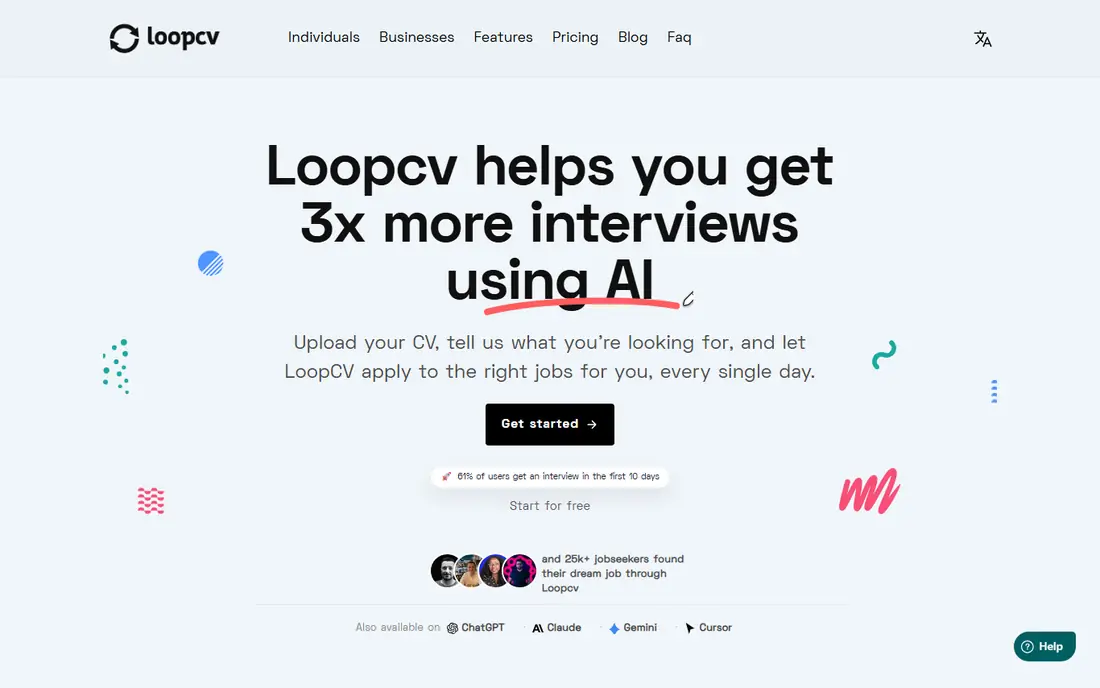
LoopCV runs saved searches, called loops, across job boards and can apply to matching roles while tracking results. That loop model suits job seekers who want steady volume without checking boards all day. The free plan covers a small number of applications or emails per month in current listings, which is enough to test matching quality.
The catch is review depth. In some flows you review the matched job rather than the exact filled form, so check screening answers and resume versions before scaling up. Paid plans start at 9.99 euros per month in current listings. For US job seekers, confirm board coverage for your field before relying on loops alone.
- Free plan with a small monthly allowance
- Saved searches called loops across many boards
- Recruiter email outreach
- You review matched jobs rather than each filled form in some flows
- Paid plans are priced in euros

LazyApply is a volume tool. It works as a Chrome extension, fills applications from your information, and applies on supported sites, with daily caps that rise by plan. Basic costs $99 per year in current listings, with higher tiers for larger daily caps. For job seekers who want many applications fast, that annual price is low compared with monthly subscriptions.
The risks need plain stating. There is no free trial in current listings, although a limited refund policy is described, and public reviews are mixed on reliability. Some job sites also restrict automation, so test a small batch, review every target, and never automate legal attestations, work authorization answers or salary answers without manual review.
- Annual pricing with daily caps up to high volumes
- Chrome extension workflow
- Referral email features in current listings
- No free trial in current listings
- Mixed public reviews on reliability and refunds
AIApply combines document tailoring with auto-apply packs. You buy a monthly pack, such as 100 applications for $49 per month in current listings, and the tool tailors a resume and cover letter for each role before submitting. Interview preparation tools sit alongside applying, which helps job seekers who want one workflow from application to interview.
The cost adds up if you need tailored documents as add-ons, and credit rules matter. Check how long credits last, what happens on cancellation, and whether you can review drafts before sending. For a focused search with strong tailoring needs, that control is valuable. For a broad search, a cheaper volume tool may fit better.
- Tailored resume and cover letter per role in paid auto-apply plans
- Interview preparation tools
- Credit packs by volume
- Auto-apply is paid, not in the free account
- Credits can be lost when a cancelled plan lapses in current listings
JobCopilot focuses on company career pages rather than only job boards, and it lets users choose automatic applying or autofill that they review and submit. That choice matters for job seekers who want speed on some roles and control on others. Higher plans add tailored materials, which can help when a role needs a closer match.
The pricing presentation is the weakness. Current listings describe pricing from about $0.93 per day, but billed totals are not always public, so confirm the full charge before subscribing. Also confirm which career pages and applicant systems are covered for your target roles, because coverage varies by employer.
- Daily match feeds from company career pages
- Choice of automatic applying or reviewed autofill
- Tailored materials on higher plans
- Published pricing is daily-rate based and totals are not always clear upfront
- No permanent free tier in some listings
JobGPT stands out on credit terms. Unused credits stay in your account and stack with later packs in current listings, starting at $34.99 for 100 credits. That model suits job seekers who apply in bursts rather than every day, because a quiet month does not waste the purchase. Recruiter outreach from your own email adds a second channel beyond the application itself.
The trade-off is still volume cost and matching. Credits make the per-application cost visible, and niche roles may match less well than common roles. Review each batch, especially for senior or specialist positions, and keep a record of what was sent and where.
- Five free applications to start in current listings
- Credits do not expire in current listings
- Recruiter outreach from your email
- Credit cost per application still adds up at scale
- Matching quality needs review for niche roles
Sonara describes a hands-off service: it learns your preferences, scans openings daily, and keeps applying until you are hired, in its own wording. For US job seekers who want minimal daily effort, that pitch is attractive. Third-party listings report a low monthly figure, but the vendor site does not publish a clear pricing page, so we list the price as See website rather than repeating an unverified figure.
Transparency is the reason to pause. Sources, daily limits and review controls are less clearly published than for several rivals here. If you try Sonara, start small, check the job queue often, and confirm how replies are handled, because the service may use an email alias in some flows.
- Hands-off daily applying for US job seekers
- Continuous scanning of openings
- Queue editing in current listings
- Pricing is not published on a public pricing page
- Less transparency on sources and limits
FastApply gives a useful middle path between pure autofill and blind auto-apply. Its Copilot mode lets you review the filled form before submission, while other modes submit without a pause, so you can choose control where it matters. A free start with five applications in current listings, and a $14 per month plan for 200 applications in the US, makes it easy to test.
The limit is tailoring. Pro and Elite plans add resume tailoring in current listings, so entry users should expect their uploaded resume to carry more weight. That makes FastApply a good fit for job seekers with a strong base resume who want reviewed speed, rather than full rewriting for every role.
- Free start with a small number of applications
- Review of the filled form in Copilot mode
- Published board and system coverage
- Resume tailoring is limited to higher plans
- Free allowance is small
Teal belongs here as the organization tool, not as a full auto-apply service. It helps you build resumes, track applications, and autofill forms, but you still submit each application yourself. For many job seekers, that control is a benefit, because every submission gets a final human check.
The cost structure also differs. Teal+ costs $13 per week in current listings, with longer bundles available, so compare the monthly total with monthly tools before subscribing. Use Teal when tracking, resume versions and careful targeting matter more than raw volume, and pair it with an auto-apply tool only if volume becomes the bottleneck.
- Strong resume builder and tracker
- AI autofill on any site in current listings
- Useful job search organization
- Not a true auto-apply tool
- You click submit yourself
- Paid Teal+ is weekly priced
How we picked these
We compared official feature pages, pricing pages and public documentation for tools live in October 2026, and we favored tools that clearly state whether they autofill, auto-apply, or both. We included free, low-cost and higher-volume options, and we noted where pricing was not published rather than repeating third-party figures as vendor facts. We excluded tools that could not be verified as live, and we flagged platform terms and review controls as buying factors, not afterthoughts.
What to check before you pay
Decide how much control you want to keep. A tool that submits without review saves time but also sends answers you never saw. A tool that only autofills saves less time but keeps every final decision with you.
Review the first batch by hand
Apply to a small set first, then open the confirmation emails and any employer portals you can access. Check job titles, locations, resume versions and screening answers. If errors appear, fix your profile and templates before scaling to dozens of applications.
Check caps, credits and cancellation
Compare daily caps, monthly credits, credit expiry and what happens when you cancel. A cheap monthly plan with a low cap can cost more than a higher plan if you buy top-ups often. A credit pack that never expires suits burst searching, while a subscription suits steady daily volume.
Keep applications truthful and targeted
Use only true experience, skills and authorization answers, and keep a short list of target roles alongside any volume tool. Mass applications work best for common roles with clear requirements. For senior, specialist or mission-driven roles, a tailored application usually carries more weight than ten generic ones.
Frequently asked questions
What is the best job application automation software?
For free autofill and tracking, Simplify is the strongest starting point. For low-cost automation, LoopCV and FastApply are good next steps. For high volume, LazyApply and JobGPT offer different pricing models, with LazyApply on annual pricing and JobGPT on credits that do not expire in current listings.
Do auto-apply tools really submit applications for you?
Some do, and some only autofill forms you submit yourself. Simplify Copilot, Teal and similar autofill tools require your final click, while LazyApply, LoopCV, AIApply, JobCopilot, JobGPT, Sonara and FastApply include auto-apply modes or flows. Always check the exact mode for the plan you buy, because the same brand can offer both.
Is it safe to use job application automation software?
It can be useful if you use truthful information, review targets, and respect each job site's terms. Some sites restrict automation, and automated answers to legal, authorization or salary questions carry real risk if they are wrong. Keep volume moderate, review batches, and never misrepresent experience or eligibility.
How much does job application automation cost?
Entry costs here range from free autofill on Simplify and Teal to $14 per month for FastApply, $34.99 per month for JobGPT credits, $39.99 per month for Simplify+, $49 per month for AIApply auto-apply packs, and $99 per year for LazyApply Basic. Sonara and JobCopilot pricing should be confirmed on their sites, because totals are not always published clearly.
Can auto-apply tools guarantee interviews?
No. They can increase the number of applications you send and reduce typing time, but interviews depend on fit, resume quality, timing and employer needs. Treat volume as one part of a search that also includes networking, tailored applications and interview preparation.
Sources
See where you really rank - block by block
ProMapRanker scans Google Maps across a grid of your service area. Simple monthly plans from $19, white-label on every plan.
Start freeKeep reading
 zscaler alternatives
Best Zscaler Alternatives in 2026
Looking for zscaler alternatives? We compare 9 SASE and zero trust platforms on architecture, data protection, pricing, and fit for your network and team.
Read → zapier alternatives free
Best Zapier Alternatives Free in 2026
Nine automation tools for zapier alternatives free in 2026, all with genuinely free tiers, plus free plan limits, starting prices and upgrade paths explained.
Read → which platform is best for online reputation
Which Platform Is Best for Online Reputation in 2026
Wondering which platform is best for online reputation? We compare 8 review, listing, and response tools for small and multi-location businesses and agencies.
Read →