 ProMapRanker
Best Jigsaw Puzzle App in 2026

Key takeaways
- Magic Jigsaw Puzzles suits players who want the largest catalog and daily puzzles in one app.
- Easybrain and MobilityWare apps suit players who want a clean, simple puzzle without a busy social layer.
- Jigsawscapes and Real Jigsaws suit players who want many puzzles or a more realistic puzzle feel.
- Check subscription prices in the app store before you pay, since most apps are free with optional purchases.
Quick comparison
| Pick | Great for | Pricing starts at | Free tier | |
|---|---|---|---|---|
 Magic Jigsaw Puzzles | Largest catalog and daily puzzles | Free | Yes | Visit |
 Jigsaw Puzzles Puzzle Games | Simple daily puzzling | Free | Yes | Visit |
 Jigsaw Puzzle by MobilityWare | Clean classic puzzles | Free | Yes | Visit |
 Jigsaw Puzzles Epic | Large themed catalog | Free | Yes | Visit |
 Art Puzzle | Illustrated puzzles with a twist | Free | Yes | Visit |
 Real Jigsaws | Realistic puzzle feel | Free | Yes | Visit |
 Jigsawscapes | Very large puzzle library | Free | Yes | Visit |
 Ravensburger Jigsaw Puzzle | Branded puzzle quality | Free | Yes | Visit |
The best jigsaw puzzle app
A good jigsaw app balances image quality, piece controls and price. Some players want a quick daily puzzle, others want a 1,000-piece challenge on a tablet, and others want to turn a family photo into a puzzle. We compared apps on catalog size, piece options, custom photos, controls and free plans, using app store listings and developer pages in October 2026.
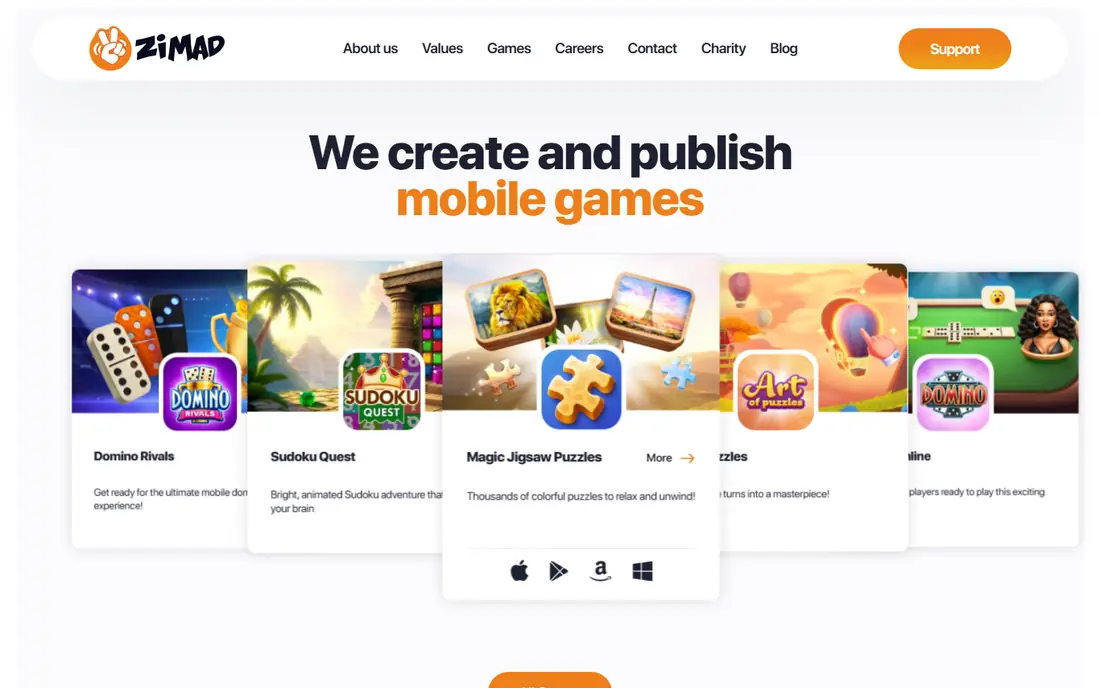
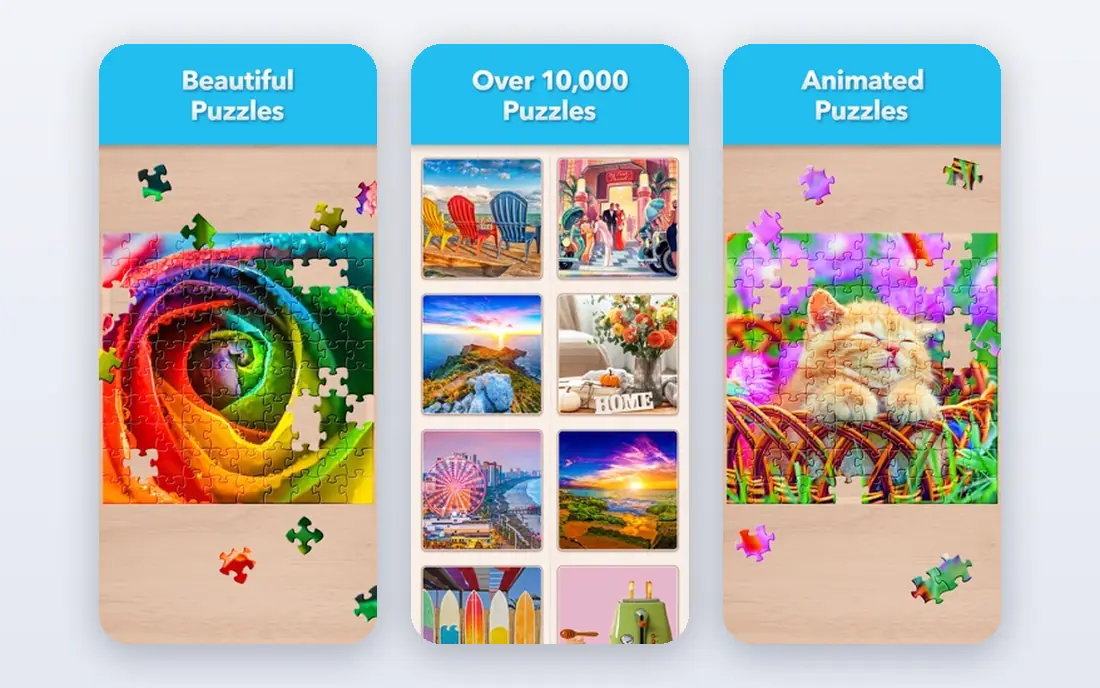
Magic Jigsaw Puzzles is our pick for most players because it covers the most ground. The catalog covers animals, nature, cities, art and more, with new puzzles daily and packs added through the year. You can also create puzzles from your own photos and share them with friends or the wider community, which adds a personal layer that many rivals lack.
Piece counts go up to 1,200 pieces, with six difficulty levels, rotation, group movement and music for a calm session. The free plan includes ads and optional purchases, so check the subscription price in your app store before you commit. For a single app that can serve both quick sessions and long challenges, this is the safest first download.
- More than 40,000 HD pictures
- Daily puzzles and quests
- Custom photo puzzles and community sharing
- Ads and in-app purchases on free play
- Social features can feel busy
- Large puzzles need a tablet for comfort

This Easybrain app suits players who want to open the app, pick a puzzle and start, without tournaments or a busy feed. Daily puzzles give a reason to return, controls are simple on a phone screen, and piece counts suit shorter sessions. It is a good choice for a commute or a wind-down puzzle before bed.
The trade-off is depth. The catalog and community features are lighter than Magic Jigsaw Puzzles, and some content sits behind purchases. If you want the simplest daily puzzle habit, that simplicity is a strength. If you want thousands of themed packs, start with Magic instead.
- Clean interface
- Daily puzzles
- Easy piece controls for phones
- Catalog is smaller than Magic
- Some packs behind purchases
- Social features are limited
MobilityWare is known for polished casual games, and its jigsaw app follows that pattern: clear images, steady controls and a focus on the puzzle itself. It suits players who find larger social apps distracting and just want a well-made classic puzzle. Tablet play is especially comfortable, since larger pieces are easier to move and sort.
It does not try to be a community platform, so players who want tournaments or shared puzzles should look elsewhere. Content behind purchases also means the free catalog is not endless. For a calm, classic puzzle experience, it is a reliable pick.
- Classic puzzle feel
- Clear controls
- Good for tablet play
- Fewer social features
- Some content behind purchases
- Catalog depth varies by store
Jigsaw Puzzles Epic offers a large themed catalog covering nature, cars, abstract art and more, with free download on Android and iOS. It suits players who want variety without learning a complex app, and its controls are straightforward for casual play. Difficulty rises as you solve puzzles, which gives a sense of progress.
The developer presence is smaller than ZiMAD or Easybrain, so check the live app store page for current pricing and update history before you install. If you want a large catalog with a simple feel and you are happy with in-app purchases, Epic is worth trying alongside Magic.
- Thousands of themed puzzles
- Free to download
- Simple controls
- Homepage and pricing details are less clear than larger rivals
- Ads and purchases on free play
Art Puzzle suits players who find classic photo jigsaws cramped on a phone. It uses illustrated, animated artwork and a piece style that works better on smaller screens, while still giving the satisfaction of completing an image. That twist makes it a good second app when you want variety from photo puzzles.
It is not the best pick if you want realistic photos or custom family photos as the main feature. Art-led puzzles are the point here, so the catalog feels different from Magic or Epic. For phone play and visual variety, it is a fresh and accessible choice.
- Illustrated and animated artwork
- Phone-friendly piece style
- Varied puzzle types
- Less like a classic photo jigsaw
- Some content behind purchases
- Catalog focus is art-led
Real Jigsaws suits players who want a digital puzzle that feels closer to a physical one, with realistic piece shapes and a focus on the image itself. Custom photo puzzles let you turn personal pictures into puzzles, which is a strong feature for family play. Past listings also highlighted a clear free-content claim, though you should check the current store page for update timing.
The interface is plainer than Magic, and there is less social or tournament play. If realism and custom photos matter more than community features, Real Jigsaws is a good fit. Check the store page for the latest update date before you rely on it as your main app.
- Realistic puzzle look
- Custom photo puzzles
- Clear free-content claim in past listings
- Update history should be checked on the store page
- Smaller social layer
- Interface is plainer
Jigsawscapes is often cited for a very large catalog, with past listings advertising tens of thousands of puzzles. That scale suits players who finish puzzles fast and want a new image every day without repeating themes. It is a practical pick for a household where several people share a tablet and want different subjects.
Catalog claims differ across listings, so treat the exact count as a guide rather than a promise. Ads and in-app purchases apply on free play, as with most apps here. If daily variety is your main need, Jigsawscapes deserves a place on your shortlist next to Magic.
- Very large advertised catalog
- Varied themes
- Good for daily variety
- Catalog claims vary by listing
- Ads and purchases on free play
- Controls vary by device
Ravensburger is a name many physical puzzle fans already trust, and its app brings that image quality to phones and tablets. It suits players who care about image selection and puzzle finish more than sheer catalog size, and it feels familiar if you already buy Ravensburger boxes. It is a good choice for a family tablet where quality matters.
The catalog is brand-led, so it will not match the sheer volume of Magic or Jigsawscapes. Some packs sit behind purchases, and availability can vary by store. For a quality-led puzzle app from a known puzzle maker, Ravensburger is a calm and reliable pick.
- Trusted puzzle brand
- Quality images
- Familiar puzzle feel for physical puzzle fans
- Catalog is brand-led rather than endless
- Some packs behind purchases
- App availability varies by store
How we picked these
We compared app store listings, developer pages and public reviews in October 2026. We kept apps that are still available, offer real jigsaw play with adjustable piece counts or daily puzzles, and have a free entry point. Where a developer homepage is less detailed than a larger rival, we noted that in the text and listed the developer site rather than inventing a product page.
How to choose a jigsaw app for how you actually play
Start with screen size. A phone suits puzzles up to a few hundred pieces, while a tablet suits 1,000-piece challenges where sorting matters. Check controls before you pay: rotation, edge-only mode, piece trays, preview and group movement all change how enjoyable a large puzzle feels. Try the free tier first and test those controls on a puzzle you like.
Next, check custom photos and subscriptions. If family photos matter, pick an app that includes custom creation in the free tier or at a price you accept. If you play daily, check the subscription renewal price in your app store settings, since deleting the app does not always cancel billing. Start free, keep rotation off until you want more challenge, and choose clear, colorful images for the most satisfying sessions.
A note on kids and privacy
If children will use the app, check age guidance and privacy settings before importing personal photos. Several jigsaw apps collect identifiers, usage data or advertising data, so read the app store privacy section first. Use a separate album for puzzle photos if you do not want personal pictures mixed with a shared puzzle account.
Frequently asked questions
What is the best jigsaw puzzle app overall?
Magic Jigsaw Puzzles is the best all-round pick for most players, thanks to its large catalog, daily puzzles and custom photo options. Easybrain and MobilityWare apps suit players who want a simpler, cleaner puzzle.
What are the best jigsaw puzzle apps for iPad?
Magic Jigsaw Puzzles, MobilityWare Jigsaw Puzzle and Ravensburger Jigsaw Puzzle all work well on a tablet, where larger pieces are easier to sort. A tablet also makes 1,000-piece puzzles far more comfortable than a phone.
Are jigsaw puzzle apps free?
Most apps here are free to download with ads and optional in-app purchases, and many offer a subscription for extra packs or ad-free play. Check the renewal price in the app store before you subscribe.
Can I make a jigsaw puzzle from my own photo?
Yes, Magic Jigsaw Puzzles and Real Jigsaws both support custom photo puzzles, though free-tier limits vary. Check whether custom creation is included in the free plan before you rely on it.
How many pieces should I choose?
Start with 100 to 300 pieces for a phone session, and move to 500 to 1,000 pieces on a tablet when you want a longer challenge. Clear, colorful images are easier and more satisfying than dark or highly detailed photos at high piece counts.
Sources
See where you really rank - block by block
ProMapRanker scans Google Maps across a grid of your service area. Simple monthly plans from $19, white-label on every plan.
Start freeKeep reading
 zoho inventory alternatives
6 Alternatives to Zoho Inventory, Compared on Price and Fit
Zoho Inventory alternatives: 6 tools compared on price, free plans and fit. Katana leads the list for manufacturers. Fit and flaws are laid out for each entry.
Read → zoho crm alternatives
Best Zoho CRM Alternatives (2026)
Need Zoho CRM alternatives? We compare 7 tools on cost, free access and who each suits. Every pick gets a straight assessment. Built for quick decisions.
Read → zelle alternatives
Best Zelle Alternatives in 2026
Compare the best Zelle alternatives for sending money to friends, paying sellers and moving funds abroad, with honest notes on fees, speed and safety in 2026.
Read →