 ProMapRanker
Best Jet Lag App in 2026: 8 Apps Compared

Key takeaways
- Timeshifter is the only app here built around validated circadian plans, with light, sleep, caffeine, and melatonin timing for each trip.
- Jet Lag Rooster is the best free dedicated planner for travelers who want a simple schedule without a subscription.
- Sleep Cycle, Calm, and Headspace help with sleep and relaxation, but they do not replace a circadian plan for crossing many time zones.
- Garmin Connect and Whoop suit travelers who already wear those devices and want jet lag advice tied to sleep and recovery data.
Quick comparison
| Pick | Great for | Pricing starts at | Free tier | |
|---|---|---|---|---|
 Timeshifter | Circadian jet lag plans | $9.99 per plan | Yes | Visit |
 Jet Lag Rooster | Free dedicated planner | Free | Yes | Visit |
 Entrain | Research-based light schedules | Free | Yes | Visit |
 Sleep Cycle | Sleep tracking and alarms | See website | Yes | Visit |
 Calm | Sleep stories and relaxation | See website | No | Visit |
 Headspace | Guided sleep and meditation | See website | No | Visit |
 Garmin Connect | Garmin watch owners | Free | Yes | Visit |
 Whoop | Recovery and sleep coaching | See website | No | Visit |
The best jet lag apps
Jet lag is not just tiredness after a flight. It is a mismatch between your body clock and local time, and light timing is the main tool for shifting that clock. We compared official app pages, feature descriptions, and pricing for each option below, and we focused on whether an app gives a timed plan for light, sleep, and caffeine, or only general sleep help. A plain health note: melatonin and other sleep aids affect people differently, so check with a clinician before using them, especially if you take other medicines or have a sleep disorder.
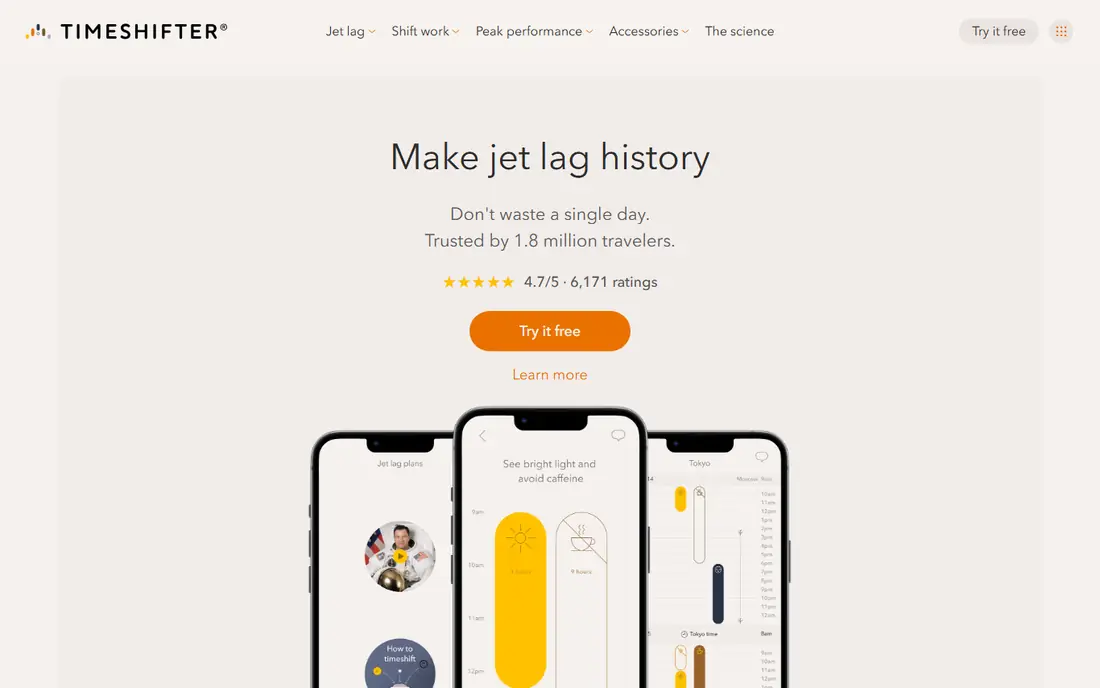
Timeshifter is our pick for most long-haul travelers, because it is built for jet lag itself, not general sleep. You enter flight details, your usual sleep pattern, and your natural tendency toward early or late rising, and the app builds a plan that tells you when to seek light, avoid light, sleep, nap, and use caffeine or melatonin if you choose those options. A practicality filter adjusts advice for real travel, so you are not told to avoid light for hours when you are stuck in a window seat.
The cost is per plan or subscription, with a first plan free in app listings and later plans near $9.99 each or a yearly subscription near $24.99 in store listings. That price is easy to justify for a long trip, but it is more than a free calculator for a short hop. For multi-zone travel where you need to perform on arrival, Timeshifter is the strongest choice here.
- Personalized plans based on chronotype, sleep pattern, and itinerary
- Hour-by-hour light, sleep, and caffeine guidance
- First plan free in app listings
- Paid plans or subscription needed after the first free plan
- Plans work best when you follow the timing closely
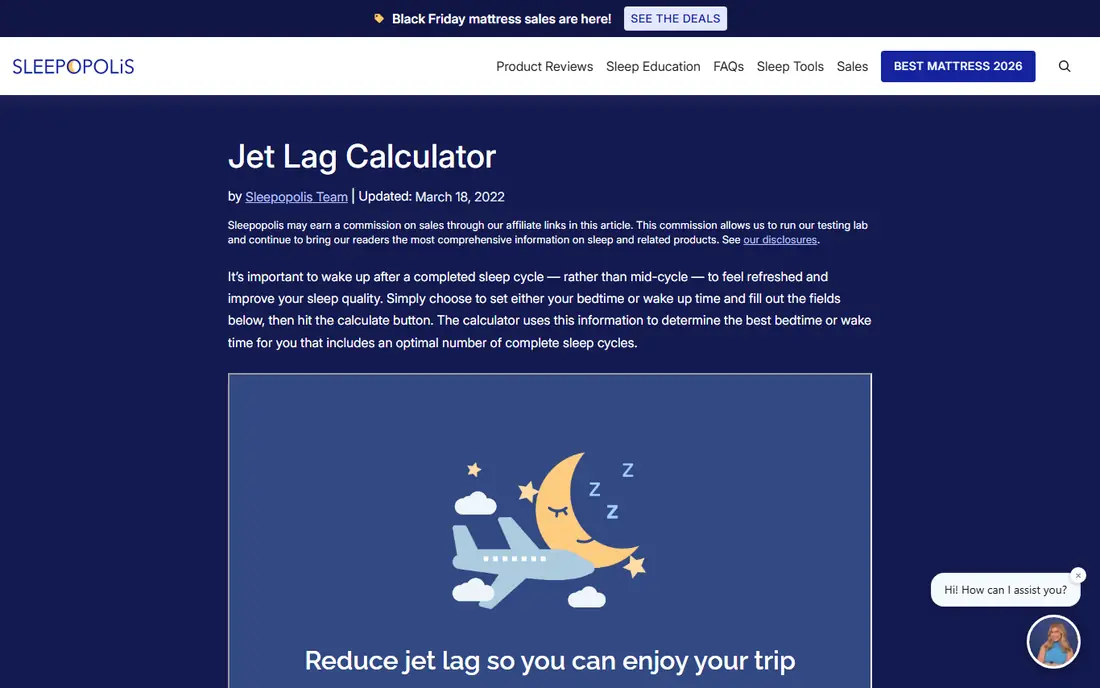
Jet Lag Rooster is a free web tool that builds a sleep and light schedule around your flight and time zones. You enter departure and arrival details, and it gives a plan for when to sleep, wake, and seek light in the days around travel. That simplicity is its appeal: no account maze, no subscription, and a plan you can print or save.
The trade-off is depth. Rooster does not offer the same chronotype personalization, flight-change updates, or in-app reminders as Timeshifter, and its design feels older. For a traveler who wants a free, dedicated jet lag schedule without paying for an app, it is still a very good starting point.
- Free
- Simple sleep and light schedule for a trip
- No subscription needed for core plans
- Simpler than Timeshifter and less personalized
- Interface is plainer than modern travel apps

Entrain comes from circadian research at the University of Michigan, and it builds a light schedule to help shift your body clock before and after travel. Users enter their current and target sleep times, and the app recommends light exposure and avoidance windows to move sleep gradually. That research grounding makes it a credible free option for travelers who like to understand the method.
The practical limits are availability and polish. Entrain has not had the same continuous commercial development as Timeshifter, so store availability and device support should be checked before a trip. For a free, science-based schedule on a supported device, it is worth trying, especially for a planned shift over several days.
- Free
- Based on University of Michigan circadian research
- Light schedule for shifting sleep times
- App availability and upkeep vary by platform
- Less polished than commercial rivals
Sleep Cycle is useful before and after a trip, even though it is not a jet lag planner. It tracks sleep duration and quality, wakes you in a lighter sleep phase within a window, and shows trends that help you see whether your sleep is settling into local time. That feedback helps travelers judge whether a plan is working.
The honest limit is that tracking alone does not shift your clock. Sleep Cycle will not tell you when to seek bright light or avoid it at a specific hour for your flight, which is the core job of Timeshifter and Rooster. Use it as a companion: a circadian planner for timing, and Sleep Cycle for tracking and alarms.
- Sleep tracking and smart alarms
- Sleep history and trends
- Easy to use on a phone by the bed
- Tracks sleep, it does not build a circadian jet lag plan
- Premium features need a subscription
Calm helps with the sleep side of travel, not the clock-shifting side. Sleep stories, breathing sessions, and soundscapes can help travelers fall asleep in a hotel or on a plane, and a regular wind-down routine can make local bedtime easier to keep. Many travelers use it alongside a jet lag plan for the nights when sleep is elusive.
The catch is that Calm does not calculate light timing for your route. A relaxing story at the wrong local time will not reset your body clock, and it could even reinforce a shifted schedule if used at odd hours. Use Calm for falling asleep, and use a dedicated planner for when to sleep.
- Large library of sleep stories and soundscapes
- Relaxation sessions for pre-flight nerves
- Offline downloads on many plans
- No flight-based circadian plan
- Subscription needed for full library
Headspace plays a similar supporting role to Calm, with guided meditation and sleepcasts that help travelers relax and fall asleep. Its structured courses suit beginners who want a short daily practice, and its sleep content can support a consistent bedtime routine after arrival. That routine matters, since irregular sleep after travel can prolong jet lag symptoms.
Like Calm, Headspace does not build a light and sleep plan for a specific flight. It is best used after you know your target sleep window from Timeshifter or Rooster, as a tool to help you fall asleep inside that window. On its own, it is a wellness app, not a jet lag solution.
- Guided sleepcasts and meditation
- Structured sleep courses
- Simple interface for beginners
- No circadian flight plan
- Subscription needed for full access
Garmin Connect includes a Jet Lag Adviser feature that builds a schedule from flight details, telling users when to seek light, avoid light, nap, exercise, and consider caffeine or melatonin. Because it syncs to a Garmin watch, advice appears on the wrist during travel, which is convenient at airports and in hotels.
The limit is hardware. You need a compatible Garmin device and the Connect app, and the feature is part of a fitness ecosystem, not a standalone product you can buy for jet lag alone. For Garmin owners, it is a strong free addition. For travelers without a Garmin watch, Timeshifter is a better standalone pick.
- Jet Lag Adviser feature for Garmin owners
- Advice synced to the watch
- Sleep and activity data in one place
- Requires a compatible Garmin watch
- Advice depth varies by device and plan
- Not a standalone jet lag app
Whoop suits travelers who already track sleep and recovery with a Whoop band. Recent updates add time zone detection and coaching prompts about sleep timing, hydration, and caffeine after a zone change, and its recovery scores help travelers see how travel affected sleep and strain. That data loop is useful for frequent travelers who want to learn from each trip.
The trade-off is cost and scope. Whoop needs a band and a membership, and its jet lag help is coaching tied to sleep data, not a full hour-by-hour circadian plan for a specific flight. For Whoop members, it is a useful travel companion. For a one-off long-haul trip, a dedicated planner will give clearer timing advice.
- Sleep and recovery tracking
- Time zone detection and coaching prompts in recent updates
- Strain and sleep data tied to travel
- Requires a Whoop band and membership
- Not a dedicated circadian planner like Timeshifter
How we picked these
We compared official app pages, feature descriptions, and pricing for each option, and we checked that each app still offers sleep, travel, or circadian features in October 2026. We favored dedicated circadian planners first, then sleep and recovery tools that genuinely help during travel, and we stated plainly where a popular sleep app does not shift the body clock. We did not present general wellness apps as jet lag cures.
What to check before you choose
Start with your trip length and time zones crossed. A one-hour shift needs only good sleep habits, while a six-hour shift benefits from a timed plan started before departure. Check whether the app updates when flights change, whether it works offline on a plane, and whether melatonin advice is optional and clearly labeled. Finally, build in light: morning daylight at the destination, and sunglasses or dim light when the plan says to avoid light, matter as much as any app notification.
Frequently asked questions
What is the best jet lag app?
Timeshifter is the best jet lag app for most long-haul travelers, because it builds a personalized circadian plan for light, sleep, caffeine, and melatonin timing. Jet Lag Rooster is the best free dedicated alternative for a simpler schedule.
What is the best free jet lag app?
Jet Lag Rooster and Entrain are the best free dedicated options, with Rooster offering a simple trip schedule and Entrain offering a research-based light schedule. Timeshifter also offers a first plan free in app listings, with paid plans after that.
Do jet lag apps really work?
Dedicated circadian planners can help, because timed light exposure is the main tool for shifting the body clock, and a plan makes that timing specific to your flight. General sleep apps help you fall asleep, but they do not shift the clock on their own. Following the plan closely matters more than which app you pick.
How do I use a jet lag app for a long flight?
Enter your flight, usual sleep times, and chronotype, then start the plan before departure if the app offers pre-travel advice. Follow light, sleep, nap, and caffeine timing during the flight and after arrival, and use sunglasses or bright daylight as the plan directs.
Should I take melatonin for jet lag?
Melatonin timing matters, and the wrong timing can make jet lag worse, so follow a plan that times it carefully or skip it if you are unsure. Check with a clinician before using melatonin or other sleep aids, especially if you take other medicines, are pregnant, or have a sleep disorder.
Sources
See where you really rank - block by block
ProMapRanker scans Google Maps across a grid of your service area. Simple monthly plans from $19, white-label on every plan.
Start freeKeep reading
 zscaler alternatives
Best Zscaler Alternatives in 2026
Looking for zscaler alternatives? We compare 9 SASE and zero trust platforms on architecture, data protection, pricing, and fit for your network and team.
Read → zapier alternatives free
Best Zapier Alternatives Free in 2026
Nine automation tools for zapier alternatives free in 2026, all with genuinely free tiers, plus free plan limits, starting prices and upgrade paths explained.
Read → which platform is best for online reputation
Which Platform Is Best for Online Reputation in 2026
Wondering which platform is best for online reputation? We compare 8 review, listing, and response tools for small and multi-location businesses and agencies.
Read →