 ProMapRanker
Best Invoice Software for Landscaping in 2026


Small outdoor service crews growing past spreadsheets · Pricing starts at: $29 per month
Key takeaways
- Jobber is the best all-round pick for small outdoor service crews, because quotes, scheduling, invoicing, and payments run in one mobile-friendly system.
- Housecall Pro and Service Autopilot suit larger operations, with deeper automation and route tools that smaller shops may not need yet.
- Yardbook, Wave, Zoho Invoice, and Square Invoices offer genuinely free starting points for solo operators and very small crews.
- The deciding factors are recurring billing, mobile invoicing in the field, payment collection, and how cleanly the tool syncs with your accounting software.
Quick comparison
| Pick | Great for | Pricing starts at | Free tier | |
|---|---|---|---|---|
| Jobber | Small outdoor service crews growing past spreadsheets | $29 per month | Free trial | Visit |
 Housecall Pro | Mixed home-service shops with field teams | $59 per month | Free trial | Visit |
 Yardbook | Solo operators on a budget | Free | Yes | Visit |
 Service Autopilot | Large routes with heavy automation | $49 per month | No | Visit |
 FreshBooks | Solo operators billing by hour or project | $23 per month | Free trial | Visit |
 Wave | Very small operations starting free | Free | Yes | Visit |
 Zoho Invoice | Solo operators inside the Zoho ecosystem | Free | Yes | Visit |
 Square Invoices | On-site collection by card and cash | Free | Yes | Visit |
The best invoice software for outdoor services
Outdoor service work bills in patterns that generic invoicing misses: weekly visits, seasonal contracts, per-visit charges, and larger install projects. The tools below handle those patterns, with mobile invoicing for crews in the field and payment links that shorten the wait for money. We compared official pricing pages, feature pages, and public reviews for tools that work in October 2026.
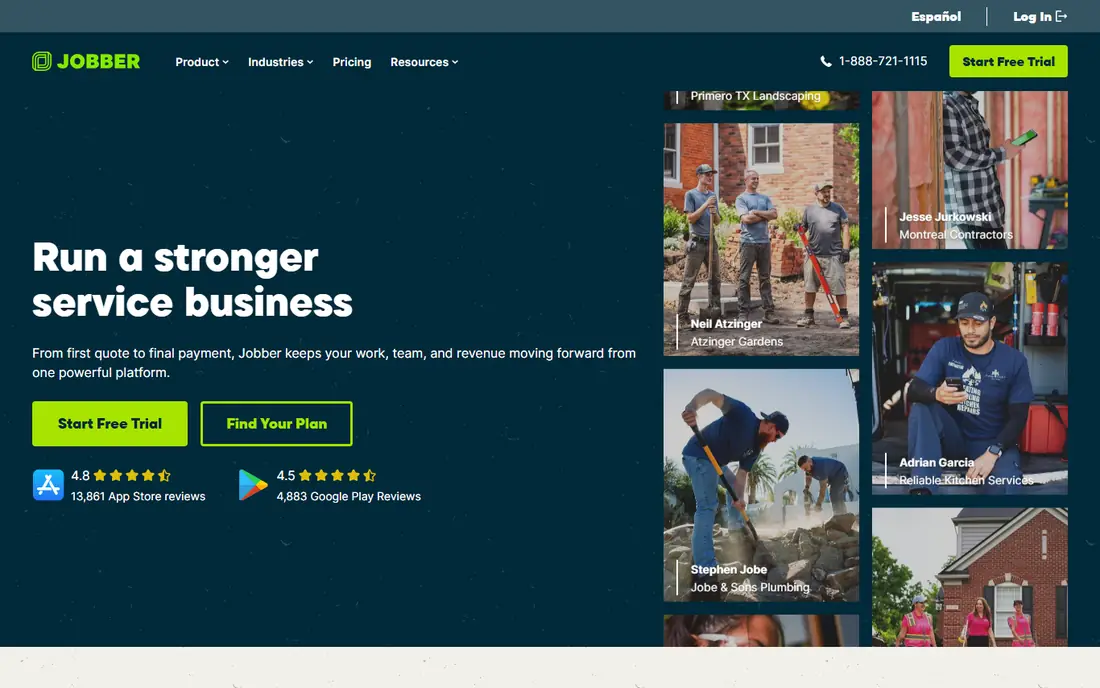
Jobber is the default first upgrade from spreadsheets for small outdoor service businesses, and the reason is the daily flow. A quote becomes a scheduled job, the job becomes an invoice, and the invoice becomes a payment, without retyping client details at each step. The mobile app matters here, because the crew is the user base, and an app they will actually open in the field keeps billing current. Route tools and a client hub add polish without forcing a complex setup.
The honest catch is the pricing ladder. The entry plan covers one user on annual billing, and adding team members raises the monthly cost. Complex estimating for large install projects is also not its strength, so bigger design-build firms often outgrow it. For weekly routes, cleanups, maintenance visits, and light installs, Jobber is the easiest on-ramp in this list, and the free trial lets you test it on a real route before paying.
- Quotes, scheduling, invoicing, and payments in one system
- Strong mobile app for field crews
- Client hub and QuickBooks sync
- Per-user pricing adds up as the crew grows
- Deeper estimating lives on higher tiers
- Heavier automation requires upper plans
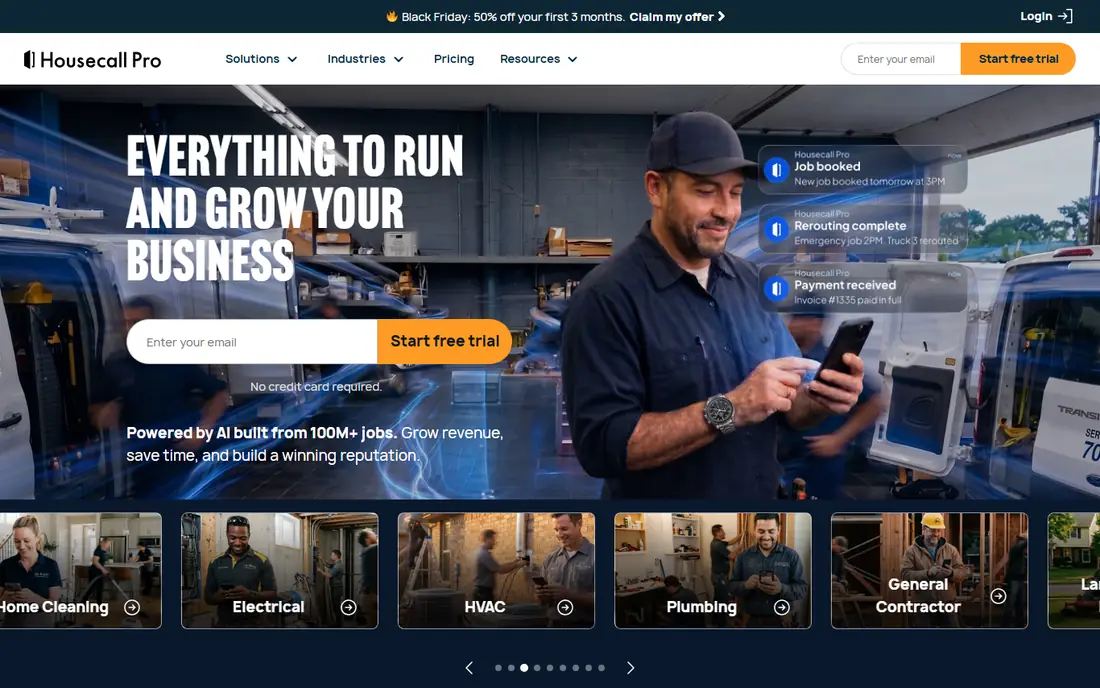
Housecall Pro suits shops that run several kinds of home and outdoor service work from one office. Scheduling and dispatch sit next to invoicing, so the office can see which crew is where, what was quoted, and what is still unpaid. Customer messaging and online booking reduce phone tag, and a price book keeps common services consistent across estimators. For a growing shop with office staff and field teams, that combined view saves daily coordination time.
The price is the filter. At $59 per month billed annually for one user, Housecall Pro costs more than Jobber to start, and the QuickBooks sync that many owners want requires the Essentials plan. Extra users on upper tiers add further cost. Choose Housecall Pro when you run a mixed-service shop and want dispatch depth alongside invoicing. A single-service crew may find Jobber or a free tool covers the same billing job for less.
- Scheduling, dispatch, invoicing, and payments in one place
- Price book and customer messaging
- QuickBooks sync on higher plans
- Higher entry price than Jobber
- QuickBooks sync starts on the Essentials tier, not Basic
- Extra users cost more on upper plans
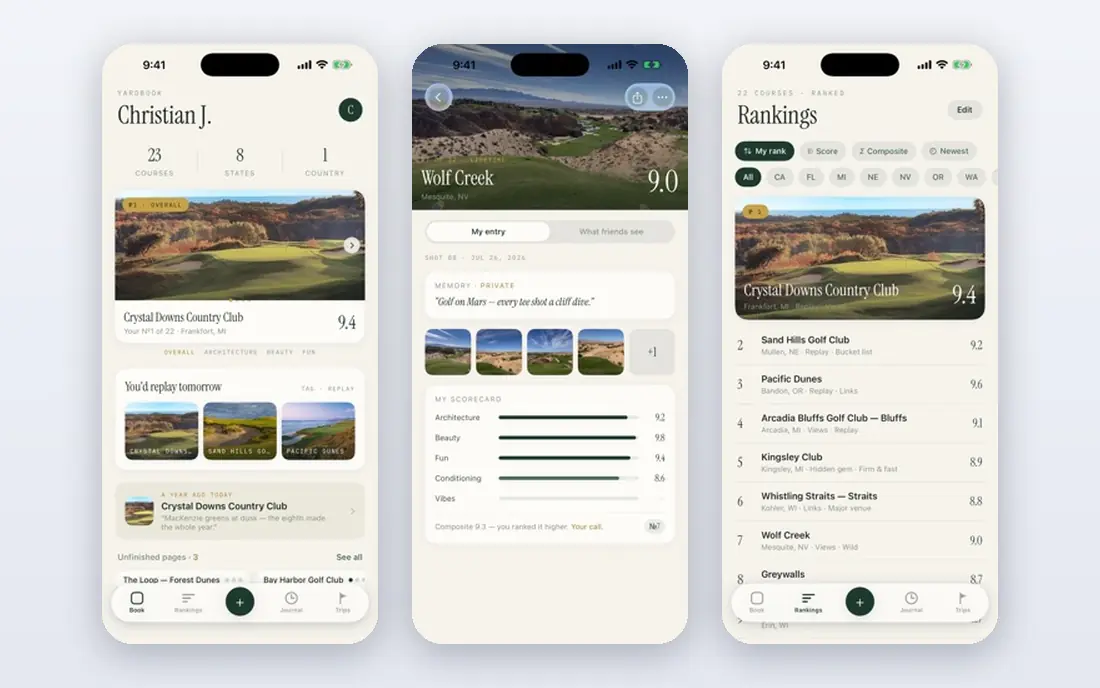
Yardbook is built for the solo operator who needs to invoice without a subscription. The free plan covers scheduling, invoicing, and customer records for lawn and grounds work, which is enough for many one-person businesses to run the billing side properly. Setup is quick, and the workflow reflects recurring visits rather than generic office billing. For a new operator, that fit matters more than a long feature list.
The trade-offs are scale and polish. The free tier carries ads, and features such as automated payments and deeper reporting require premium plans. Larger crews with complex dispatch needs will outgrow it. Yardbook is the right pick when budget is the main constraint and the business is small. Start free, learn what you actually use, and move to a paid tool only when volume or team size forces the change.
- Free plan covers core invoicing and scheduling
- Built for lawn and grounds crews
- Simple setup for a one-person operation
- Free plan is ad-supported
- Advanced automation and payments sit on premium tiers
- Less suited to large multi-crew operations
Service Autopilot is built for scale. Large outdoor service companies with dense routes need automation that handles recurring billing, route changes, reminders, and follow-ups without manual work for every account. The platform is designed around that volume, and its reporting helps owners see route profitability and account health across a big customer base. For an established company, that depth can replace several separate tools.
The catch is complexity. A solo operator will find the setup heavy and the price hard to justify, and the learning curve is longer than Jobber or Yardbook. Service Autopilot earns its place when route volume and automation needs already strain a simpler tool. If your billing pain is just sending invoices on time, start smaller and upgrade when the routes demand it.
- Deep automation for routes, billing, and follow-ups
- Handles large recurring route volume
- Strong reporting for established companies
- More system than a solo operator needs
- Setup and learning take longer
- Some advanced features require higher tiers or a demo
FreshBooks suits the outdoor service owner who bills by hour, project, or visit and does not need dispatch software. Invoices look professional, clients can pay from the invoice, and time tracking turns field hours into billable lines without retyping. Recurring billing on Plus and higher plans handles seasonal contracts, and the interface stays friendly for owners who do their own books. For a solo operator or small partnership, that simplicity is a real advantage.
The limit is field operations. FreshBooks has no route planning, crew dispatch, or job-site checklists, so a business that lives on routes will need a second tool or a different pick. Client limits on lower plans also matter as the customer list grows. Choose FreshBooks when invoicing and getting paid are the main jobs, and your scheduling still fits a calendar. Choose Jobber or Housecall Pro when dispatch is part of daily work.
- Clean invoicing with online payment links
- Time tracking flows into invoices
- Recurring billing on higher plans
- Billable client limits on lower plans
- No route or dispatch tools
- Not built for large field crews
Wave gives a very small outdoor service business a free, honest way to invoice. You can create professional invoices, send payment links, track income, and upload receipts without a subscription. That covers the billing basics for a side business or a new solo operation that is still proving demand. The accounting side also means income and expenses sit in one place, which helps at tax time.
The limits are operational. Wave does not plan routes, dispatch crews, or manage recurring visit schedules the way Jobber does, and support and reporting are lighter than paid tools. Treat Wave as a starting point: invoice reliably, get paid, and keep clean records, then move to an operations tool when scheduling becomes the bottleneck. For a tiny crew watching costs, free software that does invoicing well is a sensible first step.
- Free invoicing and accounting for small operations
- Simple payment links
- Receipt uploads included
- No route or scheduling depth
- Payroll availability varies by location
- Advanced reporting is thinner than paid rivals
Zoho Invoice is a strong free option for solo operators who want more polish than a basic invoice template. Recurring invoices, estimates, payment links, and a client portal come on the free plan, which covers seasonal contracts and repeat visits without a subscription. The templates look professional, and reminders help chase late payments without awkward phone calls. If you already use Zoho CRM, Books, or Mail, the shared customer data is a bonus.
The gap is field work. Zoho Invoice does not dispatch crews or optimize routes, so it suits owners who schedule separately and mainly need billing done well. Larger teams will pair it with an operations tool or move to Jobber. Choose Zoho Invoice when your billing needs are recurring invoices and clean payment collection, and you are comfortable inside the Zoho ecosystem.
- Free plan with recurring invoices and payment links
- Clean templates and client portal
- Works well with other Zoho apps
- No field dispatch or route tools
- Best value assumes other Zoho apps
- Larger crews need an operations platform alongside it
Square Invoices fits crews that collect payment at the job site. An estimate can become an invoice, the customer can pay by card on the spot, and the record stays tied to that job without extra paperwork. For small crews that work door to door or visit to visit, that on-site collection shortens the payment cycle more than any scheduling feature. Setup is quick, and the free tier covers the invoicing itself.
The limits are scope and fees. Square Invoices does not handle routes, dispatch, or deep job costing, and card processing fees apply to each card payment, so check the current rate for your sales volume. Accounting depth also needs Square tools or a separate bookkeeping app. Square Invoices is best when getting paid on site is the priority and the crew is small. Larger route businesses should look at Jobber or Service Autopilot instead.
- Free invoicing with card payments on site
- Simple setup for cash and card crews
- Estimates convert to invoices cleanly
- No route or dispatch features
- Processing fees apply to card payments
- Accounting depth requires Square or a separate bookkeeping tool
How we picked these
We compared official pricing pages, feature descriptions, and public reviews for invoicing tools that serve outdoor service businesses in October 2026. We favored tools with recurring billing, mobile invoicing, payment collection, and a real free plan or trial, and we included both operations platforms and pure invoicing tools so small and large crews can compare honestly. We left out generic invoicing apps with no recurring or field-friendly billing.
What to check before you choose
Start with your billing pattern, not the feature list. Count how many invoices are weekly repeats, how many are seasonal contracts, and how many are one-off projects, then test the tool on each type. Send a test invoice to yourself, pay it on a phone, and check that the payment, the receipt, and the accounting sync all match. A tool that looks good on a desktop demo can still frustrate a crew in the field.
Also confirm the total cost for your team size. Per-user pricing, payment processing fees, and higher-tier automation can move the monthly bill well above the headline price. Check whether estimates, recurring billing, and payment reminders sit on your plan or a higher one, and confirm the accounting sync before you migrate a full customer list. The right tool is the one your crew will use every day, not the one with the most features on paper.
Frequently asked questions
What is the best invoice software for an outdoor services business?
Jobber is our general pick for small crews, because it combines quotes, scheduling, invoicing, and payments in one mobile system. Solo operators should start with Yardbook, Wave, or Zoho Invoice for free, and larger route businesses should compare Housecall Pro and Service Autopilot.
Can I bill recurring weekly visits automatically?
Yes, if you choose a tool with recurring billing. Jobber, Housecall Pro, Service Autopilot, FreshBooks on higher plans, and Zoho Invoice all support recurring invoices, and several support automatic payment collection when customers agree to it.
Is free invoicing software good enough for a small crew?
For a solo operator or very small crew, yes. Yardbook, Wave, Zoho Invoice, and Square Invoices all offer free invoicing that covers estimates, invoices, and payment links. Move to a paid operations tool when scheduling, dispatch, or team size becomes the bottleneck.
Do these tools sync with QuickBooks?
Jobber and Housecall Pro sync with QuickBooks Online, with the exact plan requirement varying by tool, so confirm it on your tier before you buy. FreshBooks, Wave, and Zoho Invoice are accounting systems in their own right, so they replace QuickBooks rather than syncing with it.
How do I get paid faster from invoices?
Send the invoice the same day the work is done, include a payment link, and offer card or bank payment alongside cash or check. Automatic reminders for overdue invoices also help, and several tools here send them without manual chasing.
Sources
See where you really rank - block by block
ProMapRanker scans Google Maps across a grid of your service area. Simple monthly plans from $19, white-label on every plan.
Start freeKeep reading
 worlds best local seo company
8 Worlds Best Local SEO Companies for Map Pack Growth in 2026
Compare the worlds best local seo company options for Google Business Profile work, citations, reviews, and multi-location rankings and reporting in 2026.
Read → world's best web hosting company
World's Best Web Hosting Company in 2026
Searching for the world's best web hosting company? We compared 10 hosts on price, renewal rates, speed, and support to help you choose well today in 2026.
Read → who's got the best nanny tax services
Who's Got the Best Nanny Tax Services in 2026
We answer who's got the best nanny tax services, comparing full filing, back taxes, software, and pricing so families can handle nanny taxes correctly.
Read →